
 Cathryn Lee
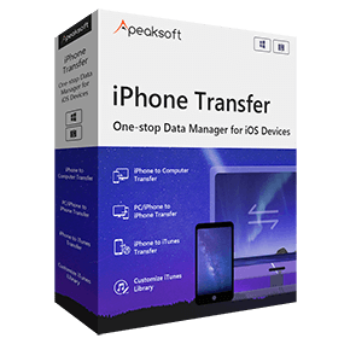
Apeaksoft iPhone Transfer is a fast and secure phone transfer tool that lets you move, manage, and back up data like photos, contacts, and music across iOS devices, PCs, and Macs. It simplifies iOS file management with built-in tools to edit contacts, convert HEIC images to standard formats, and sync files across platforms without risking any data loss.
Apeaksoft iPhone Transfer
Transfer and manage your iOS data before you change new phone.
- Product
- Apeaksoft iPhone Transfer
- Product website
- apeaksoft.com
- License
- 1-Year
- Platform
- Windows 11, 10, 8.1, 8, 7, Vista, XP (SP2 or later)
- Installer
- iphone-transfer.exe
- Use
- Non-commercial only
- Updates
- No free updates
- Support
- No free tech support
- Updated
- 2026-06-09
Continue on apeaksoft.com
The publisher handles registration and license delivery on its official website.
This giveaway ended on .
Apeaksoft iPhone Transfer - Lifetime
Apeaksoft iPhone Transfer Plans & Coupon Codes Oct 2026
Apeaksoft iPhone Transfer for Windows Version
3 plans · best save 50%
Apeaksoft iPhone Transfer for Mac Version
3 plans · best save 50%
📄 Licensing & Support Details
- 1-month & lifetime license
- Access to full features
- Free updates & support
- 30-day money-back guarantee
📝 How to apply
- Click the “Copy” button in the coupon section above to claim this deal.
- Your code will be used automatically, and you will proceed to the checkout area, where the software is available at the lowest possible price.
How to get the Apeaksoft iPhone Transfer Free License Key?
Open the giveaway page and enter your name and email then submit the form. Open your mailbox to get the free license code for Apeaksoft iPhone Eraser.

Download and install the software on your computer. Register by using the registration code above.

In-Depth Review & Features

Key Features
- Transfers files (photos, videos, messages, contacts, and more) between iPhone, iPad, iPod, Windows, and Mac.
- Syncs data directly between two iOS devices with a single click.
- Manages photos by letting you create custom albums, delete unwanted images, and back up galleries.
- Organizes your address book by removing duplicate contacts, editing details, and backing up the entire list.
- Acts as a music editor to add, export, or edit ID3 album info, automatically converting audio formats to fit your specific Apple device.
- Includes extra efficiency tools to convert HEIC images to JPEG/PNG and create custom ringtones from your music.
Pros & Cons
More Apeaksoft iPhone Transfer screenshots!

Frequently asked questions
Where can I spot active promo codes or deals for Apeaksoft iPhone Transfer?
You can usually find the most up-to-date promotions directly on their official website, but for verified Apeaksoft iPhone Transfer coupons, WinningPC is the top spot to check before you buy.
What is the biggest price drop available right now for this iOS transfer tool?
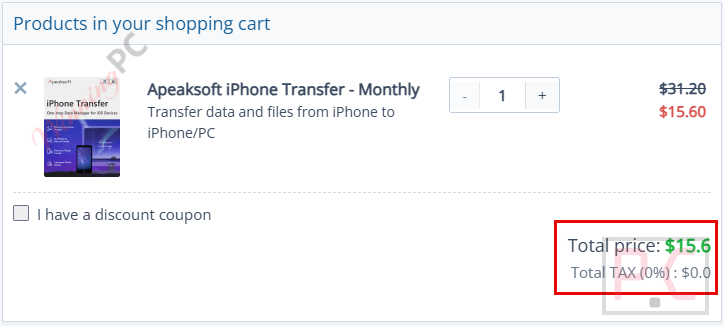
Currently, you can secure a massive 50% OFF discount on both the Monthly and 1-PC Lifetime plans right here at WinningPC.
Do I need to keep iTunes open when moving files?
No. While you must have iTunes installed on your system so the software can detect your iPhone or iPad, you are advised to keep iTunes closed while using the Apeaksoft transfer tool.
My PC won’t recognize my iPhone. How do I fix this?
First, try using a different USB cable or plugging into a different USB port. If that doesn’t work, open iTunes to see if it detects your phone. If iTunes sees it, close iTunes, restart the Apeaksoft software, and reconnect your device.
Can I move my contacts from an iPhone to a Mac?
Absolutely. The software supports exporting various file types, including your address book and text messages, directly from your iOS device to a Mac computer.
Will this software delete my current phone data when syncing?
No, it is designed to be completely safe. The transfer process will not overwrite or cause any loss to the files already stored on your phone or tablet.
Can it automatically change the format of my music files?
Yes, the built-in music manager will automatically convert incompatible audio formats during the transfer process so they play perfectly on your iOS device.
System Requirements & Details
| Feature | Specifications |
|---|---|
| Language Support | English, Français, Italian, Spanish, Swedish, and more… |
| Operating System | Windows 11/10/8.1/8/7/Vista/XP (SP2+); macOS 10.7 or above |
| Processor | 1GHz Intel/AMD CPU or Apple M1/M2/M3/M4/M5 chip |
| RAM & Storage | 1GB RAM or more |
| Supported Input | ePub, PDF, Contacts, Music, Movies, TV Shows, Photos, Playlists, etc. |
| Supported Output | Export to Mac/iTunes (Contacts, Messages, Media, ePub, Voice Memos, etc.) |





curiosity, if I take the giveaway now but use the serial once the giveaway time is over, is the serial still valid? example, giveaway expires tomorrow, I take the serial or account today, if I insert it in 3 days is the license valid?
You should activate this code before the giveaway has ended.