
On this page
ASCOMP PDF Imager Pro Giveaway
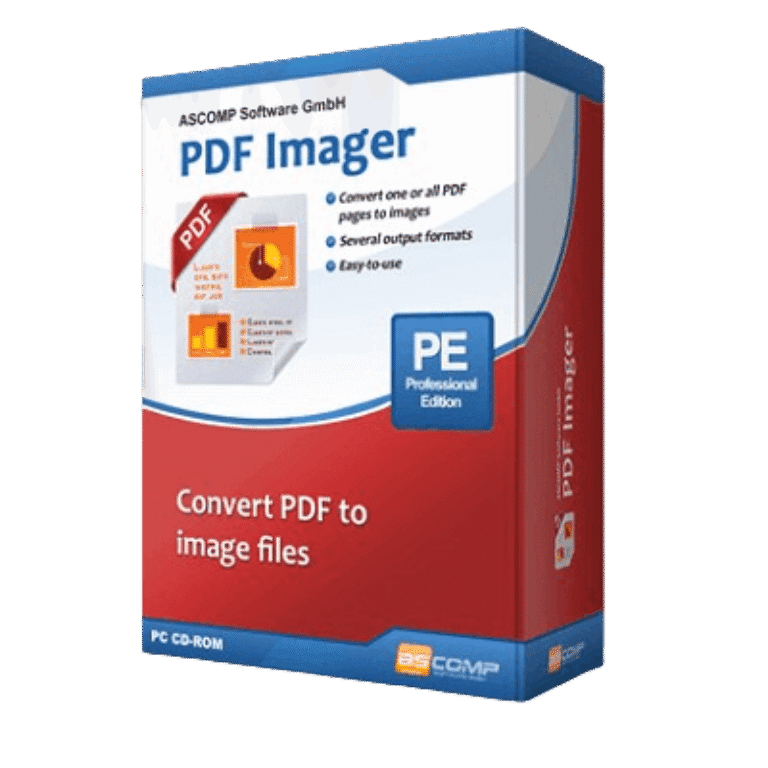
ASCOMP PDF Imager Pro
Convert images and PDFs flexibly
- Product
- ASCOMP PDF Imager Pro
- Product website
- ascompsoftware.com
- License
- Lifetime
- Platform
- Windows 11, 10, 8.1, 8, 7
- Usage
- Non-commercial only
- Updates
- Free upgrades for 1 month
- SuppoF
- Free support for 1 month
- Updated
- 2026-07-27
Continue on ascompsoftware.com
Share to reveal your license code and the official claim page.
The limited-time giveaway!
The free license is no longer available.
ASCOMP PDF Imager Pro Key Free
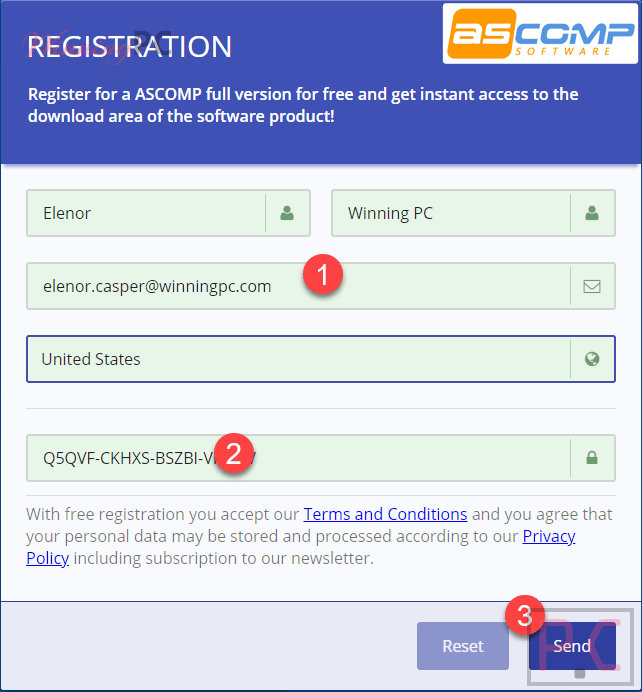
- Go to the ASCOMP PDF Imager giveaway page linked and fill in the form: your name, email address, country, and the free license key shown on the page.
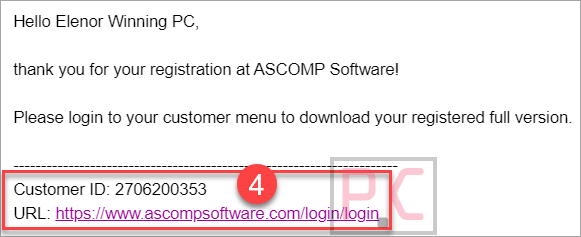
- Check your inbox for a confirmation email with your ASCOMP account login credentials.
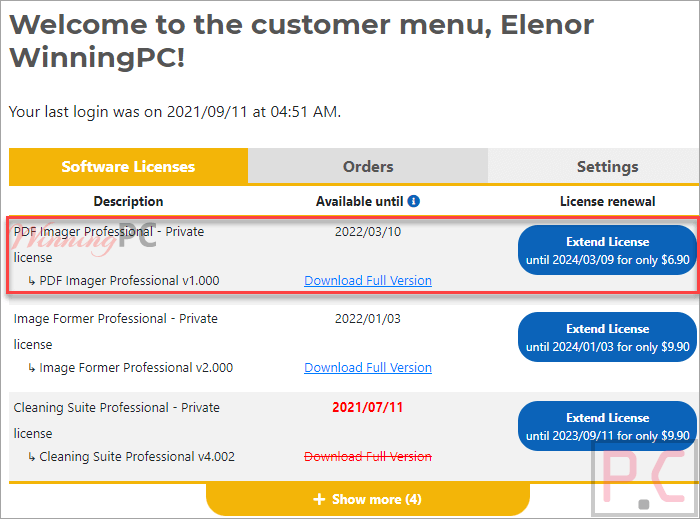
- Log in to your ASCOMP customer menu and download the full version of PDF Imager Pro.
- Install the software on your Windows PC.
- Launch Ascomp PDF Imager Pro and enter your customer ID to activate – no crack or patch needed, it’s a genuine key from ASCOMP.
Ascomp PDF Imager Plans & Coupon Code (100% Working)
ASCOMP PDF Imager Pro
Lifetime license (lifelong use; including updates, download & support for two years)

ASCOMP All-in-One Pack
Free update & Free technical customer for 24 months

What ASCOMP PDF Imager Pro is good at
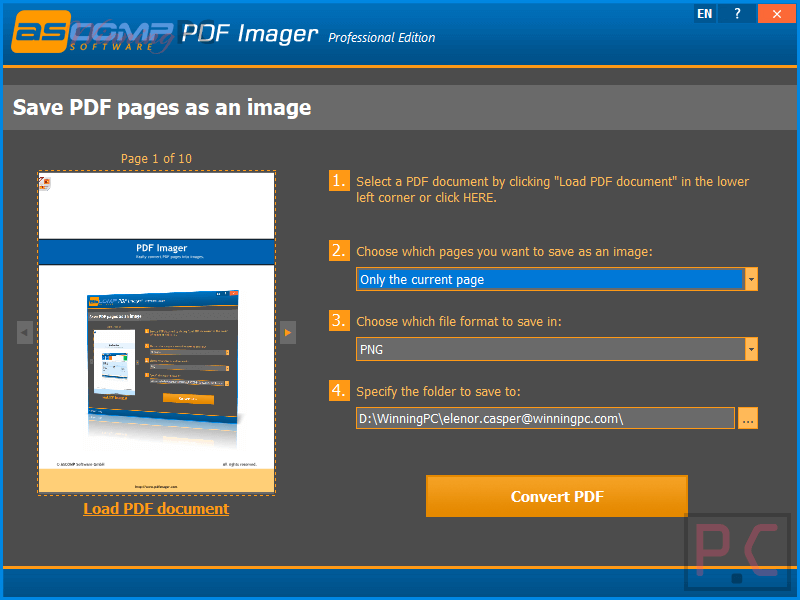
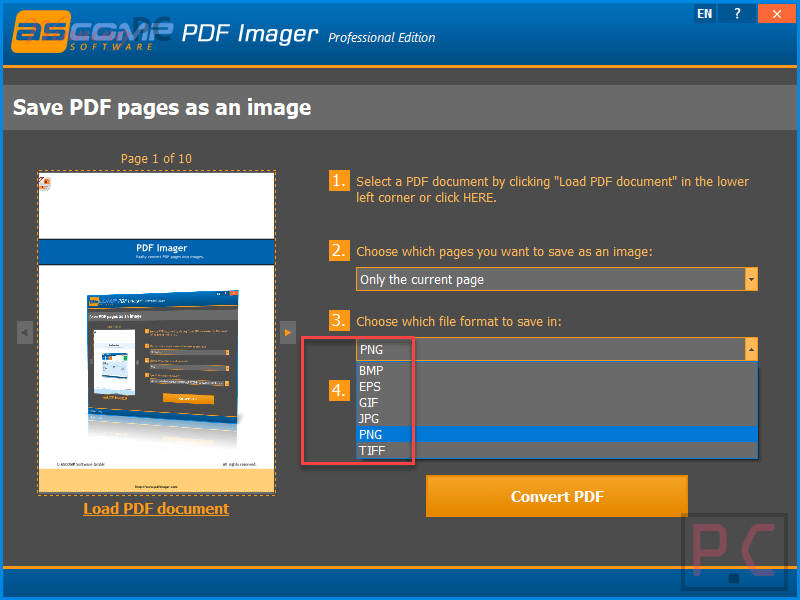
Ascomp PDF Imager Pro does a narrow job and does it cleanly: you point it at a PDF, pick an output format, and get images back in a few clicks. The format range is genuinely useful – six options covers most scenarios, and the distinction matters in practice. TIFF is the right pick for print-quality or archiving work; PNG preserves transparency where that matters; JPG keeps file sizes small for sharing. BMP is there for uncompressed output, though the file sizes run large. The interface stays out of the way, which is either a strength or a limitation depending on what you need. There’s no built-in editor, no annotation layer, no scheduled batch queue. For straightforward PDF-to-image or image-to-PDF work, that simplicity is actually fine.
Key features
- Convert multi-page PDFs into individual image files (JPG, PNG, TIFF, BMP, GIF, EPS).
- Combine image files or whole image folders into a single PDF document.
- High-resolution, lossless output quality on supported formats.
- Intuitive interface designed for quick turnaround with minimal setup.
- Handles both directions: PDF to images, images back to PDF.
pros & Cons
more screenshots
Frequently Asked Questions
Does the giveaway license really last a lifetime, or does it expire?
The license itself is permanent – you keep the version you downloaded with no expiration. What ends after one month is access to free updates and technical support. After that window closes, the software keeps working, but you won’t get new version upgrades.
Can I use this for client work or freelance projects?
No. The giveaway license is for personal, non-commercial use only. If you bill clients for work that involves this software, you’ll need to purchase a license. At $4.87 with the coupon code, that’s a straightforward decision.
What image formats does Ascomp PDF Imager Pro output?
JPG, PNG, BMP, TIFF, GIF, and EPS. For everyday sharing, JPG or PNG is the right call. TIFF works better for print or archiving; BMP gives uncompressed output but produces large files.
System Requirements & Details
| Operating system | Windows 11, 10, 8.1, 8, 7 / Windows Server 2022, 2016, 2012 |
| Supported input formats | PDF files; image files (JPG, PNG, BMP, TIFF, GIF, EPS implied) |
| Supported output formats | JPG, PNG, BMP, TIFF, GIF, EPS (PDF to image); PDF (image to PDF) |
| Shipping | Register code will be sent to your email in minutes |
| Subscription | Lifetime |
| Support Services |




My only question is WHY would you want to convert an entire PDF file into a simple raster image? There are plenty of in browser PDF viewers so it’s not necessary to make a PDF web compatible as most modern browsers understand PDF files. And you can always print to an image file using PDFCreator FREE by PDFForge if you configure it to output say a PNG file… but can be JPG, TIFF or TXT as well. Then you can print anything to images including a PDF file.
ERROR:
License key is invalid!
Download full version: https://www.mediafire.com/file/f25ut3u3dpm2mrn/pdfimagerVV_v1.0-WinningPC.exe/file
Its giving error, saying “ERROR: License key is invalid!”
Download full version here: https://www.mediafire.com/file/f25ut3u3dpm2mrn/pdfimagerVV_v1.0-WinningPC.exe/file
dear admin
when I fill the form and give the free license key, an error in red appears at the bottom of page which says :
ERROR:
Your registration cannot get completed currently, please try it again in 30 minutes.
any help ?
You can download full version here: https://www.mediafire.com/file/f25ut3u3dpm2mrn/pdfimagerVV_v1.0-WinningPC.exe/file
Thank you , it worked
God bless