
On this page
ASCOMP Secure-PDF Professional Giveaway
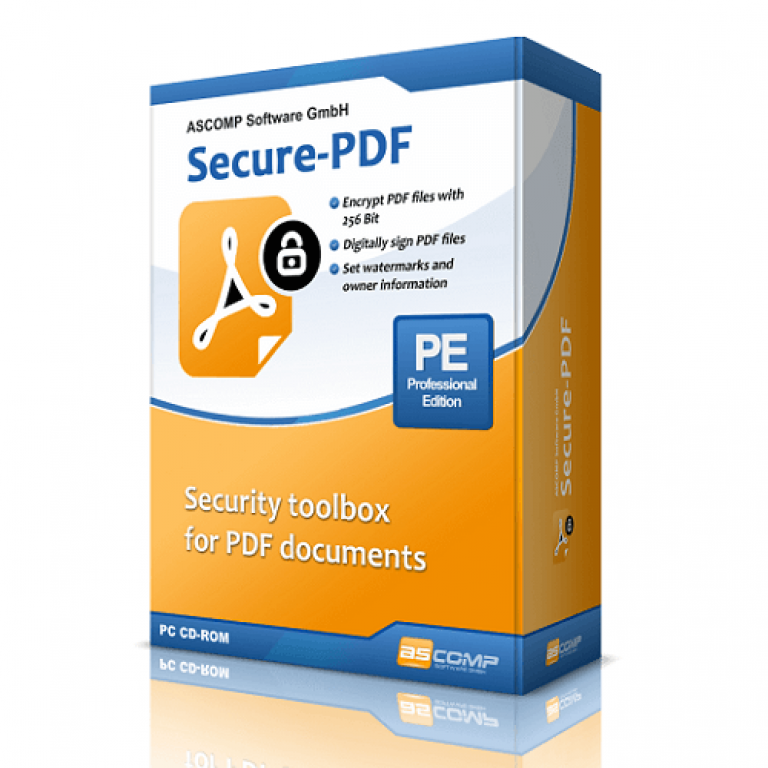
ASCOMP Secure-PDF Professional
Encrypt PDF files securely, protect sensitive content and create digital signatures with Secure-PDF.
- Product
- Secure-PDF Professional
- Product website
- ascompsoftware.com
- License
- Lifetime
- Platform
- Windows 11, 10, 8.1, 8, 7, Server 2022/2025, Server 2016/2019, Server 2012
- Updates
- Free tech support for one month
- Support
- Free updates for one month
- Updated
- 2026-08-26
Continue on ascompsoftware.com
Share to reveal your license code and the official claim page.
The limited-time giveaway!
The free license is no longer available.
Secure-PDF Professional Coupon Code Oct 2026

ASCOMP Secure-PDF Pro
Lifetime license (lifelong use; including updates, download & support for two years)

ASCOMP All-in-One Pack
Free update & Free technical customer for 24 months

Is the ASCOMP Secure-PDF Pro giveaway safe and legit?
Yes, this is a legitimate offer. ASCOMP is an established software developer with a track record in file-security utilities, and this giveaway runs through their own authorized reseller portal rather than a third-party key marketplace.
No crack or keygen
You install ASCOMP’s official build and activate it using genuine credentials the publisher sends you directly. Nothing is patched or repackaged.
Official authorized source
Registration goes through ASCOMP’s own reseller area – not a grey-market site or key reseller.
Secure HTTPS checkout
If you choose the 65% off paid option, payment is handled on ASCOMP’s encrypted store. Your card details never pass through WinningPC.
14-day money-back guarantee
Paid purchases are refundable within 14 days, no questions asked. The giveaway is free, so there’s no financial risk either way.
How to Get ASCOMP Secure-PDF Professional Key Free
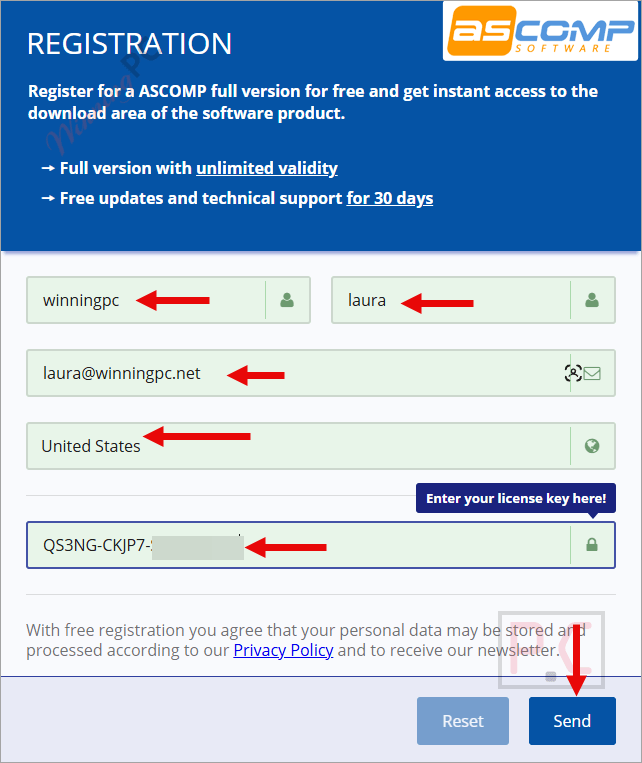
- Fill in the form with your name and email address, then submit.
- Check your inbox for an email from ASCOMP containing your login credentials for their reseller area.
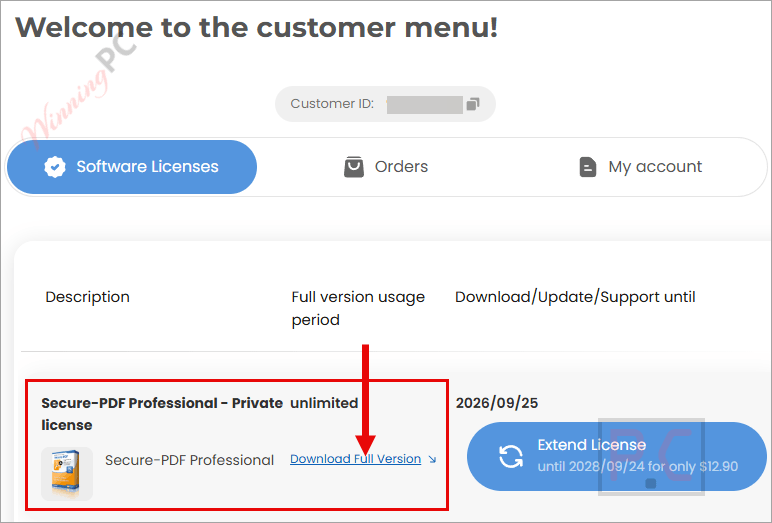
- Log in to the ASCOMP reseller area and download the Secure-PDF Professional installer.
- Run the installer on your Windows PC and activate using the account details from your email.
What ASCOMP Secure-PDF Professional actually does
The core use case is protecting a finished PDF before it leaves your hands. The 256-bit AES encryption is serious – that’s the same standard enterprise document-management platforms use, not the weak 40-bit protection some older PDF tools still default to. You set a password, and anyone without it gets a locked file. The PKCS#12 digital signature feature is what makes this interesting for professional use specifically: it lets you prove cryptographically that a document hasn’t been altered since you signed it, which matters in legal and financial contexts. One important limit to flag upfront: ASCOMP Secure-PDF Professional is not a PDF editor. You can protect, sign, and watermark – but you can’t add or edit text, merge pages, or convert file types. If you need those, you’ll want a separate tool alongside this one.

Key features
- 256-bit AES encryption: Password-protect any PDF so only intended recipients can open it – the same encryption standard used in enterprise document handling.
- PKCS#12 digital signatures: Prove document authenticity with a real certificate-based signature. Anyone opening the file can verify it hasn’t been changed after signing.
- Visual signature integration: Add a visible representation of your signature on top of the cryptographic one, giving signed documents a more professional appearance.
- Watermarking: Stamp text or image watermarks on pages to mark documents as drafts, confidential, or proprietary.
- Ownership metadata: Embed author and ownership information directly into the PDF’s properties.
What we think
Frequently Asked Questions
Do I need to post on social media or share anything to claim the giveaway?
No. Just fill in your name and email on the ASCOMP registration form. They send your login credentials by email, and you use those to log in and download the installer. No social share, no credit card.
What happens after the 1-month update and support period runs out?
ASCOMP Secure-PDF Professional keeps working – the Lifetime license doesn’t expire. You just won’t receive further version updates or tech support after that first month. If a future Windows release causes a compatibility issue, you’d be on your own unless you upgrade to the paid license.
What’s the difference between a digital signature and a visual signature in Secure-PDF Pro?
A digital signature uses your PKCS#12 certificate to cryptographically prove the document hasn’t changed since you signed it – that’s the part with legal weight. A visual signature is just an image of your signature placed on the page. Secure-PDF Pro lets you add both at once, so the document looks traditionally signed and is cryptographically verifiable.
System Requirements & Details
| Field | Value |
|---|---|
| Operating system | Windows 11, 10, 8.1, 8, 7; Windows Server 2022/2025, 2016/2019, 2012 |
| Processor | Intel compatible or Windows on ARM |
| RAM | 2 GB minimum (4 GB recommended) |
| Disk space | 50 MB |
| Supported input formats | |
| Supported output formats | PDF (with AES encryption / digital signature / watermark applied) |
| Other requirements | Not specified |





@WinningPC Team
Shows up picture of “BackupMaker” instead 😅
(would like a new free offer of BackupMaker – it´s a great an reliable tool!)
Hi, thank you so much. I have updated the correct boxshot (I thought I was sleepy when I finished this article, haha).
We will share the giveaway for BackupMaker soon; look forward to it.
License key is expired!
Hi Borbély! You can now obtain a new giveaway key.