
On this page
AVG Internet Security Coupons & Pricing
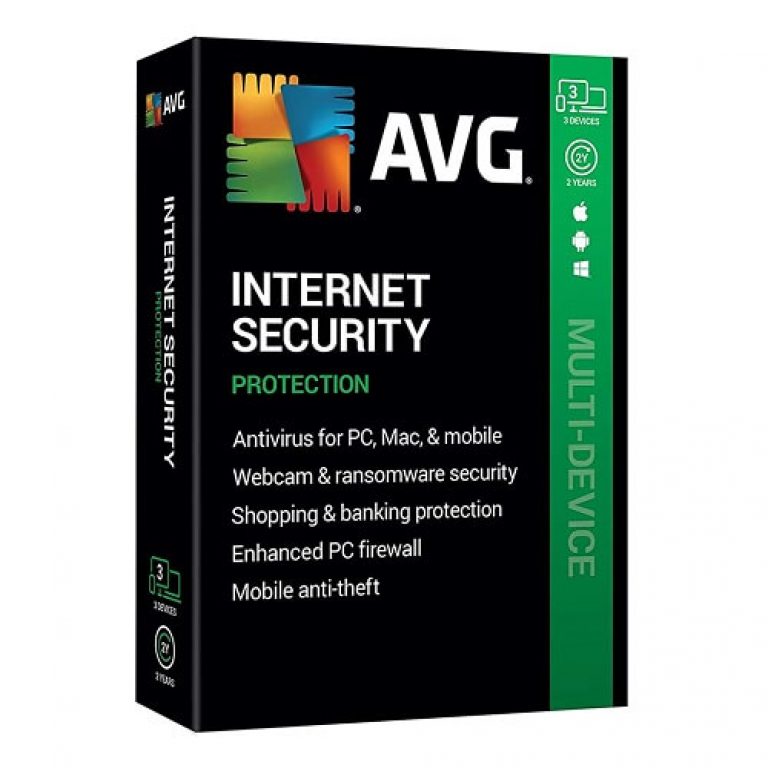
AVG Internet Security
2 plans · best save 60%

How to Use the AVG Internet Security Coupon Code
- Click Copy on a plan to copy the code WA**01.
- Open the official AVG Internet Security product page.
- Choose the subscription plan you want.
- You’ll be taken to the AVG’s checkout, and your discount will be applied automatically.
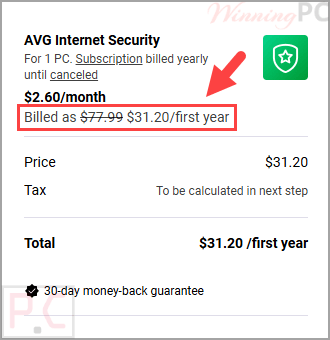
- Confirm that the price changes to $31.20 for 1 PC or $39.99 for Multi-Device before paying.
- Complete the purchase through AVG’s secure checkout and keep the confirmation email for your records.
AVG Internet Security License Key Free Download
- Product name: AVG Internet Security
- Website: https://www.avg.com/
- License type: 1-year
- Platform: Windows
- License key – last updated: Mar 24, 2020
Click here...
License #1: GV2WLG-2A2HP2-4847H6License #2: FN357Q-HYYCZ2-4PC836License #3: CLXRDA-DUY5F2-5QL7ZW
How to get the license key?
Download the giveaway installer by the download link above.
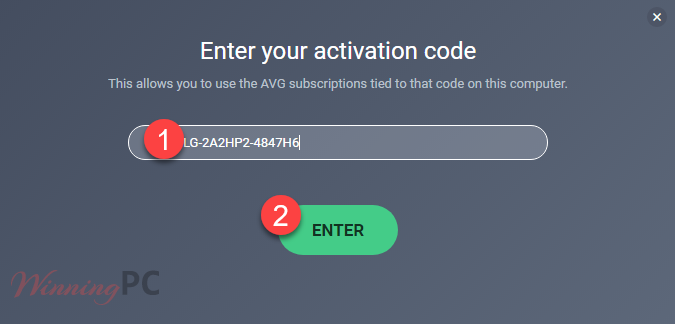
Install AVG Internet Security on your computer. After installation, run AVG Internet Security 2020 and register it with one of the three license keys above:
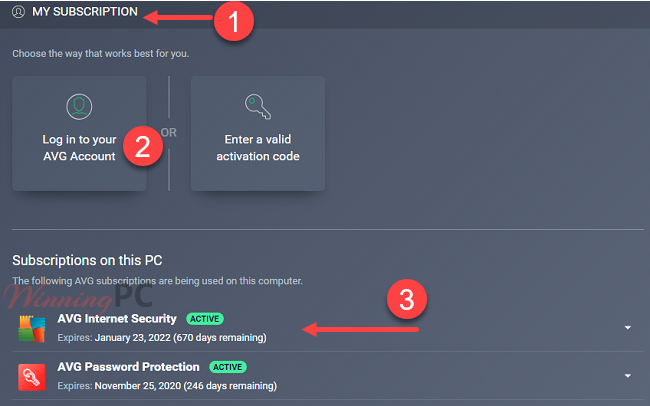
Choose the subscription that you want to use:
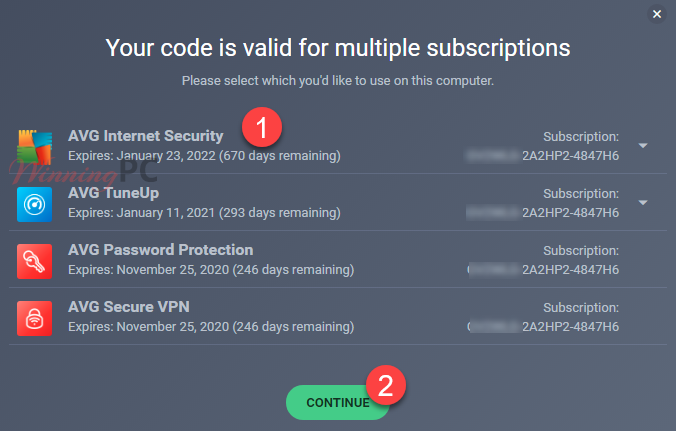
Now you can access the Subscription section to log in your AVG account or check again for the license info:
Is the AVG Internet Security Safe and Legit?
Yes. This discount is intended for use with a purchase made through AVG’s official store, rather than through a key reseller or an unofficial download.
Official software
Download and activate the normal AVG application. No crack, patch, or repackaged installer is involved.
Publisher checkout
The purchase is completed on AVG’s own website, so payment details are not handled by WinningPC.
Price check
Confirm the discounted total at checkout before submitting payment.
Refund protection
Eligible consumer subscriptions purchased from AVG are covered by its stated 30-day money-back guarantee.
AVG Internet Security Review & Features
AVG Internet Security adds useful defensive layers to AVG’s free antivirus rather than simply changing the name on the box. The Enhanced Firewall, webcam controls, and protection against fake websites are the features that make the paid version more relevant for online banking, shopping, and home-network use. The catch is that it remains a subscription, and tools such as AVG Secure VPN and AVG TuneUp belong to the separate AVG Ultimate bundle.
Key features
- Real-time malware protection: Blocks viruses, spyware, ransomware, and other malicious software as threats appear.
- Web and email defenses: Checks unsafe links, downloads, email attachments, phishing pages, and pharming websites.
- Enhanced Firewall: Monitors network traffic and helps prevent unauthorized access to your home network and sensitive data.
- Webcam protection: Helps stop applications or other users from accessing your camera without permission.
- Automatic security updates: keeps the AVG protection components and threat information current.
What we think
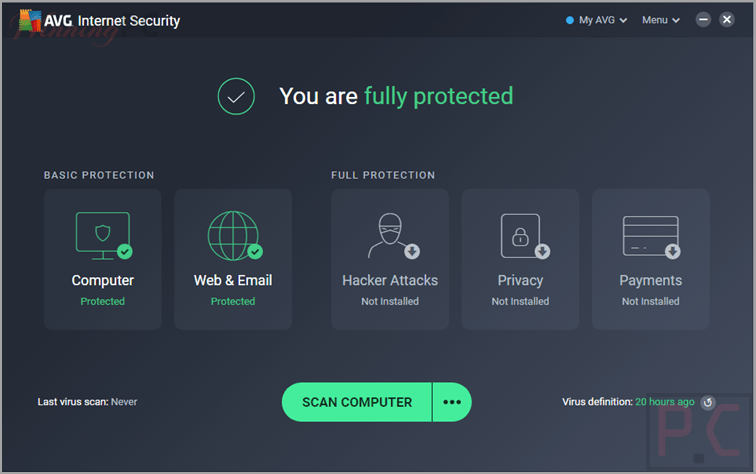
Screenshots
Which AVG Internet Security Plan Should You Buy?
| Plan | Discounted price | Coverage | Best for |
|---|---|---|---|
| 1 PC | $31.20 | One Windows PC | A single-computer household that does not need mobile or Mac coverage. |
| Multi-Device | 39.99 | Supported for 10 devices | Families or users protecting a mix of PCs, Macs, Android devices, and iPhones. |
Frequently Asked Questions
What is the lowest AVG Internet Security price with this coupon?
The lowest listed price is $31.20 for the 1 PC plan. The Multi-Device plan costs $39.99 after the same 60% discount.
Is AVG Internet Security a one-time purchase?
No. It is sold as a consumer subscription. Check the subscription term and future renewal price shown at checkout before completing the order.
Is there a free AVG Internet Security trial?
Yes. AVG advertises a 30-day PC trial of this software, with no credit card required for the trial displayed on its official product page.
Do I need to uninstall AVG AntiVirus Free before upgrading?
No. After purchasing it, you can enter the activation code into the existing AVG application to upgrade the free installation to the paid subscription.
How many devices does AVG Internet Security cover?
It depends on the selected plan. The 1 PC option covers one computer, while the Multi-Device plan is intended for several supported personal devices. Confirm the exact device allowance at checkout.
Does AVG Internet Security work on Windows 11?
Yes. The supplied requirements list Windows 11 support, including ARM-based Windows 11 devices. It also supports several older Windows releases listed in the requirements section.
Can I get my money back after purchasing AVG Internet Security?
Yes, eligible AVG consumer subscriptions can be refunded when the request is made within the stated 30-day money-back period. Purchases through Apple, retail stores, or third-party resellers follow the refund process of that seller.
System Requirements & Details
| Feature | Specifications |
|---|---|
| Language Support | English, Français, Italian, Spanish, Swedish, and more… |
| Operating System | Windows 11, Windows 10, 8, and 7 macOS 10.11 (El Capitan) or above Android 8.0 or above iOS 14.0 or above |
| Windows memory | 4 GB RAM |
| Windows storage | 2 GB free disk space |




none of the keys work
keys not working…..
delete this page none of the keys work
Thanks for the reply … to answer your question : Yes , I did use it with the giveaway installer but just got an error message which says : Sorry, something went wrong …
so AVG could not be activated by using those keys , non of keys worked so far !
can you please update keys ?
Thanks for your detailed information.
There’re currently no new keys.
the above Keys do not activate AVG internet security 2020.
error message = Sorry, something went wrong …
can you please update keys !
Did you use it with the giveaway installer?
Or may the AVG blocked these license codes.