
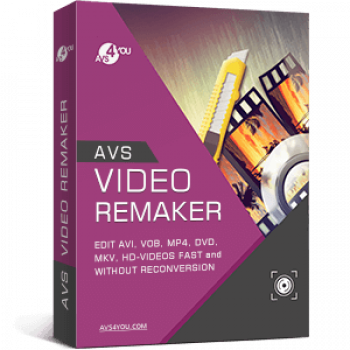
Anyone who makes YouTube videos, home movies, or content for social media will search for video editing software that can help them customise their recordings in many ways. That is the reason why AVS Video ReMaker stays here to help you produce high-quality videos in a reasonable amount of time.
AVS Video ReMaker is one of the most advanced video editing software that is designed for beginners and professionals alike. This powerful tool allows you to edit various video formats (AVI, VOB, MP4, DVD, Blu-ray, TS, MKV, HD videos, etc.) fast and without reconversion. Besides, it is also able to burn Blu-ray or DVD discs with menus and capture video from webcams and DV cameras.
AVS4YOU Unlimited Coupon Codes October 2026

AVS4YOU Unlimited Subscription
Unlimited access to 5 AVS4YOU programs, Free upgrades
AVS4YOU One Year Subscription
1 year access to 5 AVS4YOU programs, Free upgrades
AVS Video ReMaker License Key Free Download
- Product name: AVS Video ReMaker
- Website: https://www.avs4you.com/
- License type: 1-year
- Platform: Windows
- Giveaway download link: AVSVideoReMaker.exe
- Giveaway – last updated: Mar 13, 2026
AVS Video ReMaker giveaway link (The offer is valid till Mar 20, 2026) License codeClick here...- License code:
af4b1b9c-cda9-4a62-9397-989f3aa8a9df
- License code:
Join the WinningPC giveaway and get your own AVS Video ReMaker license key via email. (Click on the giveaway link to go directly to the Buy Now page. Fill in the blanks on the Payment information to get your free license code).


Download and install the software on your computer. Launch the application and activate it:

Main screenshot:
When the registration is successful, the main window of the software will appear as shown in the image below. You can select one of three options: Edit Video, Record Video, and Capture Screen.

Add file
To start editing videos, you should click on the “Add File” button, select the videos, and then import videos into the software.

Trim your video
Select the “Trim” function to trim a component video so that only the section of interest is included in the final production.

Insert a transition
AVS Video ReMaker provides a large number of transition effects to move from one visual component to the next.

Create your Disc Menu
The selection of styles available for the disc menu is unlimited.

Remake video now

Main Features
- AVS Video ReMaker is designed for video creators who want to take their video editing skills to the next level without spending a fortune. Use it to quickly cut, remove unwanted parts, and adjust scene sequences in all popular video formats.
- This software will help you join several video files into a whole one and save videos quickly while retaining original quality as well as arrange file order in a flexible way.
- Another noteworthy feature of this video editing is that it lets you edit MP4, M4V, or MOV videos recorded with iPhone, iPad, or Android smartphones and tablets and edit AVCHD, MOD, MTS/M2TS, TOD, etc. video files recorded with the camcorders and video cameras.
- It is a feature that makes it stand out. Another great aspect is the integrated capture video tool. It allows you to transfer video from camcorders and video cameras to your PC, edit files, and create home video DVDs.
- In addition, it allows you to capture video from Web cameras and DV cameras, select the desired format of captured file (WMV, AVI), a Sound source, and Mouse cursor effects.
- AVS Video ReMaker also provides the Screen Capture function to help you create video content, slideshows, video projects, and presentations, demos, and tutorials in a few clicks,
- Furthermore, it provides a straightforward solution to help you generate disc menu styles. You can choose between a number of menu templates and split the video into chapters. You are also allowed to burn video files onto DVD- or Blu-ray discs.
Technical Details
| Language Support | English, Français, Italian, Spanish, Swedish, and more… |
| Money Back Guarantee | 30-Day |
| Operating System | Windows 11, 10, 8.1, 8, 7, Vista, XP (no Mac OS/ Linux support) |
| Shipping | Instant Delivery by Email |
| Subscription | 1-Year, Lifetime |
| Support Services | Phone, Tickets |




If you use transitions it does re-encode the affected sections of video, it has to! And is restricted to using identical video dimensions and frame-rates and codecs, and is not frame accurate where technically it could be… cut point should be able to be frame accurate as one can end on a P or B frame just not start on one. And transitions are not always available in my tests. And there is nothing on the user interface that tells us how long we have left of the expiring license.
because this is based upon ancient ActiveX technology and being XP compatible and not adapting to newer technologies like WASAPI to record any playing audio stream the screen capture can only capture audio from discrete input devices so if you lack a sound mixer or equivalent audio recording device you won’t be able to record your speakers output. Same goes for the webacm recorder.
The goal to not re-encode restricts what this can do… it’s not able to CROP videos as that would require complete re-encoding which is forbidden in the program paradigm.
I have an older version 6.3 from 2019 installed and never had cause to use it during it’s 1 year giveaway trial license so don’t see any reason why the same would not be true with version 7, it cannot deal with videos of different dimensions of encoding parameters and can only concatenate identically encoded videos together. NOTE There is an update to 8.1.3.4 on their website and it accepts the giveaway 1 year trial license.
6/10
Pros: You can produce amazing content out of the box. The help section is robust, and your creations can be saved if many popular formats and screen sizes.
I like that this software was easy to learn and has good documentation when I have needed it. The timeline tools are logically arranged and straightforward.
Your products keep getting better and better, and more importantly, keep up with new formats and technology. Very easy to recommend, and to work with.
I like that it's easy to use, it has guides and tips to help you, I do believe it has web videos you can watch to learn, I like you can add your own music or voice.
Easy to learn, with a robust library of video guides and tutorials
Supports an impressive range of formats for video files
Cons: The only DOWNSIDE of this software, which prevents AVS4YOU getting a full 5-star rating is the inability to CROP video frames.
The issue is PCs don't prop up that long and if your hard drive crashes and burns or PC ought to be redone, you have to purchase the license again.
Sometimes reproduction is blocked during playback. Recording the "voiceover" gives problems and does not allow you to watch the video while recording (clearly an error).
Occassionally crashes for no apparent reason. Reloading with same files will work correctly.
Only one video track is supported
Lacks most of the high-end, trendy, or innovative specialty features found in competing products
Trying to get registration code used live, gmail email now more than 12- hours not receive reply
If you can help me
Download the full version here and enjoy it: https://www.avs4you.com/downloads/GOTD/GOTD_22.09/AVSVideoReMaker.exe
Or license code: 943ccdc7-f4dd-4be0-a89c-6072d393808f
Thanks and Appreciate
It’s not easy to use. I went to the filters and effects looking for a way to sharpen
my video ( couldn’t find any app for sharpening ) afterwards i could not return to my video so i turned off the software and restarted it and decided to try editing a different video; a TS file which the editor did not recognize so i could not lode it…so i just
uninstall the software. It lacks two very important features i need. I wouldn’t pay for
software that offer the same functionality you can get with a free open source editor.
Pros: it's free for one year
Cons: offers nothing you can't get with most totally free open source editors. a few bugs that need to be fixed.
Hello Michael,
We ask you to contact our support team at support@avs4you.com to discuss the issues appeared.
Best regards,
AVS4YOU Support team