
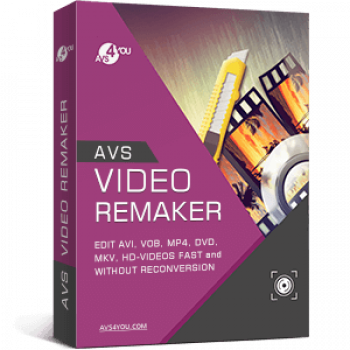
Anyone who makes YouTube videos, home movies, or content for social media will search for video editing software that can help them customise their recordings in many ways. That is the reason why AVS Video ReMaker stays here to help you produce high-quality videos in a reasonable amount of time.
AVS Video ReMaker is one of the most advanced video editing software that is designed for beginners and professionals alike. This powerful tool allows you to edit various video formats (AVI, VOB, MP4, DVD, Blu-ray, TS, MKV, HD videos, etc.) fast and without reconversion. Besides, it is also able to burn Blu-ray or DVD discs with menus and capture video from webcams and DV cameras.
AVS4YOU Unlimited Coupon Codes October 2026

AVS4YOU Unlimited Subscription
Unlimited access to 5 AVS4YOU programs, Free upgrades
AVS4YOU One Year Subscription
1 year access to 5 AVS4YOU programs, Free upgrades
AVS Video ReMaker License Key Free Download
- Product name: AVS Video ReMaker
- Website: https://www.avs4you.com/
- License type: 1-year
- Platform: Windows
- Giveaway download link: AVSVideoReMaker.exe
- Giveaway – last updated: Mar 13, 2026
AVS Video ReMaker giveaway link (The offer is valid till Mar 20, 2026) License codeClick here...- License code:
af4b1b9c-cda9-4a62-9397-989f3aa8a9df
- License code:
Join the WinningPC giveaway and get your own AVS Video ReMaker license key via email. (Click on the giveaway link to go directly to the Buy Now page. Fill in the blanks on the Payment information to get your free license code).


Download and install the software on your computer. Launch the application and activate it:

Main screenshot:
When the registration is successful, the main window of the software will appear as shown in the image below. You can select one of three options: Edit Video, Record Video, and Capture Screen.

Add file
To start editing videos, you should click on the “Add File” button, select the videos, and then import videos into the software.

Trim your video
Select the “Trim” function to trim a component video so that only the section of interest is included in the final production.

Insert a transition
AVS Video ReMaker provides a large number of transition effects to move from one visual component to the next.

Create your Disc Menu
The selection of styles available for the disc menu is unlimited.

Remake video now

Main Features
- AVS Video ReMaker is designed for video creators who want to take their video editing skills to the next level without spending a fortune. Use it to quickly cut, remove unwanted parts, and adjust scene sequences in all popular video formats.
- This software will help you join several video files into a whole one and save videos quickly while retaining original quality as well as arrange file order in a flexible way.
- Another noteworthy feature of this video editing is that it lets you edit MP4, M4V, or MOV videos recorded with iPhone, iPad, or Android smartphones and tablets and edit AVCHD, MOD, MTS/M2TS, TOD, etc. video files recorded with the camcorders and video cameras.
- It is a feature that makes it stand out. Another great aspect is the integrated capture video tool. It allows you to transfer video from camcorders and video cameras to your PC, edit files, and create home video DVDs.
- In addition, it allows you to capture video from Web cameras and DV cameras, select the desired format of captured file (WMV, AVI), a Sound source, and Mouse cursor effects.
- AVS Video ReMaker also provides the Screen Capture function to help you create video content, slideshows, video projects, and presentations, demos, and tutorials in a few clicks,
- Furthermore, it provides a straightforward solution to help you generate disc menu styles. You can choose between a number of menu templates and split the video into chapters. You are also allowed to burn video files onto DVD- or Blu-ray discs.
Technical Details
| Language Support | English, Français, Italian, Spanish, Swedish, and more… |
| Money Back Guarantee | 30-Day |
| Operating System | Windows 11, 10, 8.1, 8, 7, Vista, XP (no Mac OS/ Linux support) |
| Shipping | Instant Delivery by Email |
| Subscription | 1-Year, Lifetime |
| Support Services | Phone, Tickets |




I wish you could control more of the formats that videos can be saved under. Control video bitrate and audio bitrate. The screen recorder was awful. It saves on FLV format and was not usable at all (choppy and skips). The video editing was good and fast but needs more control of bitrates. 8/10 for edit without re-encode, 1/10 for screen recording. Would keep this but also the free program LosslessCut which can edit fast without loss of quality.