Cathryn Lee
BitRecover Pen Drive Recovery Wizard can restore files from deleted, formatted, corrupted, RAW, or inaccessible USB flash drives. It supports common FAT and NTFS file systems and lets users preview recoverable documents, photos, and videos before saving them.
BitRecover Pen Drive Recovery Wizard Coupon Code Oct 2026
BitRecover Pen Drive Recovery Wizard
2 plans · best save 20%
Standard License ★ Best Deal
Lifetime License | For 2 Computers | One Year FREE Support
Technician License
Lifetime License | For Multiple Computers | One Year FREE Support
Table of Contents
In-Depth Review & Features
Feature List
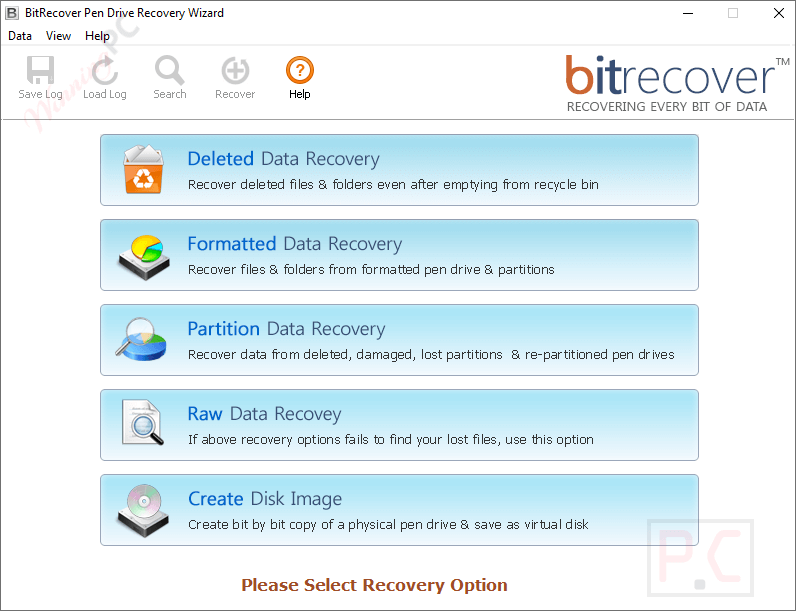
- Deleted Recovery mode: Searches for normally deleted and Shift+Delete files and folders.
- Formatted Recovery mode: Examines formatted sectors to locate data removed during drive formatting.
- Partition Recovery mode: Handles lost, deleted, damaged, and repartitioned USB drive partitions.
- RAW Recovery mode: Uses file extensions such as DOC, XLS, PNG, PDF, MP3, and AVI to locate specific data.
- Disk image creation: Copies the drive into an image file before recovery, reducing further use of a problematic device.
- File system support: Reads FAT16, FAT32, exFAT, and NTFS USB drives.
- Recovery range controls: Allows users to scan a selected range instead of the entire drive.
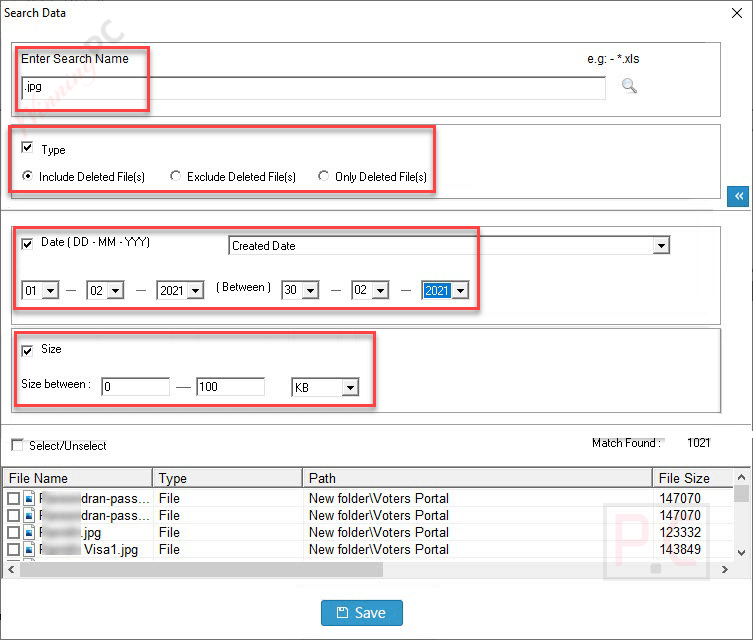
- Size-based searching: Finds files within a chosen byte, KB, MB, or GB range.
- Date filters: Locates files according to their created or modified date.
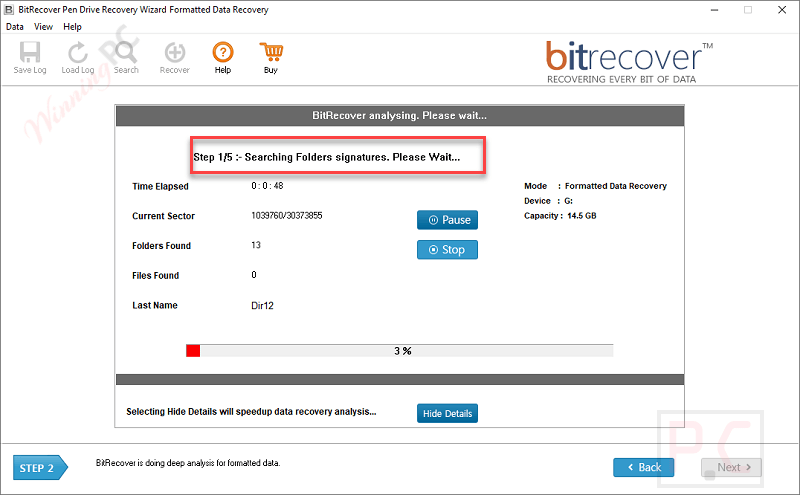
- Live recovery report: Displays elapsed time, estimated time remaining, copied data, and overall progress.
- Search controls: Includes, excludes, or displays only deleted files.
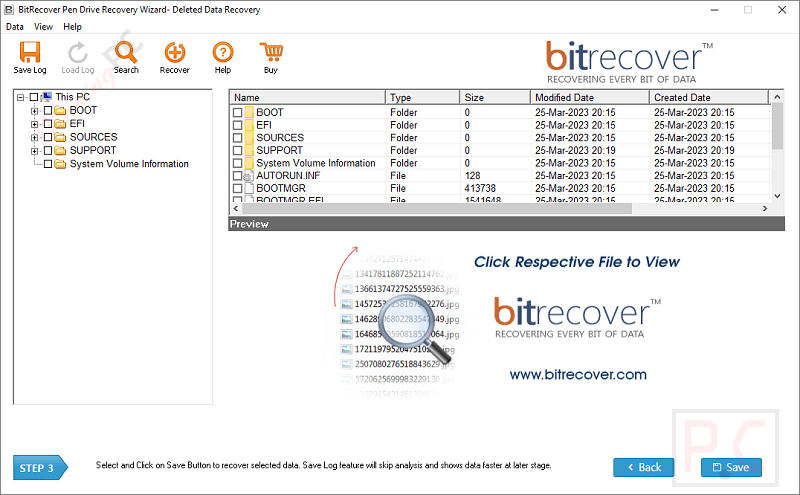
- Selective saving: Lets users choose individual recovered items instead of saving every result.
- Built-in preview: Opens many recovered files inside the software and provides an “Open With” option for other formats.
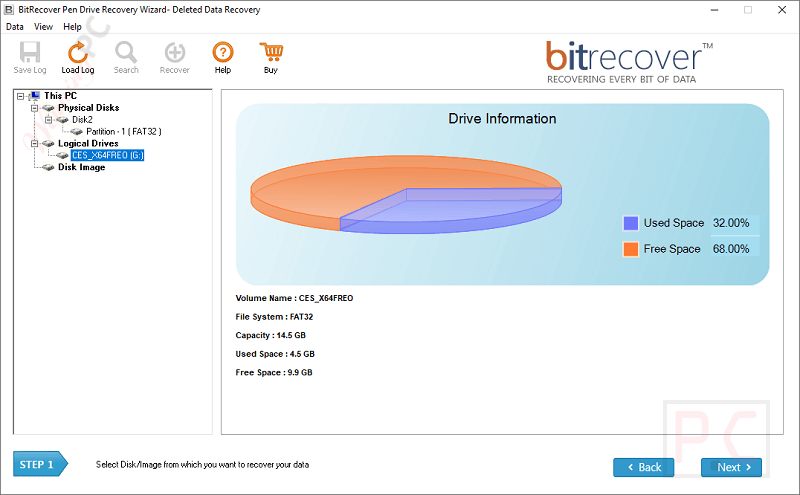
- Drive information: Shows details such as the physical disk number, media type, model, and disk type.
- Flexible destination: Saves restored data to a user-selected location with enough available storage.
Pros & Cons
More BitRecover Pen Drive Recovery Wizard Screenshots!
Drive information
Analysing
Search Name
Resulte
Frequently Asked Questions
How do I get a discount on BitRecover Pen Drive Recovery Wizard?
You can find exclusive promo codes and deals right here on WinningPC. We regularly partner with software developers to provide verified discount links alongside official promotional channels.
What is the highest savings available for this pen drive recovery tool?
The best current deal offers 20% OFF the regular retail price. This discount applies to both the Standard and Technician licenses when purchasing through the coupon links on WinningPC.
How do I recover permanently deleted files from a pen drive?
The software features a dedicated Deleted Recovery mode. This option scans your USB drive at the sector level to retrieve files lost via Shift + Delete or cleared from the Windows Recycle Bin.
Can I recover data if my USB drive asks to be formatted?
Yes. When Windows shows a “Format disk before using” error, run the RAW Recovery mode. This feature bypasses the unreadable file system to extract your files before any formatting occurs.
Does BitRecover Pen Drive Recovery Wizard work on an already formatted pen drive?
Yes, using the Formatted Recovery mode. It analyses the sectors of a formatted FAT32 or NTFS drive to locate and display files that were wiped during a quick format.
Is it safe to scan a physically failing pen drive?
It is safest to use the “Create Disk Image” feature first. This saves the entire disk content into a separate image file, allowing you to perform the recovery on the virtual copy without putting further hardware stress on the failing USB.
Can I search for a specific file type after the scan completes?
Yes. You can use the built-in search filter to look up specific extensions like *.xls, *.png, or *.mp3, or filter files by their creation and modification dates.
Can I save the recovered data back onto the same pen drive?
It is highly recommended to choose a safe location on your local computer hard drive with enough free space to save the recovered data, preventing any overwriting issues.
System Requirements & Details
| Requirement | Specification |
|---|---|
| Language Support | English |
| Operating System | Windows 11 (64-bit), 10, 8, 7; Windows Server 2025, 2022, 2019, 2016 |
| Processor | Intel Pentium 1 GHz processor (x86, x64) or equivalent |
| RAM & Storage | Minimum 2 GB RAM and 50 MB of free hard disk space |
| Supported Input | USB flash drives and pen drives using FAT16, FAT32, exFAT, or NTFS; deleted, formatted, RAW, corrupted, damaged, lost, or repartitioned data |
| Supported Output | Recovered files and folders saved to a selected computer location; complete pen-drive disk image files |