Cathryn Lee

In my experience reviewing collaboration tools, finding a workspace that seamlessly merges visual brainstorming with deep AI integration can be a hassle. Boardmix tackles this head-on as an AI-powered online whiteboard designed for real-time teamwork, mapping, and creative breakthroughs.
- Status: ✅ Active & Verified
- Last Checked: October 2026
- Offer: 25% Off Individual/Team
- Code: WIN***C25
For Individual:

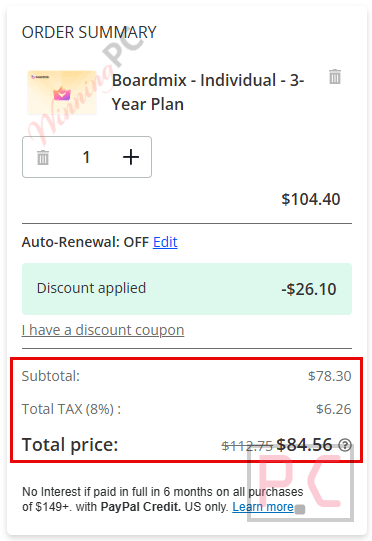
Boardmix - Individual - 3-Year Plan
25% Off coupon code, regular price $104.40, discounted price $78.30
Boardmix - Individual- Monthly Plan
20% Off promo code: regular price $5.90, discounted price $4.72
Boardmix - Individual - Annual Plan
20% Off coupon code, regular price $58.8, discounted price $47.04
For Team
Boardmix - Team - Monthly Plan
20% Off coupon code, regular price $9.90, discounted price $7.92
Boardmix - Team - Annual Plan
20% Off coupon code, regular price $82.8, discounted price $66.24
Boardmix - Team - 3-Year Plan
25% Off coupon code, regular price $140.4, discounted price $105.30
For Enterprise
Boardmix - Enterprise - Additional Seats
10% Off coupon code, regular price $96, discounted price $86.40
Boardmix - Enterprise - Annual Plan
10% Off coupon code, regular price $96, discounted price $86.40
Boardmix - Enterprise - 2-Year Plan
10% Off coupon code, regular price $192.00, discounted price $172.80
📄 Licensing & Support Details
- 30-day money-back guarantee
- Email support
📝 How to apply
- Choose your preferred individual, team, or enterprise plan. Simply click the “Copy Code” button above. (I highly recommend the 3-year tier to lock in that massive 25% discount).
- You will see the reduced price reflected immediately on the checkout page; no manual code entry is required.
What is Boardmix?
Boardmix is an interactive online whiteboard that leverages built-in artificial intelligence to turn collaborative chaos into strategic clarity. It’s built for distributed teams who need a shared, infinite canvas to brainstorm, diagram, and execute projects. Whether you are in the IT streamlining agile task management, UX/Design leading inclusive design sprints, Marketing visualizing roadmaps, or Online Education creating study notes, Boardmix acts as a central hub where ideas and teams connect.
In-Depth Review & Features
When I first jumped into Boardmix, I was immediately struck by how it didn’t just feel like a blank digital wall; it felt like an active participant in my workflow.
- Advanced Whiteboard + AI Integration: This goes way beyond standard text prompts, embedding AI directly into the visual workspace to interact with your elements.
- 100+ Autonomous AI Agents: A massive library of specialized agents that act like a digital workforce to automate your complex tasks and workflows.
- Instant Visual Conversions: Transform a rough text outline into a structured mind map, a polished flowchart, or professional slides with just a single click.
- Multilingual OCR (Text Extraction): Instantly pull editable, searchable text directly from static screenshots and images in multiple languages.
- Massive Real-Time Collaboration: Built for scale, the platform supports incredibly robust live teamwork with up to 500 people collaborating on a single board simultaneously.
- Built-in Team Communication: Keeps massive brainstorming sessions organized and interactive using integrated chatboxes, user mentions, and emojis.
- Dedicated Presentation Mode: Seamlessly transition from raw brainstorming to a streamlined, professional pitch without leaving the canvas.
Pros & Cons
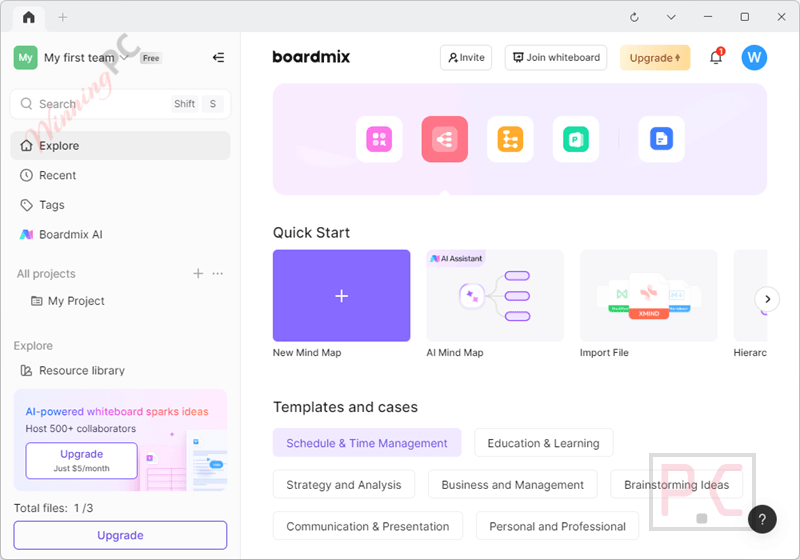
More Boardmix screenshots
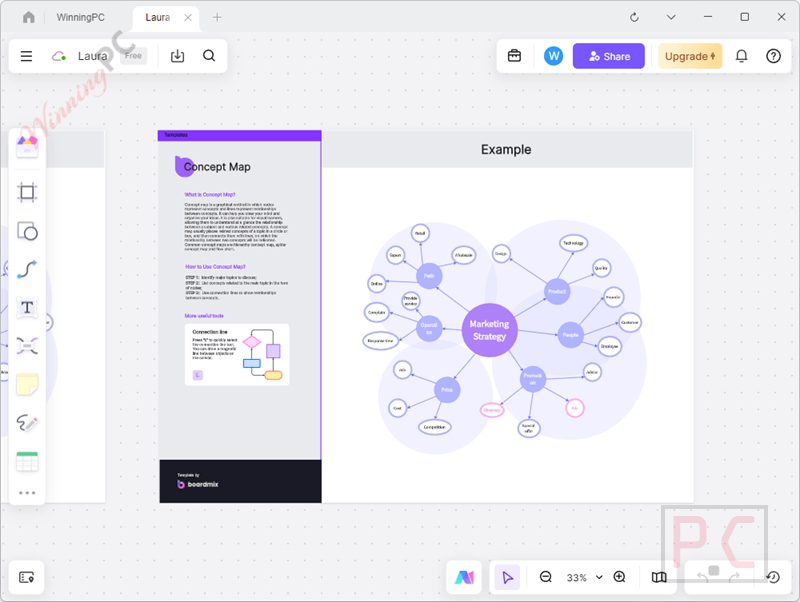
Mindmap
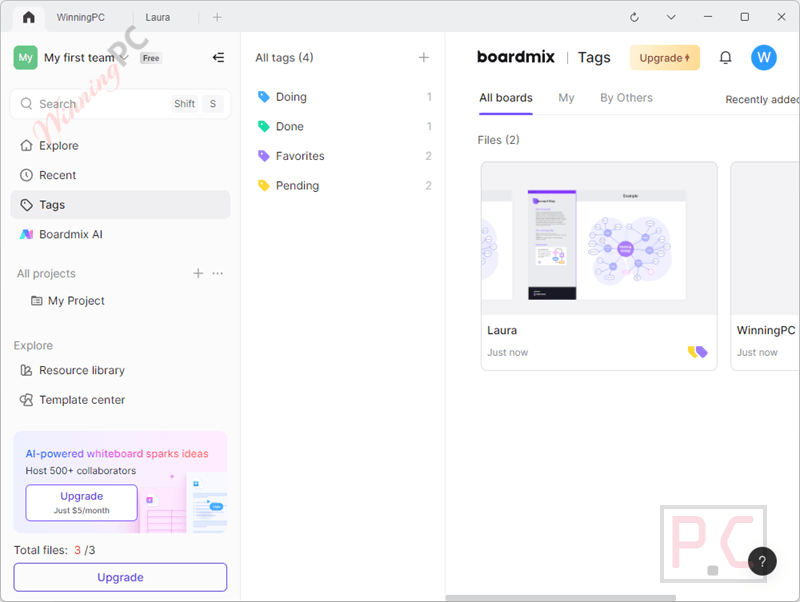
Tags
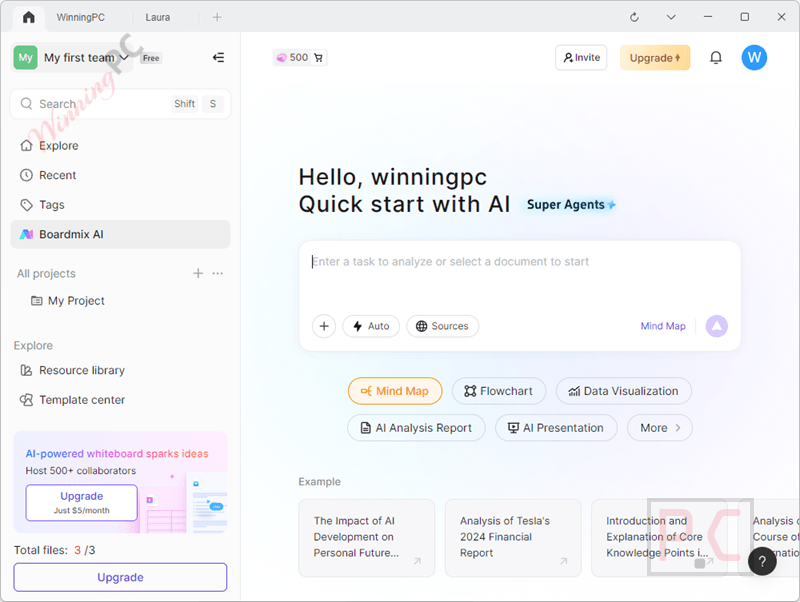
Boardmix AI
Frequently Asked Questions
Where can I find the best coupon code for Boardmix?
WinningPC is currently the best place to find the verified coupon code for this product, offering the highest discount rate on the market. Our links auto-apply discounts up to 25% directly at checkout.
How many people can collaborate on a Boardmix canvas at the same time?
Boardmix is highly scalable and allows up to 500 people to collaborate simultaneously on a single board, making it perfect for large-scale enterprise brainstorming.
Why did I suddenly lose the ability to edit my board?
If you are on the Free plan, you may have hit the storage limit. Boardmix only offers 1GB of storage for free. Once you reach this limit, your boards become view-only until you upgrade.
Is there a size limit when uploading PDF or PPT files?
Yes. You must ensure that your PPT or PDF files do not exceed the 50MB file size limit.
Can I move a board from my Team space back to my Personal space?
No. While you can move boards from your personal space into a team or enterprise space, you cannot move them back to your personal space due to strict data security protocols.
I deleted a board by accident. Can I get it back?
Yes, you can restore deleted boards from the recycle bin. Additionally, if you just deleted specific content inside a board, you can use the Version History feature to restore the file to an earlier chronological version.
What should I do if my board fails to load or gives me a WebGL error?
First, check your network and try refreshing. Boardmix officially recommends running the platform on the newest version of Google Chrome. You can also try clearing your cache/cookies, loading in Incognito mode, or toggling your VPN.
Technical Specifications
| Supported Operating Systems | macOS 10.11 or later Windows 7 / 8 / 10 / 11 |
| Web Environment | Browser-based (Google Chrome is officially recommended for the best user experience and WebGL support). |
| Supported Import & Export Formats | PDF, PNG, JPG, Word, Excel, JSON, CSV, Xmind, Visio, and BDX. |