On this page
BurnAware Coupons & Pricing
BurnAware
4 plans · best save 20%
Premium - 1 Year License ★ Best Deal
Single-user license | 1 year free updates
Premium - Lifetime License
Single-user license | Lifetime free updates
Professional - 1 Year License
Single-user license | 1 year free updates
Professional - Lifetime License
Single-user license | Lifetime free updates
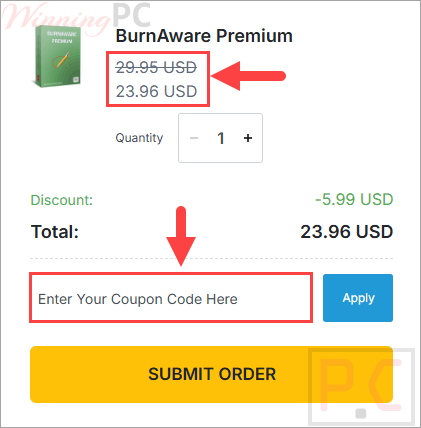
How to Use the BurnAware Coupon Code
- Select the license for the package you want..
- Click Copy on a plan to copy the code T***coupon.
- You will be redirected to BurnAware’s official purchase page.
- Confirm that the total has dropped by 20% before completing payment.
- After payment is accepted, check your email for the BurnAware license key and activation information.
Is the BurnAware coupon legit?
Yes. This offer directs you to BurnAware’s official website and does not require modified software, unofficial installers or grey-market license keys.
No crack or keygen
Download the original BurnAware installer and activate it with the license issued after purchase.
Private payment handling
WinningPC does not receive or process your card information.
Publisher checkout
Plan selection and payment take place through BurnAware’s official store rather than an unknown software reseller.
Conditional 14-day refund
A refund may be requested within 14 days, but only while the license key remains unused and unactivated.
BurnAware Premium Free Key Download
- Product name: BurnAware Premium 13.9
- Website: https://www.burnaware.com/
- License type: lifetime
- Platform: Windows
- Giveaway
Full version –>burnaware_premium_13.9.exe(updated: Dec 20, 2020)
How to get the license key?
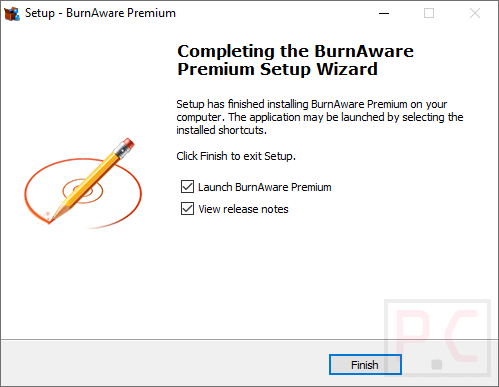
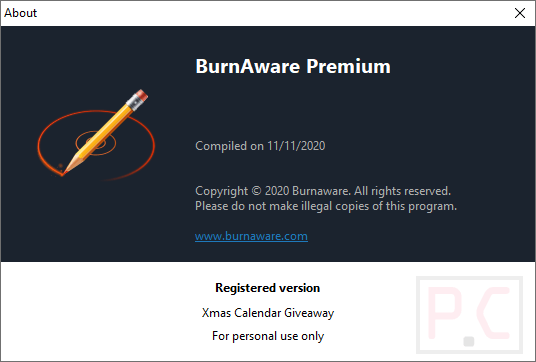
Download the giveaway installer for BurnAware Premium by the above download link. Just install and enjoy it, this is a pre-registered installer:
BurnAware Review & Features
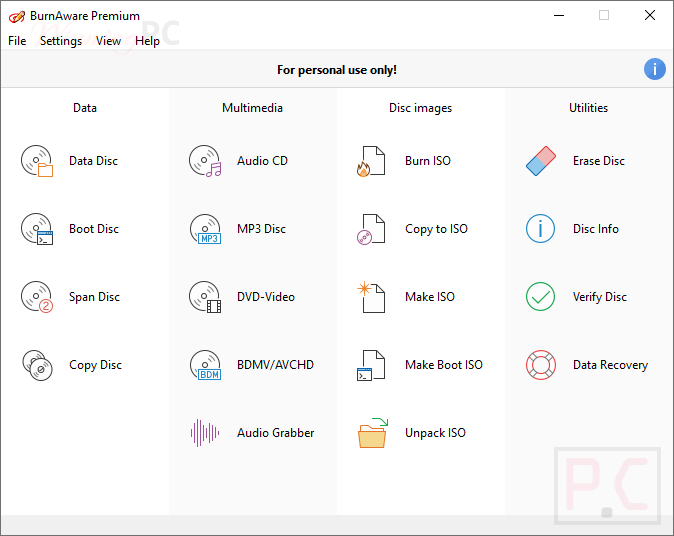
BurnAware’s strongest point is focus. Instead of burying disc tools inside a large multimedia suite, it separates common jobs into clear modules for data discs, audio projects, video discs, ISO images and utilities. Support for M-Disc and 100 GB BDXL media also gives it a practical archival angle. The main limitation is edition separation: recovery, audio extraction, simultaneous ISO writing and commercial use require Professional rather than Premium.
Key features
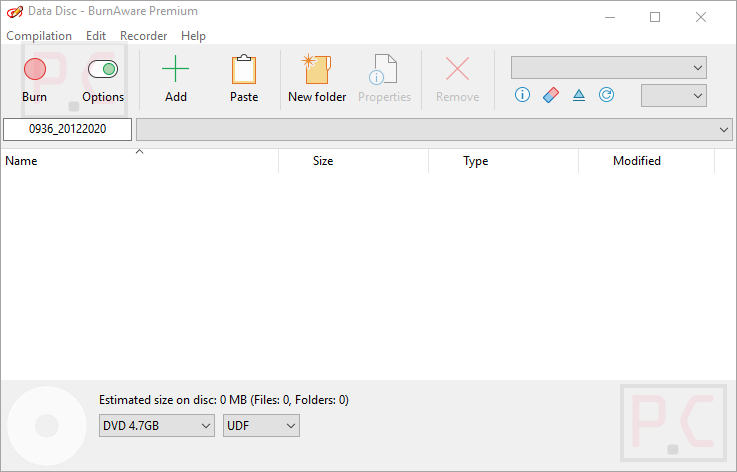
- Broad optical-media support: Write data to CD, DVD, Blu-ray, Double Layer, M-Disc, Archival Disc and BDXL media.
- Disc and ISO tools: Create, burn, copy and extract ISO images, including bootable ISO projects.
- Audio and video projects: Build Audio CDs, MP3 discs, Video DVDs and Blu-ray Video discs.
- Advanced disc management: Create multisession discs, finalize media, span large file sets across discs and verify written data.
- Professional utilities: Recover files from damaged discs, extract audio tracks and write ISO images to multiple recorders.
What we think
Screenshots
Which BurnAware Should You Buy?
| Plan | Discounted price | Update entitlement | Commercial use | Best for |
|---|---|---|---|---|
| Premium – 1 Year | $23.96 | One year of free updates | No | Home users who want copying, spanning and DVD conversion |
| Premium -Lifetime | $71.96 | Lifetime updates | No | Long-term personal use without future upgrade purchases |
| Professional – 1 Year | $31.96 | One year of free updates | Yes | Business or advanced users needing recovery and Multiburn |
| Professional – Lifetime | $79.96 | Lifetime updates | Yes | Frequent professional use and access to future releases |
BurnAware vs Alternatives
| Tool | Price | Platform | Positioning | Useful distinction | Best for |
|---|---|---|---|---|---|
| BurnAware | From $23.96/yr with code | Windows | Free edition plus Premium and Professional licenses | M-Disc, BDXL, ISO tools, recovery, and a focused burning interface | Users who want a dedicated Windows disc utility |
| Nero Burning ROM | $22.38/1 PC, with code | Windows | Paid disc-burning application | Adds SecurDisc protection and broader audio-ripping options | Users prioritizing encryption and the Nero ecosystem |
| Roxio Creator NXT Pro | $50.99/lifetime with code | Windows | Paid multimedia suite | Combines burning with video, photo, capture, and editing tools | Buyers who need a larger creative suite |
| Cisdem DVD Burner | $50.99/lifetime with code | Windows and macOS | Paid DVD-authoring software | More focused on turning video files into authored DVDs | Users creating menu-based video DVDs |
| Aiseesoft Burnova | $17.97/yr with code | Windows | Paid DVD/Blu-ray authoring software | Emphasizes video-to-disc authoring and menu templates | Users producing playable video discs |
Frequently Asked Questions
Is there a free version of BurnAware?
Yes. The free version is available for personal, non-commercial use and covers core data, audio, video-disc, and ISO-burning tasks. Copying, disc spanning, recovery and several advanced utilities require a paid edition.
Is a BurnAware purchase a subscription?
No. The purchased version remains usable indefinitely. A standard license includes one year of free updates, while a Lifetime license includes future updates and upgrades without a separate update purchase.
What is the cheapest paid BurnAware plan?
The lowest listed price with code T***coupon is $23.96 for BurnAware Premium with one year of updates. Professional starts at $31.96 after the same 20% discount.
What is the difference between Premium and Professional?
Professional adds damaged-disc data recovery, audio-track extraction, Console Burner or Multiburn tools and permission for business use. Premium is intended for personal use and focuses on copying, spanning, ISO management and DVD conversion.
How many computers can use one BurnAware license?
One Premium or Professional single-user license may be used by the licensed person on up to three computers. Premium is for non-commercial use, while Professional supports commercial use under the applicable license terms.
Does BurnAware work on Windows 11?
Yes. It officially supports Windows 7, 8, 10 and 11 in 32-bit or 64-bit configurations. The computer also needs a compatible optical drive for physical disc-writing tasks.
Can BurnAware create M-Disc and BDXL backups?
Yes. This tool supports M-Disc, Archival Disc and BDXL media, including BDXL discs with capacities up to 100 GB. Actual writing support also depends on the capabilities of your optical recorder.
Can I get a refund after activating BurnAware?
No. It allows refund requests within 14 days of purchase only when the license code remains unused and unactivated. Testing the trial before activating a paid key is therefore important.
When will the BurnAware license key arrive?
The key is sent by email after payment is received. Check the spam or junk folder if it does not appear, since license emails can occasionally be filtered.
System Requirements & Details
| Field | Value |
|---|---|
| Operating system | Windows 7, 8, 10 or 11, 32-bit or 64-bit |
| Processor | Intel Pentium-class CPU, 1.4 GHz |
| Memory | 2 GB RAM; 4 GB recommended |
| Disk space | 11 MB free hard-drive space |
| Display | True-color video card; 1280 × 1024 resolution |
| Supported optical media | CD, DVD, Double Layer DVD, Blu-ray Disc, BDXL, M-Disc and Archival Disc. |
| Supported audio-source formats | MP3, WAV, WMA, OGG, M4A, AAC, FLAC and M3U playlists. |