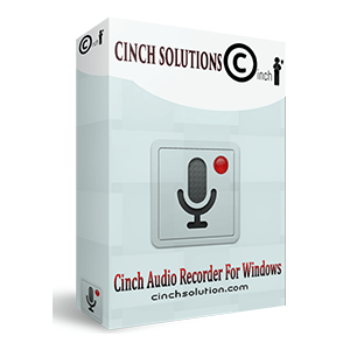
Cinch Audio Recorder is by far one of the most robust apps for recording streaming music and radio, saving it as MP3 files at 320kbps or as lossless WAV files, ensuring the highest quality reproduction of the original sound. To help you easily manage your collection with accurate metadata, ID3 information, including the title, artist, and album cover, will be automatically tagged into recorded MP3 files. Another of its best features is the ability to make ringtones to help you edit recorded music files from popular streaming music platforms and create ringtones according to your unique style
With the overwhelming number of audio recorder tools in the market, you can feel like navigating a labyrinth. So, if you’re looking for perfect software that helps you record any streaming music and make a ringtone from any streaming music, then Cinch Audio Recorder is definitely your best shot out there. Designed with the simplest but feature-rich voice recorder for only Windows, this tool can help you record online songs from popular platforms like Spotify, Amazon Music, and Apple Music and save them as MP3 files for offline listening.
Top Audio Recorder Coupon Code & Discount

Leawo Music Recorder - lifetime
50% coupon code: regular price $29.99, discounted price $14.99

AnyMP4 Audio Recorder - Lifetime
50% Off coupon code, regular price $49.95, discounted price $24.97
AutoAudioRecorder Pro
28% Off coupon code: regular price $39.95, discounted price $28.95
Cinch Audio Recorder Key Features
- High-Quality Recording: Designed to record streaming music and radio, Cinch Audio Recorder can save audio files as MP3 files at 320kbps or lossless WAV files. It has the ability to record the audio directly from your computer’s sound card, ensuring you will get the highest quality sound like the original sound.
- Automatic ID3 Tagger: The title, artist, and album cover are among the ID3 information that this software automatically adds tags to recorded MP3 files. This function helps arrange your music library and makes collection management simple with precise metadata. Instead of manually inputting music details, you can use the automatic ID3 tagging tool to save time and work.
- Silent Recorder: It provides the Silent Recorder feature to mute computer sound while recording. It can record music directly from the raw audio data delivered by the sound cards thanks to the use of CAC Technology. This function is especially helpful when doing so in peaceful areas to prevent you and those around you from being disturbed throughout the recording process.
- Advertisement Removal: To ensure a seamless listening experience, Cinch Audio Recorder uses a smart algorithm to move out audio Ads that play between songs, allowing you to enjoy continuous music without the hassle.
- Ringtone Maker: With the built-in ringtone maker, you can select any part of a song and turn it into a ringtone. It allows you to edit recorded music files and create ringtones from your favorite songs.
- Wide Compatibility: Cinch Audio Recorder is a versatile tool for capturing audio from various platforms. It can help you record from a wide range of streaming services, including Spotify, Amazon Music, and Apple Music, to save for offline listening.
- Customizable Settings: You are allowed to adjust various settings to suit your needs, such as the output directory, the output format (MP3 or WAV), the bit rate, and more.
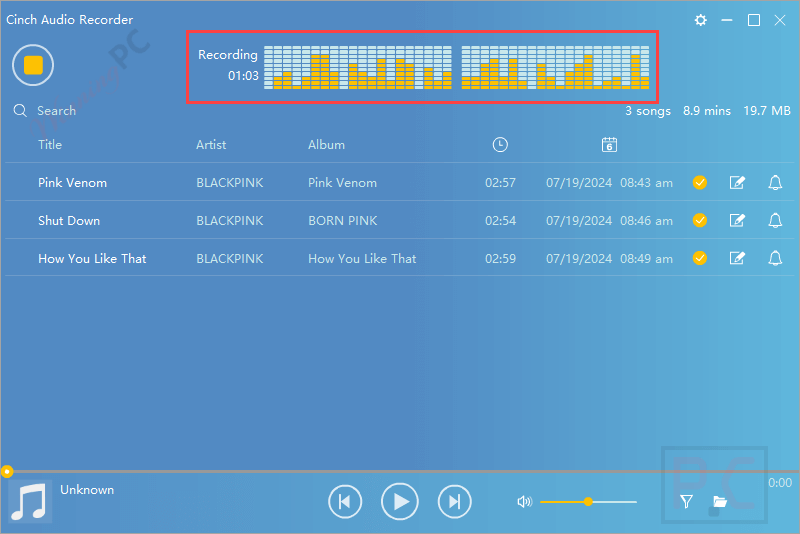
Cinch Audio Recorder Screenshots



Frequently asked questions
How do I record audio using Cinch Audio Recorder?
To record audio, launch Cinch Audio Recorder, click the recording button, and play the audio you want to capture. The software will automatically record and save the audio.
Can Cinch Audio Recorder remove ads from recordings?
Yes, the software has a built-in ad filter that removes advertisements from recorded tracks.
What audio formats does Cinch Audio Recorder support?
Cinch Audio Recorder supports MP3 (320kbps) and lossless WAV formats.
Can I create ringtones with Cinch Audio Recorder?
Yes, the software includes a built-in ringtone maker for creating custom ringtones.
Can I schedule recordings with Cinch Audio Recorder?
Yes, the software includes a scheduled recording feature for capturing live broadcasts at specific times.
How can I get Cinch Audio Recorder at the best price?
Visit WinningPC for coupon codes and discounts on Cinch Audio Recorder.
Technical Details
| Language Support | English, Français, Italian, Spanish, Swedish, and more… |
| Money Back Guarantee | 30-Day |
| Operating System | Windows Vista, Windows 7, Windows 8/8.1, Windows 10/11 |
| Shipping | Register code will be sent to your email in minutes |
| Subscription | Lifetime |
| Support Services |