WinningPC
If you share your computer with family or coworkers, you know the anxiety of someone “accidentally” clicking through your private messages or kids stumbling onto the wrong side of YouTube. Cisdem AppCrypt usually carries a premium price tag for that peace of mind, but we’ve secured exclusive lifetime deals to help you lock down your OS without emptying your wallet.
Status: ✅ Active & Verified
Last Checked: Oct 2026
Offer: Up to 66% Off Lifetime Licenses
For Mac:

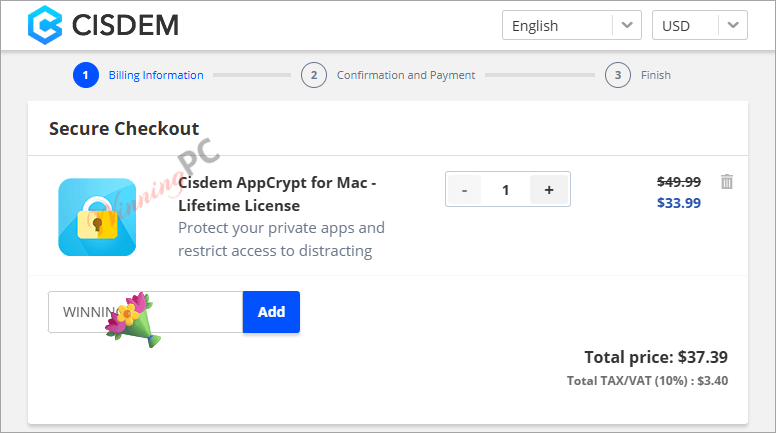
Cisdem AppCrypt for Mac - Lifetime License
32% Off: regular price $49.99, discounted price $33.99
Cisdem AppCrypt for Mac - Lifetime License for 2 Macs
52% Off: regular price $99.98, discounted price $47.59
Cisdem AppCrypt for Mac - Lifetime License for 5 Macs
66% Off: regular price $249.95, discounted price $84.99
Business License
Cisdem AppCrypt for Mac - Business License
32% Off: regular price $68.99, discounted price $46.74
Cisdem AppCrypt for Mac - Business License for 2 Macs
53% Off: regular price $137.98, discounted price $65.44
Cisdem AppCrypt for Mac - Business License for 5 Macs
66% Off: regular price $344.95, discounted price $117.29
For Windows:
Cisdem AppCrypt for Windows - Lifetime License
32% Off: regular price $49.99, discounted price $33.99
Cisdem AppCrypt for Windows - Lifetime License for 2 PCs
52% Off: regular price $99.98, discounted price $47.59
Cisdem AppCrypt for Windows - Lifetime License for 5 PCs
66% Off: regular price $249.95, discounted price $84.99
Special Offers

Cisdem Duplicate Finder and AppCrypt Bundle for Mac - Lifetime License
49% off: regular price $99.98, discounted price $50.99

Cisdem Duplicate Finder, ContactsMate and AppCrypt Bundle for Mac - Lifetime License
48% off: regular price $161.97, discounted price $84.99
Price Comparison Table
| Plan Name | Official Price | WinningPC Price | You Save |
| Single Lifetime (1 PC) | $49.99 | $33.99 | $16.00 |
| 2-Mac Lifetime Pack | $99.98 | $47.59 | $52.39 |
| 5-Mac Lifetime Pack | $249.95 | $84.99 | $164.96 |
How to Redeem Your Cisdem AppCrypt Coupon
- Click the “Copy Code” button above to use our exclusive discount link to head to the Cisdem checkout page.
- Verify the Code: For the 2-Mac or 5-Mac packs, ensure you enter the coupon code in the “I have a discount coupon” field.
- Confirm the Drop: Check that the price matches our table above.
- Checkout: Complete your purchase and receive your license key instantly via email.
What is Cisdem AppCrypt?
Cisdem AppCrypt is a dual-purpose security tool designed to lock specific applications and block distracting or harmful websites. Unlike basic parental controls, it’s built for anyone—freelancers needing to stay off Reddit, parents protecting kids from the web’s dark corners, or professionals keeping sensitive financial data (like QuickBooks or Excel) away from prying eyes. It’s the “digital deadbolt” for your desktop.


In-Depth Review & Features
- One Password to Rule Them All: You don’t need a different PIN for every app. Set one master password, and you can lock everything from WhatsApp to your System Settings. Use Case: Lock your “Photos” app so friends can’t swipe through your private library when you show them a single picture.
- The “Intruder” Camera: If someone tries to guess your password and fails, AppCrypt uses your webcam to snap a photo of the culprit.
Use Case: Finding out exactly which “curious” coworker tried to open your Slack while you were at lunch. - Smart Website Blocking: It works across Chrome, Edge, Safari, and Brave. You can block by URL or keywords.
Use Case: Block “Shopping” keywords during work hours (9 AM – 5 PM) so you aren’t tempted by flash sales. - Un-killable Protection: Unlike many browser extensions, you can’t just “Force Quit” AppCrypt in the Task Manager to bypass it. It requires the password even to uninstall or close.
Pros & Cons
Frequently Asked Questions
Is this a one-time payment or a subscription?
These deals are for Lifetime Licenses. You pay once today and own the version forever with no monthly fees.
What happens if I forget my master password?
Because AppCrypt is designed for high security, resetting is difficult by design. Keep your license key handy, as support will need it to verify your identity.
Can my kids just delete the app to get around the block?
No. AppCrypt features “Self-Protection,” meaning it cannot be deleted or dragged to the Trash without entering the master password first.
Technical Details
| OS | Windows 10, Windows 11 (64-bit required). macOS 10.12 or later. |
| Processor | 1GHz Intel/AMD or above. |
| RAM | 512MB minimum. |
| Disk Space | 100MB for installation. |