
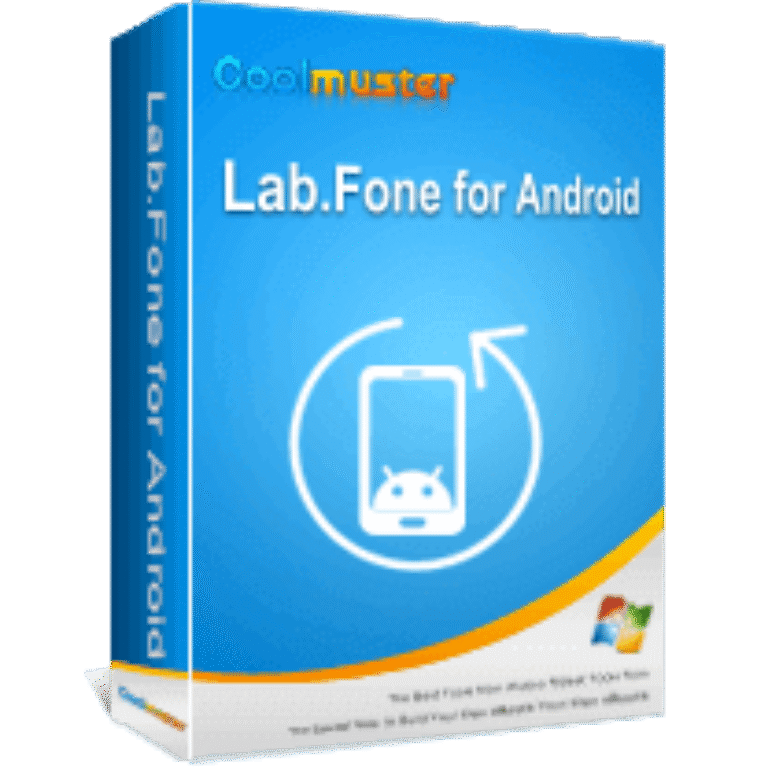

Coolmuster Lab.Fone for Android Giveaway
Coolmuster Lab.Fone for Android
As a professional Android data recovery, Lab.Fone for Android enables you to recover lost or deleted data Android's internal and external memory card easily.
- Product
- Lab.Fone for Android
- Product website
- coolmuster.com
- License
- 1-Year
- Platform
- Windows 11/10/8/7
- Usage
- Strictly non-commercial usage
- Support
- No support
- Updates
- No future upgrades
- Updated
- 2026-09-21
Continue on coolmuster.com
The publisher handles registration and license delivery on its official website.
This giveaway ended on .
Special offer: 50% Off Lifetime License(1 PC, 5 Devices)
How to Get The Coolmuster Lab.Fone for Android License Key Free?
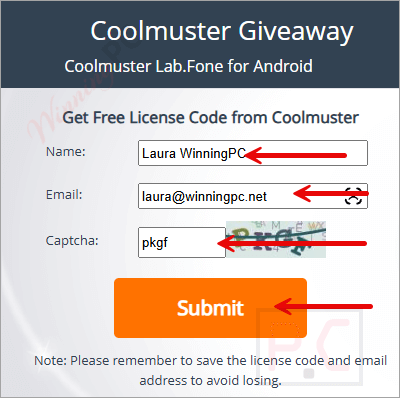
- Go to the Coolmuster Lab.Fone for Android giveaway page, enter your name and email, and click on the “Submit” button.
- A new pop-up will show you the license code, or check your mailbox for the registration information.
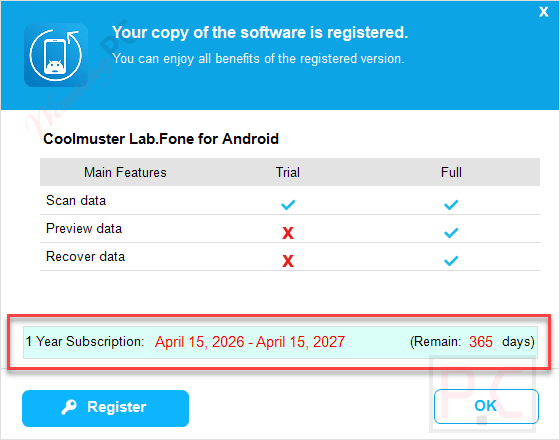
- Install and open Coolmuster Lab.Fone for Android, activate it to the full version
- Have fun!


Coolmuster Lab.Fone for Android Coupons & Pricing
Coolmuster Lab.Fone for Android for Windows
4 plans · best save 50%
1 Year License(1 PC, 5 Devices) ★ Best Deal
Free upgrade, yearly subscription
Coolmuster Lab.Fone for Android for Mac
1 plan · best save 50%You may also like

All Products Bundle, Lifetime (Windows)
One-time payment, permanent lifetime license | Free lifetime software upgrades
All Products Bundle, Lifetime (Mac)
One-time payment, permanent lifetime license | Free lifetime software upgrades
Hands-on with Coolmuster Lab.Fone for Android
Coolmuster Lab.Fone for Android effortlessly recovers deleted or lost data from Android devices by scanning internal storage and SD cards. It restores text messages, contacts, call logs, documents, photos, videos, and more, while also backing up both existing and recovered files to your computer. Perfect for fixing accidental deletions, system glitches, or storage failures.

Key features
- Multi-Source Android Data Recovery: recovers deleted messages, contacts, call logs, media, and documents from Android internal memory, SIM cards, and SD cards.
- SD Card File Recovery Mode: retrieves lost photos, videos, music, and documents from external SD cards while preserving original formats and quality.
- Preview Before Recovery: lets you review file details and sort items before selecting exactly which data to restore.
- Android Data Backup to Computer: exports selected Android files to a computer, helping keep important data safely backed up.
- Three-Step Recovery Process: connects your device, scans for recoverable data, then restores selected files in a simple guided workflow.
- Wide Android Device Compatibility: supports over 6000 Android phones and tablets across major brands and Android versions from 2.1 through 10 and later.
Pros & Cons
Coolmuster Lab.Fone for Android Card Recovery

Questions people ask about Coolmuster Lab.Fone for Android
Where is the best place to look for promo codes for Coolmuster Lab.Fone for Android?
You can find the latest verified discount codes right here on WinningPC. We partner directly with software developers to provide these deals, though you can also keep an eye on Coolmuster’s official promotional emails.
What is the highest discount available right now for this data recovery software?
Currently, you can secure a massive 50% OFF through the exclusive deal listed on WinningPC.
Does my Android phone need to be rooted to use this software?
Rooting is required if you want to recover deleted files from the internal memory or SIM card. However, you do not need root access to recover data from an external SD card.
Can I choose which specific files to recover?
Yes. After the scan is complete, you can preview the found items and selectively mark only the files you want to save to your computer.
Are there different scanning options?
It offers two modes for media files: a Quick Scan that saves time and a Deep Scan for a more thorough analysis of your storage.
What formats will my recovered text messages and contacts be saved in?
Text-based content like SMS, contacts, and call logs are exported as HTML or XML files, making them easy to read or print on your computer.
Can I use this software just to back up my current files?
Absolutely. It allows you to export existing data from your phone to your computer to prevent future data loss.
System Requirements & Details
| Feature | Specifications |
|---|---|
| Language Support | English, Français, Italian, Spanish, Swedish, and more… |
| Operating System | Windows 11/10/8/7 Mac OS X 10.7 or later |
| Android | Android 6 above (Android 16 included) |
| CPU/Processor | Win: 1GHz (32 bit or 64 bit) or above Mac: 1GHz Intel or above, M1 |
| Hard Disk Space | 200 MB or more free space |
| RAM | Win: 256 MB or more of RAM (1024MB Recommended) Mac: 512 MB or more |
| Supported File Types | Text Content: Contacts, Messages, Call Logs Media File: Photos, Music, Videos, Documents |
| Supported Devices | Samsung, Xiaomi, Redmi, POCO, TECNO, Infinix, OPPO, realme, etc. |



They really should be upfront and open and say in their description and marketing that rooting of the Android device IS REQUIRED to recover deleted data from the devices internal memory or microSD card as that is a very aggressive and often warranty voiding operation that leaves the device in a VERY insecure state! Only thing that does not require rooting the device is removing the microSD card and putting into a card reader and connecting it to a windows PC… but that only works if the card is formatted to FAT32 or exFAT and will not work if the card has been formatted by the android device as encrypted ext4 or similar and combined with the internal memory as one whole filesystem.
TK
just what i was needing thankyou and god bless
This Giveaway has been expired.