
On this page
Coolmuster PDF Image Extractor Giveaway

Coolmuster PDF Image Extractor
One click to batch extract images from Adobe PDF and save them as JPG/JPEG format with Coolmuster PDF Image Extractor.
- Product
- PDF Image Extractor
- Product website
- coolmuster.com
- License
- 1-Year
- Platform
- Windows 11/10/8/7
- Usage
- Non-commercial only
- Updates
- No future upgrades
- Support
- No support
- Updated
- 2026-09-30
Continue on coolmuster.com
The publisher handles registration and license delivery on its official website.
This giveaway ended on .
50% Off Coolmuster PDF Image Extractor - 1 Month (1 PC)
How to get the Get Coolmuster PDF Image Extractor Key Free?
- Click the Reveal giveaway link button on this page to reveal the official Coolmuster giveaway link.
- Open the link – you’ll land on Coolmuster’s giveaway registration page.
- Enter your name and email address, then submit the form for the license code from Coolmuster.
- Download the installer from the Coolmuster site. Install and launch Coolmuster PDF Image Extractor.
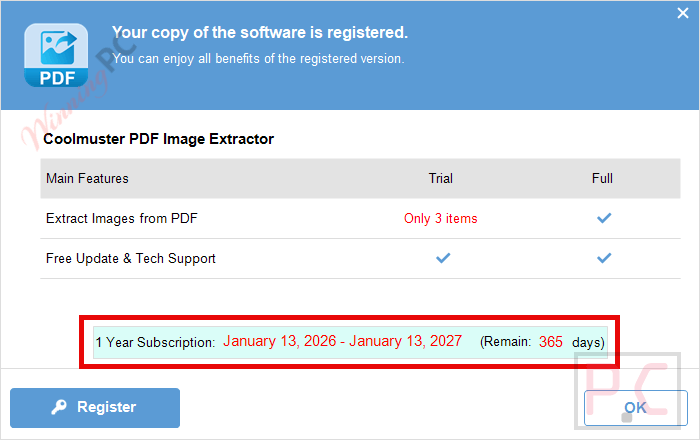
- Paste your license code into the activation window to unlock the full 1-Year license.


Coolmuster PDF Image Extractor Coupons & Pricing
Coolmuster PDF Image Extractor
3 plans · best save 50%
Coolmuster PDF Image Extractor (Mac Version)
1 plan · best save 50%You may also like

All Products Bundle, Lifetime (Windows)
One-time payment, permanent lifetime license | Free lifetime software upgrades
All Products Bundle, Lifetime (Mac)
One-time payment, permanent lifetime license | Free lifetime software upgrades
Hands-on with Coolmuster PDF Image Extractor
For what it is, Coolmuster PDF Image Extractor does its job cleanly. The three-panel layout (import, preview, extract) is beginner-friendly – you don’t need to know anything about PDF internals to use it. The batch mode is the most practical feature: instead of opening PDFs one by one, you load a folder and it pulls every image from every file in one pass. The page-range selector is a nice touch too, letting you target just the pages you need rather than dumping the entire document. The catch is the output format: you only get JPG/JPEG. If you need PNG, TIFF, or anything with transparency, this tool isn’t it. Coolmuster PDF Image Extractor also needs no Adobe Acrobat installation, which matters on machines where Acrobat isn’t available or is a licensing hassle.

Key features
- Batch extraction: import multiple PDFs at once and extract all images in a single run.
- Page range selector: preview files in the built-in viewer and choose specific pages or ranges before extracting.
- Three import methods: add files via drag-and-drop, folder import, or file browser.
- No Acrobat dependency: standalone utility, no third-party readers required.
- JPG/JPEG output: extracted images save directly to JPG format, ready to use in presentations, collages, or documents.
Pros & Cons
Which Coolmuster PDF Image Extractor plan should you buy?
| Plan | Regular Price | Price with 50% Code | Platform | Best for |
|---|---|---|---|---|
| 1 Month (1 PC) | $9.95 | $4.97 | Windows | Occasional, one-off projects |
| 1 Year (1 PC) | $15.95 | $7.97 | Windows | Regular personal/professional use |
| Lifetime (1 PC) | $25.95 | $12.97 | Windows | Long-term use, best value overall |
| Lifetime (1 PC) Mac | $39.95 | $19.97 | Mac | Long-term use, best value overall |
Questions people ask about Coolmuster PDF Image Extractor
Is the giveaway license really free – what’s the catch?
It’s free, but there are real limits: the license covers one year only, non-commercial use only, and doesn’t include future updates or technical support. You’re getting the current version for personal use at no cost.
What image formats does it extract to?
It saves extracted images as JPG or JPEG only. There’s no option for PNG, TIFF, or other formats – if you need lossless output, this isn’t the right tool.
Does it need Adobe Acrobat installed?
No. It’s a standalone utility and handles PDF image extraction entirely on its own – Acrobat Reader or Acrobat Pro don’t need to be present.
Can I extract images from just a few specific pages instead of the whole PDF?
Yes. You can preview any imported file in the built-in viewer and set page ranges before extracting, so you’re not forced to process the entire document.
System Requirements & Details
| Operating system | Windows 11/10/8/7 (32-bit & 64-bit) Mac OS X 10.7 or later |
| Processor | Windows: 1GHz (32-bit or 64-bit) or above Mac: 1GHz Intel or above, M1 supported |
| RAM | Windows: 256 MB minimum (1024 MB recommended) Mac: 512 MB or more |
| Hard disk | 200 MB free space |
| Supported input formats | |
| Supported output formats | JPG, JPEG |
| Other requirements | No Adobe Acrobat installation required |



This only extracts raster images, not hi-resolution vector images. I extract hi-res vector graphics using nitro PDF reader and use it’s select area and snapshot function, can zoom a vector shape to the resolution you want, even bigger than full screen and then select a rectangle around the massive vector shape and snapshot and i have a high definition raster image of the vector shape that can be used in a graphics program, website or anywhere the copyrights allow.
Home>>404 Error
Whooops! Something Went Baaaadly Wrong
We’re sorry, but the page you requested can’t be found!
Please be sure the URL you have entered is correct, and if there is no error in the URL, you can try to find your target pages by going through below products.
sorry for mistyping , I meant : do you have a new activation key for CareUEyes PRO software ?
Hi,
I don’t have a new activation key now. Could you please check the old giveaway here https://winningpc.com/careueyes-pro-full-free-license-key-giveaway/?
I tested it on another computer and it worked ( I can update to the latest version).
Hi , thanks for your good website , I just want to know do you a new activation key for CareUEyes PRO software ?
Thanks for your time