

Coolmuster PDF Locker Giveaway
Coolmuster PDF Locker
Visit the Set a password to prevent your PDF from unauthorized access, opening, reuse, or modification.to register and receive your license.
- Product
- Coolmuster PDF Locker
- Product website
- coolmuster.com
- License
- 1-Year
- Platform
- Windows 11/10/8/7
- Usage
- Non-commercial only
- Updates
- No future upgrades
- Support
- No support
- Updated
- 2026-09-28
Continue on coolmuster.com
The publisher handles registration and license delivery on its official website.
This giveaway ended on .
50% Off Coolmuster PDF Locker - Lifetime (1 PC)
How to get the Get Coolmuster PDF Locker Key Free?
- Open the Coolmuster PDF Locker giveaway page through the WinningPC link below.
- Enter your name and email on the giveaway form to receive your free license code.
- Download the installer from Coolmuster’s official site and run it on your Windows PC.
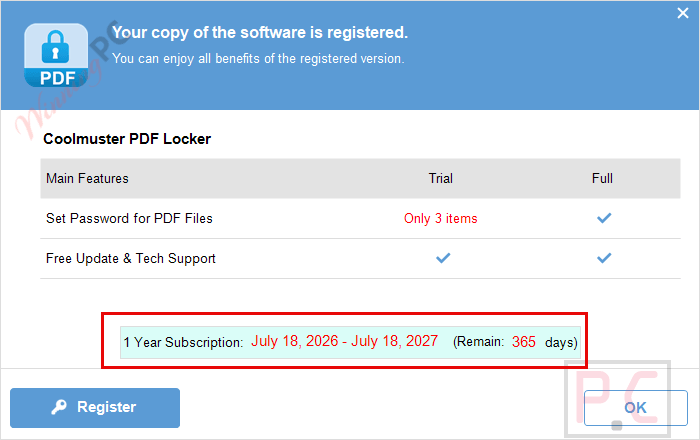
- Activate PDF Locker with the code you received, then use the full version free for one year.


Coolmuster PDF Locker Coupons & Pricing

Coolmuster PDF Locker - 1 Month (1 PC)
Free upgrade, monthly subscription
Coolmuster PDF Locker - 1 Year (1 PC)
Free upgrade, yearly subscription
You may also like

All Products Bundle, Lifetime (Windows)
One-time payment, permanent lifetime license | Free lifetime software upgrades
All Products Bundle, Lifetime (Mac)
One-time payment, permanent lifetime license | Free lifetime software upgrades
Hands-on with Coolmuster PDF Locker
Coolmuster PDF Locker does one job and does it without much fuss: it puts a password on a PDF and lets you decide exactly what happens after that. The four encryption levels are the most useful part of the design: 40-bit and 128-bit RC4 cover basic printing/copying restrictions, while 128-bit and 256-bit AES step up to the kind of protection you’d actually want on a contract or a tax return. Batch mode is the other reason to bother installing it: drag a folder of PDFs in, set one password, and they’re all locked in the same pass instead of one at a time.

Key features
- Open Password and Owner Password, so you control both who can open a file and who can print/copy/edit it.
- Four encryption levels from 40-bit RC4 up to 256-bit AES, so light restrictions and serious protection are both on the table.
- Batch-protects a whole folder of PDFs with one password via drag-and-drop.
- Standalone desktop app, no PDF-suite subscription required.
Pros & Cons
What the free key doesn’t include
| Paid version | Giveaway version | |
| Cost | 15.95 regular ($7.97 with code) | Free |
| Updates | 1-Year free upgrades (1-Year plan) | No future upgrades |
| Support | Per plan terms | No free tech support |
| Use | Personal or business, per plan | Non-commercial use only |
| Seats | 1 PC (5/10 PC business plans available) | 1 PC |
Which Coolmuster PDF Locker plan should you buy?
| Plan | Price with code | Regular price | Duration | Best for |
| 1 Month | $4.96 | $9.95 | 1 month, auto-renews | Trying it for a single project |
| 1 Year | $7.97 | $15.95 | 1 year, incl. free upgrades | Most home users (also the giveaway license tier) |
| Lifetime | $12.97 | $25.95 | No expiry | Anyone who wants to stop thinking about renewal |
Questions people ask about Coolmuster PDF Locker
Is the Coolmuster PDF Locker giveaway legit and safe?
Yes. It’s issued directly by Coolmuster on their own giveaway page, not a third-party reseller. WinningPC only links you to the registration form; your email goes to Coolmuster for the license, not to us.
Can I use the free giveaway license for business or client work?
No. The giveaway license is for non-commercial, personal use only on one PC. Business use requires one of Coolmuster’s paid plans.
What encryption level should I actually pick?
For everyday documents, 128-bit AES is a solid default. Save 256-bit AES for anything regulated or genuinely sensitive, like financial or legal records; the RC4 options mainly cover basic print/copy restrictions rather than serious protection.
Is there a Mac or mobile version?
No. Coolmuster PDF Locker is Windows-only (Windows 11/10/8/7) — there’s no Mac, iOS, or Android build.
System Requirements & Details
| Operating System | Windows 11/10/8/7 |
| Processor/RAM/disk | 750MHz Intel/AMD CPU, 512MB+ RAM, 1GB+ disk space |
| Supported input formats | |
| Supported output formats | Password-protected PDF (same PDF format, encrypted) |





The function of this SHOULD be part of the PDF creation software itself and is no real security as anyone can remove the OWNER password WITHOUT knowing the OWNER password. PDF’s with USER passwords with strongest AES may be hard to crack by brute force but are trivial to have the password removed by anyone you give the password to so they can view it… so there is NO persistent security and it’s certainly not worth entering into a subscription for as don’t forget they also rent out a PDF password remover too! Communists acting as overly aggressive capitalists.
OWNER password restrictions can be removed without even knowing the password by many 3rd party utilities, heck coolmuster likely sell one themselves! PDF generation software *SHOULD* provide all the functions that this one trick pony does, check the properties of the virtual printer you use, it may be hidden in there!