Let’s use CyberScrub CyberCide when looking for hard drive wiping software that can assist you permanently remove data and make it unrecoverable. This data erasing software is necessary if you intend to sell or throw away your hard disc because it goes considerably further than the “Shift+Del” feature.
By using wiping methods including: Peter Gutmann algorithm, Bruce Schneier algorithm, U.S. Standard, DoD 5220.22-M, etc., CyberScrub CyberCide helps individuals and organizations securely delete and sanitize sensitive and confidential information from their computers and storage devices. This tool lets the user to choose several wipe methods for each space, overwrites (deletes) data on both logical and physical discs, and supports 85 different partition types to ensure that data is permanently removed and cannot be recovered by unauthorized parties.
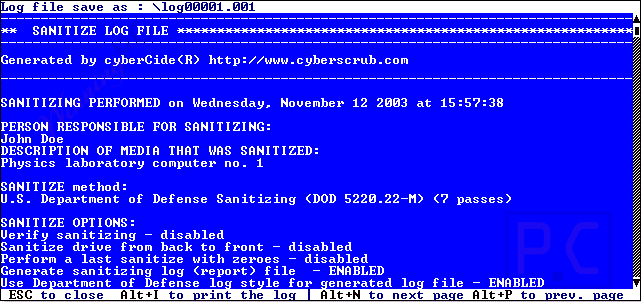
Key Features & Screenshots
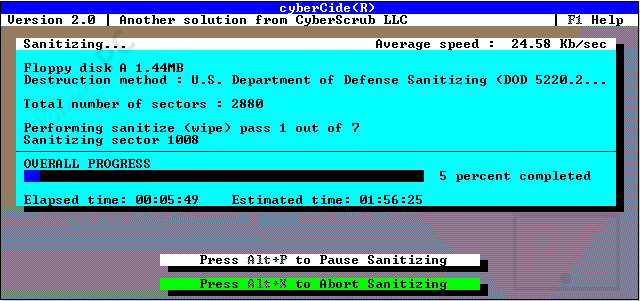
- Data destruction software like CyberScrub cyberCide works by securely wiping hard drives and employing cutting-edge wiping techniques to overwrite, wipe, and destroy privileged data. The original data cannot be recovered using data recovery software after this method.
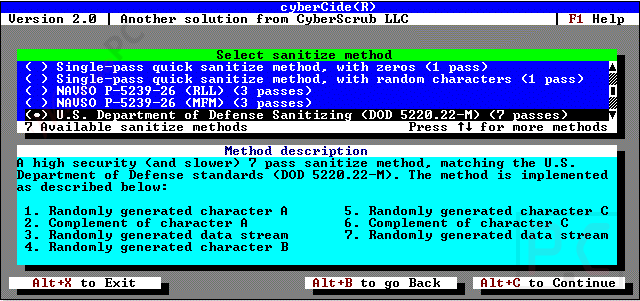
- No matter what you are using the file system and the operating system (FAT12, FAT16, NTFS, DOS, Windows 3.x, Windows 95, Windows 98, Windows NT, Windows 2000, Windows XP, Unix, etc.), this powerful tool will help you permanently erase all data from the disk. It complies with and goes beyond the computer’s U.S. Department of Defence specifications.
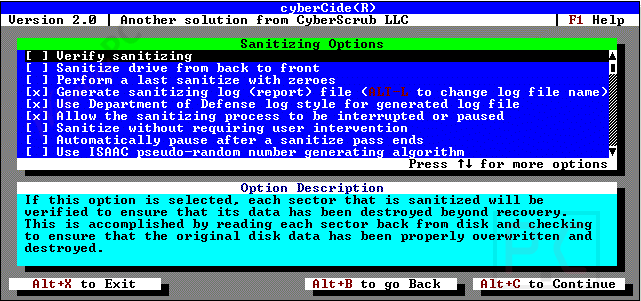
- By installing CyberScrub cyberCide on bootable floppy diskettes, you are able to simultaneously erase data across multiple machines. In addition, you are allowed to store comprehensive records by maintaining detailed logs of all data sanitization operations. These logs can be printed as hard copies to maintain permanent data deletion activity records.
- CyberScrub CyberCide provides robust command-line parameter options to execute the program via the command prompt without a graphical user interface, allowing for customized data wiping scenarios. Sanitizing BIOS Free feature also are provided to effectively utilize the full capacity of your hard disks.
Technical Details
| Language Support | English, Français, Italian, Spanish, Swedish, and more… |
| Money Back Guarantee | 30-Day |
| Operating System | Platform: Wintel Operating System: none; any OS on above platform |
| Shipping | Register code will be sent to your email in minutes |
| Subscription | 1-Year |
| Support Services | Tickets |