dbForge Data Compare for SQL Server Coupons & Pricing
dbForge Data Compare for SQL Server
2 plans · best save 10%
Standard ★ Best Deal
Basic features edition | 1 year of access to the product with support and upgrades included
Professional
Full-featured edition | 1 year of access to the product with support and upgrades included
How to Use the Coupon Code
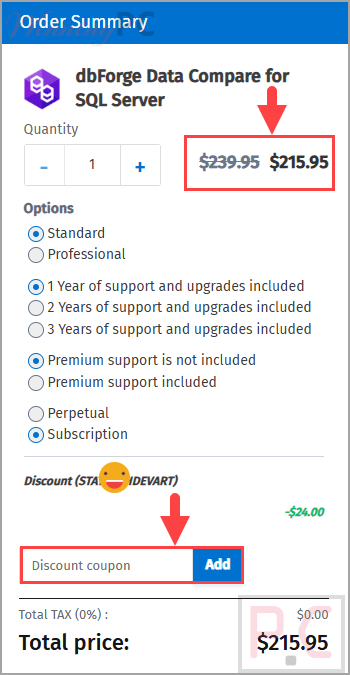
- Choose either the Standard or Professional edition.
- Click Copy on a plan to copy the code “STAY**DEVART”.
- You will be redirected to Devart’s official payment channel.
- The discount code will be automatically applied here.
- Confirm that the displayed price and discount have changed before completing payment.
- Download the licensed drivers from your Devart account after the order is processed.
Is the dbForge Data Compare for SQL Server coupon legit?
Yes. This offer points buyers to Devart’s official product and purchasing pages rather than an unofficial key marketplace.
Official software
You download the genuine dbForge installer supplied by Devart.
Publisher checkout
Licensing and payment are handled through Devart’s own purchasing process, not by WinningPC.
No crack or key generator
The discount does not require patched files, unofficial activation tools, or repackaged software.
Try before buying
Devart provides a free trial, so you can check the workflow and compatibility before purchasing a license.
dbForge Data Compare for SQL Server Review & Features
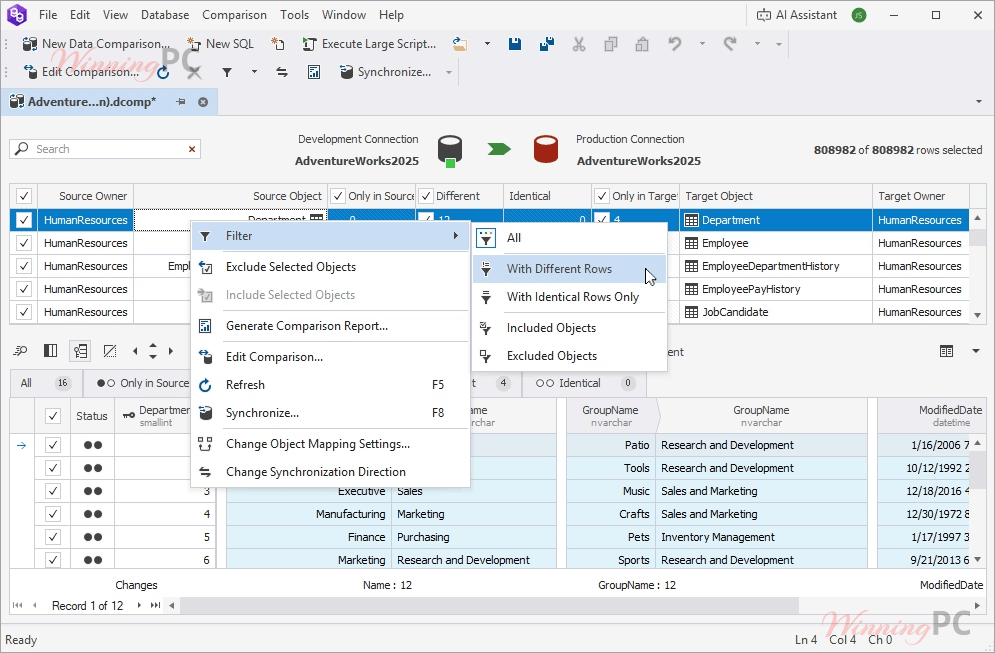
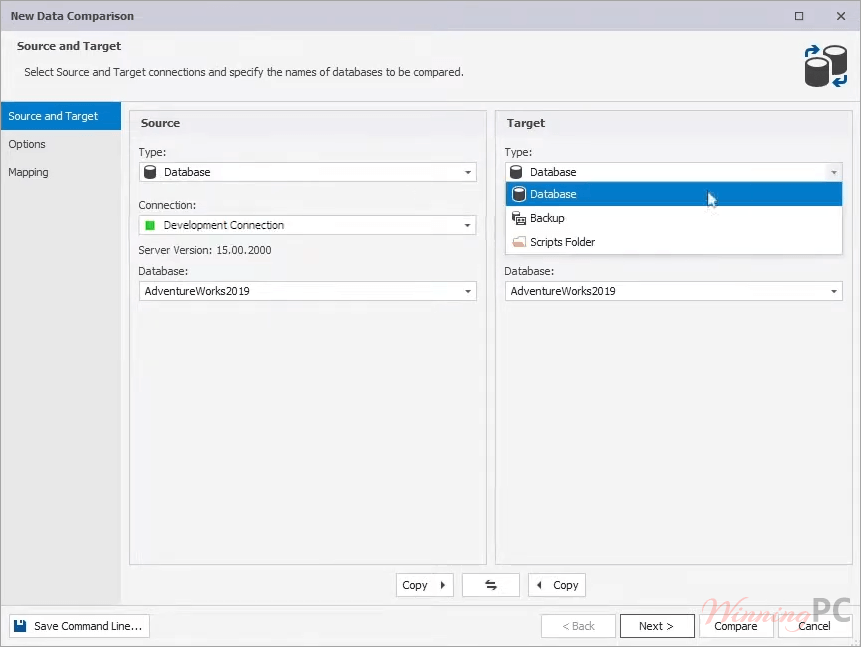
dbForge Data Compare for SQL Server handles more than a basic table-to-table check. Its strongest point is the range of sources it can compare, including live databases, backups, script folders, views, and custom query outputs. That flexibility matters when development and production environments do not share identical object names or layouts. Object, column, and schema mapping help bridge those differences, although the broader Professional feature set may be more than occasional users need.
Key features
- Detect row-level differences across SQL Server tables, views, native backups, and script folders.
- Compare a database object against the result of a custom SQL query.
- Generate T-SQL synchronization scripts for review or later deployment.
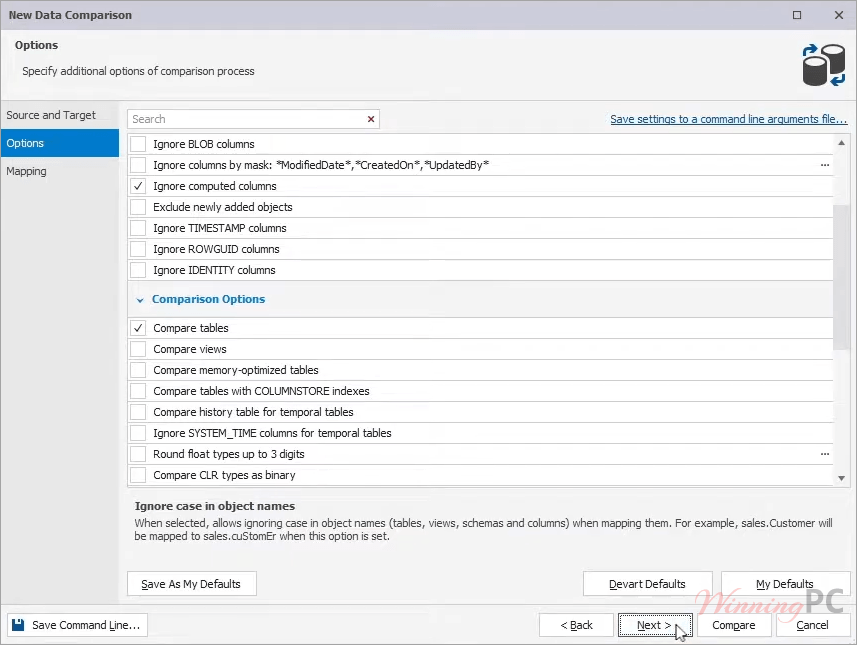
- Map differently named schemas, tables, views, and columns before comparison.
- Export comparison reports to CSV, HTML, and Excel, or automate jobs through the command line.
What we think
What we think
Which Plan Should You Buy?
Frequently Asked Questions
What is the cheapest dbForge Data Compare price?
The lowest listed price is $215.95 for the Standard edition after applying the code STAY****DEVART. The regular Standard price is $239.95.
What is the difference between Standard and Professional?
Professional includes advanced capabilities such as comparing native SQL Server backups, working with static data in scripts folders, and running comparisons through the command line. Standard covers the core database data comparison and synchronization workflow.
Can dbForge Data Compare compare SQL Server backups?
Yes, the Professional edition can compare data in native SQL Server backups. This can help locate missing or damaged records and prepare data for recovery without restoring the backup over the target database first.
Can it compare the results of custom SQL queries?
Yes. You can compare a table or view with the output of a custom query, using either object as the source or target. This is useful for filtered, joined, or aggregated result sets.
Does dbForge Data Compare work with cloud databases?
Yes. The supplied compatibility information includes Azure SQL Database, Azure SQL Managed Instance, Amazon RDS for SQL Server, and Heroku Cloud, alongside on-premises SQL Server environments.
Can I automate SQL Server data comparisons?
Yes, with the Professional edition. It supports command-line execution files, scheduled .bat tasks, Command Prompt, and PowerShell workflows for recurring comparisons, reports, and synchronization operations.
Does it integrate with SQL Server Management Studio?
Yes. It can run as an SSMS add-in as well as a standalone desktop application, allowing comparisons and synchronization tasks to be launched from the familiar SQL Server Management Studio environment.
Is there a free version?
Yes. The trial lets you evaluate the comparison workflow before choosing the Standard or Professional license.
System Requirements & Details
| Feature | Specifications |
|---|---|
| Operating system | Windows 7, 8, 8.1, 10, or 11 |
| Windows Server | Windows Server 2008, 2012, 2016, 2019, 2022, or 2025 |
| Framework | .NET Framework 4.7.2 or later |
| Supported input sources | SQL Server tables, SQL Server views, native backups, script folders, custom queries, Azure SQL Database, SQL Server on Amazon RDS, Heroku Cloud, and SQL Server databases on Linux. |
| Supported report formats | CSV, HTML, and Excel |
| Synchronization output | T-SQL synchronization scripts |
| Other requirements | A compatible SQL Server or supported cloud database connection. |