Cathryn Lee
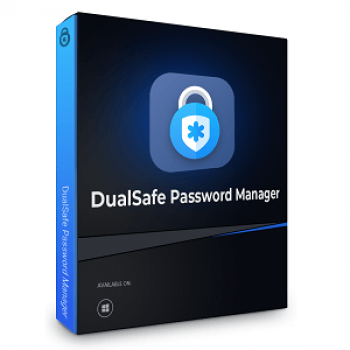
DualSafe Password Manager Premium stores and protects your passwords across devices. It also supports autofill, strong password generation, and secure access using a single master password.
DualSafe Password Manager Premium
Securely store unlimited passwords and auto-fill passwords with one click.
- Product
- DualSafe Password Manager Premium
- Product website
- itopvpn.com
- License
- 6-month/3-month
- Platform
- Windows 11/10/8/7
- Installer
- dualsafe_pm_setup
- Usage
- Non-commercial only
- Updates
- No free updates for the Premier version
- Support
- No free customer support
Continue on itopvpn.com
Share to reveal the official giveaway page, then register there to receive your license.
The free license is no longer available.
Table of Contents
DualSafe Password Manager Coupons & Deals Oct 2026

iTopVPN Summer Sale: Up to 86% Off
Take advantage of special offer up to 86% off iTop VPN software!
DualSafe Password Manager
2 plans · best save 82%

How to get the DualSafe Password Manager Premium License Key for free?
On the DualSafe Password Manager giveaway page, sign up for a new iTop account.
Check your mailbox to confirm your email address.

Download and install this software on your computer, log in with your account above, and then set a master password to access your DualSafe Password Manager. You have to store this password and backup code in a safe location:

Now enjoy DualSafe Password Manager Premium for six months free!
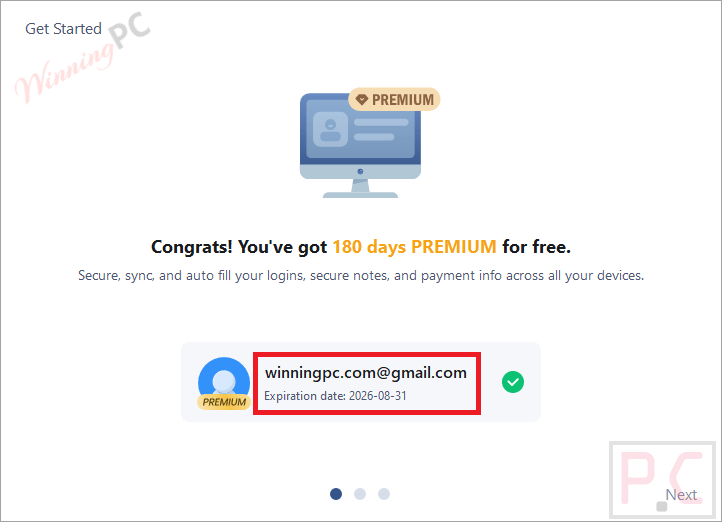
DualSafe Password Manager Premium main screenshot:

Add and/or edit password item:

Add secure notes, payment info, and personal info:

Password health check:

Dark web monitor:

Password generator:

Tools: You can import passwords from web browsers here!

In-Depth Review & Features
Main Features
- Secure Password Storage: save passwords, banking details, social accounts, and other login data in one encrypted vault.
- One-Click Login: access websites and apps quickly without remembering multiple passwords.
- Autofill Support: fill usernames, passwords, addresses, payment details, and forms automatically.
- Strong Password Generator: create random passwords with letters, numbers, and symbols for better account security.
- Dark Web Monitoring: receive alerts if your email or account credentials appear in leaked databases.
- Password Health Check: DualSafe Password Manager can detect weak, reused, or unsafe passwords and improve account security.
- Browser Sync: sync passwords across Chrome, Edge, Opera, and Brave automatically.
Technical Details
| Feature | Specifications |
|---|---|
| Language Support | English, Français, Italian, Spanish, Swedish, and more… |
| Money Back Guarantee | 30-Day |
| Operating System | Windows 11/10/8/7 |
| Shipping | Register code will be sent to your email in minutes |
| Subscription | 1-Month, 1-Year, 2-Year |
| Support Services | Tickets |