DVDFab DVD to Blu-ray Converter is a professional software designed to convert standard DVDs into high-definition Blu-ray format. This tool allows users to save their DVD content as Blu-ray ISO files, folders, or burn them directly onto blank Blu-ray discs. With the capability to upscale DVD video quality using advanced AI technology, it provides a seamless solution for enhancing and preserving your media collection. DVDFab DVD to Blu-ray Converter is easy to use, offering high-speed conversion and customizable options to meet various user needs.

DVDFab Halloween Sale: 30% Off + Guaranteed Coupon
Celebrate the Halloween Sale and save $120 on the All-In-One package, plus get exclusive bonus gifts. Don’t miss out; this special offer ends November 2, 2026!
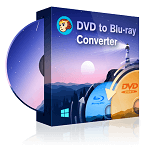
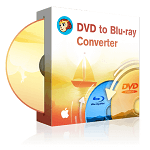


DVDFab DVD to Blu-ray Converter Free Key
- Product name: DVDFab DVD to Blu-ray Converter
- Website: https://www.dvdfab.cn/
- License type: 1-year
- Platform: Windows
- Giveaway link: click here
- Download: DVDFab_Online.exe
How to get the license key?
Open the giveaway page, enter your email to get the DVDFab DVD to Blu-ray Converter account for free:
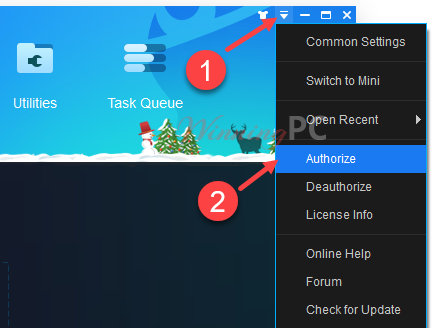
Install/ Open DVDFab, access Menu\ Authorize
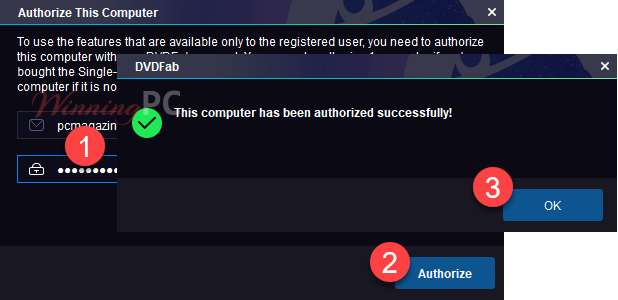
Register DVDFab DVD to Blu-ray Converter by the account above:
Main screenshot:

Convert video:

DVDFab DVD to Blu-ray Converter settings:

Key Features
- High-Quality Conversion: converts DVDs to Blu-ray format while preserving the original quality, ensuring high-definition playback.
- Flexible Output Options: save converted content as Blu-ray ISO files, folders, or burn directly onto BD-50/25/9/5 discs.
- Batch Conversion: supports converting multiple DVDs simultaneously, saving time and effort.
- Customizable Output: select specific movie titles, chapters, audio tracks, and subtitles for conversion. Customize playback menus with various styles and fonts.
- Advanced Upscaling: uses Enlarger AI (sold separately) to upscale video quality by up to 300%, achieving true 1080p resolution.
- Fast Processing Speed: utilizes the latest technologies like multi-core CPUs, NVIDIA CUDA, and Intel Quick Sync to ensure rapid conversion speeds.
- Comprehensive Device Compatibility: ensures compatibility with all home Blu-ray players by converting DVDs into standard Blu-ray format.
- Detailed Progress Information: displays detailed progress information, including estimated and elapsed time, to keep users informed during the conversion process.
Technical Details
| Language Support | English, Français, Italian, Spanish, Swedish, and more… |
| Money Back Guarantee | 30-Day |
| Operating System | Mac OS, Windows |
| Shipping | Keycode will be sent automatically within minutes after your purchase |
| Subscription | 1-Month, 1-Year, Lifetime |
| Support Services | Forums, Tickets |