Chris Bruner
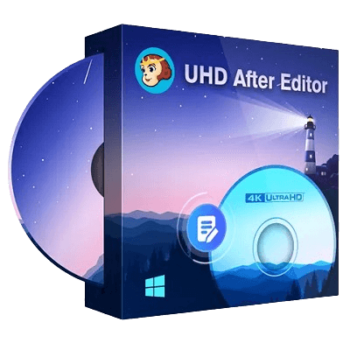
Designed for anyone looking to enhance their Ultra HD Blu-ray collection, DVDFab UHD After Editor can help users add or replace audio tracks and subtitles, ensuring a high-quality viewing experience. It provides a user-friendly interface and fast processing times to maintain original video quality, including Dolby Vision and HDR10. It stands out for its ability to support numerous audio formats such as LPCM, AC3 Plus, TrueHD, AC3, DTS, DTS-HD, and DTS-HD MA to ensure you can enjoy superior audio quality with high-definition soundtracks.
One of another significant features of DVDFab UHD After Editor is its support for adding and replacing subtitles. You can use it to insert subtitles in SUP or ASS formats into your 4K Blu-ray movies for creating subtitles with special effects like karaoke, positioning, style management, etc. To make sure the new subtitles align perfectly with the video, you can adjust the delay time to enjoy an immersive viewing experience on any Ultra HD Blu-ray player.

DVDFab Halloween Sale: 30% Off + Guaranteed Coupon
Celebrate the Halloween Sale and save $120 on the All-In-One package, plus get exclusive bonus gifts. Don’t miss out; this special offer ends November 2, 2026!



Key Features and Screenshots
- Add External Audio Tracks: With the help of DVDFab UHD After Editor, you can enrich your UHD Blu-ray movies by adding external audio tracks such as LPCM, AC3 Plus, TrueHD, AC3, DTS, DTS-HD, and DTS-HD MA. You can also adjust millisecond-level to make the audio perfectly matches the visual content.

- Replace the Original Audios: A really nice feature is the ability to replace the original low-quality audio on your 4K UHD Blu-ray with new ones. You are allowed to add high-definition soundtracks in various languages or formats to Blu-ray movies. It perfectly synchronizes the new audio tracks with the video to maintain a seamless viewing experience without any lag.

- Add External SUP or ASS Subtitles: DVDFab UHD After Editor delivers the function to help you add external subtitles to UHD Blu-ray movies. You are allowed to insert UP and ASS subtitle formats into 4K Blu-ray movies. Additionally, the program provides capabilities for creating subtitles with karaoke, style management, and placement effects. It allows you to adjust delay times to precisely synchronize subtitles with the video, improving viewers’ accessibility and comprehension.

- Replace the Original Subtitles: If you want to enhance your 4K movie-watching experience by directly replacing the original subtitles with a subtitle tailor-made for your preferences, DVDFab UHD After Editor can do this task. It will help you insert your preferred subtitle in different languages, effects, or styles. Furthermore, the new subtitles align perfectly with the spoken dialogue and on-screen action.

- Output Lossless Videos and Audios: Another factor that makes it more popular is that it can maintain original Dolby Vision and HDR10 video quality. This means you can export to 4K Ultra HD Blu-ray folders without any degradation in visual or audio quality. It ensures fast processing, completes the reauthoring process in approximately 10 minutes, and provides a seamless editing experience.
Frequently asked questions
What audio formats are supported by DVDFab UHD After Editor?
DVDFab UHD After Editor supports all standard Blu-ray audio formats, such as LPCM, AC3 Plus, TrueHD, AC3, DTS, to DTS-HD, and DTS-HD MA.
Which audio formats does DVDFab UHD After Editor support?
It supports LPCM, AC3 Plus, TrueHD, AC3, DTS, DTS-HD, and DTS-HD MA audio formats.
Can I add subtitles in different languages and formats to a 4K movie?
Yes. DVDFab UHD After Editor allows you to add or replace subtitles in various languages, like English, Deutsch, Chinese, French, etc., and formats, like sup and ass.
How do I ensure the audio and video are perfectly synchronized?
The software allows you to adjust the audio delay time to the millisecond for perfect synchronization.
Can I fine-tune subtitle synchronization in DVDFab UHD After Editor?
Yes, you can adjust the delay time to ensure perfect subtitle synchronization with the video.
Is there any available coupon code for DVDFab UHD After Editor?
Please use the WinningPC coupon code DF***0 for a 30% discount on DVDFab UHD After Editor.
Technical Details
| Language Support | English, Français, Italian, Spanish, Swedish, and more… |
| Money Back Guarantee | 30-Day |
| Operating System | Windows 11/10/8.1/8/7 (32/64 bit) |
| Shipping | Register code will be sent to your email in minutes |
| Subscription | 1-Year, Lifetime |
| Support Services | Forums, Tickets |