WinningPC

DVDFab UHD Drive Tool is an intuitive and reliable piece of software aimed to provide you with the ability to easily firmware downgrading on a UHD drive to make it ready for UHD Blu-ray backup. With the help of this tool, users will be able to downgrade the current firmware on their 4K UHD drive so that they can make regular backups of their 4K Blu-ray discs with 4K UHD backup tools, such as UHD Copy and UHD Ripper right at home. Besides, this handy firmware flash utility is surprisingly easy-to-use. No skills are needed and no profound knowledge, you can smoothly perform the downgrading process. Just follows the steps instructions; you won’t feel a thing at all.

DVDFab Halloween Sale: 30% Off + Guaranteed Coupon
Celebrate the Halloween Sale and save $120 on the All-In-One package, plus get exclusive bonus gifts. Don’t miss out; this special offer ends November 2, 2026!



Key Features and Screenshots
- Downgrade the Firmware to UHD-Friendly Version: This powerful software comes with useful function to let users downgrade the firmware on a 4K UHD Drive to the backup-friendly version. Once successfully flashed, you can make legal backups of your 4K Blu-ray discs with 4K UHD backup tools, such as UHD Copy and UHD Ripper.
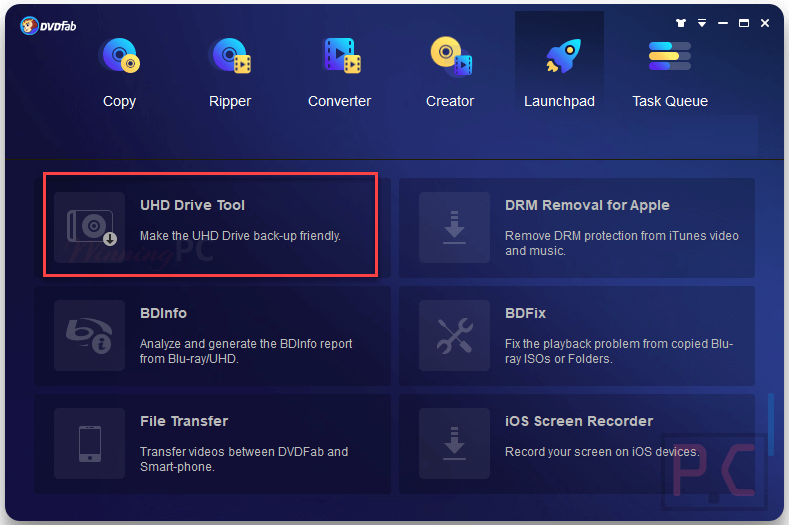
- Support All Types of 4K Blu-ray Drive and USB Drives: DVDFab UHD Drive Tool is fully compatible with almost all UHD drives on the market, nearly a dozen of popular 4K UHD drives produced by major manufacturers, such as LG and Asus, have been supported. Besides, whether your UHD drive is using AHCI or IDE interface, both are supported to be downgraded.
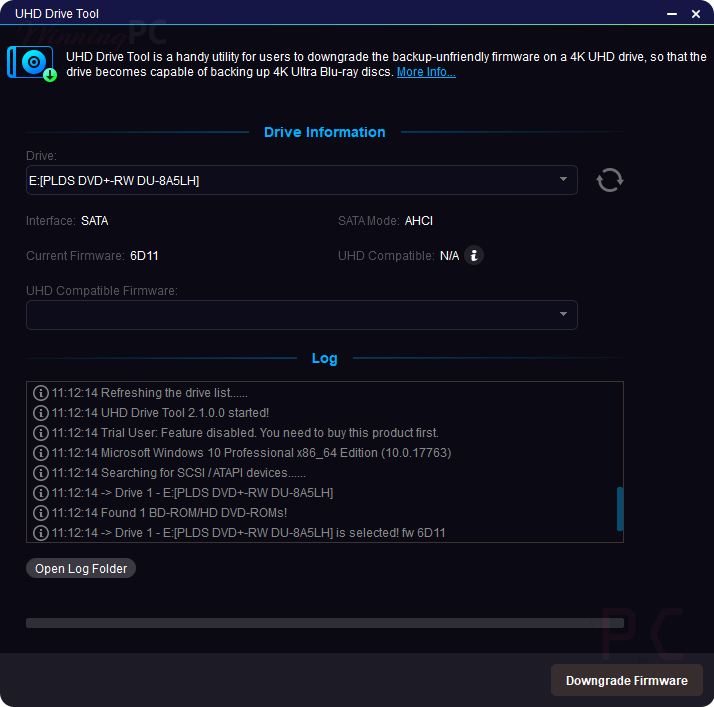
- Easy-to-Use: This handy firmware flash utility is surprisingly easy-to-use with intuitive interface. You don’t need deep knowledge or special skills to perform the downgrading process. Everyone can do it, whether for novices or experienced users. All you need to do is start up the interface and click one button to finish the downgrading process.
Technical Details
| Language Support | English, Français, German, Italian, Spanish, Swedish, and more… |
| Money Back Guarantee | 30-Day |
| Operating System | Windows |
| Shipping | Instantly receive the latest Full Version download link and license code |
| Subscription | Lifetime |
| Support Services | Forums, Tickets |