Laura Marano
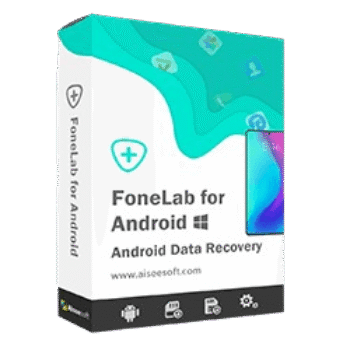
Aiseesoft FoneLab Android Data Backup & Restore helps users safely back up and restore contacts, messages, call logs, photos, videos, audio files, and documents. It supports selective phone backup and restore, allowing you to preview data before recovering it to your Android device or computer.
FoneLab Android Data Backup & Restore (Windows version)
3 plans · best save 50%
FoneLab Android Data Backup & Restore (Mac version)
3 plans · best save 50%
📄 Licensing & Support Details
- License Type: 1 Month, Lifetime, Business license
- 30-Day Money-Back Guarantee
- Free Upgrades
- Technical Support
- 100% Secure.
- Galaxy S22/S23 Supported.
📝 How to apply
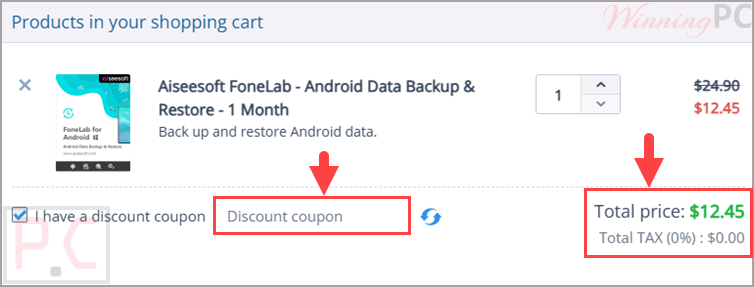
Clicking ‘Copy Code’ in the coupon window automatically copies the text and redirects you to the checkout area to redeem your offer.
FoneLab Android Data Backup & Restore Free Key
- Product name: FoneLab Android Data Backup & Restore
- Website: https://www.aiseesoft.com/
- License type: 1-year
- Platform: Windows
- Giveaway link:
click here - Download: fonelab-for-android.exe
How to get the license key?
On the giveaway page, please insert your name and your email address to get your free annual license


Install the software on your computer after downloading. Register with the FoneLab Android Data Backup & Restore license code

Got it for 1-year free!

FoneLab Android Data Backup & Restore: Review & Features

Key Features:
- Selectively back up Android data to PC or Mac.
- Restore backup files to Android devices.
- Restore selected files directly to Windows or Mac computers.
- Preview backup content before restoration.
- Back up contacts, messages, call logs, photos, videos, audio files, and documents.
- Password-protect backup files for added privacy.
- One-click backup and restore functionality.
- Supports a wide range of Android phones and tablets.
- Compatible with Android 4.0 and newer versions, including Android 16.
- Available for both Windows and Mac.
Pros & Cons:
More screenshots:


Frequently Asked Questions
Where can I find the latest Aiseesoft FoneLab Android Data Backup & Restore coupon codes?
The easiest way is to check WinningPC, where updated discounts and exclusive promotions are regularly published. You can also monitor official Aiseesoft promotional campaigns for additional offers.
What is the biggest discount currently available?
The best deal currently available is 50% OFF, reducing the Month License from $24.90 to $12.45 and the Lifetime License from $37.45 to $18.72 through WinningPC.
What types of files can be backed up?
The software supports contacts, messages, call logs, gallery photos, videos, audio files, and documents.
Can I preview my backup before restoring it?
Yes. You can view backup content and select specific items before starting the restore process.
Does the software support selective restoration?
Yes. You can choose only the files you want to recover instead of restoring the entire backup.
Can I restore Android backups to a computer?
Yes. Selected backup files can be restored directly to a Windows PC or Mac for further use.
Is the backup process secure?
Yes. The software is designed to read Android data for backup purposes and also supports password-protected backups.
Does it work with Android tablets?
Yes. It supports a large number of Android phones and tablets.
What Android versions are supported?
The software supports Android 4.0 and above, including Android 16.
Is technical knowledge required to use it?
No. The interface is designed for beginners and allows backup and restore operations with minimal effort.
Can I back up only my contacts or messages?
Yes. The software supports selective backup, allowing you to save only specific data categories.
System Requirements & Details
| Operating System | Windows 11/10/8.1/8/7/XP Mac OS X 10.7 or above (macOS Tahoe) |
| Processor | 1GHz Intel/AMD CPU or above |
| RAM & Storage | 1GB RAM or more, 200MB free disk space |
| Supported Input | Contacts, Messages, Call Logs, Gallery, Videos, Audio, Documents. |
| Supported Output | Android Device, Windows PC, Mac |