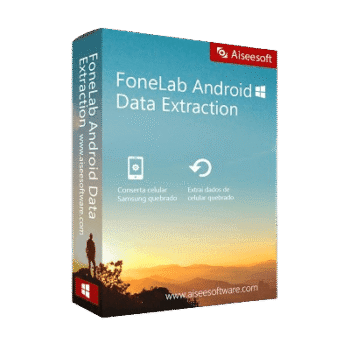
Aiseesoft FoneLab – Broken Android Data Extraction helps fix frozen, crashed, black-screen, non-responsive, or virus-attacked Samsung Android phones and extract data from broken Android for backup on Windows.
Aiseesoft FoneLab - Broken Android Data Extraction
3 plans · best save 52%
Business (Lifetime/3 PCs) ★ Best Deal
6 devices / 3 PCs | free upgrades & tech support
📄 Licensing & Support Details
- License Type: 1-Month, Lifetime license
- 30-Day Money-Back Guarantee
- Free Upgrades
- Technical Support
- 100% Secure
- Galaxy S22/S23 Supported.
📝 How to apply
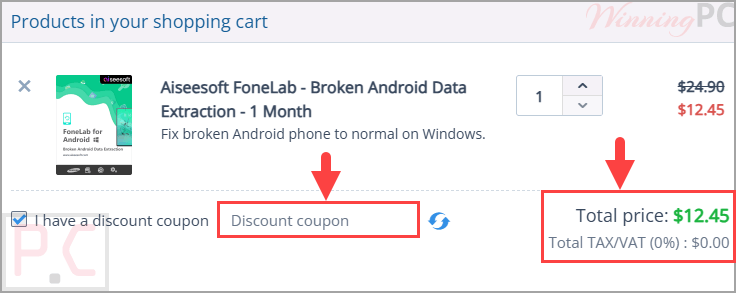
As soon as you select ‘Copy Code’ in the coupon window, the discount code is saved, and you are moved to the checkout section to apply your offer.
FoneLab Broken Android Data Extraction: Review & Features

Key Features:
- Fixes Android phones stuck on a black screen, frozen screen, system crash, or no response
- Extracts contacts, messages, call logs, WhatsApp data, photos, videos, audio, and documents
- Recovers files from the phone’s internal storage and SD card
- Lets you preview scanned data before saving it to your computer
- Supports many Samsung Galaxy S and Galaxy Note models
- Works on Windows 11, 10, 8.1, 8, 7, and XP
- Uses a guided three-step repair process.
Pros & Cons:
More screenshots:


Frequently Asked Questions
Are there any promo codes for FoneLab Broken Android Data Extraction?
Yes. WinningPC lists current coupons and deals, and you can also check Aiseesoft’s official channels for promotions.
What is the best current saving for this tool?
The best deal listed on WinningPC is 50% OFF, bringing the Month License to $12.45 and the Lifetime License to $24.97.
What does this software do?
It fixes certain broken or crashed Samsung Android phones and helps extract data for backup.
Can it recover WhatsApp data?
Yes. It supports WhatsApp and WhatsApp attachments.
Does it work with black-screen phones?
Yes. Black screen is listed as one of the supported repair situations.
Can it extract photos and videos?
Yes. It supports gallery files, picture library, videos, and audio.
Does it support SD card data?
Yes. It can extract data from internal storage and SD card.
Is it only for Samsung phones?
The input data focuses on Samsung phones, including Galaxy S and Galaxy Note models.
System Requirements & Details
| Operating System | Windows 11/10/8.1/8/7/XP |
| Processor | 1GHz Intel/AMD CPU or above |
| RAM & Storage | 1GB RAM or more; 200MB free disk space or above |
| Supported Input | Samsung Android phone internal storage and SD card. |
| Supported Output | Samsung Android phone has internal storage and an SD card. |