Cathryn Lee
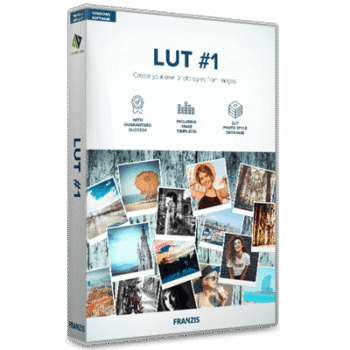
Franzis LUT #1 is a Windows-only photo editing tool that can help me create a look-up table from any image and reuse that exact style on other photos in just a few clicks. It supports RAW files, includes 14 preset templates, and offers a built-in user database to store my own LUT styles. Instead of rebuilding edits with layers and masks, I can transfer colors, contrast, and tones directly. Franzis LUT #1 also allows image cropping, selective drawing, sensor error correction, side-by-side comparison, and exporting LUTs for use in Photoshop or Lightroom, all without requiring an internet connection.
Franzis LUT Discount & Coupon Codes

AMS PhotoWorks Ultimate - Lifetime license
75% discount code: regular price $114, discounted price $28.50

HitPaw FotorPea
70% off coupon code: regular price $51.99, discounted price $15.67

Luminar Neo - Perpetual Desktop
80% off coupon code: regular price $417, discounted price $83.30
Franzis LUT Giveaway Full License Key for Free
- Product name: Franzis LUT #1
- Website: https://www.projects-software.com/more-products/lut-1-download
- License type: lifetime
- Platform: Windows
- Giveaway link – last updated: Jan 05, 2026
Franzis LUT #1 giveaway link - Download: LUT-1_winen.zip
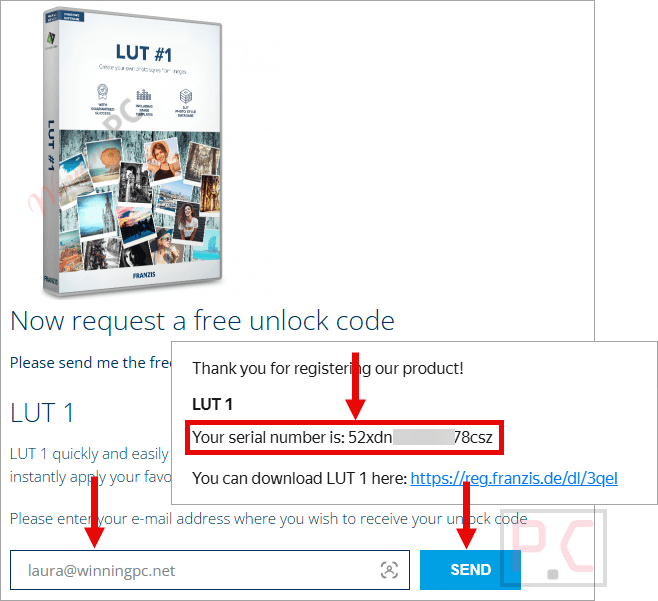
Access the Franzis LUT #1 giveaway page and use your email address to request a license code for free. Check your mailbox for the download link and instructions.
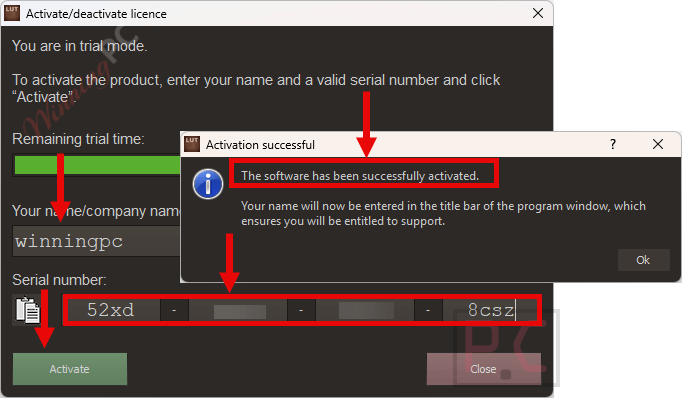
Run the installer and enter your registration info to activate the software.
Franzis LUT #1 main screenshot!
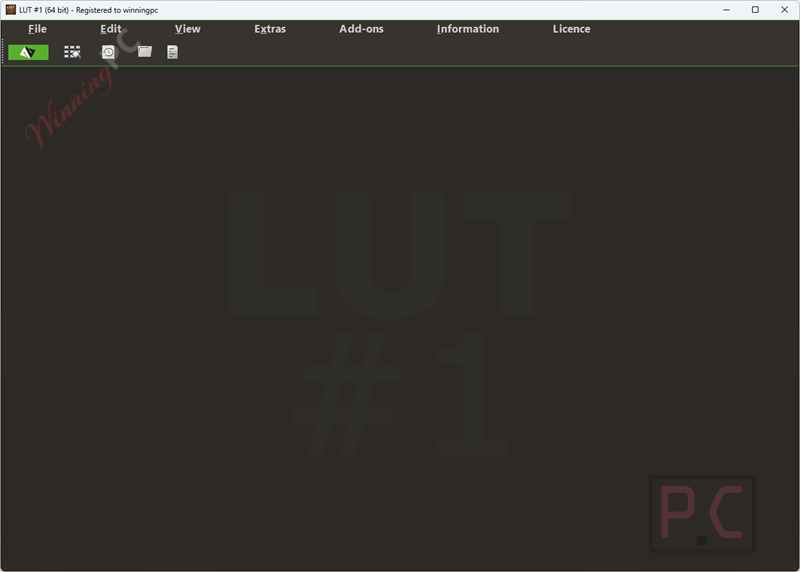
Add File
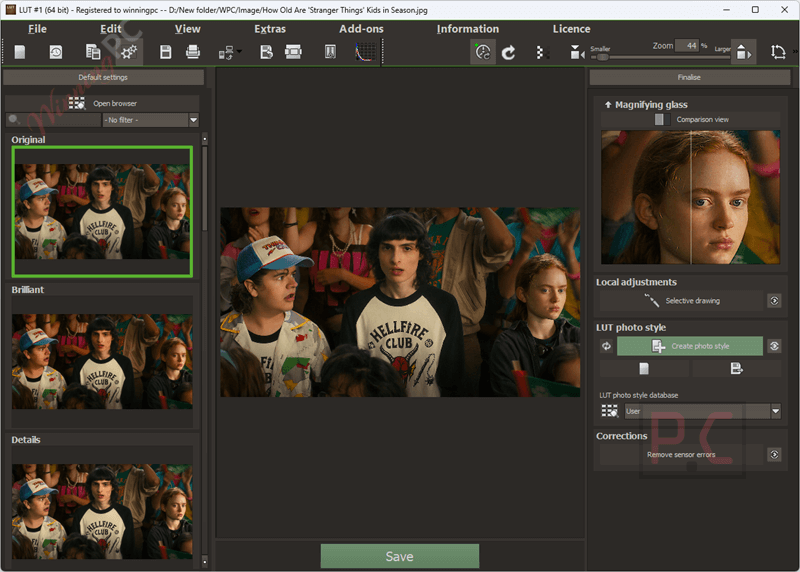
Main Features
- Create LUT styles from any image: Generates a look-up table based on a reference photo so the same visual style can be reused on other images.
- Built-in user database for LUTs: Stores your created LUT photo styles so you can organize and reuse them whenever needed.
- 14 preset templates included: Comes with a set of ready-made templates to help you start creating looks faster.
- LUT color mode options: Lets you choose between full color processing or an exclusive mode for more controlled results.
- RAW image file support: Allows direct editing and LUT creation from RAW files without converting them first.
- Image cropping tools: Enable trimming and framing adjustments before or during style creation.
- Selective drawing feature: Applies effects or adjustments only to chosen areas of an image.
- Sensor error correction: Helps fix common camera sensor issues directly within the software.
- Image printing support: Makes it possible to print edited images straight from the application.
- Comparison view with magnifier: Shows before-and-after results side by side with a zoom tool for close inspection.
- Variant browser for LUT styles: Displays all created photo styles in one place for quick selection and preview.
- Export LUTs to Photoshop and Lightroom Classic: Saves created LUTs so they can be used in other editing programs.
- Customizable interface layout: Allows main interface areas to be moved to match your personal workflow.
Frequently Asked Questions
Can I create my own custom LUT styles?
Yes, you can generate custom LUTs from any photo and save them to your personal LUT library.
Can I export LUTs to other editing software?
Yes, LUTs created can be exported and used in Adobe Photoshop and Lightroom Classic.
Does the software allow selective edits?
Yes, you can use selective drawing tools to apply effects only to specific areas of an image.
Is it possible to fix camera sensor issues?
Yes, LUT #1 includes tools for correcting common sensor errors.
Can I crop images inside the software?
Yes, image cropping is available as part of the editing process.
How can I get a discount on Franzis LUT #1?
When purchasing through WinningPC, you can use the coupon code projects***20 to get 20% off your order.
Why Choose WinningPC
- Why Trust? We are committed to providing 100% valid and verified coupon codes, so you can always shop with confidence.
- Found an Invalid Coupon or a Better Deal? If you encounter an invalid code or a better offer, please let us know. Our team updates all discount information regularly to ensure accuracy.
- Official Authorization: We only share authentic discounts from trusted software developers.
- No Fake Discounts: Unlike some sites, we never use misleading deals. The final price you see is the true discounted price.
- Secure Purchases: All transactions are processed on the official vendor’s website, ensuring authenticity and data protection.
- Extra Support: If you face order or vendor issues, contact us. We’ll liaise with the vendor to help resolve your problem quickly.
Technical Details
| Language Support | English, Français, Italian, Spanish, Swedish, and more… |
| Money Back Guarantee | 30-Day |
| Operating System | Windows 8/10 (64 Bit) |
| Shipping | Register code will be sent to your email in minutes |
| Subscription | Lifetime |
| Support Services | Tickets |