Laura Marano
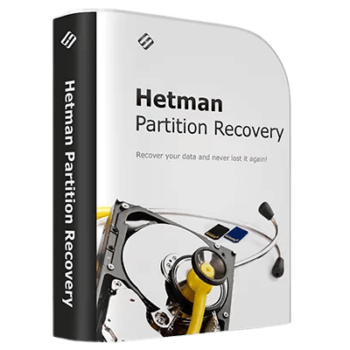
Hetman Partition Recovery restores files and directory structures from damaged, formatted, or deleted storage volumes. It analyzes hard drives, SSDs, memory cards, and virtual machine disks across Windows, macOS, and Linux, using low-level, content-aware algorithms to recover data even when the original file system is missing.
- Status: ✅ Active & Verified
- Last checked: October 2026
- Offer: 60% Off
- Coupon code: 50D***OUNT
Hetman Partition Recovery
Lifetime License | One-Time Purchase | No Subscription
📄 Licensing & Support Details
- License Type: Office version for 1 PC
- 30-day money-back guarantee.
- Provides 24/7 technical support via email, live chat, and phone.
- Secure Payment.
- The registration code is sent to your payment instantly.
📝 How to apply
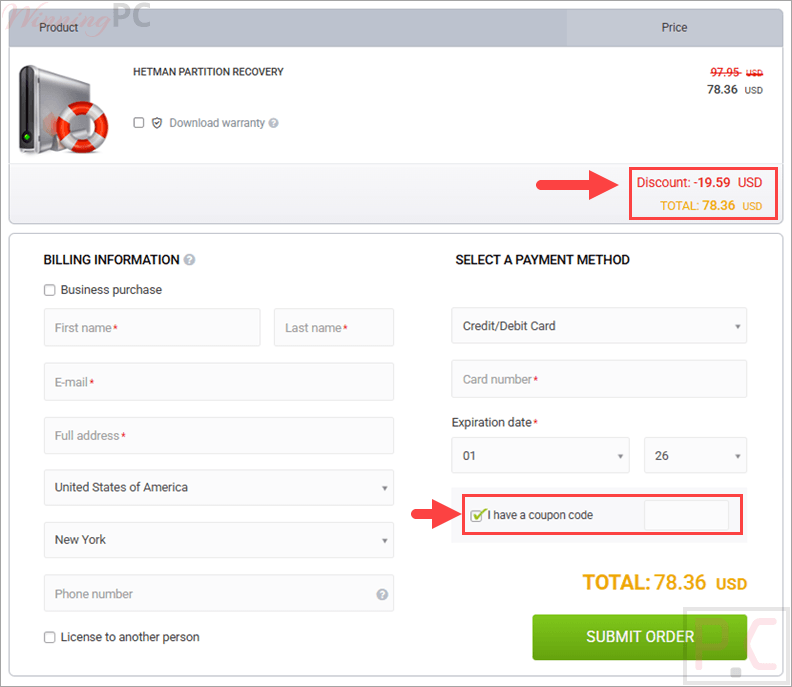
Just click ‘Copy Code’ in the box above. We will copy the code for you and redirect you to the checkout page to claim your deal.
Hetman Partition Recovery: Review & Features

Key Features
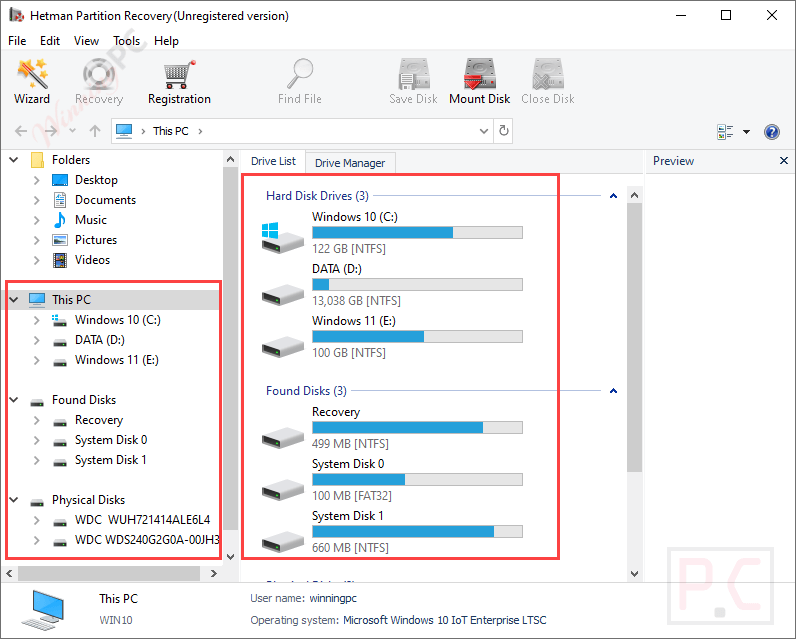
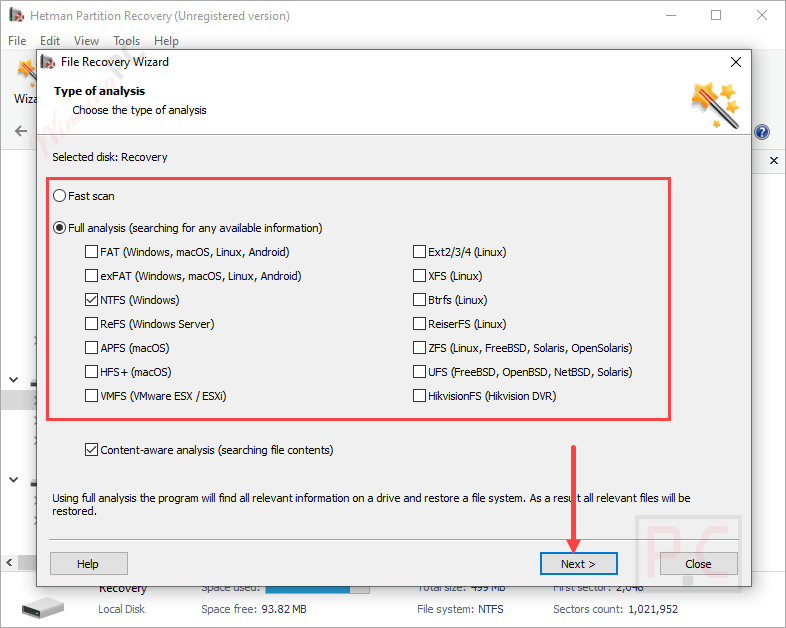
- Scans the entire disk surface using content-aware signature search to identify supported file types when system records are overwritten.
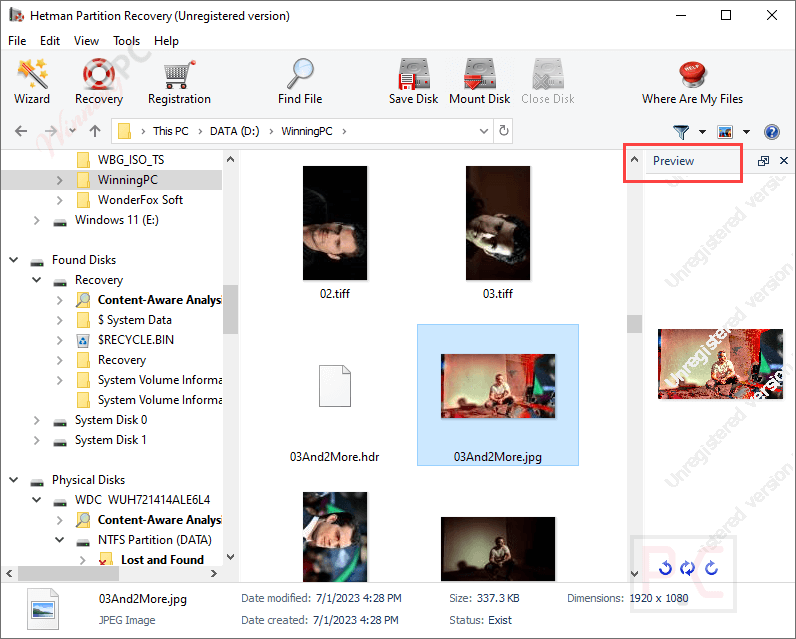
- Includes visual and binary HEX editor modes to preview documents, images, and boot sectors before initiating recovery.
- Mounts virtual hard disks (VDI, VMDK, VHD, HDD, QCOW) directly within the interface to retrieve lost virtual machine data.
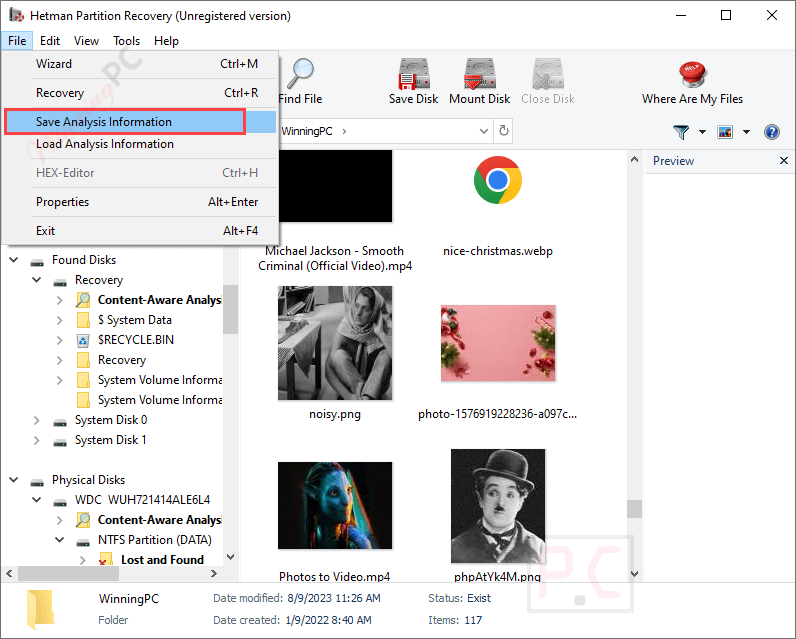
- Pauses and saves hard drive analysis progress, allowing users to load the scan later and prevent redundant processing on high-capacity drives.
- Reconstructs the original physical blocks and folder hierarchy from corrupted, partially overwritten, or inaccessible file systems.
- Exports rescued files to an alternate local disk, network-attached storage, FTP server, or directly burns them to an ISO image or CD/DVD.
Pros & Cons
More screenshots:
Frequently Asked Questions
Where can I find a code or deal for Hetman Partition Recovery?
You can find the latest and best deals on WinningPC, alongside the official software website or the developer’s social media channels.
What is the best discount currently available for Hetman Partition Recovery?
The best current discount is 60% OFF for the Office version, available directly on WinningPC.
Which operating systems are compatible with this tool?
It supports Windows (from XP up to Windows 11 and Server editions), macOS (Sierra to Sequoia), and various Linux distributions, including Ubuntu, Debian, Fedora, and Linux Mint.
What file systems can the software analyze?
It reads FAT, exFAT, NTFS, ReFS, APFS, HFS+, Ext2/3/4, ReiserFS, XFS, UFS, ZFS, Btrfs, VMFS, and HikvisionFS.
Can it rescue files that bypass the Recycle Bin?
Yes, it can undelete files removed using the Shift + Del command, erased by third-party applications, or emptied directly from the Recycle Bin.
Does it fix hardware failures like a clicking hard drive?
No, physical damage to the hardware mechanism requires professional cleanroom equipment. This software resolves logical data loss caused by file system corruption, bad sectors, or malware.
Can I use it on a corrupted camera memory card?
Yes, it recovers information from unreadable or damaged SD, microSD, and Compact Flash cards caused by firmware bugs or oxidized contacts.
How do I rescue data from a broken VMware virtual machine?
You can mount the VMDK virtual disk file directly through the utility menu, and it will appear as a regular connected storage device ready for scanning.
System Requirements & Details
| Language Support | English, Français, Italian, Spanish, Swedish, and more… |
| Operating System | Windows, macOS, Linux |
| Supported Input | Hard drives (IDE, ATA, SATA, SCSI), SSDs, USB drives, SD/microSD cards, Virtual Hard Disks (VDI, VMDK, VHD, HDD, QCOW) |
| Supported Output | Alternate local disk, CD/DVD, ISO image, FTP, Network-attached storage (NAS) |