Cathryn Lee
Imerger is the ultimate image tool to merge multiple images into one without losing quality. When I first tested this software, I was impressed by how effortlessly it handles photo collages and composites. However, nobody wants to pay the full retail price of $19.95 for a lifetime license or $9.95 for an annual subscription.
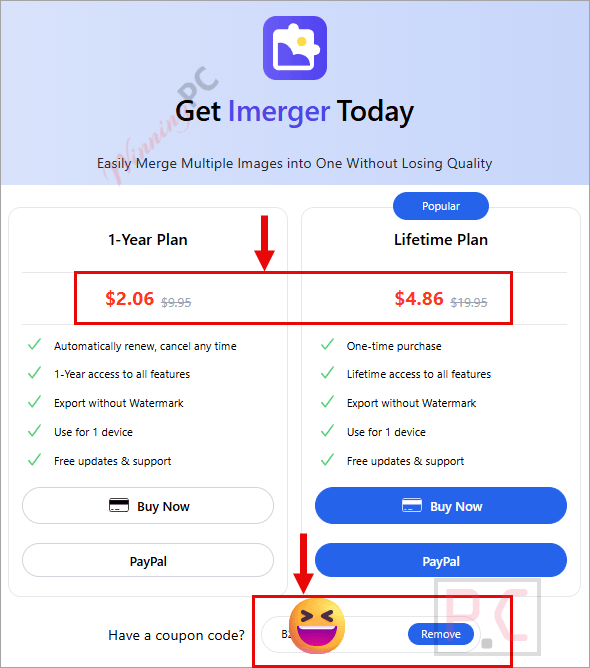
That’s where we step in. Our exclusive WinningPC deal cuts the cost down to absolute pocket change, so you can remove those annoying free-version watermarks without breaking the bank.
Status: ✅ Active & Verified
Last Checked: October 2026
Offer: 79% Off

Imerger - 1 Year / 1 Computer
79% off coupon code: regular price $9.95, discounted price $2.06
Imerger - Lifetime / 1 Computer
76% off coupon code: regular price $19.95, discounted price $4.86
📄 Licensing & Support Details
- 100% Secure Payment
- 30-Day Money Back Guarantee
- 7/24 Customer Support
- Instant Delivery by Email
📝 How to apply
- Clicking the “Copy Code” button above, you will be redirected to the official Imerger checkout page.
- You will see the discount code is auto-applied at checkout. This ensures you lock in the $2.06 or $4.86 price instantly, no manual copying and pasting required!
What is Imerger?
Imerger is a desktop utility that seamlessly merges multiple photos into a single, high-quality composite image. It is specifically designed for users who want to create collages, combine snapshots for social media, or format images for presentations while retaining the original files’ clarity and detail.
In-Depth Review & Features
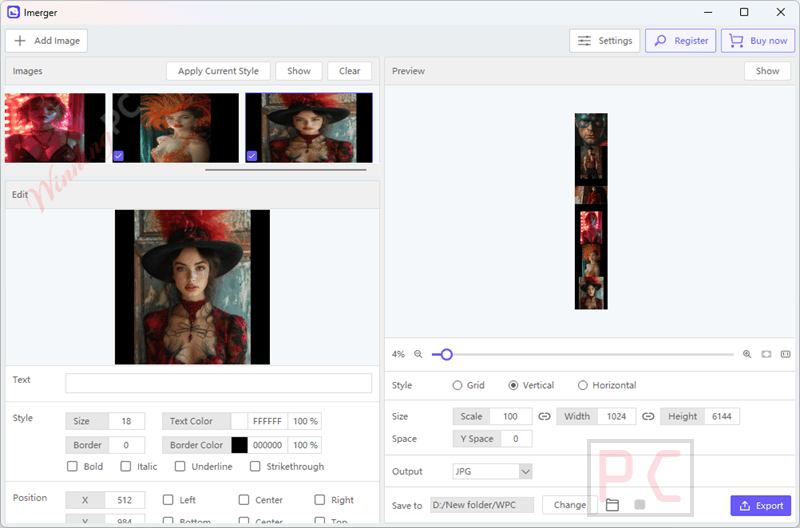
In my experience, the biggest headache with most image combiners is that they compress your photos into a blurry mess. I found that Imerger genuinely lives up to its promise of maintaining original image fidelity.
Here are the standout features based on my hands-on look at the software:
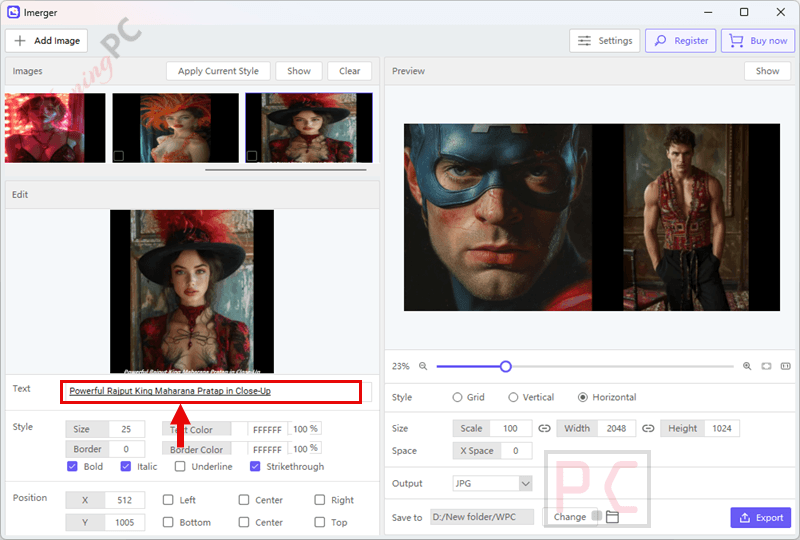
- Add and Edit Text: You can easily personalize your collages by inserting text directly inside the tool. It gives you options to change colors, positions, and styles to fit your layout.
- Uniform Text Style Application: This is a massive time-saver. If you have a specific font style, you can apply your current text style to all your images with just one click.
- Customizable Collage Layouts: You aren’t stuck with rigid grids. You can tweak templates, adjust spacing, and change sizes for a unique layout.
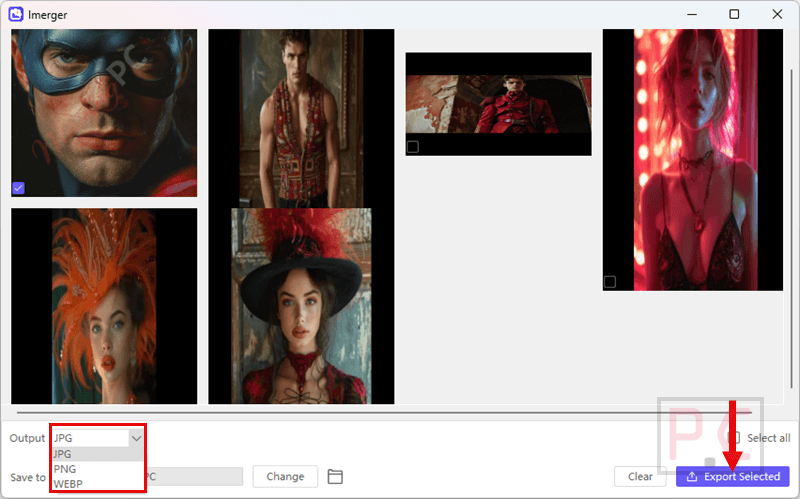
- One-Click Export: Once your masterpiece is done, exporting the merged image takes literally one click, getting it ready for sharing in seconds.
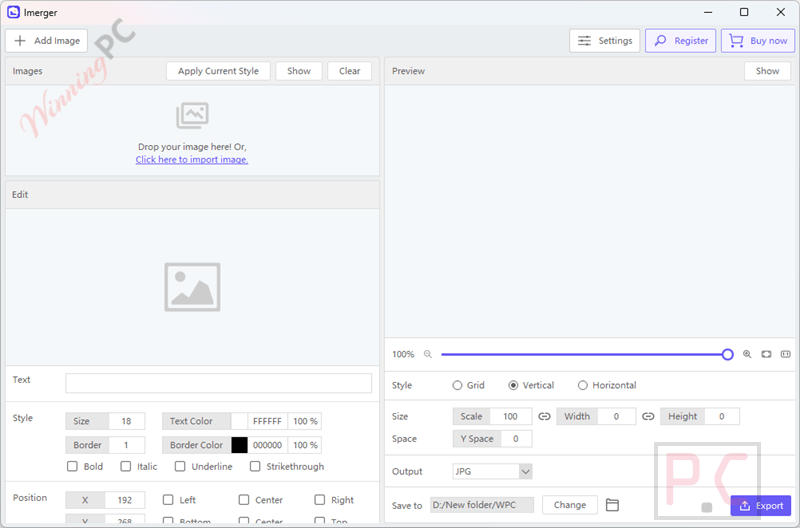
- Drag-and-Drop Uploading: Adding files is as simple as clicking “Add Image” or just dragging multiple photos directly into the interface.
Pros & Cons
More Imerger screenshots
Frequently Asked Questions
Where can I find the best coupon code for Imerger?
WinningPC is currently the best place to find the verified coupon code for this product, offering the highest discount rate on the market.
How do I remove the watermark from my Imerger collages?
To remove the watermark, you must upgrade to an Imerger premium subscription (using our $2.06 or $4.86 deals). The premium version allows for unlimited exports with absolutely no watermarks.
Will my images lose quality when I merge them?
No. Imerger is specifically built to merge multiple images into one without losing quality, retaining all original detail and clarity.
What file formats can I export my merged image as?
Imerger supports a variety of export formats, specifically including JPEG, PNG, and WebP.
How many images can I merge at one time?
You can merge multiple images at once; however, the exact limit depends entirely on the size of your files and the complexity of the project.
Can I apply the same text style across all my photos?
Yes. Imerger features a “Uniform Text Style Application” tool that lets you apply your current text style to all images with a single click.
Is it difficult to customize the collage layout?
Not at all. I found that Step 3 of the process is purely dedicated to customization, allowing you to easily adjust spacing, sizing, and templates.
Do I need to manually copy a discount code to get the 79% off?
No! To protect against fake coupon sites, our discount is auto-applied. Just click our designated deal link, and the cart will automatically drop to $2.06 or $4.86.
Technical Specifications
| Supported Windows OS | Windows 11 / 10 / 8.1 / 8 / 7 |
| Supported macOS | macOS 10.13 or later |
| Supported Devices | 1 Computer per license. |
| Supported Export Formats | JPEG, PNG, WebP, and more. |
| Supported Languages | English, German, French, Spanish, Portuguese, Italian, Simplified Chinese, Traditional Chinese, and Japanese. |
| Support Services |