
 WinningPC
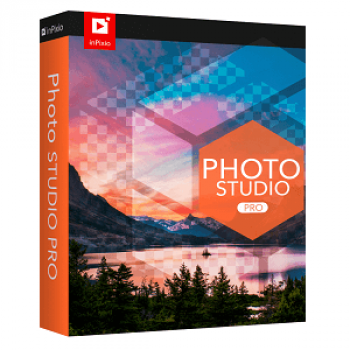
inPixio Photo Studio PRO can take you from surprise to surprise because of the great features it brings. This is a very useful tool for anyone who considers photography a passion or hobby. Now, after taking a photo you can completely edit the photos by yourself without having to ask for outside help. Background removal, image removal, retouching, and detailing can be completed in just a few minutes. Make sure when using this software, you will have great moments with your work.
inPixio Photo Studio Discount Coupon Codes

HitPaw FotorPea
70% off coupon code: regular price $51.99, discounted price $15.67

Luminar Neo - Perpetual Desktop
80% off coupon code: regular price $417, discounted price $83.30

PhotoWorks Ultimate - Lifetime license
75% discount code: regular price $114, discounted price $28.50
Movavi Photo Editor - Lifetime license
30% coupon code: regular price $74.95, discounted price $52.46

Pixlr Premium - Annual Plan
55% off coupon code: regular price $119.88, discounted price $54.48

Wise ImageX (1 year subscription)
25% discount coupon: regular price $19.95, discounted price $14.95

inPixio Photo Studio PRO License Key Free
- Product name: inPixio Photo Studio 10 PRO
- Website: https://www.inpixio.com/
- License type: lifetime
- Platform: Windows
- Download: inPixio_Photo_Studio_10.exe
- Giveaway: inPixio Photo Studio 10 PRO giveaway link
How to get the license key?
On the inPixio Photo Studio giveaway page, insert your information (your name your email address) in the blanks

You have now received a confirmation email. Your license key will appear after you click the link:

Install the software and register inPixio Photo Studio 10 with the license key in your mailbox

inPixio Photo Studio Pro Screenshot!


Main Features
inPixio Photo Studio Pro is a professional-standard photo-editing program without a high price tag. This software helps you delete unwanted images completely out of your picture, or even erase your entire background. Other features include creating amazing photo montages from your own images, and cutting out important people and details you want to keep.
- Remove background images: Advanced algorithms allow you to do the seemingly impossible by changing the background image of an image. For example, you can change an entire sky according to the weather conditions and what you want. It can make the picture more realistic and fanciful. In addition, the quality of the details will still be matched and linked together, with no out-of-sync situation.
- Easily cut out defined objects: A good photograph can lose its value just because a few inappropriate details appear in it. Fortunately, this tool has the ability to remove those objects very smoothly. After removal, it will use AI to be able to reconstruct the environment as well as the surrounding objects to make the picture more complete. The quality of the photo after going through this process is also preserved compared to its original.
- Improved image: If you have a photo with blurry details, out of focus, or taken in poor lighting conditions, you can use the Edit Photos feature of this software. It will scan and edit parameters such as noise reduction, white balance, EV level, and contrast to make the details and environment in the image more harmonious. Surely this feature will be very useful for those who do not want to edit it themselves because it is completely automatic.
- Font removal mode: If you need a photo that can highlight the subject, this feature is very suitable because it will blur the background of the photo. You won’t have to worry about deleting other details by mistake because it will be scanned to determine the composition of the photo before erasing. The quality of the background removal is also excellent as it is smooth and very harmonious.
Technical Details
| Language Support | English, Français, Italian, Spanish, Swedish, and more… |
| Money Back Guarantee | 30-Day |
| Operating System | Windows, macOS |
| Shipping | Register code will be sent to your email in minutes |
| Subscription | 1-Year |
| Support Services | Email, Live Chat |






Go ahead if you like watermarks all over your pictures. Their one-click optimizer does nothing for you.
Very unethical of Avanquest to offer their crap software as a form of advertisement in the name of free giveaway.
Install+ Activation = PRO version
Start program again och again
PRO verision disappeared….
You can’t use the Pro version, after I finish editing a photo I can’t use the photo editor again, only the photo cutter and photo eraser can be used … why does this happen?
This is a free version, not pro version.
I received the key from Avanquest direct and successfully activated the Pro version after installation. However, when the program re-open, it has turned back to “No Pro” version (i.e. no photo edition version). FYI, I installed this software and first run it both using ‘Run as administrator’.