
On this page
How to claim your free IObit license

IObit Uninstaller PRO 16
Completely uninstall unwanted programs, bundleware, browser extensions, and Windows apps without leftovers - keep your PC clean and running at peak performance.
- Product
- IObit Uninstaller PRO 16
- Product website
- iobit.com
- License
- 6-Month
- Platform
- Windows 11/10/8.1/8/7/Vista/XP
- Updates
- Free within v16.x
- Support
- Included
- Updated
- 2026-10-01
Continue on iobit.com
The publisher handles registration and license delivery on its official website.
Limited-time giveaway! The license code may have reached its activation limit.
The free license is no longer available.
IObit Uninstaller Pro Coupon Codes 92% Off

IObit Surprise Pack - 94% OFF with Free Gifts
Limited-time special offer! 6 Items Included: Includes Smart Defrag PRO (1 year, 3PCs) IObit Software Updater PRO (1 year/ 3 PCs) IObit Uninstaller PRO (1 year/ 3 PCs) Advanced SystemCare PRO (1 year/ 3 PCs) Driver Booster PRO (1 year/ 3 PCs) IObit Malware Fighter PRO (1 year/ 3 PCs)
IObit Uninstaller 16 PRO
5 plans · best save 92%
IObit Uninstaller PRO (3 PCs) with Gift Pack Editor's Pick
Includes: Protected Folder (1 year), Smart Defrag PRO (1 year, 1PC), IObit Uninstaller PRO (1 year/ 3 PCs)
IObit Uninstaller PRO Super Pack ★ Best Deal
Includes: Smart Defrag PRO (1 year, 3PCs), IObit Uninstaller PRO (1 year/ 3 PCs), Advanced SystemCare PRO (1 year / 3 PCs)

Advanced SystemCare PRO with 3 Free Gifts
93% discount promo code: regular price $169.9, discounted price $11.99. Includes: Smart Defrag PRO (1 year subscription, 1PC) IObit Uninstaller PRO (1 year subscription / 1 PC) Advanced SystemCare PRO (1 year subscription / 3 PCs) Protected Folder (1 year subscription)
Is this IObit Uninstaller giveaway safe and legit?
Yes. IObit is an established Windows software publisher with millions of active users worldwide, and this giveaway distributes genuine, publisher-issued license keys – not patched installers or grey-market codes.
No crack or keygen
You install the official IObit build and activate it with a genuine publisher-issued key. Nothing is patched, repackaged, or modified.
Official authorized source
The giveaway runs through IObit’s own distribution channel, not a third-party reseller. Any paid purchase goes directly through IObit’s official store.
Secure HTTPS checkout
IObit’s store uses encrypted payment processing for card transactions. WinningPC never handles your payment details.
60-day money-back on paid licenses
Paid plans come with a 60-day refund window. The giveaway key is free, so there’s no financial risk either way.
How to get the IObit Uninstaller License Key for free?
- Click the download button on this page to get the IObit Uninstaller PRO 16 installer directly from the official giveaway page.
- Run the installer and complete the standard setup wizard.
- Open IObit Uninstaller PRO 16 once installation finishes.
- Click Activate Noe in the program interface (top area of the main window).
- Enter the license key provided by the giveaway. If you have an older key registered, click Refresh License first, then enter the new one.
- Click Register Now – your 6-Month PRO license status will be confirmed in the same panel.
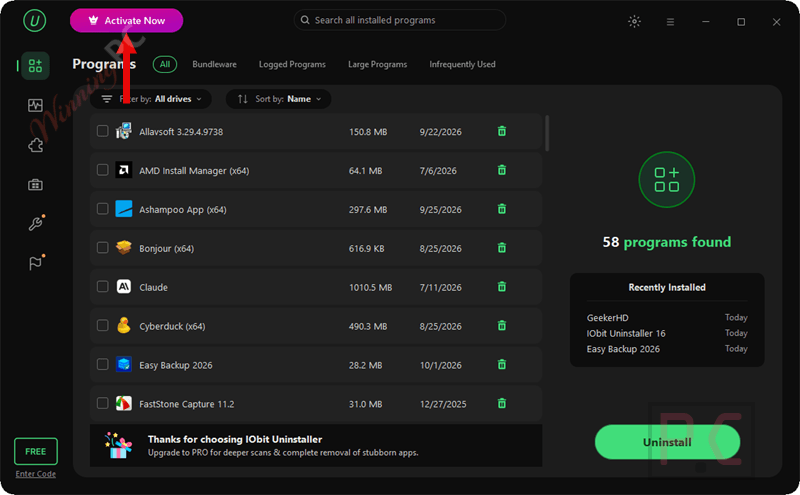
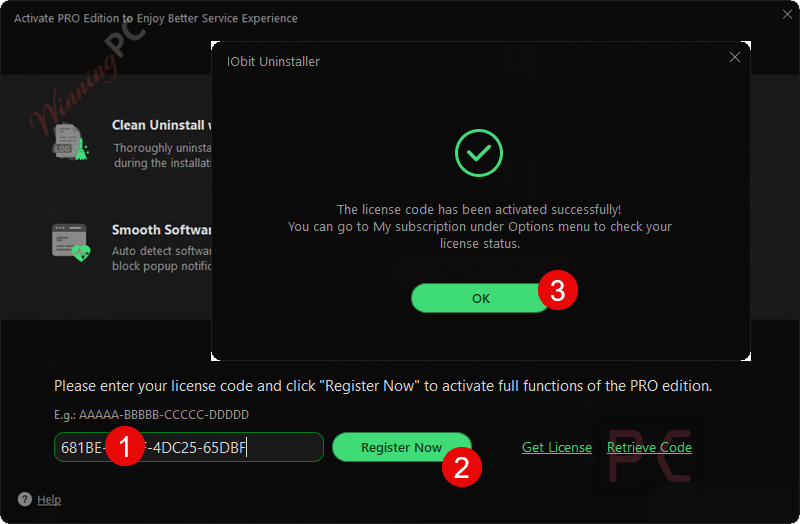
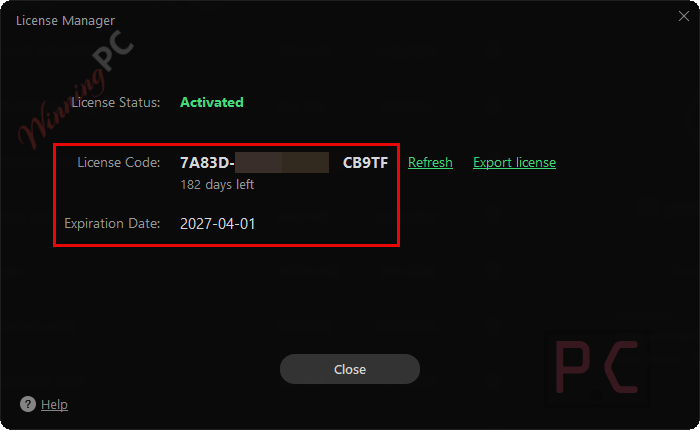
Light skin:
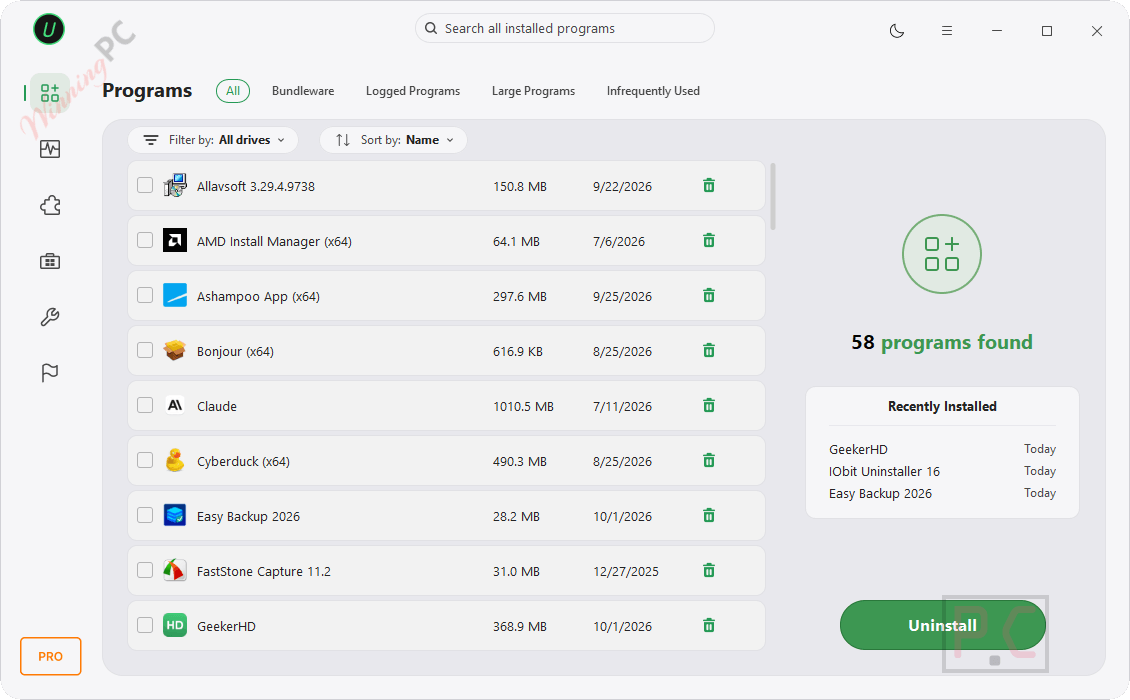
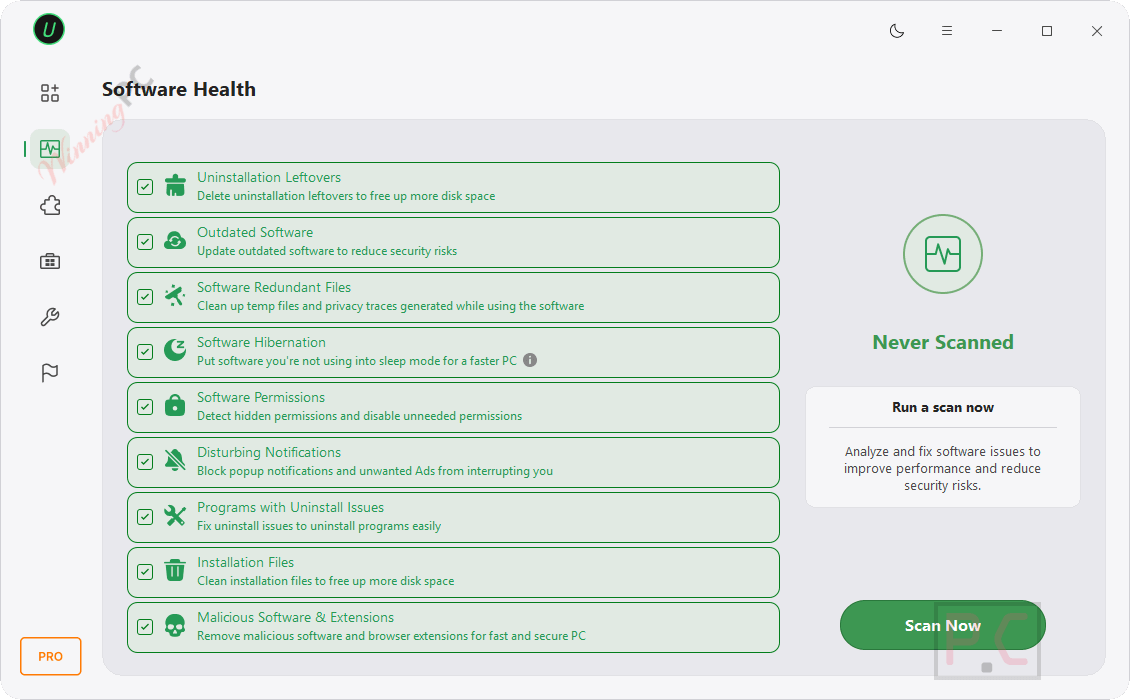
IObit Uninstaller PRO 16 software health feature: it checks your computer conditions like uninstallation leftovers, outdated software, software permissions, disturbing notifications, and programs with uninstall issues.
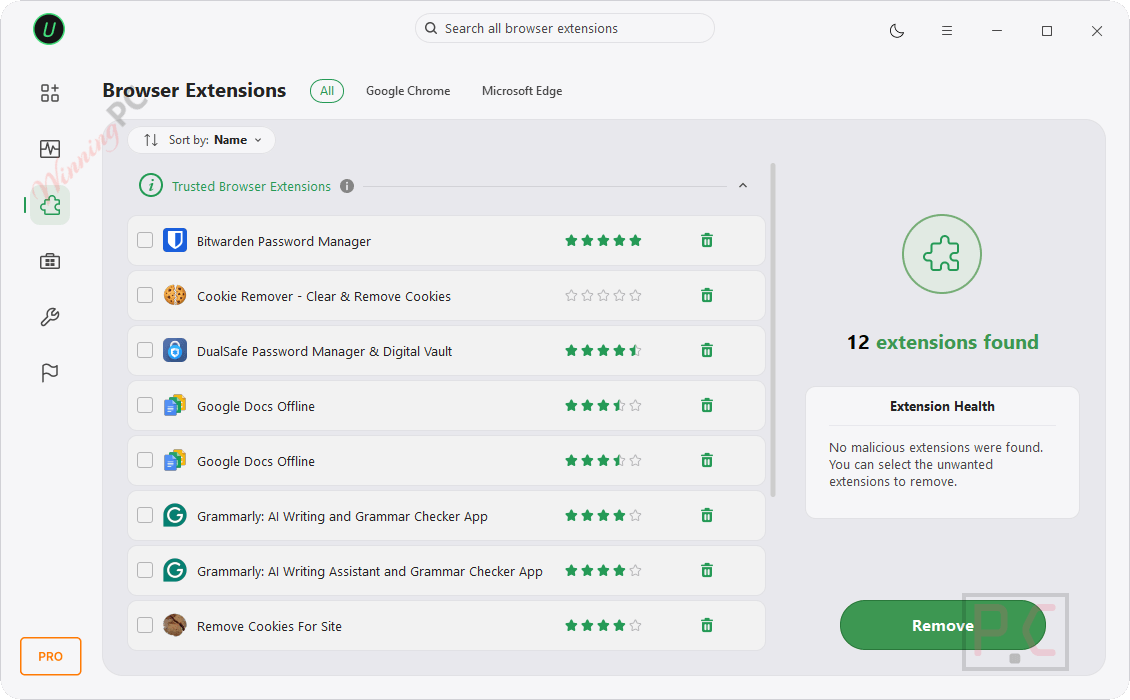
Browser Extensions: IObit Uninstaller checks and lists all extensions that are installed on your computer. You can check extensions for each web browser, like Chrome, Edge, Firefox,…, and decide to remove them.
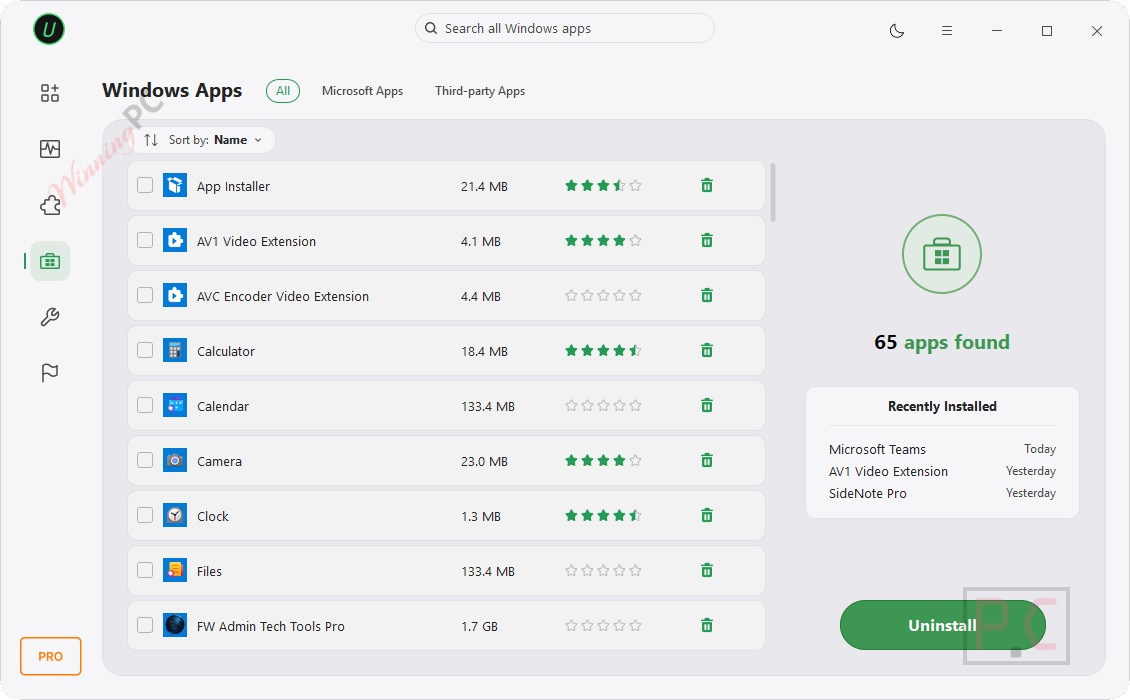
IObit Uninstaller PRO 16 – Manage Windows apps: You can uninstall unwanted Windows apps to boost your PC. This IObit software will show Windows apps (Microsoft-produced apps) and third-party apps (apps installed from the Microsoft Store).
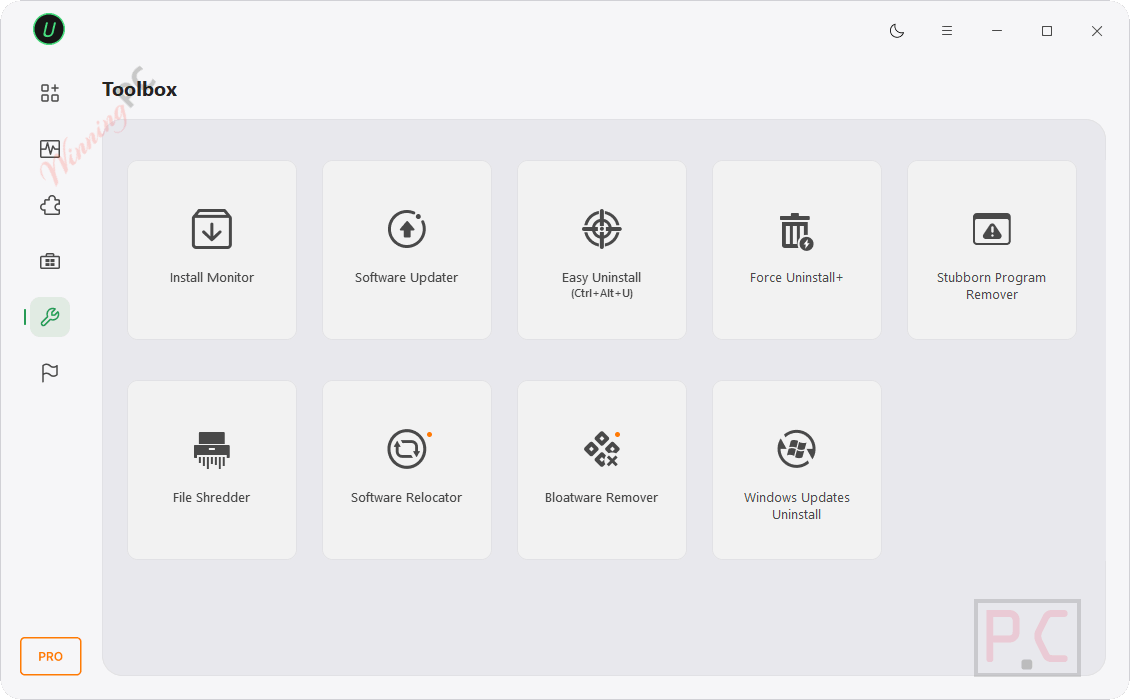
IObit Uninstaller PRO Toolbox: IObit Uninstaller PRO 16 provides some useful tools that are:
– Install Monitor: Install Monitor detects and logs system changes in installation, which allows you to see what changes the monitored programs do during installation.
– Software Updater: Update outdated software to reduce security risks.
– Easy Uninstall: Drag the easy uninstall icon to uninstall programs easily.
– Force Uninstall+: Uninstall programs that cannot be uninstalled in a routine way.
– Stubborn Program Remover: A unique database supports removing 2000+ stubborn programs.
– File Shredder: Remove unwanted files safely and permanently.
– Software Relocator: Move installed software to another drive without reinstalling.
– Bloatware Remover: Remove unwanted preinstalled software and Windows components for a cleaner PC.
– Windows Updates Uninstall: Uninstall unwanted Windows updates to free up more disk space.
Hands-on with IObit Uninstaller PRO 16
The feature that sets IObit Uninstaller PRO 16 apart from most uninstallers is the Installation Monitor. Most tools scan for leftovers after the fact and try to guess what a program left behind. IObit’s approach tracks every file, registry key, service, and scheduled task an installer creates while it runs, then uses that exact log to wipe everything on removal. Cleaner uninstalls, less guesswork. Software Relocation is the other feature worth calling out: it lets you move an installed program to a different drive without reinstalling it, which is genuinely useful on cramped SSDs.
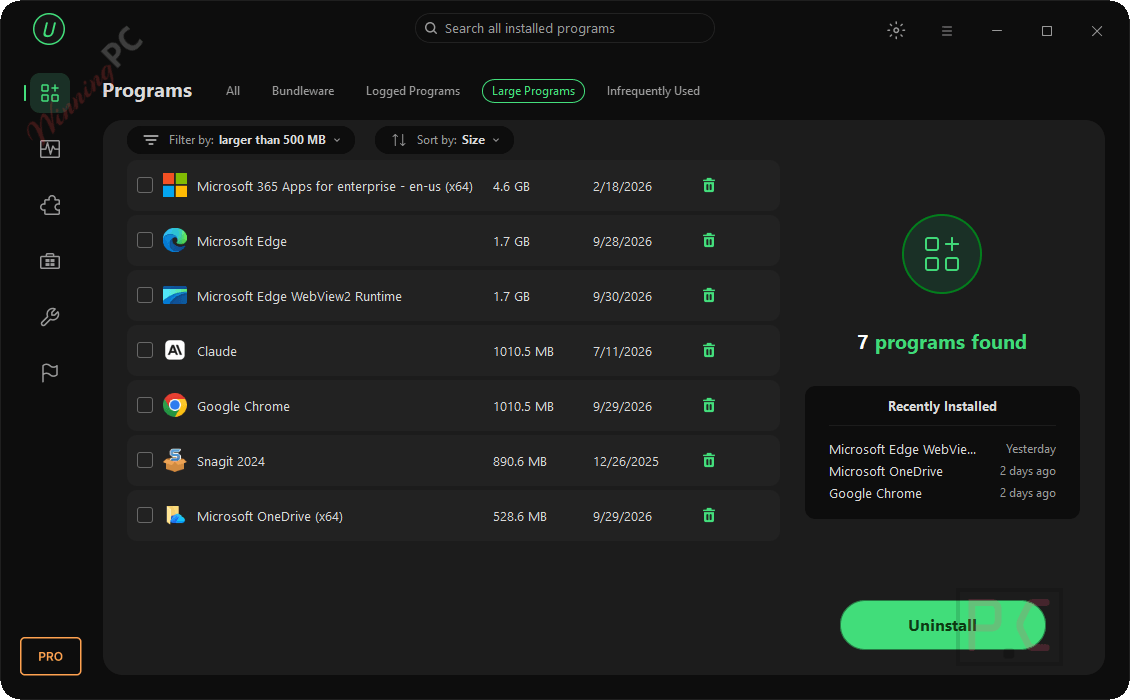
The interface handles a lot of functions at once and can feel busy when switching between modules, but the core workflow – select, uninstall, deep scan – is straightforward enough for non-technical users. The software updater feature works but isn’t a replacement for a dedicated updater; treat it as a bonus, not a reason to buy.
Key features
- Force removal for 4,000+ stubborn apps including hard cases like MPC-HC, IntelliJ IDEA, and Rockstar Games titles that standard uninstallers can’t locate.
- Real-time Installation Monitor logs every system change during installs, enabling complete removal with no leftover guesswork.
- Software Relocation – move installed programs to another drive without breaking them or reinstalling from scratch.
- Bloatware Remover strips pre-installed Windows apps and system components that Settings can’t touch, including Copilot, OneDrive, and Edge.
- Batch uninstall, browser extension manager, and File Shredder all included in one package.
pros & cons
Frequently Asked Questions
What is IObit Uninstaller?
It’s a tool designed to help you remove unwanted software, browser plugins, and Windows apps completely and safely.
What are the key features of IObit Uninstaller?
Key features include powerful uninstall capabilities, batch uninstallation, removal of stubborn programs, residual file cleanup, and browser plugin removal.
How does IObit Uninstaller remove stubborn programs?
It uses advanced algorithms to force uninstall stubborn and malicious programs that cannot be removed by standard methods.
Can IObit Uninstaller PRO 16 remove Copilot, OneDrive, and other Windows 11 built-in apps?
Yes. The Bloatware Remover in v16 specifically targets pre-installed Microsoft components – including Edge, OneDrive, and Copilot – that Windows Settings doesn’t surface for removal. This is one of the features that genuinely separates it from simpler uninstallers and the Windows built-in option.
Is there a free version, and what does it leave out?
Yes. IObit Uninstaller Free handles standard program removal, browser extension management, and basic leftover scanning at no cost. The PRO version adds force removal for 4,000+ stubborn apps, real-time Installation Monitor, Software Relocation, batch uninstall with deep leftover scans, and the File Shredder. For casual use – uninstalling a handful of apps – the free version covers daily needs.
How is this different from just using Windows’ built-in uninstaller?
Windows’ built-in uninstaller runs the program’s own removal routine and calls it done. IObit goes further: it scans for files, registry entries, and services the standard process leaves behind, force-removes apps with no working uninstaller, and monitors what every new installer adds to your system. The difference matters most with stubborn software, browser toolbars, and bloatware – categories the built-in tool handles poorly or ignores entirely.
Is there a discount available for IObit Uninstaller?
Yes, you can use the coupon code UPS***T40 on WinningPC to save up to 92% on your purchase.
Can I receive a free license code for IObit Uninstaller?
Yes, you can visit WinningPC and join the giveaway to receive a free 6-month license key.
System Requirements & Details
| Language Support | 39 languages |
| Operating system | Windows 11 / 10 / 8.1 / 8 / 7 / Vista / XP |
| Free disk space | 300 MB minimum |
| Screen resolution | 1024×800 or higher |
| Supported input formats | N/A (not a file format converter) |
| Supported output formats | N/A (not a file format converter) |
| Other | Internet connection recommended for Software Updater and extension database features |
| Languages | 39 supported including English, Vietnamese, Chinese, French, German, Japanese, and more |




sir
how can i subscribe to this site ???
Hi,
You can subscribe to our website here: https://winningpc.com/newsletters/
Many thanks.
Thanks so much bro. Code is working.
You’re rock. Thanks <3