


iTop Easy Desktop PRO Giveaway
iTop Easy Desktop PRO
Declutter your desktop, streamline your workflow, beautify your workspace, and boost your productivity
- Product
- iTop Easy Desktop PRO
- Website
- itopvpn.com
- License
- 6-Month
- Platform
- Windows 11/10
- Installer
- IED_en_iedpdp_setup.exe
- Updates
- Free during the subscription
- Support
- Free technical support included
- Note
- it can reach maximum activation at any time
- Updated
- 2026-05-25
Get your unique code by email
License key delivered free to your inbox within minutes.
Protected by Cloudflare Turnstile · Email quality checked by Reoon
All codes have been claimed or the giveaway has closed.
iTop Easy Desktop Coupon Codes & Deals

iTop Easy Desktop Summer Sale: Up To 85% Off
Take advantage of special offer up to 85% off iTop Easy Desktop software!
iTop Easy Desktop PRO for Windows
4 plans · best save 88%
📄 Licensing & Support Details
- License Type: 6-Month, 1-Year, or Lifetime subscriptions (flexible options for 1 to 5 devices).
- Support: 24/7 technical support.
- Guarantee: 100% Money Back Guarantee.
📝 How to apply
- Click “Copy Code” above to claim your deal.
- You’ll go straight to checkout with the discount already applied to your software.
Is this iTop Easy Desktop PRO giveaway safe and legit?
Yes. This is a genuine iTop license distributed through an authorized WinningPC promotion, not a crack, keygen, or repackaged file.
No crack or keygen
You receive a real license key generated by iTop for this giveaway. The installer downloads directly from the publisher’s official site and activates with a legitimate code.
Official authorized giveaway
The promotion runs through iTop’s own distribution system, not a grey-market reseller or third-party key shop.
Offline activation
Your key activates without sending data over the internet at the activation step. Nothing suspicious passes through your firewall during setup.
Free technical support included
The giveaway license comes with iTop’s own tech support, which is a clear mark of a legitimate promotional offer rather than a throwaway promo key.
How to get iTop Easy Desktop Pro License Key for Free
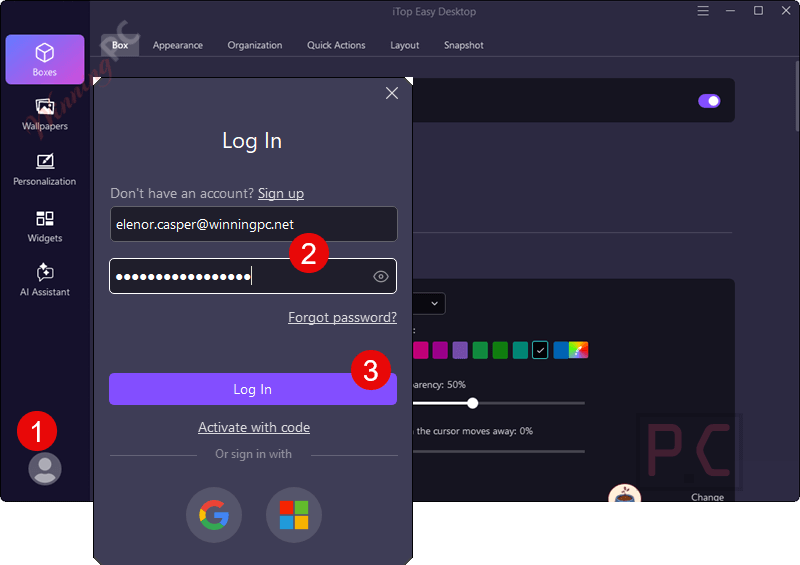
- Click on the download link above to download and install the software on your computer. Once installed, launch the free version of iTop Easy Desktop PRO and select “Log in” or “Sign up” from the main menu.
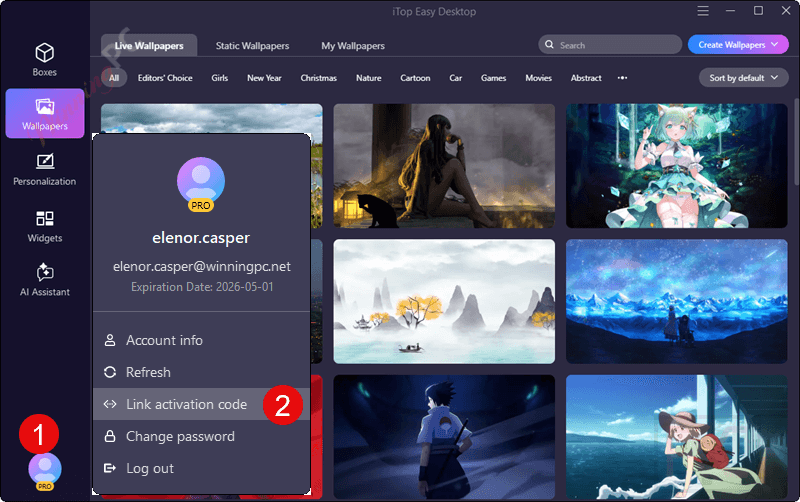
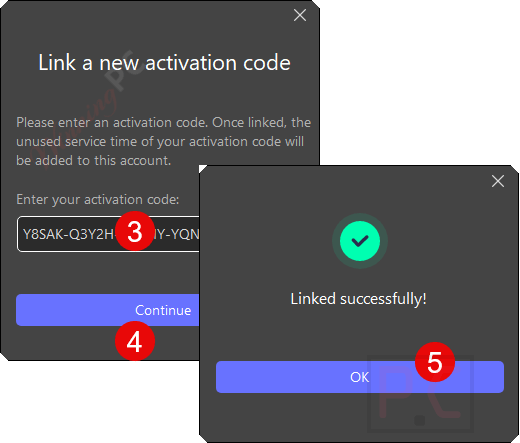
- When login is successful, please copy and paste the license code to upgrade the software to the Pro version.
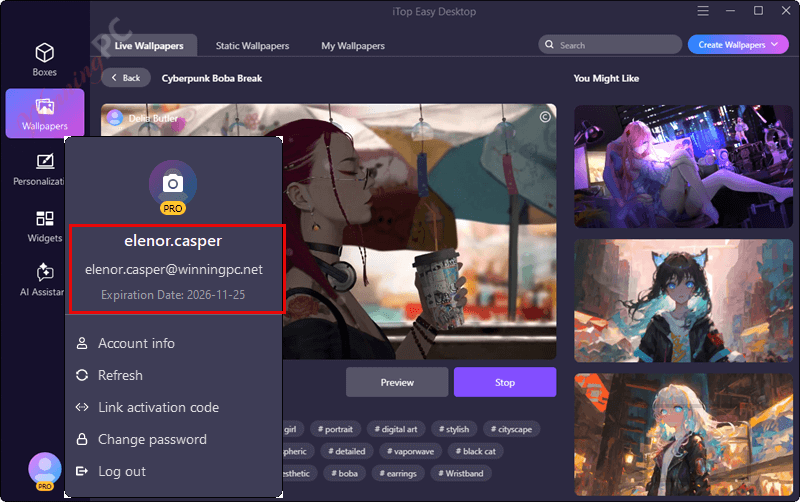
- Now enjoy a Pro version for 6 months free.
iTop Easy Desktop PRO: In-Depth Review & Features
iTop Easy Desktop PRO has a straightforward core idea: one click groups your desktop icons by type, and creating custom “Boxes” for different activities – work, gaming, personal – takes about ten seconds. The built-in search locates files noticeably faster than Explorer on a busy desktop, which is the kind of small daily win that adds up.
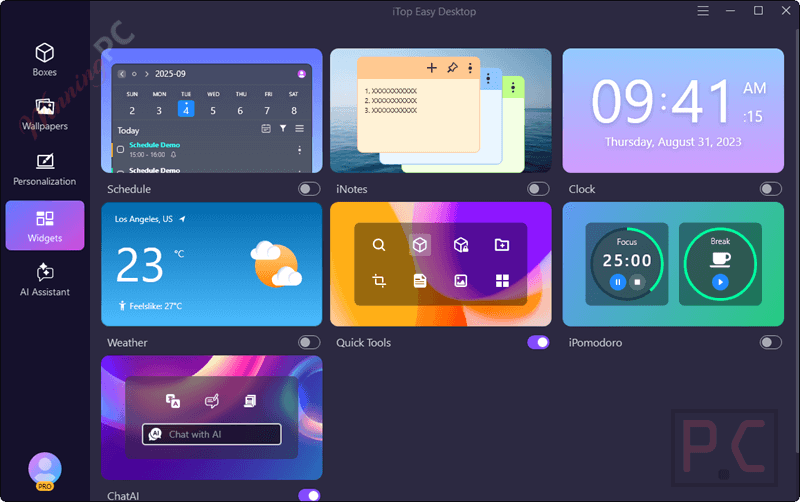
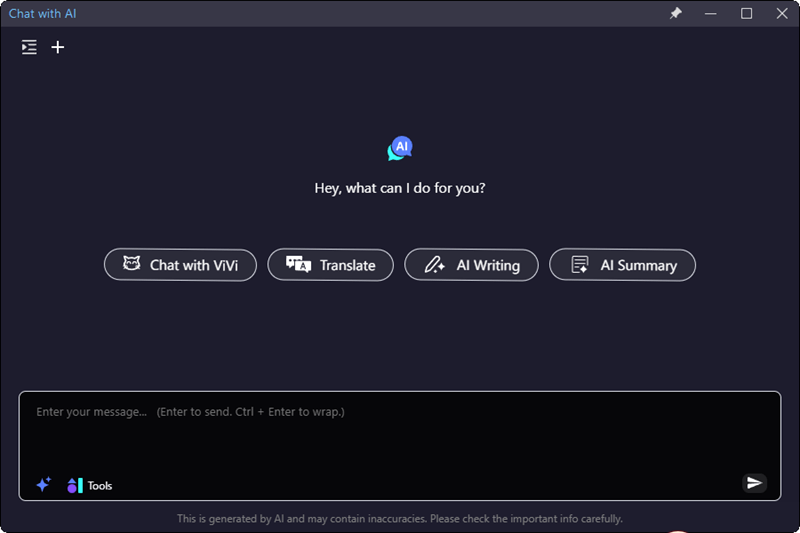
What lifts iTop Easy Desktop PRO above basic organizers is the widget layer: a Pomodoro timer, Google and Outlook calendar sync, a ChatGPT-powered AI assistant (no registration required), and scrolling screenshot capture. It’s a productivity stack packaged inside a desktop organizer, and for a Windows user who wants fewer open apps, that combination is genuinely useful. The main caveat: V4 runs on Windows 11 and 10 only, and the giveaway covers six months rather than a lifetime key.
Key features
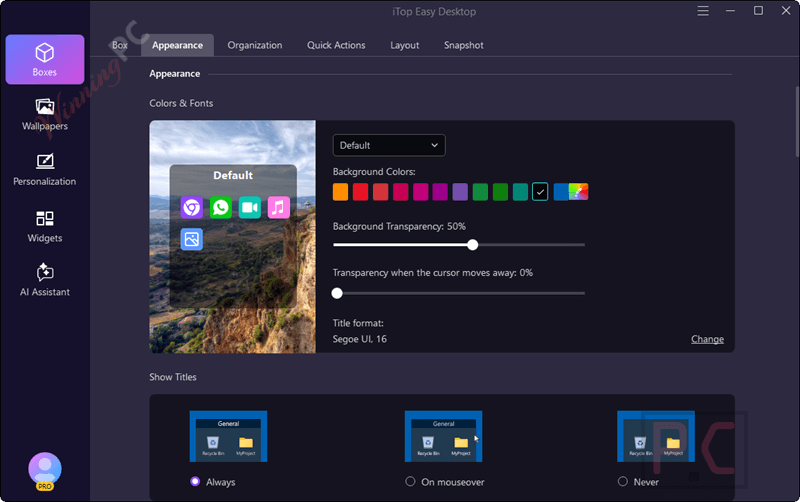
- 1-click auto-organization groups desktop icons by type (Documents, Images, Apps, Folders), with custom Boxes for different activities and a double-click shortcut to hide everything instantly during screen sharing.
- Built-in search bar that finds files faster than Windows Explorer – useful the moment your desktop has more than a handful of files on it.
- Widget stack: Pomodoro timer, weather widget, clock, iNotes, Google/Outlook calendar sync, and a ChatGPT-powered AI assistant with preset prompts and no account required.
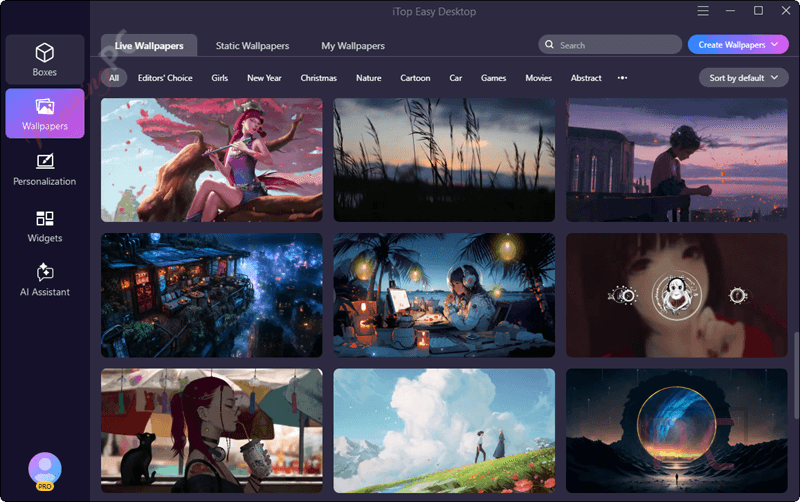
- 22,000+ static and live wallpapers including 4K/8K video support, plus Private Box password protection for sensitive files.
- Full multi-monitor support, Folder Portals for instant access to any folder from the desktop, and 1-click customization of Start Menu style, desktop icons, and mouse cursor.
What we think
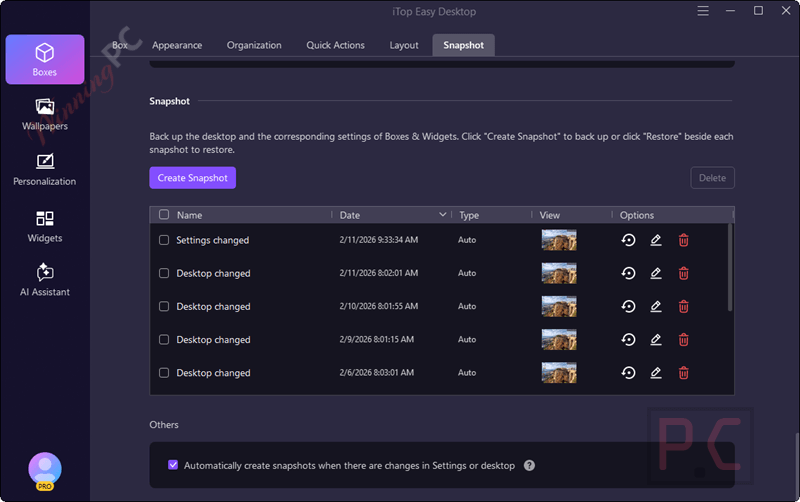
More iTop Easy Desktop PRO Screenshots

Frequently Asked Questions
What is iTop Easy Desktop PRO used for?
iTop Easy Desktop PRO is a desktop management tool that helps you organize your Windows desktop using auto-sorting boxes, live wallpapers, widgets, and privacy-protected folders.
What are the benefits of upgrading to the PRO version?
PRO unlocks advanced features such as unlimited desktop boxes, animated live wallpapers, smart widgets (clock, calendar, to-do list), folder portals, and private, hidden boxes for confidential files.
Can I try iTop Easy Desktop before buying?
Absolutely. A free version is available with limited features (e.g., max 3 boxes, no live wallpaper). You can test it before committing to the PRO upgrade.
Does it slow down my PC or use a lot of memory?
No. iTop Easy Desktop is lightweight and optimized for performance, so it won’t noticeably impact your system’s speed.
Can I use my own wallpapers with iTop Easy Desktop PRO?
Yes! You can apply your own images or animated wallpapers to personalize your desktop environment.
Can I change the desktop layout anytime?
Yes, layouts are fully dynamic; you can adjust them as your workflow changes with simple drag-and-drop functionality.
Are the boxes resizable and customizable?
Yes, you can move, resize, rename, and color-code boxes as you like for a highly personalized layout.
Is there a discount available for iTop Easy Desktop PRO?
Yes! You can use the WinningPC coupon code CL***G15 to get up to 88% off your purchase.
System Requirements & Details
| Feature | Specifications |
|---|---|
| Language Support | 16+ including English, Spanish, Chinese, German, etc. |
| Operating System | Windows 11, Windows 10 (V3.2 supports Win 8.1, 8, 7) |
| Processor | 1 GHz processor or faster |
| RAM & Storage | 1 GB RAM / 200 MB available space |
| Supported Input | Desktop icons, files, folders, screen areas, scrolling content |
| Supported Output | Organized boxes, desktop layouts, screenshots, wallpapers, widgets, personalized desktop styles |



2 month license! Why bother that is just a slightly extended trial!
Thanks for your comment 😊
We understand your point. This 2-month license is mainly intended for users who already joined a previous giveaway, allowing them to extend their PRO access.
We’re planning to release 6-month giveaway license codes soon, so stay tuned!
您好
iTop Easy Desktop这个软件很好用,请问一下什么时候可以在分享一下牌照代码?
After installation, my antivirus detects it as a threat.
Detect
IDP.Generic
C:\Program Files\iTop Easy
Desktop\iEasyDesk.exe
C:\Program Files\iTop Easy
Desktop\iEasyDesk.exe
Thanks for your comment and for reporting this!
The file you mentioned is part of the official iTop Easy Desktop installer. Sometimes antivirus programs (especially those using heuristic detection like IDP.Generic) may show false positives, even for safe software.
We recommend:
– Ensuring you downloaded the installer from a trusted source (like our website or the official iTop site).
– Scanning the file with VirusTotal if you’d like extra peace of mind.
If you’re still unsure, it’s totally okay to skip the installation — your safety always comes first!