

iTop Screen Recorder PRO Giveaway

iTop Screen Recorder Giveaway
An intuitive, powerful and easy screen recorder for Windows
- Product
- iTop Screen Recorder Pro 7.x
- Product website
- recorder.itopvpn.com
- Platform
- Windows 10/8/7
- Support
- No support
- Updates
- No future upgrades
- Updated
- 2026-09-24
Continue on recorder.itopvpn.com
The publisher handles registration and license delivery on its official website.
Limited-time giveaway! The license codes may have reached their activation limit.
The free license is no longer available.
iTop Screen Recorder Coupon Codes & Deals

iTopVPN Summer Sale: Up to 86% Off
Take advantage of special offer up to 86% off iTop VPN software!
iTop Screen Recorder for Windows
5 plans · best save 90%iTop Screen Recorder Summer Sale: Up To 60% Off
Take advantage of special offer up to 60% off iTop Screen Recorder software!

Is this iTop Screen Recorder PRO giveaway safe to use?
Yes – this is an official giveaway from iTop, the developer behind iTop VPN and a range of Windows productivity tools.
No crack or keygen
You download iTop’s standard installer from their own site and activate it with a genuine key issued by the developer. Nothing is patched, repackaged, or modified.
Official publisher giveaway
The license key comes directly from iTop’s distribution, not from a grey-market reseller or third party. WinningPC partners with the publisher to bring these offers to readers.
Secure HTTPS checkout for paid upgrades
If you use the coupon code to upgrade, payment is processed on iTop’s own encrypted store. Your card details never pass through WinningPC.
30-day money-back guarantee on paid plans
iTop offers a refund window on paid purchases if you change your mind after upgrading.
How to Get the iTop Screen Recorder Key Free?
- Click the download link below to go to iTop’s homepage and grab the free version of iTop Screen Recorder.
- Install it on your Windows PC and launch the app.
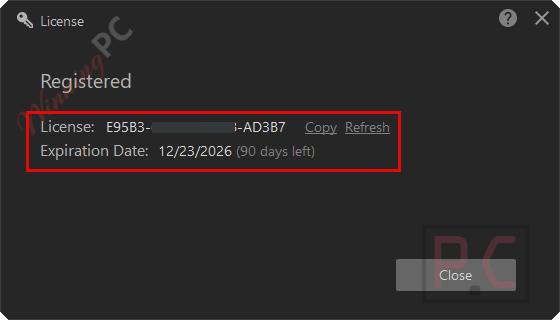
- Click the Register button inside the application (visible on the main screen).
- Copy the PRO license code from the giveaway section below.
- Paste the code into the registration field and confirm activation.
- Done – PRO features are now active for 6 months, no payment required.


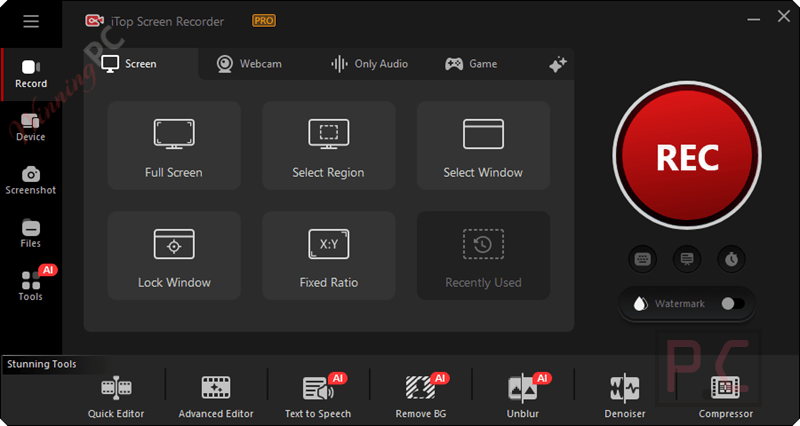
Webcam
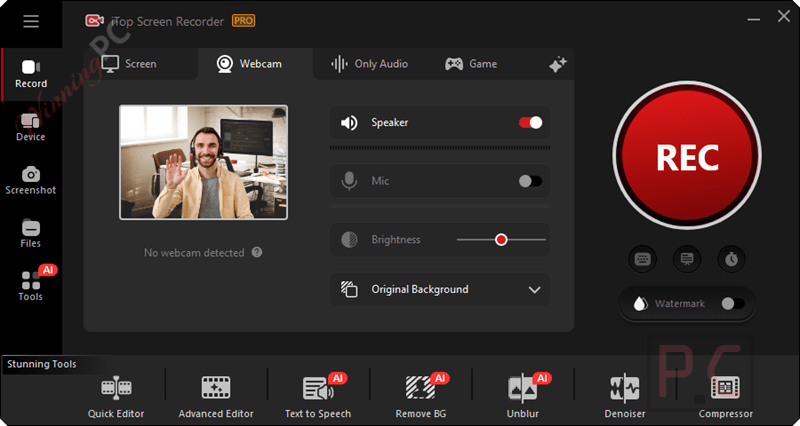
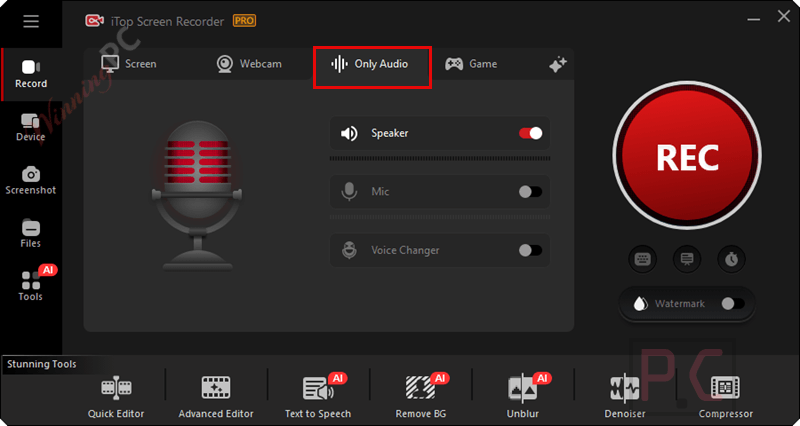
Only Audio
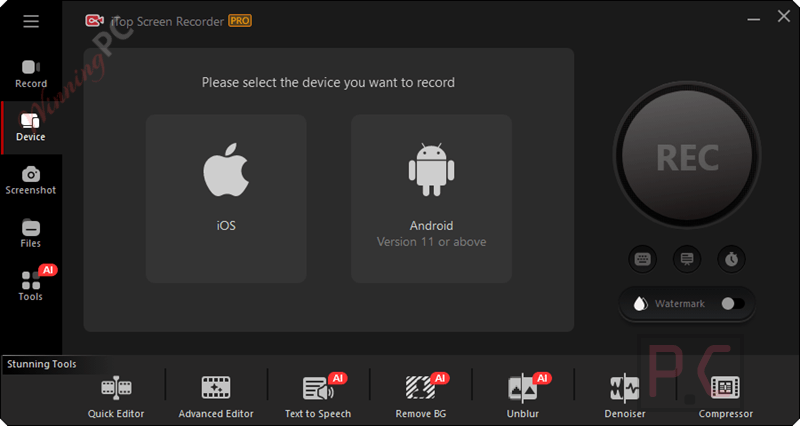
Connect iOS and Android devices:
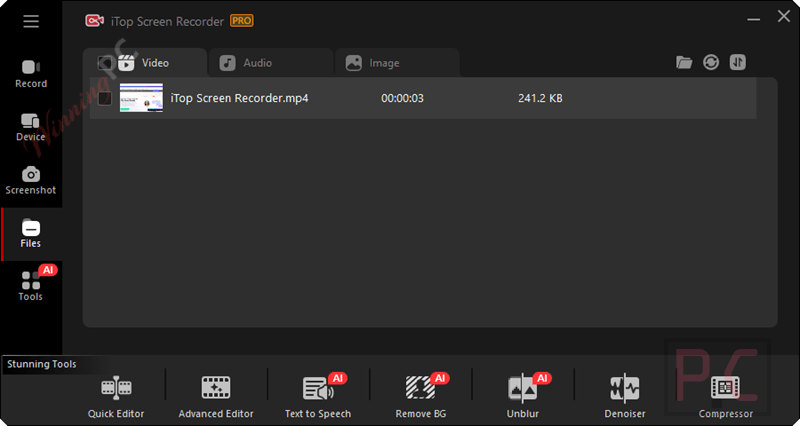
Files
All your video files/ audio files/screenshots that you captured or recorded will be shown. You can preview, edit, rename or even upload them to share on YouTube, Vimeo, Instagram, Facebook, Google Drive, and Dropbox.
Watermark
To protect your video from being copied, you can add a watermark to your videos. You are allowed to customize the caption, font, color, position, and transparency of the watermark.
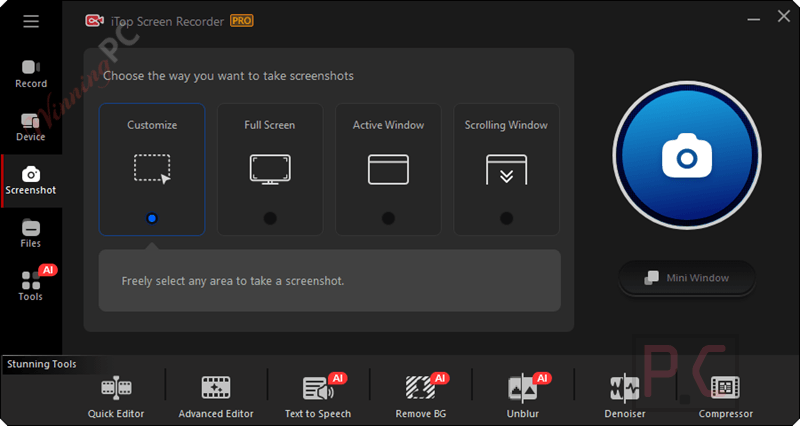
Screenshot
Tools
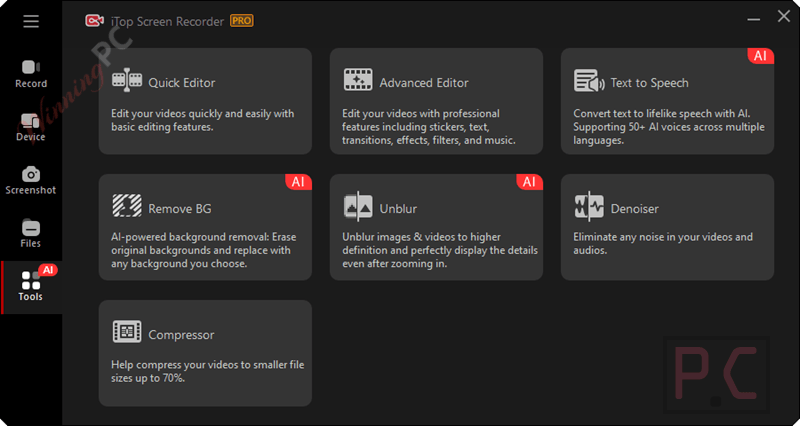
It provides four tools for your editing and optimizing your recorded files: Quick Editor, Advanced Editor, Compressor, Text to Speech, Remove BG, Unblur, and Denoiser.
Built-in Video Editor
With the redesigned built-in powerful editor tool, editing your video and audio is now a breeze. Whether adding, editing, trimming, or moving sections around, you can have your desired clip ready within minutes. Besides, it newly supports multi-track visual editing and allows editing both the recorded videos and local videos frame by frame. To make your video more active,
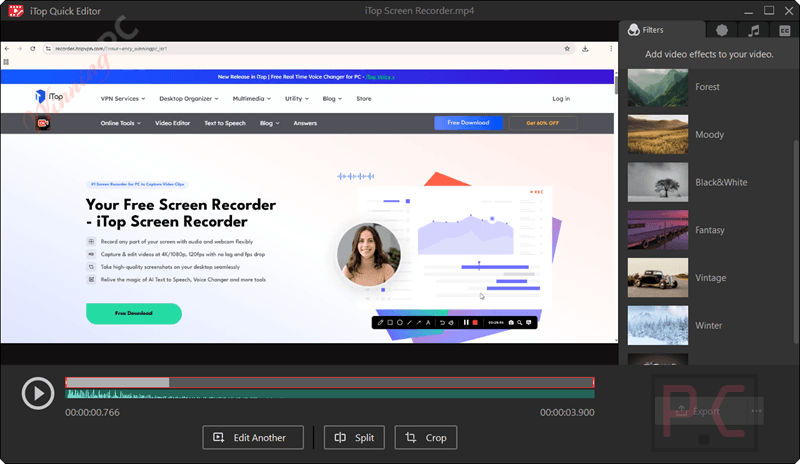
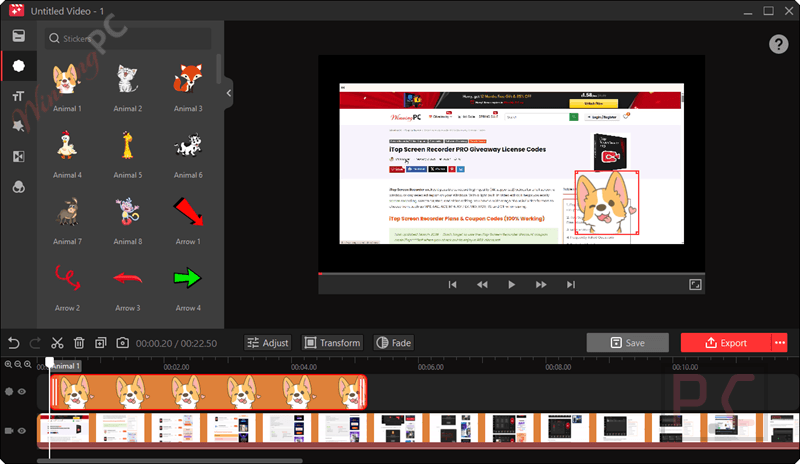
iTop Screen Recorder adds various video editing functionalities, including animations/stickers, transitions, effects, captions/subtitles, filters, and more. More importantly, you can export high-quality videos (4K supported) in different aspect ratios and formats, including MP4, MP3, GIF, AVI, and TS, to share with others. It supports 18 subtitle fonts, 18 visual effects, and 66 transitions.
Video Denoiser
To bring you the best audio quality ever, the iTop Screen Recorder Denoiser tool eliminates any noise, including background noise and current noise, in your video and audio.

iTop Screen Recorder settings
The settings are an environment where something is set up. At the place, you can select the language, choose the destination place to save the record, detect the webcam, set the format for video/audio/screenshot, or even set a hotkey during recording. You can export videos in high-quality aspect ratios and formats (4K supported).

iTop Screen Recorder PRO: In-Depth Review & Features
iTop Screen Recorder PRO holds up well across its core recording jobs. The dedicated Game Mode handles 4K/120fps using GPU acceleration, which keeps game performance stable while you capture – cheaper tools often bog down the CPU and cause dropped frames or audio drift. The Auto Focus mode is the standout feature for tutorial makers: it tracks cursor movement and keystrokes in real time and magnifies them automatically, cutting out what would otherwise be a tedious post-production step.
The AI text-to-speech engine, with 370+ voices across multiple languages, is genuinely useful if you produce voiceover content, though it takes a few minutes to explore. Where the giveaway version falls short is clear: 6 months, non-commercial use only, no support. If you record content for a monetized channel or client work, the free key doesn’t cover that situation.
Key features
- Screen, webcam, and audio capture in one take: records any screen region, full screen, or active window with simultaneous webcam overlay and audio from mic, PC speakers, or both.
- Game Mode with GPU acceleration: dedicated capture path for gaming at up to 4K/120fps without impacting game performance during recording.
- Auto Focus recording: tracks cursor and keystroke inputs in real time, automatically magnifying key areas – removes a manual zooming step from post-production for tutorial creators.
- Multi-layer video editor: trim, split, merge, add text, subtitles, stickers, filters, transitions, and manage multiple audio/video tracks without leaving the app.
- AI toolkit: 370+ voice TTS for voiceover generation, AI Remove Background for the webcam feed, and AI Unblur for cleaning up footage – all included in PRO.
pros & cons
How iTop Screen Recorder stacks up against the alternatives
| Tool | Starting Price | Max Quality | Built-in Editor | Best for |
|---|---|---|---|---|
| iTop Screen Recorder PRO (this giveaway) | Free / $20.99/yr with code | 4K/120fps | Multi-layer + AI tools | All-in-one creators, educators, gamers |
| Edimakor Screen Recorder | $20.99/yr | Up to 4K | Built-in editor | Creators wanting a simpler workflow |
| FocuSee | $34.99/yr | Up to 1080p/60fps | Zoom & focus effects, minimal editing | Tutorial makers focused on auto-zoom |
| VideoProc Converter AI | $29.90/yr | Up to 4K | Basic editing + AI | Users needing conversion alongside recording |
| EaseUS RecExperts | $11.98/yr | Up to 4K | Basic trimming | Business recording, meetings |
| OBS Studio | Free (open source) | Up to 4K | None built-in | Streamers and advanced users who edit externally |
Frequently Asked Questions
What are the key features of iTop Screen Recorder?
Key features include high-quality recording, multiple recording modes, webcam overlay, and real-time editing.
Can iTop Screen Recorder capture audio from the microphone?
Yes, it can record both system sounds and microphone audio simultaneously.
Does iTop Screen Recorder support webcam recording?
Yes, it supports recording video from a webcam.
Can I record games with iTop Screen Recorder?
Yes, it includes a game recording mode that captures high-frame-rate gameplay.
Is there a watermark on the recordings?
The free version may include a watermark, but the pro version records without any watermarks.
What video formats can iTop Screen Recorder PRO export to?
Video: MP4, AVI, FLV, MKV, MOV, TS, WEBM, and GIF. Audio recordings: MP3, AAC, AC3, FLAC, WMAV2. Screenshots export as JPG, PNG, WEBP, BMP, or TIF. The GIF export is handy for short screen demos without a separate conversion step.
How can I share the recordings?
Recordings can be easily shared via social media platforms or uploaded directly to platforms like YouTube.
Can I record gameplay with the giveaway license?
Yes. Game Mode with GPU acceleration and up to 4K/120fps recording is part of PRO, and the giveaway key activates PRO. The non-commercial restriction still applies – recording gameplay for a monetized stream or channel requires a paid license.
Can I use this giveaway key for YouTube or client work?
No. The giveaway license is non-commercial use only. If you record content for a monetized YouTube channel, paid clients, or any commercial project, you need a paid plan. The 1-Year/1PC at $20.99 with code iTop***0off is the practical option for most creators who earn from their work.
Is the iTop Screen Recorder PRO giveaway key really free?
Yes, completely free. You register with your name and email on the official giveaway page, and the PRO edition activates for 6 months at $0 – no credit card, no trial. The cost comes in if you want to keep PRO features after the 6 months, or if you need commercial use rights from day one.
System Requirements & Details
| Field | Value |
|---|---|
| Operating system | Windows 10 / 8 / 7 |
| Internet connection | Required for giveaway registration and activation |
| Supported input | Full screen, selected region, active window, webcam, microphone, PC audio, iOS/Android (via screen mirror) |
| Supported output – video | MP4, AVI, FLV, MKV, MOV, TS, WEBM, GIF |
| Supported output – audio | MP3, AAC, AC3, FLAC, WMAV2 |
| Supported output – screenshots | JPG, PNG, WEBP, BMP, TIF |


Register Keys (Jan 15, 2024) run not (Jan 16, 2024). How to take usuable key?
give mee key
thanks so much winningpc, it’s great soft!
Thank you All Team for Software share
Thanks All Team for Software share