Cathryn Lee
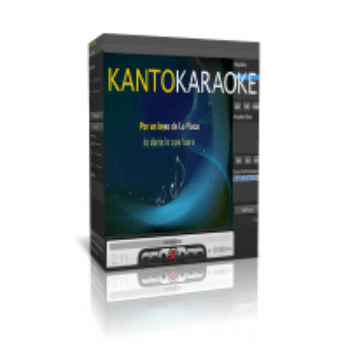
Finding a karaoke player that runs smoothly and supports multiple file types can be frustrating. Most are ancient, buggy, or subscription traps. Kanto Karaoke is the exception, it eats every format you throw at it, from dusty MIDI files to modern MP4s, and it stays stable during live gigs.
We don’t do fluff here. We just found you the best price on the internet.
Status: ✅ Active & Verified
Last Checked: October 2026
Offer: Up to 30% Off
Kanto Player Professional
25% discount code: regular price $69.95, discounted price $52.46
Kanto Karaoke MAC Professional
30% Off: regular price $68.25, discounted price $47.77
Price Comparison Table
| License Type | Official Price | WinningPC Price | You Save |
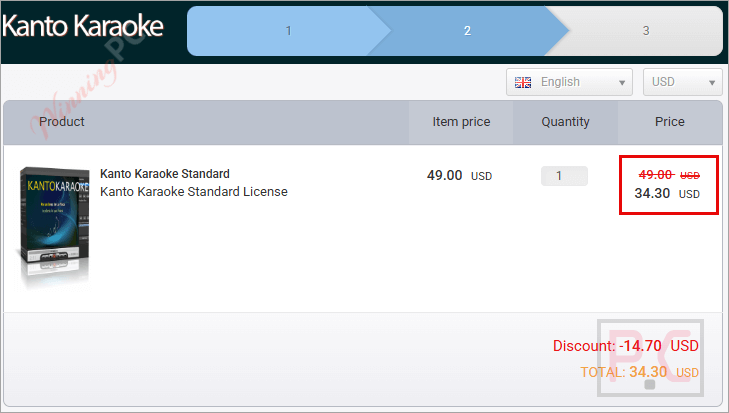
| Standard (Windows) | $49 | $34.30 | $14.70 (30%) |
| Professional (Windows) | $69.95 | $52.46 | $17.49 (25%) |
| Professional (Mac) | $68.25 | $47.77 | $20.48 (30%) |
Redemption Guide
- Select your version, then click the Deal Button above.
- The discount should be applied automatically.
- Checkout and check your email for the license key.
What is Kanto Karaoke?
Kanto Karaoke is the kind of software you install once and end up using for 3-years. It plays just about every karaoke format out there and lets you record your own performances without needing complicated studio tools. If you like singing at home, you can load a backing track, grab a mic, and save your performance in a few clicks.
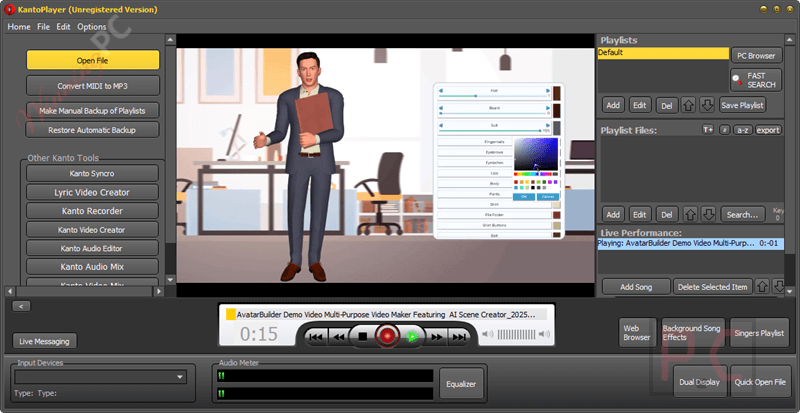
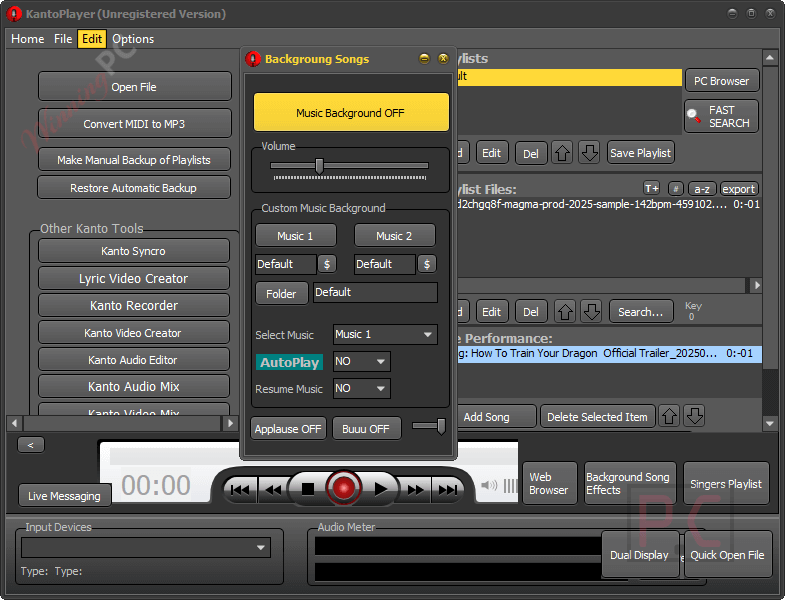
For karaoke hosts, it’s built to handle real gigs. You can manage singer rotations, keep background music running between turns, and deal with different file types without scrambling. Instead of worrying about whether a track will work, you stay focused on the crowd and the fun.
In-Depth Review & Features
We’ve tested Kanto Karaoke extensively. Here is why it’s worth your cash:
- Universal Format Support (The “It Just Works” Factor)
Most free players choke on specific formats like .kfn or MP3+CDG.
The Benefit: You stop worrying about compatibility.
Use Case: A guest brings a karaoke track on a USB drive in a weird format (like .KAR). Kanto Karaoke plays it immediately without needing a codec pack installation. - High-Quality MIDI to MP3 Conversion
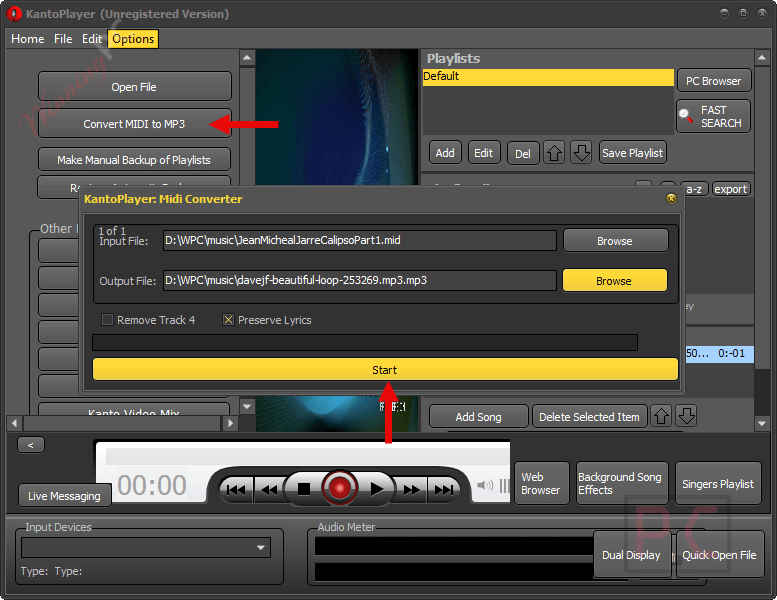
MIDI files usually sound like cheap 90s video games. Kanto uses “Soundfonts” to upgrade the audio.
The Benefit: Turn tiny MIDI files into professional-sounding MP3 backing tracks.
Use Case: You have a massive library of 10,000 MIDI songs but they sound terrible. Use the converter to batch-process them into high-quality audio files for your next show. - Live Performance & Singer Rotation (Pro Version)
Managing a drunk crowd is hard enough; managing their song requests shouldn’t be.
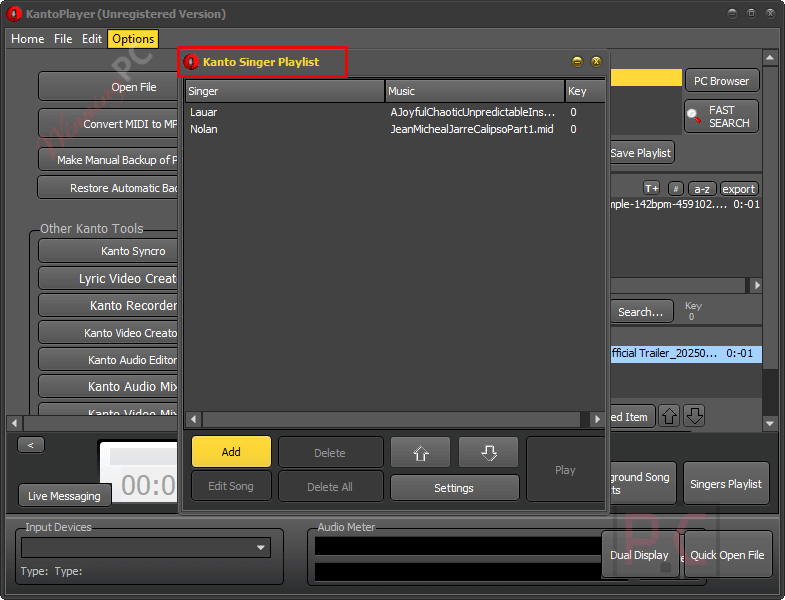
The Benefit: You can organize a “Singer Rotation” list that displays on the screen, so people know when they are up.
Use Case: You are hosting a party. Instead of writing names on a napkin, you type them into Kanto Karaoke. It automatically queues their tracks and displays “Next Singer: John” on the screen between songs. - Real-Time Recording
The Benefit: Instant feedback on your performance.
Use Case: You are practicing for a competition. You can record your voice over the track, listen back immediately to hear if you were flat, and adjust your mic settings right inside the app.
Pros & Cons
More Kanto Karaoke screenshots
Frequently Asked Questions
What is the difference between Standard and Professional?
The biggest difference is the license limit and “Pro” features.
Standard: 1 PC license. Good for home solo use.
Professional: 3 PC license (huge value), plus Singer Rotation Lists and History management. If you host gigs, get Pro.
Does the license expire?
Yes. The license is valid for 3 years. While we usually prefer lifetime deals, 3 years for the price of ~$50 (with our coupon) is about $1.38/month. That is significantly cheaper than subscription services like KaraFun.
Can I remove the melody track?
Yes. For MIDI files, Kanto Karaoke allows you to mute the melody channel instantly so you are the only one singing.
How do I receive the product?
It is digital delivery. You will receive a registration code via email immediately after purchase.
Technical Specifications
| Operating Systems | Windows: 11, 10, 8, 7 (Support for 3 PCs with Pro license). Mac: OS X 10.9 and higher. |
| Supported Formats | Audio/Karaoke: MP3, MID, KAR, KFN, MP3 + CDG. Video: AVI, WMV, MP4, DIVX, FLV, MPEG. |
| Hardware | Requires a standard microphone input for recording. |