Chris Bruner
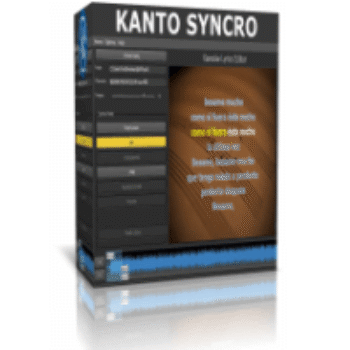
If you’re tired of searching for specific karaoke tracks that don’t exist, or paying monthly subscriptions for “premium” karaoke libraries, Kanto Syncro is the fix. It lets you build your own karaoke files from any MP3 or MIDI file you already own.
Most karaoke software creates a dependency; you have to keep paying to access the songs. Kanto Syncro is different: it’s a tool that lets you own your production.
Status: ✅ Active & Verified
Last Checked: October 2026
Offer: 30% Off
Use the link below to auto-apply the discount. This works for both Windows and Mac versions.
Price Comparison Table
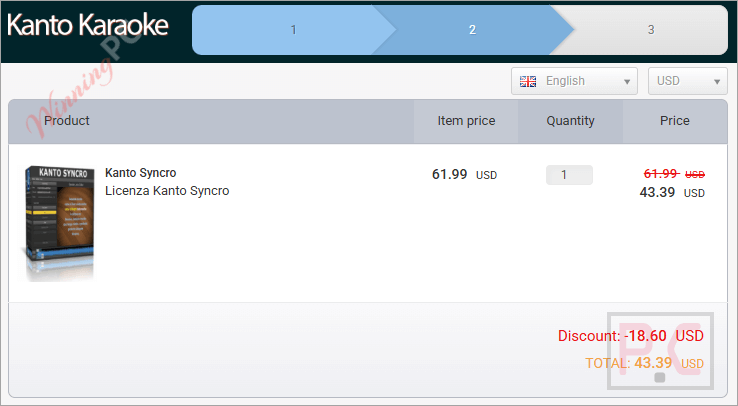
| License Type | Official Price | WinningPC Price | You Save |
| Windows License | $61.99 | $43.39 | 30% OFF |
| Mac License | $49.95 | $34.96 | 30% OFF |
Redemption Guide
- Click the Coupon Code button above. It will take you to the official Kanto Editor secure checkout.
- Check the “Coupon” Field: The code should be pre-loaded.
- Download: Your license key will arrive in your inbox instantly.
What is Kanto Syncro?
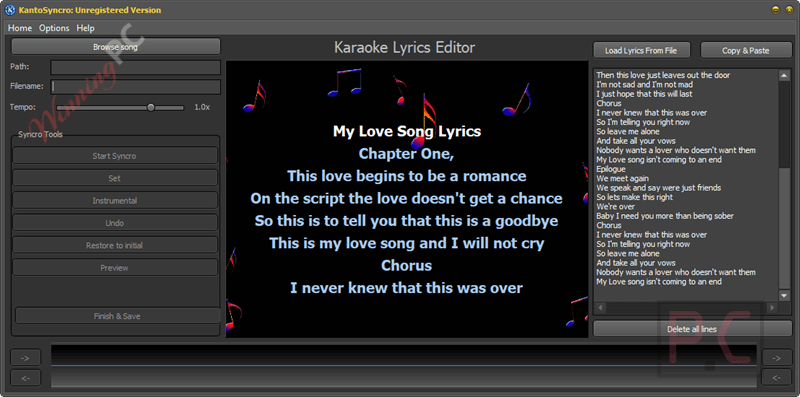
Kanto Syncro is a “Lyrics-to-Audio” synchronizer for both Windows and macOS, designed to create karaoke files by synchronizing lyrics (text) with existing background tracks. If you have an audio file (MP3) and a text file (Lyrics), it fuses them into a video file (.MP4 or .AVI) where the text highlights in time with the music.
Who is this for?
- KJ’s (Karaoke Hosts): Create rare tracks that aren’t in commercial libraries.
- Musicians: Create lyric videos for your original songs to upload to YouTube.
- Home Users: Make a custom karaoke version of that one obscure song your friend loves for their birthday party.
Deep Dive: Why Kanto Syncro is Useful
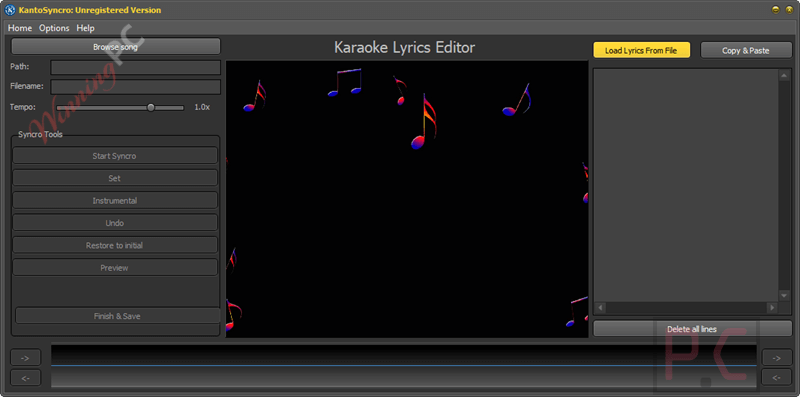
- The “Tap-to-Sync” Workflow
Most subtitle software requires you to manually enter timecodes (e.g., “Start at 00:12, End at 00:15”). That takes forever.
The Kanto Fix: You press a big SET button (or F1 key) in real-time while listening to the song.
Use Case: You play the song. Every time the singer sings a word, you tap F1. You can sync a 4-minute song in exactly 4 minutes. It’s intuitive, like playing a rhythm game. - Output Flexibility (MP4, AVI, or MP3)
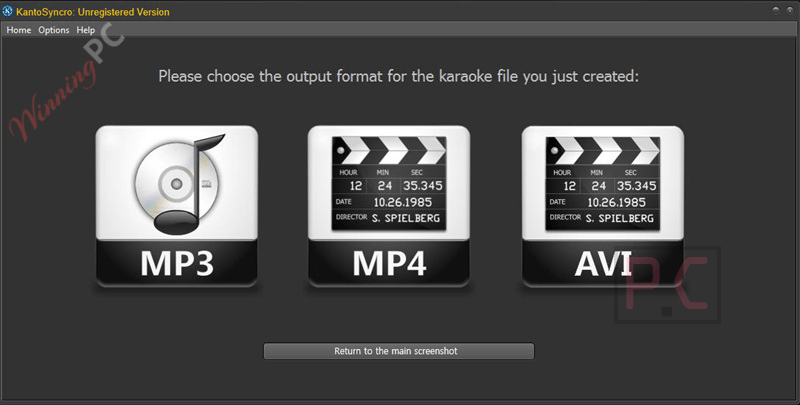
You aren’t locked into a proprietary format.
MP4/AVI: Perfect for uploading directly to YouTube or playing on a TV via USB.
MP3 (Lyrics): Creates a file compatible with specialized players like Kanto Karaoke Player that display lyrics on a separate lightweight window. - Instrumental Gap Handling
Nothing is more awkward in karaoke than standing silently for a 45-second guitar solo wondering when to come back in.
The Feature: The “Instrumental” button allows you to mark non-vocal sections. The screen will display “Instrumental…” or a countdown so the singer knows to relax. - Real-Time Speed Adjustment
Sometimes a song is too fast to sync accurately on your first try.
The Benefit: You can slow the song down while editing to nail the timing of fast rap verses or complex phrasing, then export it at normal speed.
More screenshots!
Frequently Asked Questions
Is this a subscription or a one-time fee?
The prices listed above are for a license valid for 3 years. While not strictly “lifetime,” it avoids the monthly billing trap of SaaS products. You get 3 years of unrestricted use and updates.
Can I remove the vocals from a song with this tool?
No. Kanto Syncro synchronizes text to audio. It does not remove vocals. You need to provide an instrumental track (or use a separate vocal remover tool) before importing it into the software.
How do I get the lyrics?
You can copy/paste them from any lyrics website (Genius, AZLyrics) directly into the editor’s text box, or load a .txt file.
What is the refund policy?
Crucial Note: Kanto Editor generally has a “No Refund” policy on activated software because they offer a free trial.
Our Advice: Download the Free Trial first. It lets you sync the first 60 seconds of a song. If it works on your machine, then use our coupon to buy the full unlock.
Technical Specifications
| Spec | Windows Requirement | Mac Requirement |
| OS | Windows 11, 10, 8.1, 7 | macOS 10.10 to macOS 14+ (Sonoma) |
| Processor | 1GHz Intel/AMD or higher | Intel or Apple Silicon (M1/M2) |
| RAM | 2GB Minimum | 4GB Minimum |
| Input Formats | MP3, MID, KAR | MP3, MID, KAR |
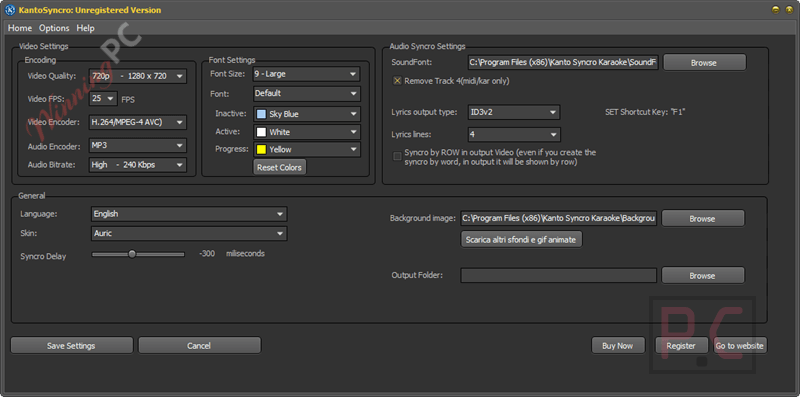
| Output Formats | MP3 (ID3v2), MP4, AVI | MP4, AVI, MP3 |