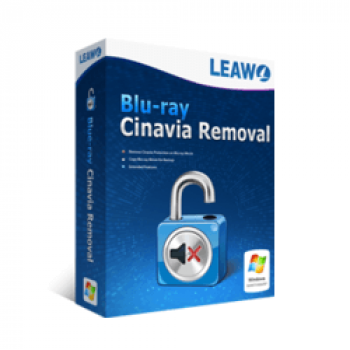
Leawo Blu-ray Cinavia Removal removes Cinavia protection from Blu-ray content. It works as a module inside the Leawo host application, not as a standalone program. You can use it to copy or play Blu-ray movies without Cinavia-related audio restrictions. It requires a Blu-ray drive and an Internet connection to function. Settings for this module are available in the host program under the Blu-ray tab, in the Cinavia Protection section.
Leawo Blu-ray Cinavia Removal Plans & Coupon Code

Leawo Blu-ray Cinavia Removal - 1 Year
40% off coupon code: regular price $64.95, discounted price $38.97
Leawo Blu-ray Cinavia Removal - Lifetime
40% discount coupon code: regular price $109.95, discounted price $65.97

Leawo Prof. Media (BD/DVD Media Pack) - 1 Year
72% discount code, regular price $299.6, discounted price $83.96
Leawo Prof. Media (BD/DVD Media Pack) for Mac - 1 Year
72% Off coupon code, regular price $299.6, discounted price $83.96
Key Features & Screenshots

- Cinavia Removal: removes the Cinavia watermark from Blu-ray discs so movies play without Cinavia-related interruptions or muting.
- Permanent Blu-ray Cleanup: permanently clears Cinavia protection from original Blu-ray movies for uninterrupted playback of the copied file.
- Copy Modes: includes Full Movie and Main Movie modes for one-click ISO copying to Blu-ray or DVD without quality loss.
- Disc Matching: matches the output disc type to the source Blu-ray or DVD for playback on Cinavia-compliant devices.
- GPU Acceleration: uses Intel Quick Sync acceleration to remove Cinavia and create Blu-ray copies at faster speeds.
- Built-in Preview: features a built-in Blu-ray player for loading discs and previewing subtitles and audio tracks in Main Movie and Custom modes.
More Screenshots:


Frequently asked questions
What would happen when you copy Cinavia-protected Blu-ray without removal?
When you try to copy Cinavia-protected Blu-ray, if you have not obtained the copyright owner’s permission, you will receive some specific messages are: Playback stopped, Copying stopped, Audio muted.
Why Choose WinningPC
- Why Trust? We are committed to providing 100% valid and verified coupon codes, so you can always shop with confidence.
- Found an Invalid Coupon or a Better Deal? If you encounter an invalid code or a better offer, please let us know. Our team updates all discount information regularly to ensure accuracy.
- Official Authorization: We only share authentic discounts from trusted software developers.
- No Fake Discounts: Unlike some sites, we never use misleading deals. The final price you see is the true discounted price.
- Secure Purchases: All transactions are processed on the official vendor’s website, ensuring authenticity and data protection.
- Extra Support: If you face order or vendor issues, contact us. We’ll liaise with the vendor to help resolve your problem quickly.
Technical Details
| Language Support | English, Français, Italian, Spanish, Swedish, and more… |
| Money Back Guarantee | 30-Day |
| Operating System | Windows Vista, Windows 7, Windows 8/8.1, Windows 10/11 |
| Shipping | Register code will be sent to your email in minutes |
| Subscription | 1-Year |
| Support Services | Tickets |