Let’s be real: DRM is a massive headache. You pay for your media, but you can’t play it on the devices you want, which is exactly why tools like Leawo Prof. DRM Media Pack exist.
Status: ✅ Active & Verified
Last Checked: October 2026
Offer: 77% Off
For Windows
Leawo Prof. DRM Media Pack - 1 Year
77% discount coupon code: regular price $159.8, discounted price $35.97
Leawo Prof. DRM Media Pack - Lifetime
75% discount: regular price $239.8, discounted price $59.97
For macOS
Leawo Prof. DRM Media Pack for Mac - 1 Year
77% coupon: regular price $159.8, discounted price $35.97
Leawo Prof. DRM Media Pack for Mac - Lifetime
75% coupon code: regular price $239.8, discounted price $59.97
Price Comparison Table
| License Type | Official Price | WinningPC Price | You Save |
| 1-Year License | $159.80 | $35.97 | $123.83 (77% OFF) |
| Lifetime License | $239.80 | $59.97 | $179.83(75% OFF) |
Redemption Guide
- Click one of the “Copy Code” buttons above based on whether you want the 1-Year or Lifetime version.
- The link redirects you straight to the official Leawo checkout page, with the promo code already embedded in the URL.
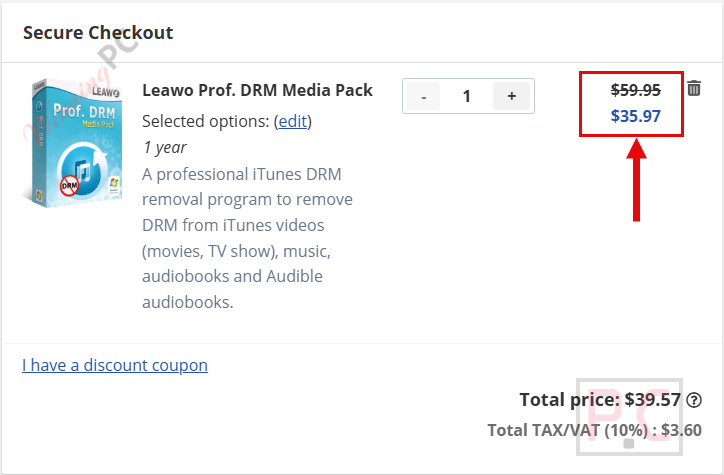
- Look at your order total. You should see the price instantly slashed down to either $35.97 or $59.97.
What is Leawo Prof. DRM Media Pack?
Leawo Prof. DRM Media Pack is an all-in-one suite designed to remove DRM restrictions from digital media. It bundles five separate converters into a single interface: video, music, audiobooks, eBooks, and Spotify.
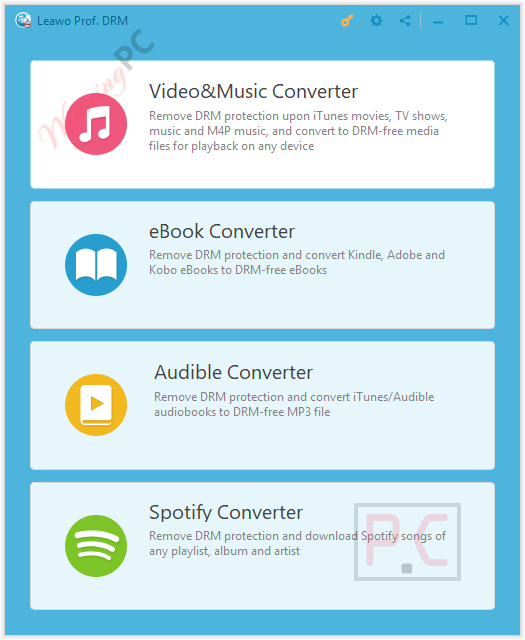
It strips DRM from iTunes movies, TV shows, and music, converting them into standard formats like MP4 and MP3. It also bypasses DRM on Audible audiobooks (without needing iTunes authorization), Spotify tracks, and eBooks from Amazon Kindle, Kobo, and Adobe. Designed for speed, it processes files up to 5X faster while retaining 100% of the original quality, including Dolby 5.1 surround sound and ID3 tags. It’s built for users who want complete ownership of their purchased media to play on any device.
In-Depth Review & Features
Leawo didn’t just build one tool; they stacked five modules together. Here is exactly what the software actually does based on its feature set:
- iTunes Video & Music Conversion
It takes DRM-protected M4V movies and TV shows and converts them to MP4. For audio, it turns M4P and non-DRM M4A into MP3. It does this while retaining selectable audio tracks, subtitles, and the crucial AC3 Dolby 5.1 surround sound. - Audible & Audiobook Bypassing
It handles iTunes M4B and Audible AA/AAX files. A major plus here: the advanced decrypting processor removes DRM from Audible files without requiring you to authorize an iTunes account first. - Spotify Ripper
You can drag and drop Spotify URLs or add batches of tracks, albums, and playlists. It converts them to MP3, M4B, M4A, AAC, WAV, FLAC, WMA, OGG, MKA, or AC3. It also strips the ads and bypasses download limits for offline listening. - eBook Freedom
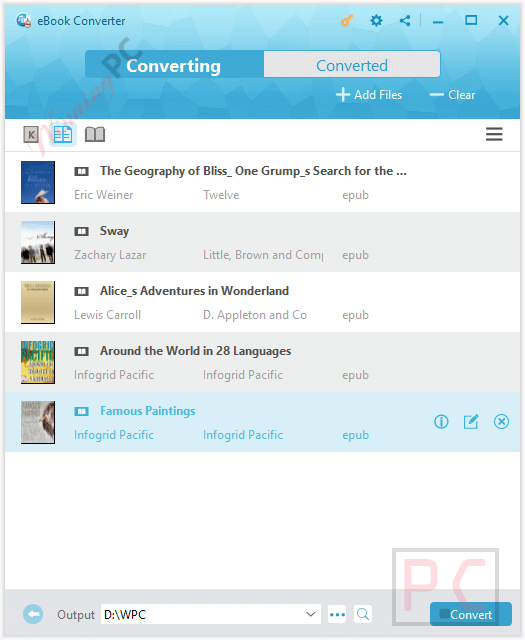
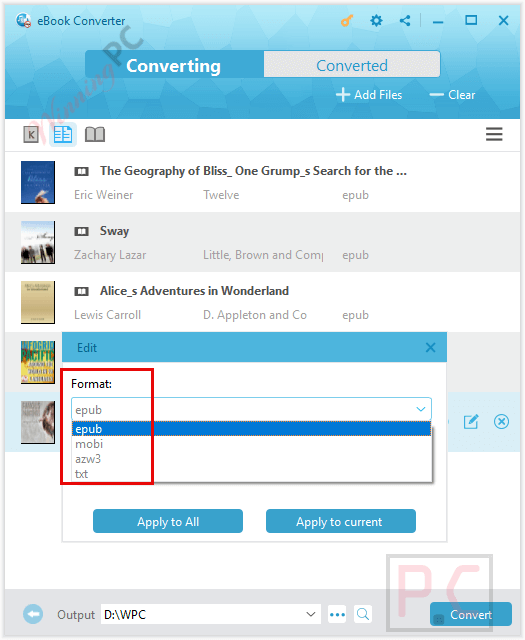
It takes DRM-locked formats (epub, mobi, azw3, azw, kfx, prc, html, txt) from Kindle, Kobo, and Adobe, and spits out clean, DRM-free epub, mobi, azw3, or txt files - 1:1 Lossless Quality at 5X Speed
The software boasts a 5X conversion speed compared to standard rippers. It promises true 1:1 input-to-output conversion, meaning you don’t lose audio quality, video resolution, or metadata (like artist, album, and year tags).
Pros & Cons
More Leawo Prof. DRM Media Pack Screenshots!
Frequently Asked Questions
Is this the best coupon for Leawo Prof. DRM?
Yes. WinningPC currently offers the highest discount rate available on the market for this software. At 75% to 77% off, you won’t find a legitimate lower price anywhere else.
Do I need iTunes installed for this to work?
Yes, but you need to be careful. You specifically need the non-Windows Store version of iTunes, specifically between versions 12.9.6.3 and 12.12.2.2. If you installed iTunes from the Microsoft Store, you’ll need to uninstall it and grab the older executable directly from Apple’s site.
Can I batch-convert my Spotify playlists?
Yes. You can copy and paste playlist URLs or drag and drop multiple files to process them all at once.
Do I need my Audible login to convert audiobooks?
No. The software bypasses the need for iTunes account authorization when handling Audible AA and AAX files.
What eBook formats does it output?
It converts Kindle, Kobo, and Adobe books into DRM-free epub, mobi, azw3, and txt formats.
Technical Specifications
| Supported OS (Windows) | Windows 7, 8, 8.1, 10, 11 |
| Supported OS (macOS) | 10.10 (Yosemite) up to macOS Sequoia (15) and macOS Tahoe (26). |
| RAM | 512MB minimum (1024MB or above recommended). |
| Required Dependencies | You MUST use a non-Windows store version of iTunes (v12.9.6.3 to 12.12.2.2). You also need QuickTime installed if you are running a 32-bit computer without discrete graphics. |
| CPU/Storage Footprint | Uses ~0% CPU in standby, 29.4% during conversion. Takes up ~66.2MB of RAM during active conversion. |