Laura Marano
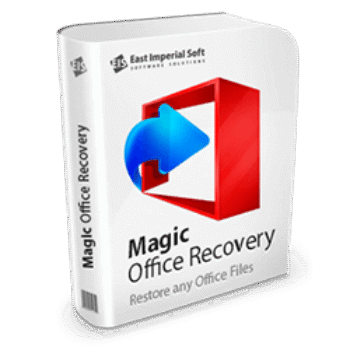
Magic Office Recovery recovers deleted, lost, or misplaced Office documents from different data loss situations. It can restore Word, Excel, OpenOffice, and PDF files after accidental deletion, an emptied Recycle Bin, drive formatting, or a system crash. The program scans storage devices to find missing documents and recover them. The office recovery tool supports hard drives, SSDs, USB flash drives, and memory cards, and works with the FAT and NTFS file systems.
Magic Office Recovery Coupon Code (100% Working)

Magic Office Recovery - Home Edition
50% off coupon code: regular price $57.95, discounted price $28.97
Magic Office Recovery - Office Edition
50% off coupon code: regular price $179.95, discounted price $98.97
Magic Office Recovery - Commercial Edition
50% off coupon code: regular price $297.95, discounted price $148.97
Key Features and Screenshots

- Restores Microsoft Office Documents: Supports recovery of Word (.DOC, .DOCX), Excel (.XLS, .XLSX), and other Office formats.
- Recovers PDF and OpenDocument Files: Includes support for Adobe PDF and OpenOffice/LibreOffice formats like .ODT, .ODS, etc.
- Undeletes Files from Recycle Bin: Recover documents even after they’ve been permanently deleted from the Recycle Bin.
- Formatted & Corrupted Drive Recovery: Can restore files from formatted or damaged drives where the file system is lost or unreadable.
- Partition Recovery: Retrieves documents from deleted or lost disk partitions.
- Supports All Types of Storage: Compatible with HDDs, SSDs, USB flash drives, memory cards, external hard drives, etc.
- FAT & NTFS File System Compatibility: Works with all versions of FAT and NTFS file systems.
- Quick Scan Mode: Instantly restores recently deleted documents with minimal effort.
- Deep Content-Aware Analysis: Scans the entire disk sector by sector to locate documents even if file system records are missing.
- Live Document Preview: View the content of recoverable files before restoration, including formatted text, tables, and images.
- Selective File Recovery: Choose exactly which documents to recover based on preview, date, file size, or name.
- Step-by-Step Recovery Wizard: Simple interface guides you through every step of the recovery process.
- Filter Options: Find specific documents quickly using built-in filters by name, type, or date.
More screenshots
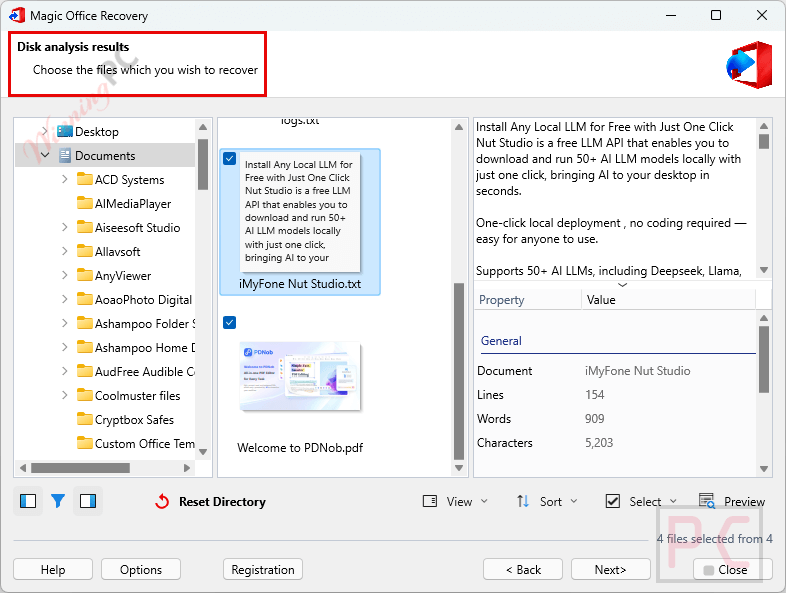
Disk analysis results
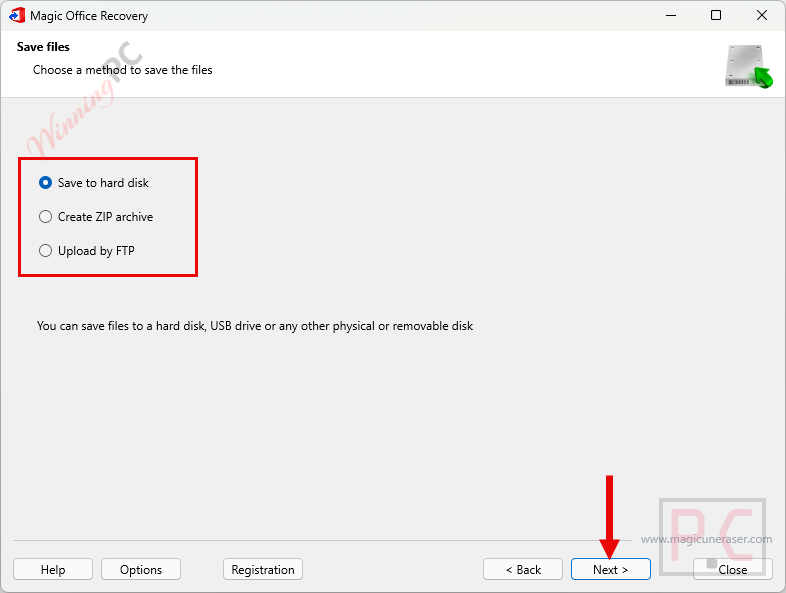
Save files
How to Use (Step-by-Step Guide)
Step 1. Download & Install
Go to the official East Imperial Soft website, and then download the Magic Office Recovery installer.
Step 2. Launch the Program
After installation, open Magic Office Recovery from your desktop or Start menu.

Step 3. Choose disk
Choose a disk with deleted files (Folders, Hard Disk Drives, Found Disks, or Physical Disks)
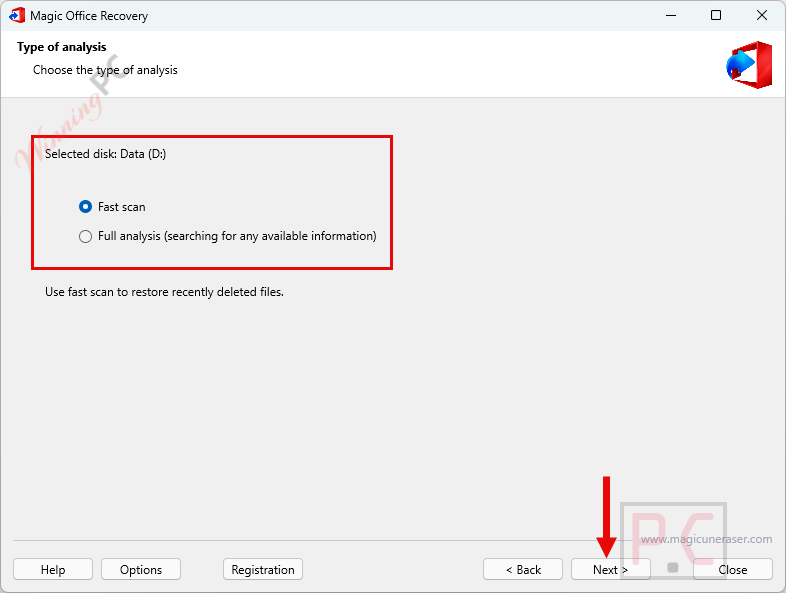
Step 4. Select the Recovery Mode
Choose between:
– Quick Scan: For recently deleted documents.
– Full Analysis: For formatted, damaged, or inaccessible drives.
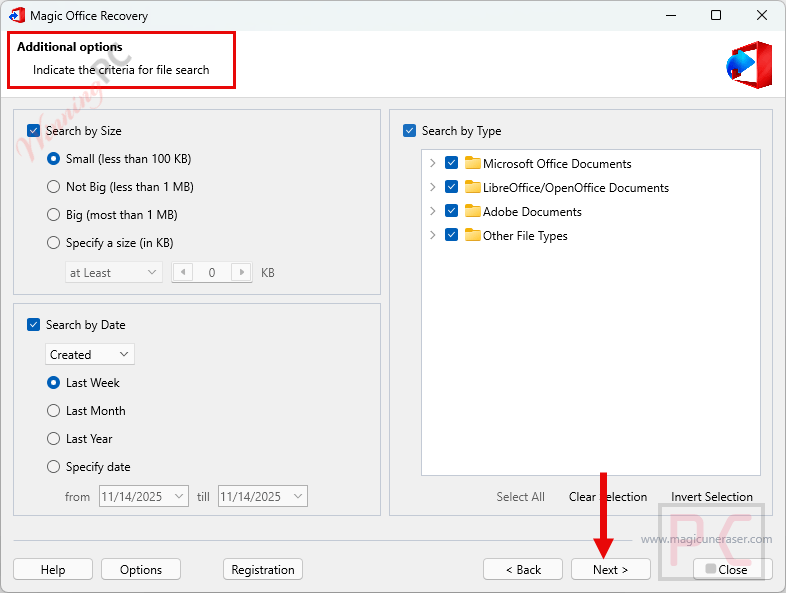
Step 5. Additional Options
Indicate the criteria for file search: Search by size, search by type, search by date.
Step 6. Preview Recoverable Files
Once scanning is complete, a list of recoverable Office documents will be displayed.
Step 7. Select Files to Recover
Tick the checkboxes next to the files you want to restore.
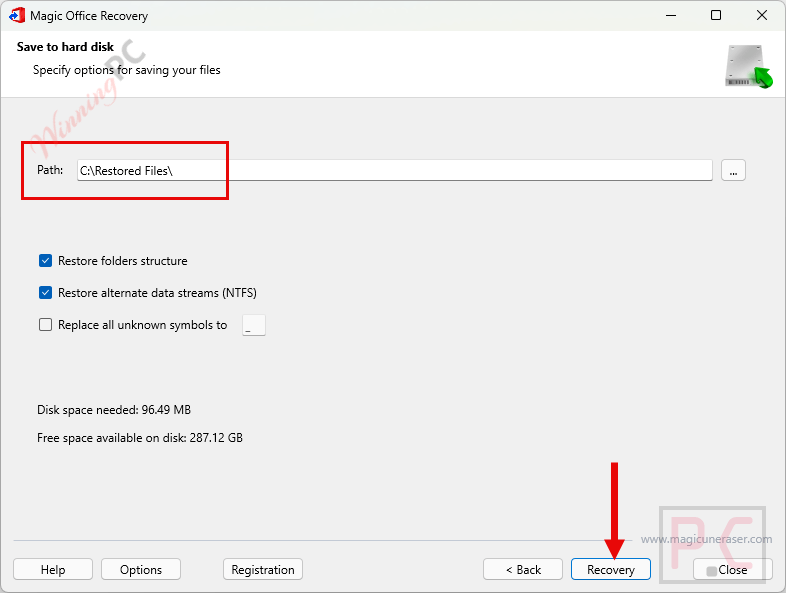
Step 8. Choose Recovery Destination
Choose a different drive (not the one you’re recovering from) to save the recovered files. Click “Recover” to begin restoring your documents.
Frequently Asked Questions
Can it recover files deleted from the Recycle Bin?
Yes. Even if you’ve emptied the Recycle Bin, Magic Office Recovery can still locate and restore Office documents using deep scan technology.
Does the software support formatted or corrupted drives?
Absolutely. It can recover files from formatted, corrupted, or even inaccessible disks using its content-aware analysis.
What types of files can it recover?
It supports Microsoft Word, Excel, PowerPoint, Adobe PDF, and OpenOffice/LibreOffice formats (.docx, .xlsx, .pptx, .pdf, .odt, etc.).
Does Magic Office Recovery support USB drives and SD cards?
Yes. It works with all types of storage devices, including USB flash drives, SD/memory cards, HDDs, and SSDs.
Can I recover Office files after formatting my computer?
Yes. As long as the storage sectors haven’t been overwritten, Magic Office Recovery can find and restore your files even after formatting.
How do I get a discount for Magic Office Recovery?
Use the WinningPC coupon code: Give***ay at checkout to enjoy 50% off your purchase.
Why Choose WinningPC
- Why Trust? We are committed to providing 100% valid and verified coupon codes, so you can always shop with confidence.
- Found an Invalid Coupon or a Better Deal? If you encounter an invalid code or a better offer, please let us know. Our team updates all discount information regularly to ensure accuracy.
- Official Authorization: We only share authentic discounts from trusted software developers.
- No Fake Discounts: Unlike some sites, we never use misleading deals. The final price you see is the true discounted price.
- Secure Purchases: All transactions are processed on the official vendor’s website, ensuring authenticity and data protection.
- Extra Support: If you face order or vendor issues, contact us. We’ll liaise with the vendor to help resolve your problem quickly.
Technical Details
| Language Support | English, اللغة العربية, 中文, Deutsch, Español, Français, Italiano, 日本語, Nederlands, Polski, Русский, Українська |
| Money Back Guarantee | 30-Day |
| Operating System | Windows (XP/Vista/7/8/10/11) Windows Server (2008/2012/2016/2019) macOS (10.4 Tiger – 15 Sequoia) Linux (Ubuntu, Debian, Fedora, Red Hat…) |
| Shipping | The registration code will be sent to your email in minutes |
| Subscription | Lifetime |
| Support Services | Phone, Tickets |