Laura Marano
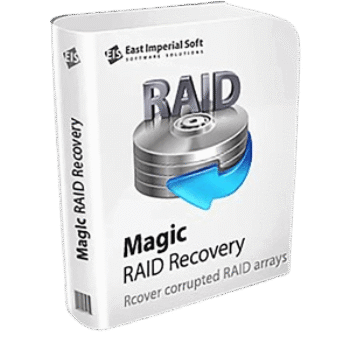
Magic RAID Recovery recovers data from failed, corrupted, or inaccessible RAID arrays and NAS devices. It rebuilds RAID configurations and extracts files even when the original RAID controller is unavailable. The software reads RAID metadata from disks to automatically reconstruct arrays and supports configurations from RAID 0 to RAID 60 and X-RAID. It can restore data using parity information when disks fail, depending on the RAID redundancy level. Magic RAID Recovery works with both hardware and software RAID setups.
Magic RAID Recovery Promo Code (100% Working)
Key Features and Screenshots
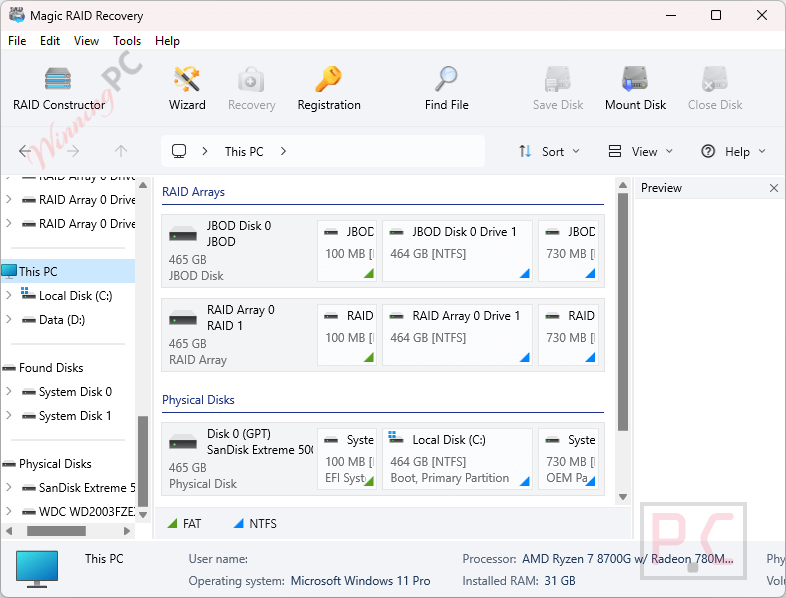
- Broad RAID Support: Handles RAID 0, 1, 4, 5, 6, 10, 50, 60, JBOD, and composite arrays like RAID 01, RAID 1E, RAID 5E, RAID 5EE, X-Raid, and Raidz.
- Supports NAS/DAS Devices: Compatible with Synology, QNAP, ASUSTOR, Western Digital, Thecus, TerraMaster, Buffalo, and more.
- File System Compatibility: Works with FAT, exFAT, NTFS, ReFS, and other file systems across different OS platforms.
- Automatic RAID Detection: Instantly reads RAID configuration metadata from disks and reconstructs arrays without manual input.
- Automatic & Manual RAID Detection: Auto-detects array configuration, disk order, and parameters, and an advanced manual mode is available for expert users and data recovery specialists.
- Controller Compatibility: Works with RAID controllers from Intel, HP, Dell, Adaptec, IBM, Broadcom, Fujitsu, LSI, ASMedia, and more.
- Degraded Array Access Without Resilvering: Access and extract data directly from degraded or partially functional RAID arrays.
- Support for JBOD and Single-Disk Volumes: Extracts data from single disks and Just a Bunch of Disks (JBOD) arrays formatted in non-Windows file systems.
How to Use (Step-by-Step Guide)
Step 1. Install the Software
Download Magic RAID Recovery from the official website and install it on a Windows PC (avoid installing it on the drive you’re trying to recover).
Step 2. Select or Build Your RAID
Choose the auto-detected RAID from the list, or manually build the RAID array by specifying RAID type, disk order, stripe size, and other parameters (Advanced users only).
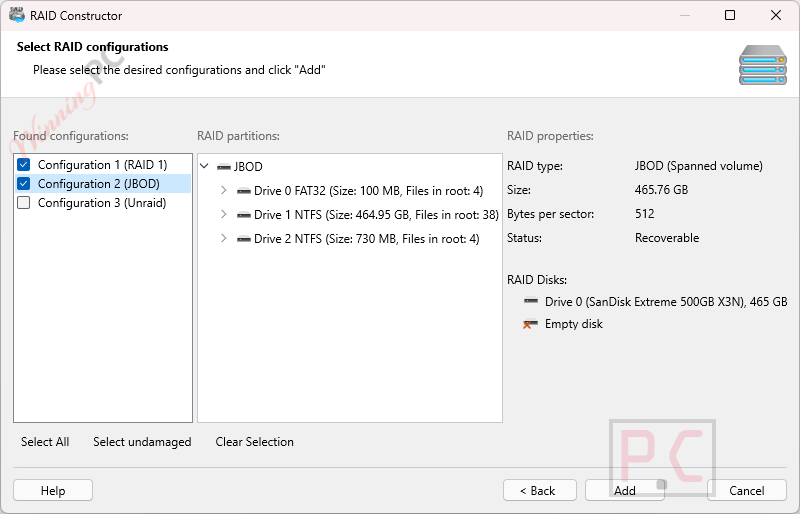
Step 3. Analyze the RAID Volume
Click “Analyze” to begin scanning the selected RAID. Choose between Fast Scan for quick results or Full Analysis for deeper recovery.
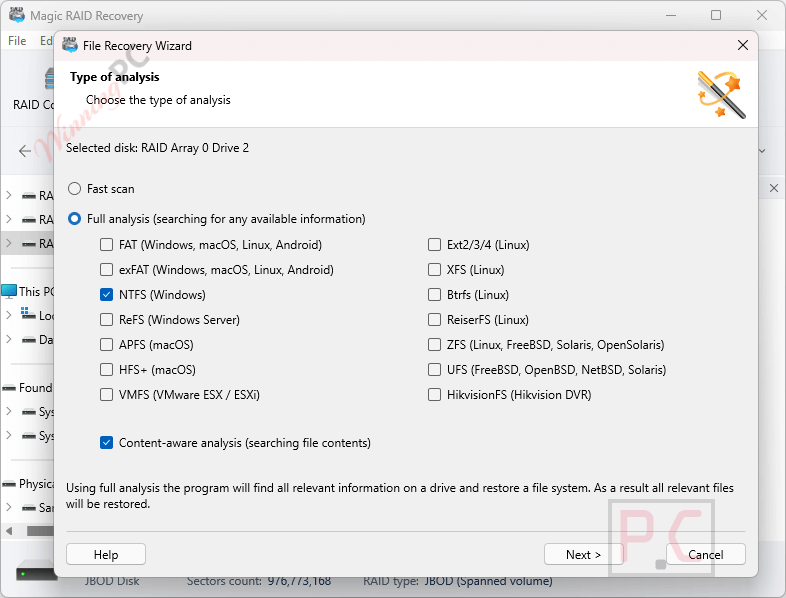
Step 4. Preview the Recovered Data
After scanning, browse through the list of recoverable files and folders. Use the preview feature to verify the integrity of documents, images, and other file types.
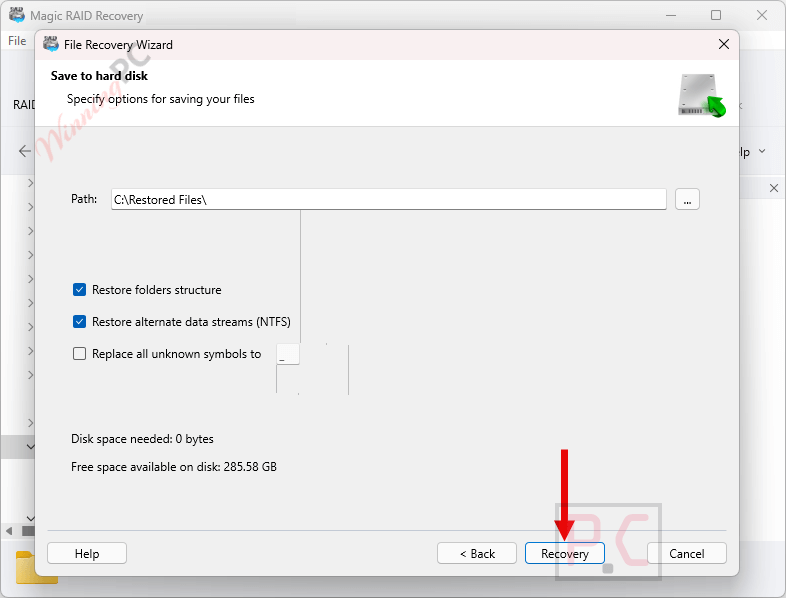
Step 5. Recover Your Data
Select individual files, folders, or the entire volume. Click “Recover” and choose a safe destination drive (not on the same RAID you’re recovering from).
Frequently Asked Questions
Can I recover data from my Synology or QNAP NAS with this tool?
Yes, Magic RAID Recovery can recover data from NAS brands including Synology, QNAP, Western Digital, ASUSTOR, TerraMaster, and more by connecting the NAS drives directly to a PC.
Do I need the original RAID controller to use this software?
No. The software can rebuild and recover data from RAID arrays without the original controller by detecting disk order and RAID configuration automatically.
Does it work with failed or degraded arrays?
Yes, it can extract data from degraded RAID arrays and even from systems where multiple disks have failed (with partial recovery possible).
What if my NAS only uses a single disk or a JBOD configuration?
Magic RAID Recovery can also recover data from single-disk setups and JBOD arrays, even if they use Linux or Unix file systems not recognized by Windows.
Can it recover data if multiple disks have already failed?
It depends on the RAID level and remaining data. The tool applies intelligent algorithms to extract any data still accessible from the remaining disks.
Is there a discount available?
Yes! You can use the coupon code Giveay* on WinningPC to get 50% off your purchase of Magic RAID Recovery.
Why Choose WinningPC
- Why Trust? We are committed to providing 100% valid and verified coupon codes, so you can always shop with confidence.
- Found an Invalid Coupon or a Better Deal? If you encounter an invalid code or a better offer, please let us know. Our team updates all discount information regularly to ensure accuracy.
- Official Authorization: We only share authentic discounts from trusted software developers.
- No Fake Discounts: Unlike some sites, we never use misleading deals. The final price you see is the true discounted price.
- Secure Purchases: All transactions are processed on the official vendor’s website, ensuring authenticity and data protection.
- Extra Support: If you face order or vendor issues, contact us. We’ll liaise with the vendor to help resolve your problem quickly.
Technical Details
| Language Support | English, اللغة العربية, 中文, Deutsch, Español, Français, Italiano, 日本語, Nederlands, Polski, Русский, Українська |
| Money Back Guarantee | 30-Day |
| Operating System | Windows (XP/Vista/7/8/10/11) Windows Server (2008/2012/2016/2019) macOS (10.4 Tiger – 15 Sequoia) Linux (Ubuntu, Debian, Fedora, Red Hat…) |
| Shipping | Register code will be sent to your email in minutes |
| Subscription | Lifetime |
| Support Services | Phone, Tickets |