WinningPC
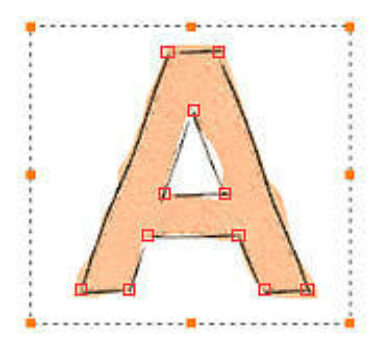
Mediachance Style Animator is an intuitive and reliable piece of motion graphics animation software with natural vector brushes aimed to provide you with the ability to simplify the process of creating stunning motion graphics. Its focus is on creating animated headlines and explainers for the web, social media, and video with ease. It is ideal for both casual users and professional animators who want to create high-quality animated content without much learning.
Mediachance Style Animator is a creative, versatile, and powerful platform for realizing your ideas, whether you’re making dynamic video titles or social media material. It also supports hand-drawn styles, motion easing, several export options, and advanced scene management. With an intuitive interface and a rich set of features, creators are allowed to develop professional-grade animations quickly and efficiently.
Mediachance Style Animator Discount Codes


Mango Animation Maker - Professional Perpetual
32% off coupon code: regular price $99, discounted price $67

PhotoVibrance - Personal license
43% off coupon code: regular price $69, discounted price $39
Mediachance Style Animator Main Features
- Keyframe Animation: You are allowed to animate objects with keyframe animation with ease on Style Animator. Every object can have several layers, called “Lanes,” where you can change various aspects like color, opacity, motion, and more.
- Motion Tween and Easing Motion: An easing motion can be applied to any keyframe in any lane. Although the typical method involves moving linearly from point A to point B or from color A to color B, you can regulate the acceleration by using easing motion. Thus, an object can slow down or bounce without requiring the addition of extra keyframes.
- Hand-Drawn Styles: One of the standout features of Style Animator is its natural hand-drawn vector brushes. These brushes give your animations a unique, hand-crafted look, complete with animated edge shimmering. This feature is perfect for creating animations that stand out with a personal touch.
- High-Quality Export Options Style Animator supports a variety of export options, including animated GIFs, image sequences, and video files up to 4K resolution. The software’s high-quality internal GIF engine ensures that your animations look crisp and professional, whether they’re being used on social media or in video projects.
- Animated Procedural Textures With just a few keyframes, users can create dynamic, animated procedural textures. These textures can be applied to any vector object, adding a layer of visual interest and complexity to your animations.
- Customizable Motion Easing The software includes a fully customizable easing editor, allowing users to create their own motion easing functions. This feature provides greater control over the acceleration and deceleration of animated objects, enabling more natural and fluid motion.
- Multiple Scenes per Project Style Animator supports multiple scenes within a single project, making it easier to organize and manage complex animations. This feature is particularly useful for creating longer animations or projects with multiple components.
- Special Effects and Lenses Enhance your animations with a variety of special effects, including shadows, bevels, and lens effects. The lens feature can simulate magnifying glasses, ripples, lens flares, and more, adding a professional touch to your projects.
- Screen Recorder for Tutorials The built-in screen recorder is perfect for creating tutorials and how-to videos. This feature allows users to capture their animation process, making it easier to share techniques and workflows with others.
- Signature Tool The signature tool enables users to create smooth, hand-drawn text and illustrations using a mouse. This tool can also animate the drawing process, making it appear as though the text is being written in real-time.
Mediachance Style Animator Screenshots

More screenshots:


Frequently asked questions
What types of animations can I create with Style Animator?
With Style Animator, you can create various animations including animated GIFs, motion titles, explainer videos, social media animations, and vector-based animations with a natural, hand-drawn style.
What export options does Style Animator offer?
You can export animations in multiple formats, such as GIF, MP4, WebM, AVI, and image sequences. It supports exporting up to 4K resolution and can export animations with alpha transparency for use in video editing software.
Does Style Animator support keyframe animation?
Yes, Style Animator supports keyframe animation, allowing you to create smooth transitions between different points of animation. Each object can have multiple lanes (like motion, opacity, color) to animate various properties.
What kind of effects can I apply to objects?
You can apply various effects to objects in Style Animator, including shadows, bevels, and unique lens effects like magnifying glass and ripple effects. You can also simulate hand-drawn edges and animated shimmering.
Does Style Animator have a screen recorder?
Yes, Style Animator includes a built-in screen recorder that lets you capture video tutorials or guides directly from your screen, which can then be inserted into your animations.
How can I get a discount on Style Animator?
You can use the coupon code BLA*23 provided by WinningPC to get 30% off your purchase of Mediachance Style Animator.
Technical Details
| Language Support | English, Français, Italian, Spanish, Swedish, and more… |
| Money Back Guarantee | 30-Day |
| Operating System | Windows 7, 8, 10 |
| Shipping | Register code will be sent to your email in minutes |
| Subscription | Lifetime |
| Support Services | Tickets |