
On this page
MobiKin HEIC to JPG Converter Giveaway
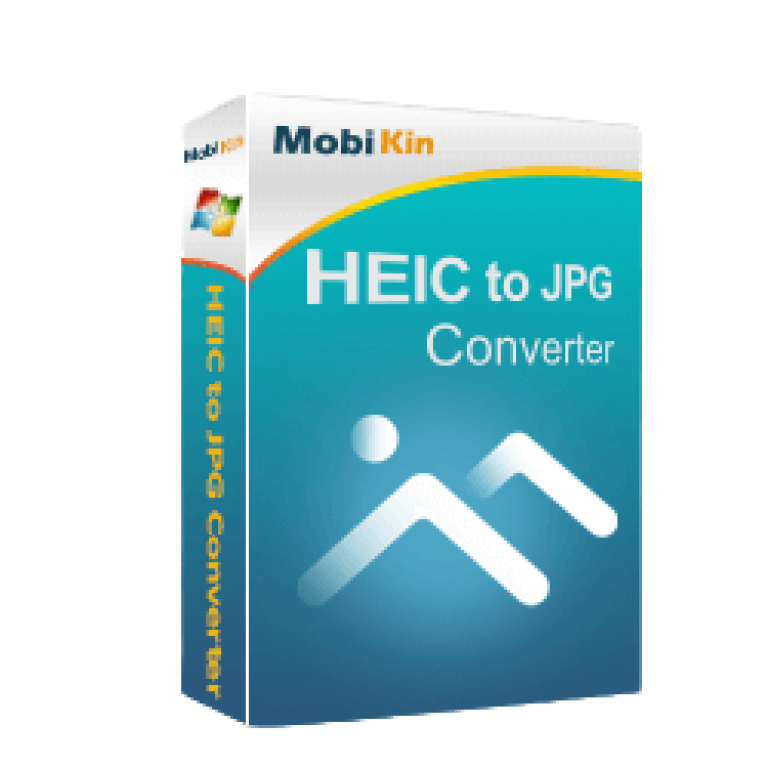
MobiKin HEIC to JPG Converter
Enables you to convert iPhone, iPad, iPod HEIC files to PNG/JPG/JPEG photos one by one or in batches on Windows.
- Product
- MobiKin HEIC to JPG Converter
- Website
- mobikin.com
- License
- 1-Year
- Platform
- Windows 11/10/8/7
- Installer
- mobikin-heic-to-jpg-converter.exe
- Usage
- Non-commercial only
- Updates
- No future upgrades
- Support
- No support
- Updated
- 2026-07-18
Get your unique code by email
License key delivered free to your inbox within minutes.
Protected by Cloudflare Turnstile · Email quality checked by Reoon
This giveaway has ended, but you can still get a limited-time discount from the official offer page.
How to get the Get MobiKin HEIC to JPG Converter Key Free?
- Enter your email address and submit the form to get your free license code.
- Download the installer from MobiKin’s official site and run it on your Windows PC.
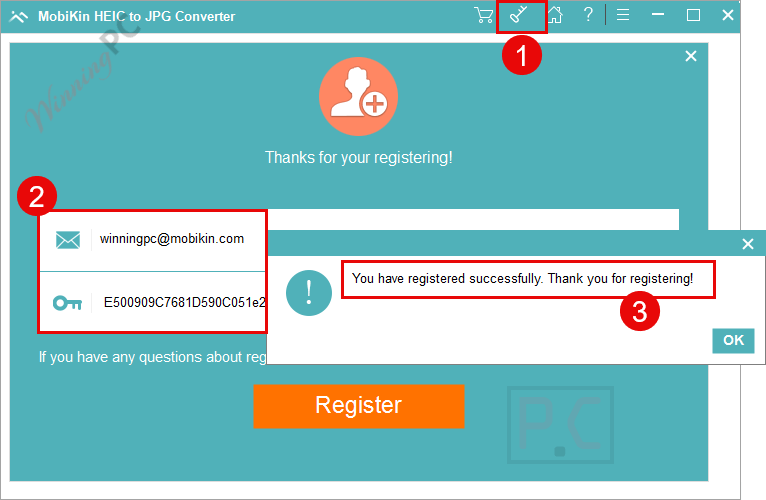
- Launch MobiKin HEIC to JPG Converter, paste your code to activate.
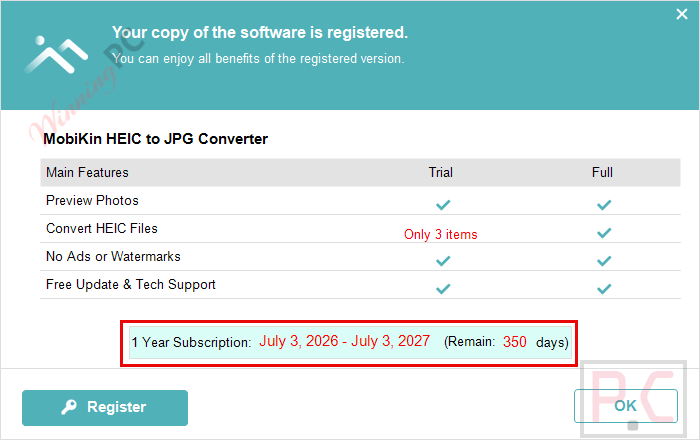
- Now start converting under the 1-Year: no payment needed.
MobiKin HEIC to JPG Converter Coupons & Pricing
MobiKin HEIC to JPG Converter
4 plans · best save 83%
MobiKin HEIC to JPG Converter (Mac)
4 plans · best save 83%You may also like

MobiKin iOS Toolkit - Lifetime (Windows)
One-time payment, lifetime, free upgrades included
MobiKin iOS Toolkit - Lifetime (Mac)
One-time payment, lifetime, free upgrades included
MobiKin HEIC to JPG Converter review: what it actually does
MobiKin HEIC to JPG Converter does one job, and it does it without extra clutter: turn HEIC/HEIF photos into JPG, JPEG, or PNG. You can drag a whole folder onto the window, or click “Add HEIC” and pick files one by one, then batch-convert everything in a single run instead of opening each photo separately. The quality slider is the detail worth knowing about — dropping it too low visibly softens photos, so sticking to 90% or above (as MobiKin itself recommends) keeps results close to the original. MobiKin HEIC to JPG Converter also carries over Exif data if you switch that option on, which matters if you want to keep the original shot date, camera model, or location attached to the converted file. The interface is plain rather than flashy, but for a single-purpose converter that’s a fair trade.

Key features
- Batch-converts unlimited HEIC/HEIF photos to JPG, JPEG, or PNG in one pass.
- Drag-and-drop import, or manual selection via the “Add HEIC” button.
- Adjustable output quality (90%+ recommended to avoid visible loss).
- Optional Exif data preservation (camera model, date, location).
Pros & Cons
Screenshots


What the free giveaway license doesn’t include
| Paid version | Giveaway version |
|---|---|
| Free technical support | No free tech support |
| Free software updates (per MobiKin’s upgrade policy | No updates included |
| Commercial license available | Non-commercial use only |
| 30-day money-back guarantee | Free – no refund needed, but non-transferable |
| Choice of 1 PC or 2-5 PC, 1-Year or Lifetime | Fixed at 1-Year |
Which MobiKin plan should you buy?
| Plan | Price with code | Devices | Duration | Best for |
|---|---|---|---|---|
| 1-Year, 1 PC | $4.97 | 1 PC | 1 Year | Trying it out cheaply |
| Lifetime, 1 PC | $9.98 | 1 PC | Lifetime | One computer, long-term use |
| 1-Year, 2-5 PCs | $9.97 | 2-5 PCs | 1 Year | A few computers, short-term |
| Lifetime, 2-5 PCs | $14.97 | 2-5 PCs | Lifetime | A few computers, long-term use |
How MobiKin compares to the alternatives
| Tool | Price | Key capability | Best for |
|---|---|---|---|
| MobiKin HEIC to JPG Converter (our pick) | Free key, or $4.97+ with code | Batch HEIC conversion with EXIF preservation and adjustable image quality | Windows users converting large photo collections while keeping metadata. |
| Bitwar HEIC Converter | $19.0 | Batch HEIC conversion, EXIF retention, supports JPG/PNG/PDF output | Users who want a free converter with multiple output formats |
| Aiseesoft HEIC Converter | $15.60 | Batch conversion, preserves EXIF metadata, adjustable image quality | Users looking for a lightweight HEIC converter with flexible quality settings |
| Coolmuster HEIC Converter | $4.97 | Batch HEIC to JPG/PNG conversion with metadata preservation | Users who want a simple desktop converter focused on speed and ease of use |
| Batch HEIC to JPG Converter | $19.95 | Offline batch HEIC conversion without cloud upload | Users needing a completely free offline converter for occasional use |
Common questions about MobiKin HEIC to JPG Converter
Is the MobiKin giveaway legit and safe?
Yes. MobiKin HEIC to JPG Converter runs through MobiKin’s own official giveaway page, and the license key you get is genuine, not a cracked or patched build. See the safety section above for the full breakdown.
Does the paid 1-Year plan auto-renew?
Yes. MobiKin’s 1-Year license renews automatically, though you can cancel anytime and you’ll get an email reminder before it renews.
What formats can it import and export?
It imports HEIC and HEIF files, and exports to JPG, JPEG, or PNG.
System Requirements & Details
| Operating system | Windows 11/10/8/7 |
| Processor/RAM/disk | 1GHz Intel/AMD CPU or above · 1GB RAM or above · 1GB+ free disk space |
| Supported input formats | HEIC, HEIF |
| Supported output formats | JPG, JPEG, PNG |
| Other requirements | Internet connection required to register the license and download updates |




is this compareable?
HEIC conversion always free?
https://www.apeaksoft.com/product/
https://www.apeaksoft.com/heic-converter/
https://downloads.apeaksoft.com/free-heic-converter.exe
https://www.apeaksoft.com/thankyou/install-heic-converter/
Thank you for sharing this information.
If you miss this giveaway you can get a free HEIC converter for windows and mac at:
http://www.apeaksoft.com/heic-converter/
Thank you for sharing this information.
Password does not work! Message: “Sorry, this is an invalid license code”.
Please post a working password.
Thanks!
License key is working fine. Please copy and paste carefully when activating.