Chris Bruner

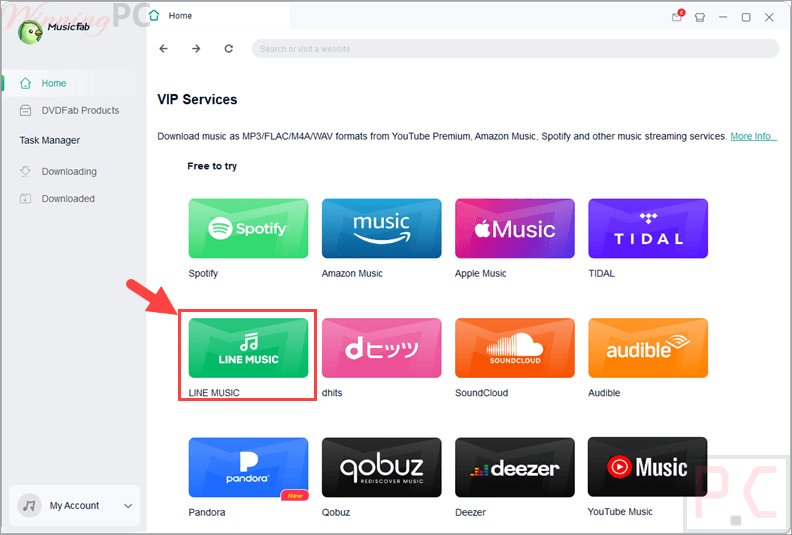
MusicFab LINE MUSIC Converter lets you convert and download songs, playlists, and albums from LINE MUSIC into high-quality formats like MP3 and FLAC. It works directly through a built-in browser, allowing both free and premium users to save music for offline listening without needing the official LINE MUSIC app.
- Status: ✅ Active & Verified
- Last checked: October 2026
- Offer: Best Official Price

MusicFab Halloween Sale: Up to $45 Coupon Bundle
Commemorate MusicFab's Halloween sale and get up to $45 off MusicFab All-In-One. The Halloween Sale runs through November 13, 2026.

MusicFab LINE MUSIC Converter for Mac (Lifetime)
Buy it now: regular price $89.99
You may also like

MusicFab All-In-One (Lifetime)
10+ products - 1 License for 3 Computers; 46% off coupon code: regular price $369.99, discounted price $199.99

MusicFab All-In-One for Mac (Lifetime)
10+ products - 1 License for 3 Computers; 46% off coupon code: regular price $369.99, discounted price $199.99
📄 Licensing & Support Details
- 100% Safe & Clean
- 48-Hour Get Response
- 50+ Updates/Year
- Purchase once for lifetime use.
- Free future update support.
- License available for 1 computer.
- 14-day money-back guarantee.
- Priority for technical support.
📝 How to apply
Click the ‘Copy Code’ button in the coupon box above. You will be redirected to the checkout page, where you can enjoy your discounted price.
MusicFab LINE MUSIC Converter: Review & Features
Key Features
- High-Speed Downloads: Capture any song from LINE MUSIC in approximately 10 seconds.
- Batch Conversion: Add entire albums, playlists, or radio sets to a queue and download them all at once.
- Multiple Format Support: Export music to MP3, FLAC, M4A (AAC), WAV, or OPUS.
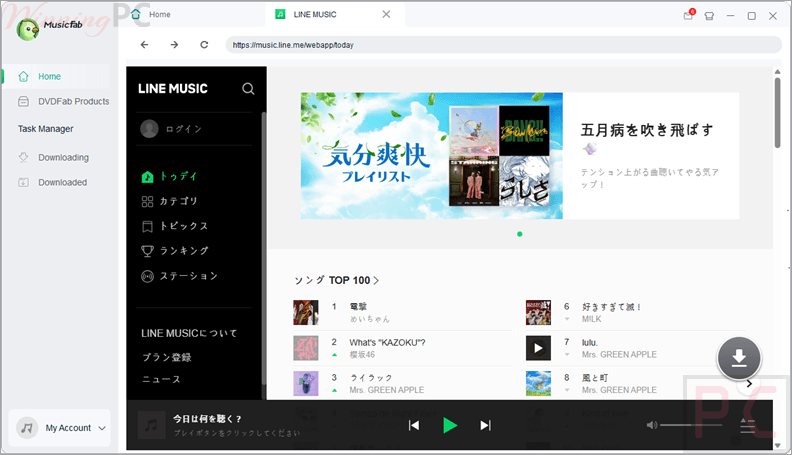
- Built-in Browser: Access LINE MUSIC directly within the software—no need to install the desktop client.
- Metadata Preservation: Automatically saves ID3 tags, including artist names, album titles, and release years.
- Lyric Support: Downloads matching lyrics as .lrc files for synchronized playback.
- Ad Removal: Allows free users to download tracks without interruptions from advertisements.
- Global Access: Breaks regional barriers to allow access to the Japan-exclusive service from anywhere.
Pros & Cons
More screenshots:
Frequently Asked Questions
Where can I find a coupon code or deal for MusicFab?
The latest and best deals for this software can be found right here on WinningPC, as well as on the official MusicFab website or their social media pages.
What is the best discount for MusicFab LINE MUSIC Converter?
The best current discount is available directly through the coupon box on WinningPC.
Do I need to have the LINE MUSIC desktop app installed?
No, the software has a built-in browser that lets you find and download music without the official app.
Can I use this if I only have a free LINE MUSIC account?
Yes, MusicFab allows both free and paid users to download songs.
Will the downloaded songs have ads?
No, MusicFab LINE MUSIC Converter removes all ads during the download process.
Does it support lossless audio?
Yes, you can choose to save your music in FLAC or WAV formats for lossless quality.
Can I download an entire artist’s discography at once?
Yes, you can add multiple albums or playlists to the batch queue for high-speed downloading.
System Requirements & Details
| Feature | Specifications |
|---|---|
| Operating System | Windows 11/10 (32-bit & 64-bit) |
| Processor | 1GHz or above |
| RAM & Storage | 1GB RAM / 10GB free space |
| Supported Input | LINE MUSIC Tracks, Playlists, Albums, Podcasts. |
| Supported Output | MP3, FLAC, M4A, WAV, OPUS, .lrc (Lyrics). |