Laura Marano

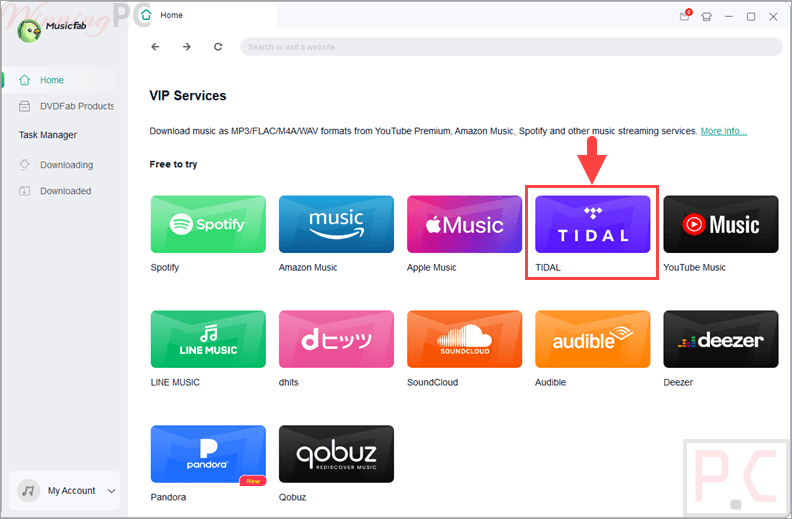
MusicFab TIDAL Converter that downloads tracks, playlists, and albums directly from Tidal to your PC. It preserves original HiFi or MQA audio quality and converts files into formats like MP3 or FLAC for offline listening on any device.
- Status: ✅ Active & Verified
- Last checked: October 2026
- Offer: Best Official Price

MusicFab Halloween Sale: Up to $45 Coupon Bundle
Commemorate MusicFab's Halloween sale and get up to $45 off MusicFab All-In-One. The Halloween Sale runs through November 13, 2026.
MusicFab TIDAL Converter for Mac (Lifetime)
Buy it now: regular price $89.99
You may also like

MusicFab All-In-One (Lifetime)
10+ products - 1 License for 3 Computers; 46% off coupon code: regular price $369.99, discounted price $199.99

MusicFab All-In-One for Mac (Lifetime)
10+ products - 1 License for 3 Computers; 46% off coupon code: regular price $369.99, discounted price $199.99
📄 Licensing & Support Details
- 100% Safe & Clean
- Problems Resolved in 48 Hours
- 50+ Updates/Year
- Purchase once for lifetime use.
- Free future update support.
- License available for 1 computer.
- 14-day money-back guarantee.
- Priority for technical support.
📝 How to apply
Click the ‘Copy Code’ button in the coupon box above. You will be redirected to the checkout page, where you can enjoy your discounted price.
MusicFab TIDAL Converter: In-Depth Review & Features
Key Features
- High-Speed Downloads: Saves music at 20x faster speed than standard recording tools.
- Multiple Formats: Converts Tidal music to MP3, FLAC, WAV, M4A, and OPUS.
- Audio Preservation: Keeps original HiFi and MQA studio-quality sound.
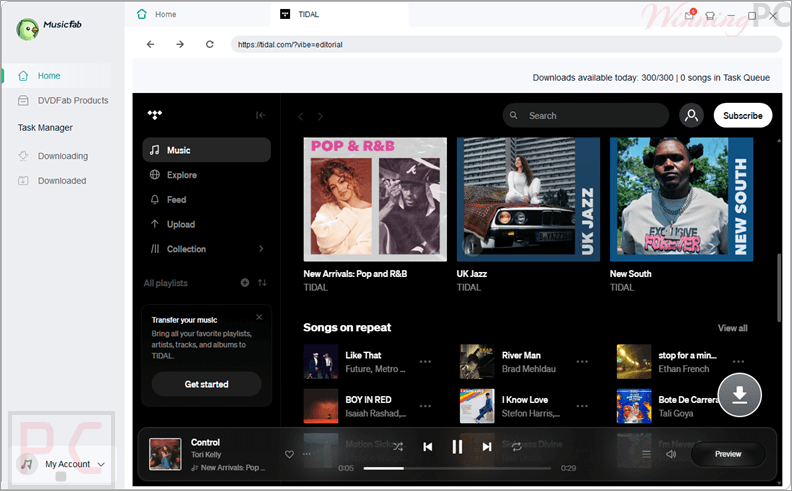
- Built-in Browser: Search and queue music directly within the app without installing the Tidal desktop client.
- Metadata Management: Automatically saves ID3 tags, including title, artist, album art, and lyrics.
- Batch Processing: Adds entire playlists or artist discographies to a download queue in one click.
- Ad-Free Experience: Allows Tidal Free users to download music without ad interruptions.
Pros & Cons
More screenshots
Frequently Asked Questions
Where can I find a coupon code or deal for MusicFab?
The latest and best deals can be found on WinningPC, alongside the official software website or the developer’s social media channels.
What is the best discount for MusicFab TIDAL Converter?
The best price is $89.99 for Lifetime, available directly on WinningPC.
Can I use this with a Tidal Free account?
Yes, it supports all plans and even removes ads from the tracks downloaded via Free accounts.
What audio quality does it support?
MusicFab TIDAL Converter preserves the original quality of the source, including lossless HiFi and high-resolution MQA.
Can I transfer the downloaded songs to my phone?
Yes, once converted to formats like MP3 or FLAC, you can move the files to any smartphone or MP3 player.
How fast is the conversion process?
MusicFab TIDAL Converter uses accelerated technology to download music at up to 20 times the normal playback speed.
Is there a limit to how many songs I can download at once?
You can use the batch download feature to add unlimited songs, albums, or playlists to your queue.
System Requirements & Details
| Feature | Specifications |
|---|---|
| Operating System | Windows 11/10 (32-bit & 64-bit) |
| Processor | 1GHz processor or above |
| RAM & Storage | 1GB RAM or higher, 10GB free space or above |
| Supported Input | Tidal Tracks, Playlists, Albums |
| Supported Output | MP3, FLAC, WAV, M4A, OPUS |