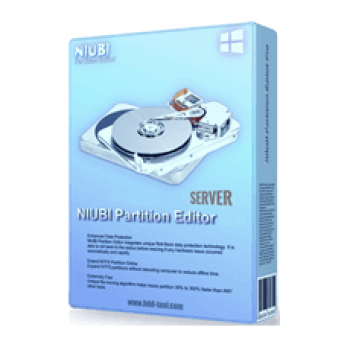
NIUBI Partition Editor Server Edition is a powerful partition management tool for small to medium-sized businesses, compatible with Windows Server versions from 2003 to 2019, virtual machines, and RAID arrays. It enables efficient partition resizing, cloning, and optimization while prioritizing data integrity. Most notably, its Roll-Back technology ensures 100% safety by instantly reverting the system to its previous state if any software or hardware issues occur during the process.
NIUBI Partition Editor Server Coupon Code (100% Working)

NIUBI Partition Editor Server Edition
25% discount code for Server Edition (1 license can be registered on 2 servers): regular price $139, discounted price $104.25
NIUBI Partition Editor Server Edition + Lifetime Free Upgrade
25% discount code: regular price $219, discounted price $164.25
Key Features & Screenshots
- Reallocate Disk Partition
NIUBI Partition Editor Server Edition is a powerful partition manager tool that allows you to change the size of allocated partition with ease and safety. Besides, it helps you move non-adjacent partitions together for extending purposes without data loss. With several clicks, you can also freely merge two adjacent partitions into a larger one.


- Copy/ convert disk and partition
You can use this tool to take actions like converting MBR-style hard disk to GPT, converting NTFS partition to FAT32, converting Primary partition to Logical, or converting Logical partition to Primary by several clicks without losing data. If you want to copy the whole disk to migrate Operating System and data, you can easily do with this software. In addition, NIUBI Partition Editor Server can copy volume, which means it will let you change backup data or migrate to another larger disk.

- Data Protection
All deleted files, delete or format a partition can be recoverable by professional tools. But, using NIUBI Partition Editor Server, you can completely remove sensitive data to fend off being recovered. To check a single partition or entire disk if they have bad sectors, let’s use Surface Test to prevent corrupting your data and slowing down your server. It can hide partition from File Explorer to prevent important data from unauthorized accessing and allows you to set the read-only attribute to a hard disk to ward off files from unauthorized modification.


- Disk Partition Management
Considering this is a truly professional tool, it gives you an easy and powerful way to create new partitions with free Unallocated space, change drive letter, change labels, and change status to offline. Among other things, you can delete Volume/ Disk to remove all partitions, un-initialize a disk to use as new. NIUBI Partition Editor Server also allows you to check and fix errors to ensure file system integrity as well as check detailed parameters of a disk or partition. Moreover, NIUBI Partition Editor Server helps you to defragment your disk to improve the partition read and write efficiency.

Technical Details
-
What is NIUBI Partition Editor Server Edition?
It is a powerful partition management software designed specifically for Windows Server users. It offers comprehensive features for disk partition management, optimization, and data protection.
-
Does this edition support both 32-bit and 64-bit systems?
Yes, this NIUBI Partition Editor Edition fully supports both 32-bit and 64-bit Windows Server systems.
-
Can I use NIUBI Partition Editor Server to resize dynamic volumes and RAID arrays?
Yes, it can resize, move, merge, and perform other operations on dynamic volumes and RAID arrays without data loss.
-
Can I try it before purchasing it?
Yes, NIUBI offers a free trial version, which allows users to experience its features and functionality before making a purchase decision.
-
How often does NIUBI release updates for Server Edition?
NIUBI regularly releases updates for its software to enhance performance, introduce new features, and address any bugs or issues reported by users. Users can check for updates within the software or on the NIUBI website.
-
What discounts are available for NIUBI Partition Editor Server?
Users can enjoy discounts of up to 25% off when purchasing NIUBI Partition Editor using coupon codes available on WinningPC.
-
Where can I find NIUBI Partition Editor coupon codes?
NIUBI Partition Editor Server coupon codes are available on WinningPC, a platform that provides various software deals and discounts.
-
How do I redeem Partition Editor Server coupon codes?
To redeem a coupon code for NIUBI Partition Editor, users can visit the WinningPC website, locate the NIUBI Software deal, and copy the provided coupon code. During the checkout process on the NIUBI website, users can enter the coupon code in the designated field to apply the discount.
1. Fixed a bug in the volume GUID generator.
2. Improved cleanup after snapshot interruption due to exceptions to ensure snapshots can start successfully.
3. Added multi-language support for bootable media.
4. Fixed an issue where the error code ERR_PE_UNMOUNT_WIM_FILE might be inaccurate. 5. Fixed an issue where the bootable media might incorrectly display as not activated.
Technical Details
| Language Support | English, Français, Italian, Spanish, Swedish, and more… |
| Money Back Guarantee | 90-Day |
| Operating System | Windows Server 2022, 2019, 2016, 2012, 2008, 2003 (R2) and Small Business Server 2012, 2011, 2008, 2003, as well as Home Server. |
| Shipping | Register code will be sent to your email in minutes |
| Subscription | Lifetime |
| Support Services | Email, Phone |