

I have been using NovaPDF Lite 11, and I realize that it’s a remarkably simple tool for converting any file into a clean, professional-looking PDF. If you’ve ever wanted to convert any printable document (DOCX, XLSX, PPTX, HTML, TXT, etc.) into PDF format using the standard print dialog, you just hit print and choose NovaPDF.
What I like most is that it keeps everything looking exactly the same. It supports TrueType, OpenType, and Type1 fonts, so your PDFs look identical no matter where you open them. Additionally, NovaPDF Lite 11 identifies visible links and email addresses, making them clickable in the finished PDF, which saves a significant amount of time.
novaPDF Discount Coupon Codes Oct 2026 (100% Working)
WinningPC has partnered with novaPDF to give away a lifetime license for novaPDF Lite 11 for free. Please enter your email address on the giveaway form below to get your free license code.
Giveaway: novaPDF Lite 11 Free License Key Download
- Product name: novaPDF Lite 11
- Website: https://www.novapdf.com
- License type: lifetime
- Platform: Windows
- Giveaway: novaPDF Lite 11 giveaway link
Download: novapdf-full.exe
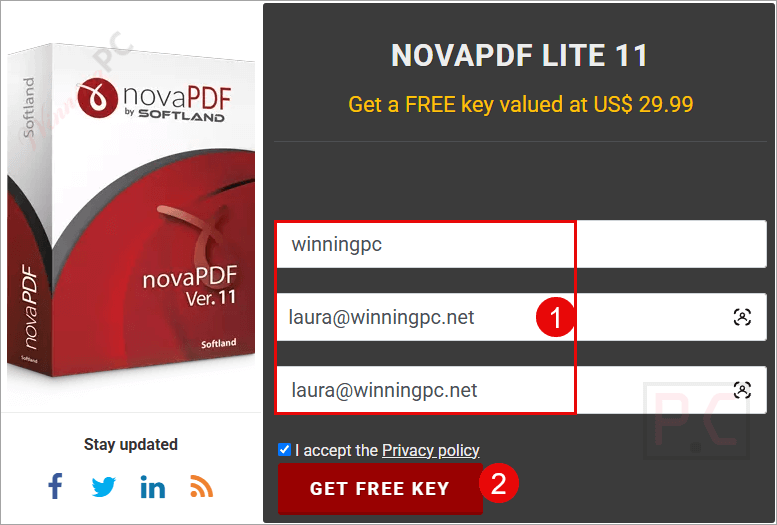
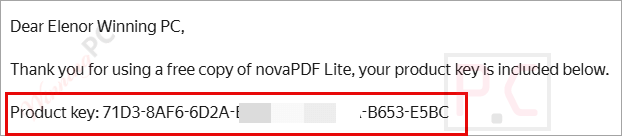
You will get your license via email.
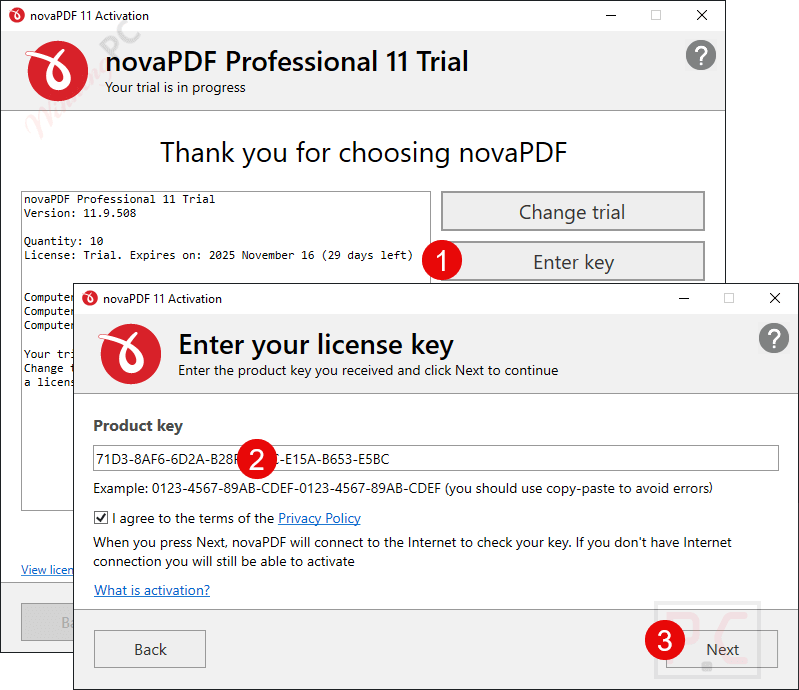
Download the installer by using the above download link. Install it on your PC. Register it with the license code that you get from the giveaway page.
Got it!
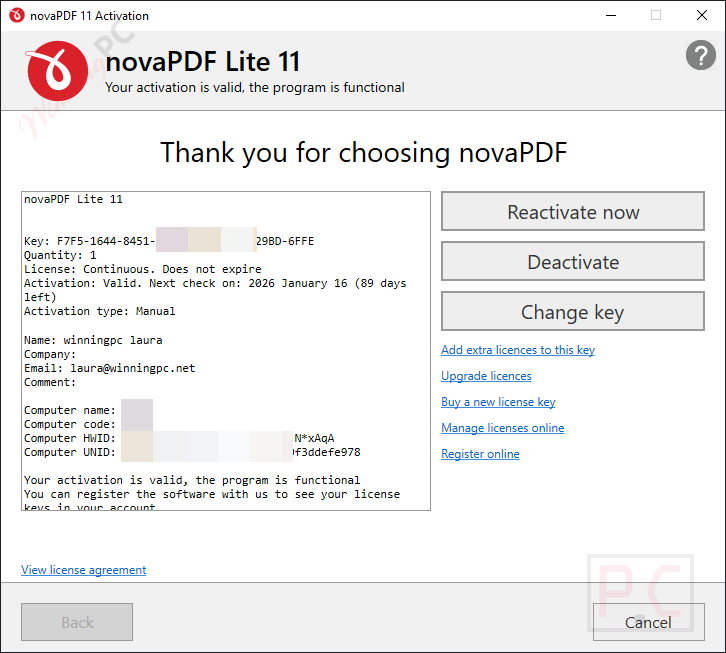
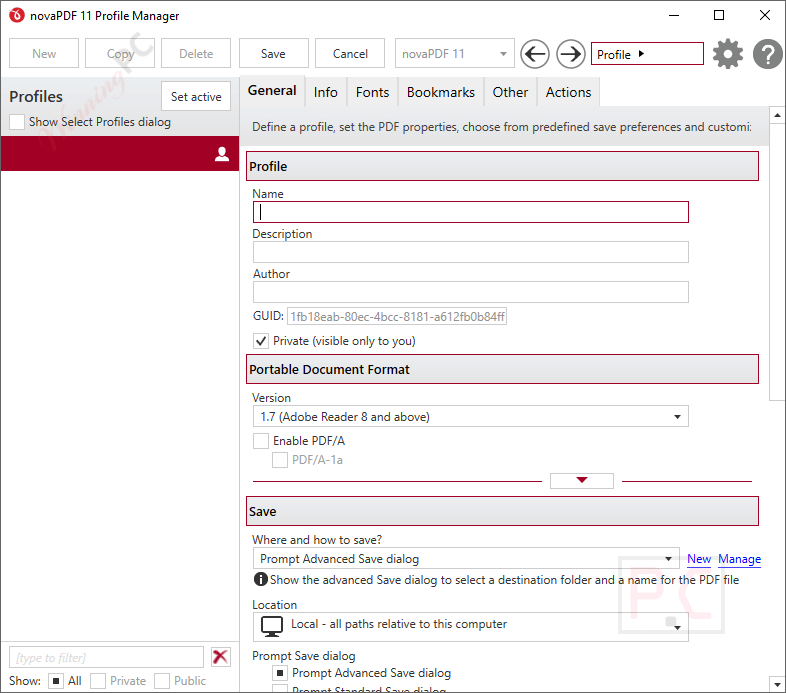
novaPDF Lite screenshot:
Main Features
- Convert any printable file, such as Word, Excel, PowerPoint, HTML, or text documents, into PDF format using the standard print dialog. Just hit Print and choose novaPDF as your printer.
- Enjoy one-click PDF creation from Word, Excel, PowerPoint, Publisher, Visio, and Outlook. It also preserves hidden hyperlinks and easily converts bookmarks during export.
- Automatically turns visible URLs and email addresses into active hyperlinks in your PDFs.
- Supports TrueType, OpenType, and Type1 fonts to ensure your PDFs look the same on any device, no font substitutions or layout issues.
- Combine multiple documents or append pages to a single PDF, ideal for reports or multi-section projects.
- Detects document headings and creates structured bookmarks for easy navigation in large PDFs.
- Create PDF files compliant with PDF/A standards (1a/b, 2a/b/u, 3a/b/u), suitable for long-term archiving.
- Enables faster online viewing; PDFs can load page-by-page in browsers instead of waiting for a full download.
- Save custom printing profiles with your preferred settings. Choose private profiles for personal use or public ones for shared setups across multiple computers.
- Set up more than one virtual PDF printer; each can have its own printing queue and configurations for different tasks.
- Easily manage your novaPDF printer licenses across multiple users or computers, ideal for network environments.
- Keep track of printing activity in real time and store logs for all PDF creation tasks.
- Include document details like title, author, keywords, and even custom copyright information in your PDFs.
- Automatically open the created PDF, or run a specific application once the file is saved—whatever fits your workflow.
Technical Details
| Language Support | English, Français, Italian, Spanish, Swedish, German, Japanese, Chinese, and more… |
| Money Back Guarantee | 30-Days |
| Operating System | Windows |
| Shipping | Full version license code will be sent to you within minutes |
| Subscription | Lifetime |
| Support Services | Email, Phone, Tickets |





Office add-in is buggy. My Word 2016 crashed with it and the next start Word asked to disable this add-in. The tray application also crashed when I select Profile Manager. It modified Windows Firewall setting and even install Google Analytics into my computer and runs with Task Schedule. I consider this as adware. Softland is no longer the Softland of doPDF7 I used to use. Bad company. Poor quality product.
Pros: Outside of Office, the pdf printer works.
Cons: Buggy. Crashy. Telemetry included Google Analytics runs with Task Schedule.