Laura Marano

When you’re looking for a fast, versatile, and efficient YouTube Music to MP3 converter, Ondesoft YouTube Music Converter is the tool for you. Ondesoft YouTube Music Converter is different from other YouTube Music to MP3 converters in the market. There’s no need to copy and paste YouTube video URLs, it allows you to download any songs, playlists, and albums from YouTube Music to your PC, complete with accurate metadata. Designed specifically for Windows PC or Mac computer, this tool can help you convert YouTube Music into various audio formats such as MP3, AAC, M4A, FLAC, WAC, and AIFF.
Ondesoft YouTube Music Converter also supports batch downloading music videos to audio formats at up to 10X speed as well as preserving 100% original sound quality from YouTube Music. It’s not surprising that this YouTube Music converter tool can download YouTube Music songs with ID3 Tags. That means it will automatically detect and retain ID3 tags and meta info, including song title, release date, track number, artist, cover art, genre, and so on. Well, after downloading YouTube Music tracks, you don’t have to update any meta information manually.
Top YouTube Music Converter Software Coupon Code



StreamFab YouTube Downloader Pro - Lifetime
50% Off coupon code, regular price $99.99, discounted price $59.99
StreamFab YouTube Downloader Pro for Mac - Lifetime
50% Off coupon code, regular price $99.99, discounted price $59.99



Ondesoft YouTube Music Converter License Key Free
- Product name: Ondesoft YouTube Music Converter v1.2.4
- Website: https://www.ondesoft.com/
- License type: 1-year
- Platform: Windows, macOS
- Download: od_youtubeconverter.exe od_youtubeconverter.dmg
- Giveaway link: Ondesoft YouTube Music Converter giveaway – last updated: May 30, 2024
How to get the license key?
To obtain your free license code, type your email address on the Ondesoft YouTube Music Converter giveaway page and click the “GET LICENSE” button.
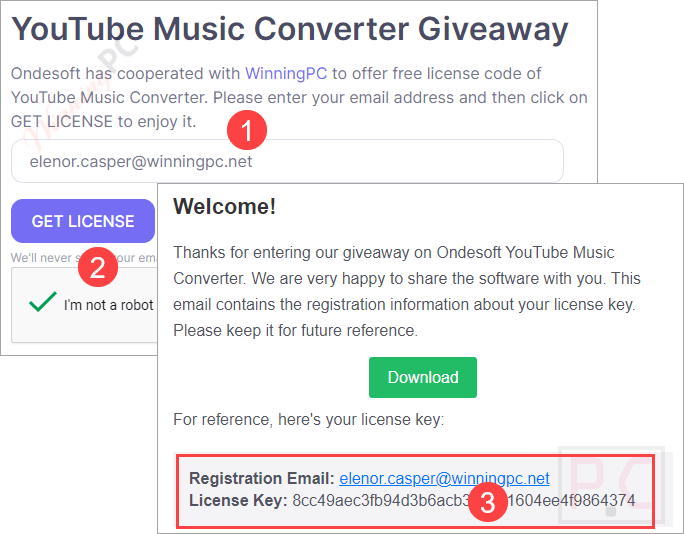
Install the software on your Mac or PC after downloading it. To activate it, please click the key symbol in the upper right corner and then copy and paste the registration code:
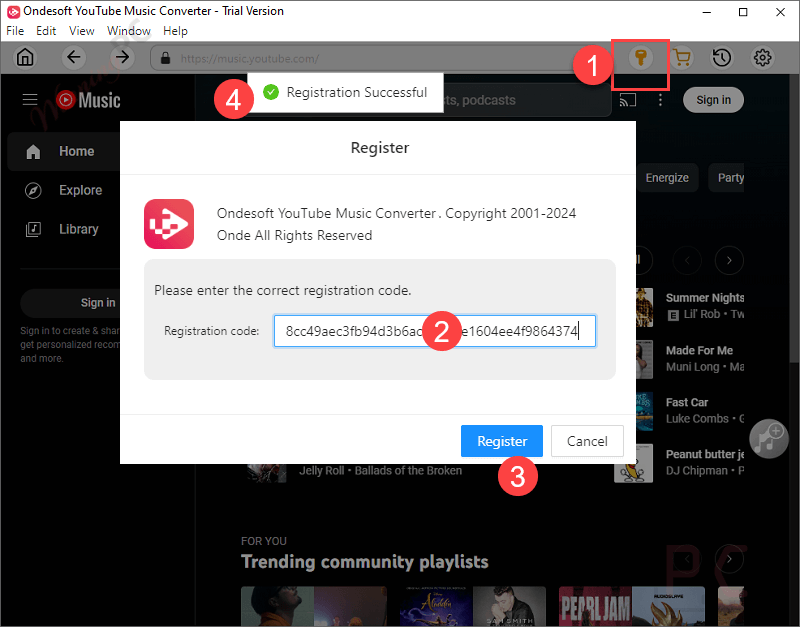
You can use this tool to download YouTube Music for free for 1 year since the activation of the license key:

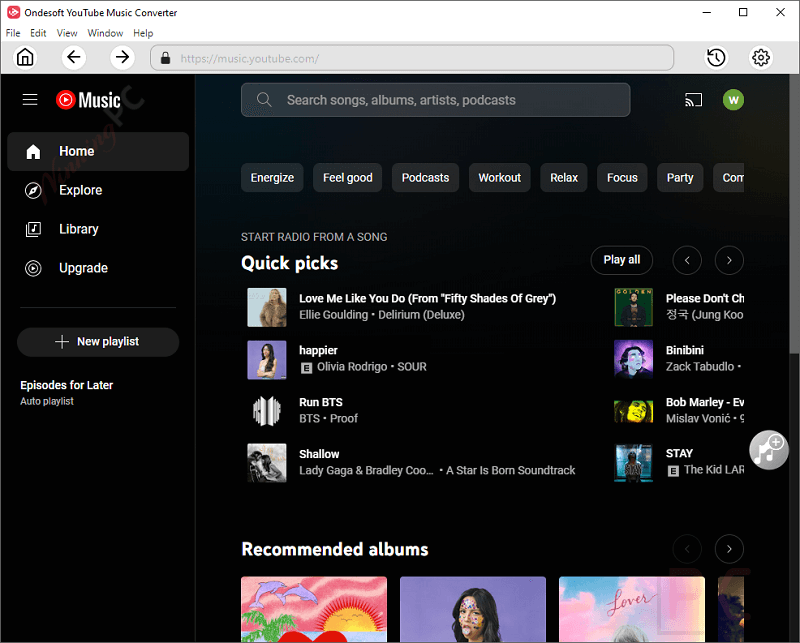
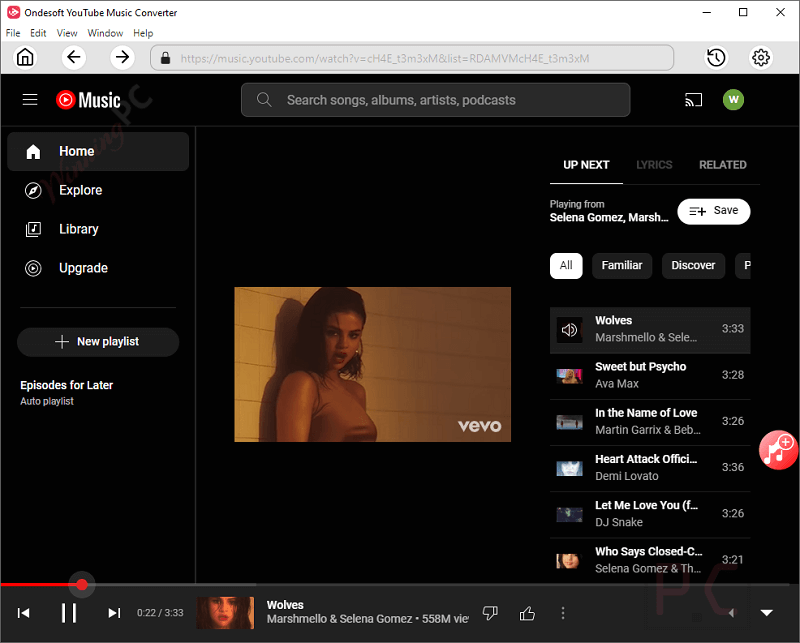
Ondesoft YouTube Music Converter Main Screenshot:
Settings

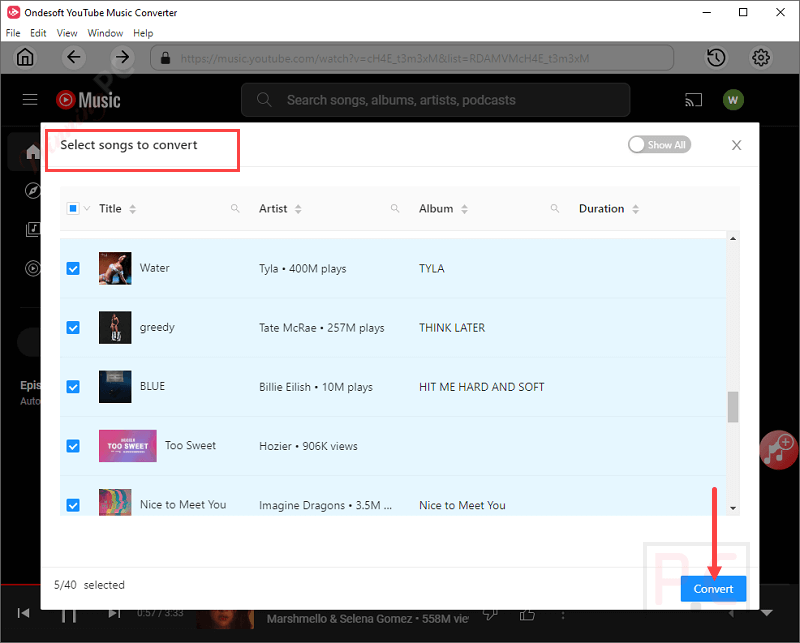
Select songs to convert
Converting

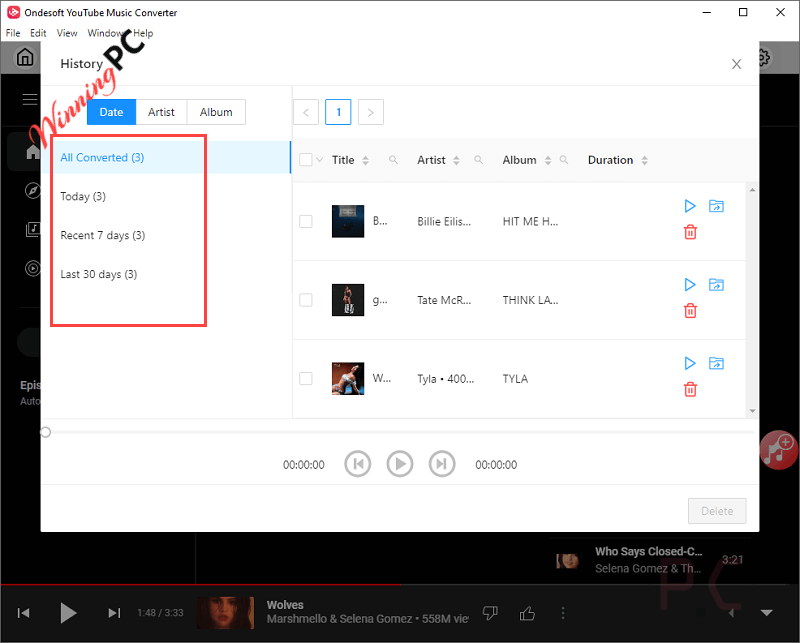
History
Main Features
- Wide Range of Supported Formats: The Ondesoft YouTube Music Converter is designed to help you convert YouTube Music to multiple audio formats, including MP3, AAC, FLAC, M4A, WAV, and AIFF. This function ensures you can enjoy songs from YouTube Music in a wide variety of devices such as iPods, MP3 players, iTunes, Windows Media Player, VLC, etc.
- High-Quality Audio Conversion: This tool has the ability to maintain 100% original audio quality during conversion. This tool ensures the output audio still retains the high fidelity of the original tracks from YouTube Music whether you are converting to MP3, AAC, FLAC, or WAV.
- Preservation of ID3 Tags: It also provides a function to automatically identify and keep ID3 tags including song title, artist, album, release date, and genre. After downloading YouTube Music tracks, you don’t have to update any meta information manually, this feature helps keep your music library organized and allows for easy searching and sorting of your music files.
- Batch Conversion at High Speed: With the leading technology, Ondesoft YouTube Music Converter supports converting YouTube Music in batches. You are allowed to download multiple songs, albums, or playlists from YouTube Music with one click. Moreover, this tool provides 10X faster conversion speed, which saves lots of time and effort.
- Built-In YouTube Music Web Player: You can browse and search for songs, albums, and playlists right within the application, thanks to the integrated online player. Additionally, you may preview tracks before downloading them so you can be sure you’ll get exactly what you want.
- No Need for YouTube Music Premium: You can download and convert songs using Ondesoft YouTube Music Converter without having to subscribe to YouTube Music Premium. It is available to users with free YouTube Music accounts thanks to this functionality.
- Customizable Output Settings: It sports a clean and intuitive layout that allows you to customize output quality, ranging from 128 kbps to 320 kbps for MP3 files. You are also allowed to organize output files by artist, album, or both, and rename tracks based on your need.
Frequently asked questions
Do I need to log in to my YouTube Music account to download songs?
Nope. Ondesoft YouTube Music Converter allows you to download songs, albums, and playlists without signing in to your YouTube Music account.
Can I download individual songs from YouTube Music?
Yes, with Ondesoft YouTube Music Converter, you can download any songs from any albums, mixes & playlists.
I have a YouTube Music free Plan. Can I use your software?
Yes, you can use the Ondesoft YouTube Music Converter to download songs with the YouTube Music Free Plan.
Is there a difference between the Windows and Mac versions?
Both versions offer the same features, tailored to their respective operating systems for optimal performance.
How do I get a free one-year license for Ondesoft YouTube Music Converter?
Visit WinningPC’s website and join the giveaway to receive a free one-year license key.
Technical Details
| Language Support | English, Français, Italian, Spanish, Swedish, and more… |
| Money Back Guarantee | 30-Day |
| Operating System | Windows 11/10/8.1/8/7 Mac OS X 10.11 to macOS 12 |
| Shipping | Register code will be sent to your email in minutes |
| Subscription | 1-Month, 1-Year, Lifetime |
| Support Services |