

O&O DiskImage 21 Premium Giveaway
O&O DiskImage Premium 21
Quickly and conveniently create a data backup of the entire computer, your hard disks and partitions.
- Product
- O&O DiskImage Premium 21
- Product website
- oo-software.com
- License
- Lifetime
- Platform
- Windows 10, 11 (64-bit)
- Usage
- Non-commercial only
- Updates
- No future upgrades
- Support
- No support
- Updated
- 2026-08-12
Continue on winningpc.com
Share to reveal the installer and the official giveaway page.
The limited-time giveaway!
The free license is no longer available.
How to get the license key?
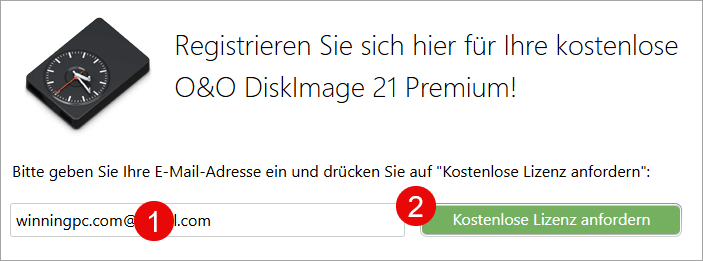
- Open the O&O DiskImage Premium giveaway page and enter your email; click the “Request a free license” button.
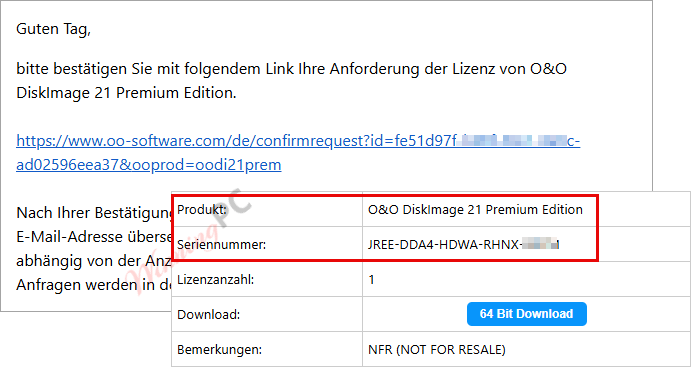
- Check your mailbox for the confirmation email, then you will receive a new email with the O&O DiskImage Premium serial number for free.
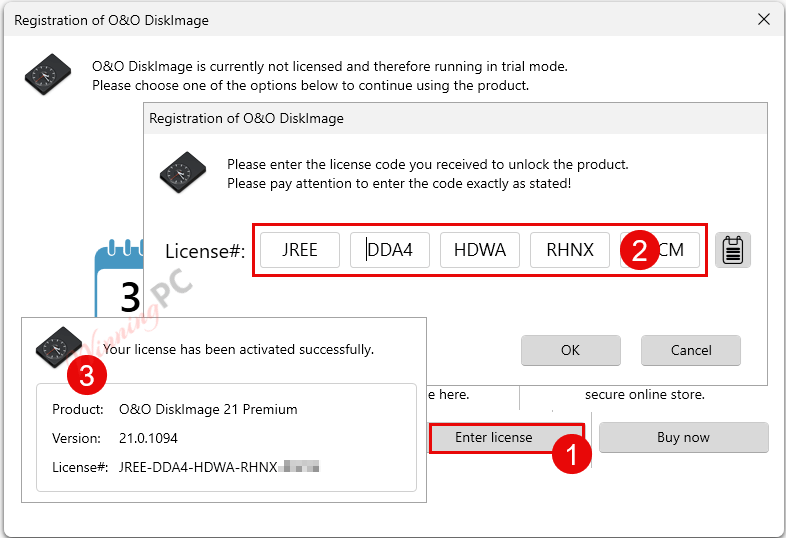
- Install O&O DiskImage Premium (you should use English version on our website), then activate it.
- Enjoy!
O&O DiskImage Premium 22 Coupons & Pricing
O&O DiskImage Premium 22
2 plans · best save 20%
For 1 PC ★ Best Deal
Full version with no time-limit, electronic delivery
You may also like

O&O PowerPack (Bundle)
Full version with no time-limit, electronic delivery. This pack contains O&O Defrag Pro, O&O DiskImage Premium, O&O SafeErase Pro and O&O AutoBackup Pro
Hands-on with O&O DiskImage Premium
O&O DiskImage Premium lets you carry out a system restore and duplicate or clone an entire PC or hard drive. You can even restore this backup onto a computer whose hardware is different from the original machine, for instance, where you have changed a motherboard on the target machine or have bought a brand new PC and want to restore an old backup onto it.
Key features
- Full disk and partition imaging: bit-by-bit images of entire drives, including MBR and partition tables.
- Incremental and differential backups: saves only changes since the last backup, keeping storage use manageable.
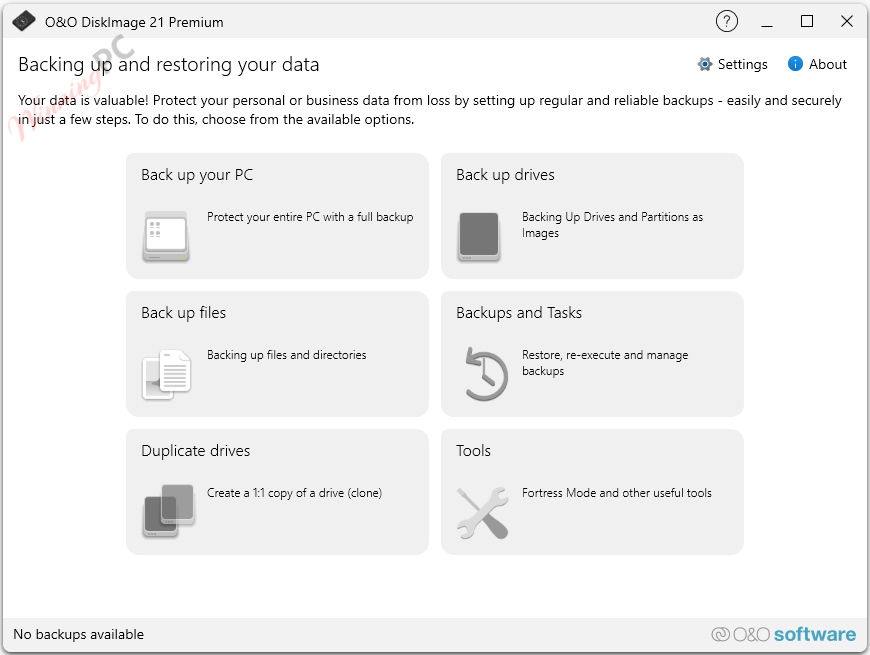
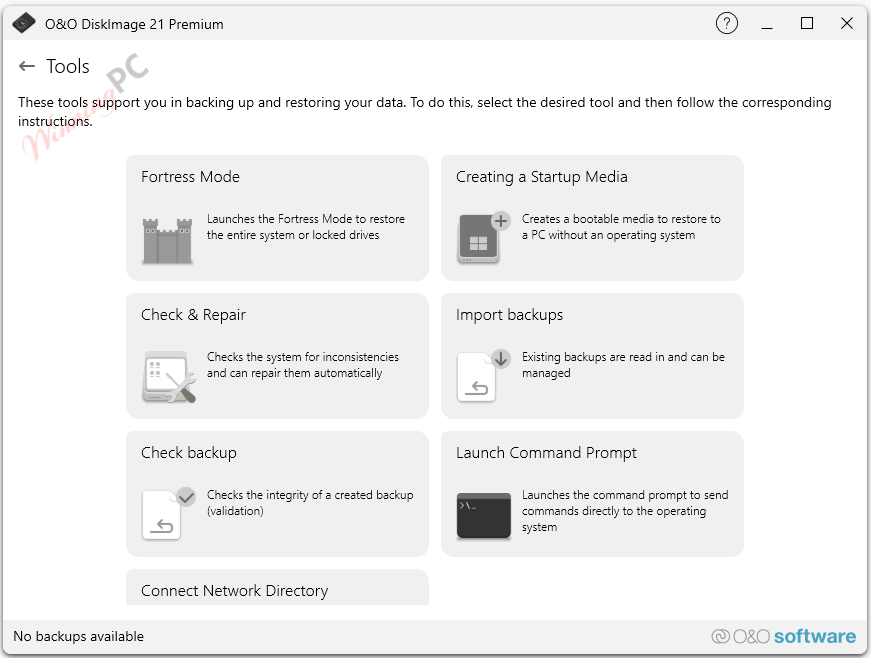
- Fortress Mode: runs the backup in a secured, isolated Windows environment to prevent interference from other applications.
- Machine-Independent Restoration (M.I.R.): restores to different hardware with automatic driver detection.
- VHD/VHDX support: create, mount, merge, and convert virtual disk images; boot a system image as a virtual machine (P2V).
- AES 128/256-bit encryption: password-protected backup files with integrity checksums.
- Bootable Windows PE rescue environment: restores your system even when Windows won’t start.
more screenshots
System Requirements & Details
Requirements & supported formats
| Field | Value |
|---|---|
| Operating system | Windows 10 (64-bit), Windows 11 (64-bit) |
| RAM | Minimum 4 GB (8 GB or more recommended) |
| Disk space | At least 500 MB free for installation |
| Internet connection | Required for activation and Windows PE recovery environment |
| Other | GPT disks, UEFI systems, NVMe drives, SSD supported |



I downloaded and installed this app, and was able to register it. It appeared promising. But since I didn’t have time to perform a backup at that very moment, I closed the app. Unfortunately, I was never able to get it to load again afterwards: it got stuck on the initial picture that says the app is loading. I uninstalled it.
Download link repeatedly fails.
Secure Connection Failed
An error occurred during a connection to dl5.oo-software.com. PR_CONNECT_RESET_ERROR
Error code: PR_CONNECT_RESET_ERROR
The page you are trying to view cannot be shown because the authenticity of the received data could not be verified.
I thought I would give this app another try. I have 2 drives, my C: drive and my D: backup drive and O&O wants to back up both drives to my C: drive, deleting the C: drive from Target Folders and trying to backup to D:, it says I don’t have enough space. What gives… I have lots of room on D: when the diskimage is compressed.
I´m addicted to O&O DiskImage for decades, in fact I have almost all version got it from giveaways and even from promotions when offered at $10 !! Keeping the versions 7/ 9/ 10/ 11x/ 12/ 14/ 15/ 16/ 17/ 19/ and 21x now. Aways comparing with other softwares also making backup thru network to check the stability / velocity and confiability of backup image created and restored.
I don´t know why but from version 21.0.1094 and 21.1.184 the .ISO created além of have more than 1GB against 550mb from version 19 brings only a Windows 10/11 restoration environment like the recovety boot from F10 key, to me sadly I see no use for these version.
Myself, I have tried out most of the backup software. They are all good and reliable and I have nothing bad to say about them.
Drive Snapshot64, ATI 2021, R-Drive Image, Image for Windows. You named it, I have tried and used it.
O&O Diskimage 19 is an excellent backup software. It is a lot faster than version 17.