

O&O DiskImage 21 Premium Giveaway
O&O DiskImage Premium 21
Quickly and conveniently create a data backup of the entire computer, your hard disks and partitions.
- Product
- O&O DiskImage Premium 21
- Product website
- oo-software.com
- License
- Lifetime
- Platform
- Windows 10, 11 (64-bit)
- Usage
- Non-commercial only
- Updates
- No future upgrades
- Support
- No support
- Updated
- 2026-08-12
Continue on winningpc.com
Share to reveal the installer and the official giveaway page.
The limited-time giveaway!
The free license is no longer available.
How to get the license key?
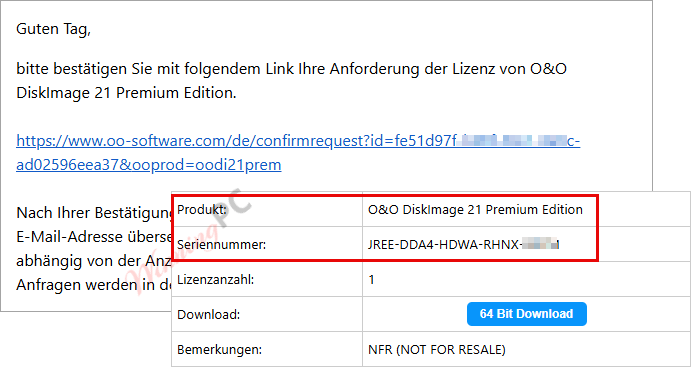
- Open the O&O DiskImage Premium giveaway page and enter your email; click the “Request a free license” button.
- Check your mailbox for the confirmation email, then you will receive a new email with the O&O DiskImage Premium serial number for free.
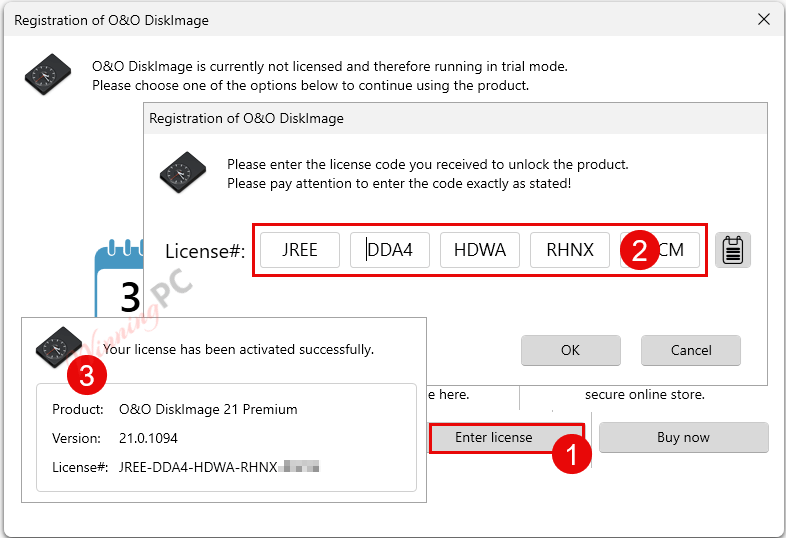
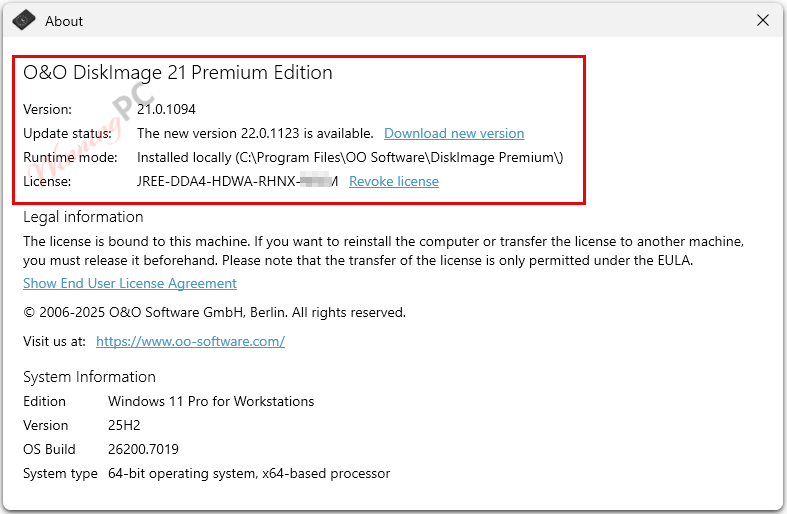
- Install O&O DiskImage Premium (you should use English version on our website), then activate it.
- Enjoy!

O&O DiskImage Premium 22 Coupons & Pricing
O&O DiskImage Premium 22
2 plans · best save 20%
For 1 PC ★ Best Deal
Full version with no time-limit, electronic delivery
You may also like

O&O PowerPack (Bundle)
Full version with no time-limit, electronic delivery. This pack contains O&O Defrag Pro, O&O DiskImage Premium, O&O SafeErase Pro and O&O AutoBackup Pro
Hands-on with O&O DiskImage Premium
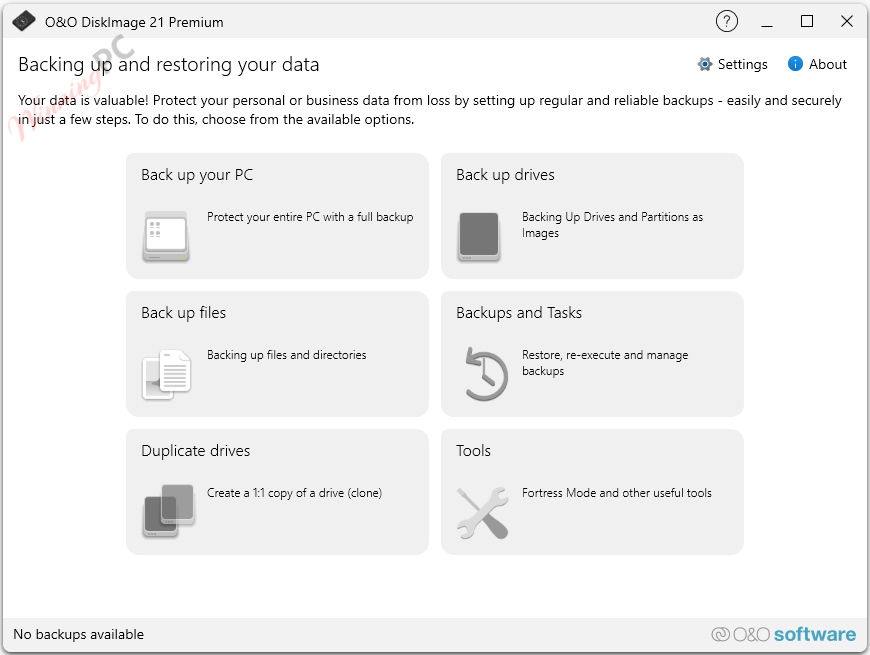
O&O DiskImage Premium lets you carry out a system restore and duplicate or clone an entire PC or hard drive. You can even restore this backup onto a computer whose hardware is different from the original machine, for instance, where you have changed a motherboard on the target machine or have bought a brand new PC and want to restore an old backup onto it.
Key features
- Full disk and partition imaging: bit-by-bit images of entire drives, including MBR and partition tables.
- Incremental and differential backups: saves only changes since the last backup, keeping storage use manageable.
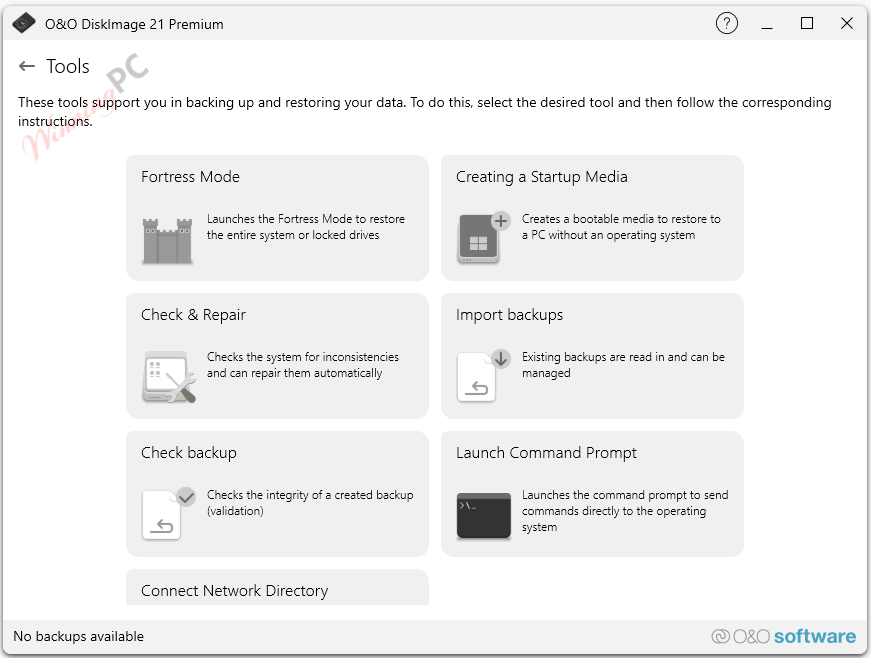
- Fortress Mode: runs the backup in a secured, isolated Windows environment to prevent interference from other applications.
- Machine-Independent Restoration (M.I.R.): restores to different hardware with automatic driver detection.
- VHD/VHDX support: create, mount, merge, and convert virtual disk images; boot a system image as a virtual machine (P2V).
- AES 128/256-bit encryption: password-protected backup files with integrity checksums.
- Bootable Windows PE rescue environment: restores your system even when Windows won’t start.
more screenshots
System Requirements & Details
Requirements & supported formats
| Field | Value |
|---|---|
| Operating system | Windows 10 (64-bit), Windows 11 (64-bit) |
| RAM | Minimum 4 GB (8 GB or more recommended) |
| Disk space | At least 500 MB free for installation |
| Internet connection | Required for activation and Windows PE recovery environment |
| Other | GPT disks, UEFI systems, NVMe drives, SSD supported |



Myself, I have tried out most of the backup software. They are all good and reliable and I have nothing bad to say about them.
Drive Snapshot, ATI 2021, R-Drive Image, Image for Windows. You named it, I have tried and used it.
O&O Diskimage 19 is an excellent backup software. It is a lot faster than version 17.
Is there any difference between versions 19 and 21 other than cloud storage, nas storage and protection against virus and malware?
Faster backup or restoration maybe?
The average user just needs to backup Windows to an external disk.
Just my 2 cents worth.
I find the the rescue disk not to my liking. First off, you have to click to agree to their conditions.Next up, you need to choose the option.
It is much easier for me to create my own MSDOS rescue disk.
This version 19 is OLD.
The current new version is 21.
If you are good and search properly, like I am, you will find this new version 21 elsewhere.
Good luck.
Thanks for the information! You’re right — the latest version is 21. However, this giveaway is for version 19, as there’s currently no official giveaway for version 21.
Also, please be cautious when downloading software from unofficial sources, as cracked versions may pose security risks. Stay safe!
The winpe bootable environment did not boot completely on my win10 laptop. So do a test build of the bootable winpe under your configuration before relying upon this for disaster recovery as it may be less than useless in the case of an unbootable system drive and you need to recover an image to a new system drive.