On this page
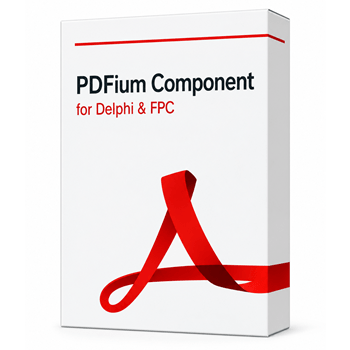
PDFium Delphi Component Coupons & Pricing
PDFium Component Single License
One developer. Full Object Pascal source, 1 year of updates and email support, royalty-free deployment. Works with Delphi, C++Builder and Lazarus.
PDFium Component Small Business License
Up to 5 developers in one company. Full source code plus static XFA to AcroForm conversion and Tesseract-based searchable OCR, with 1 year of updates.
PDFium Component Enterprise License
Every developer in one company, no headcount cap. Full source, every Enterprise feature, priority email support and internal test-suite source on request.
How to Use the PDFium Coupon Code
Pick your edition first and open losLab’s PDFium Delphi Component buy page.
Paste the discount code into the coupon field and check that the total drops by 15%
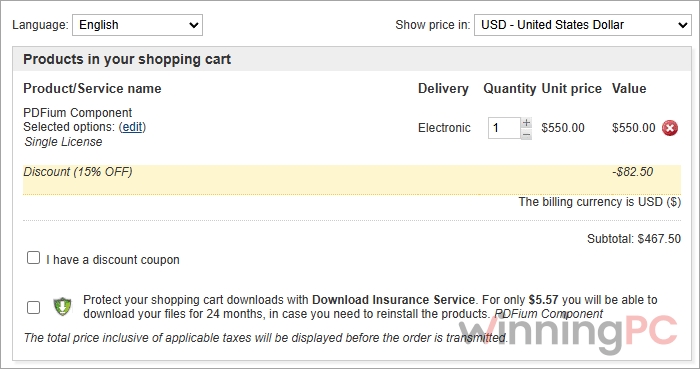
Pay by card, PayPal, wire transfer or AliPay where offered. First-time orders get the download link right after payment.
PDFium Delphi Component Review & Features
PDFium Delphi Component‘s real value is the work PDFium can’t do alone: writing signatures and AES-256 encryption, checking PDF/A and PDF/UA conformance, and saving incremental revisions. Free wrappers render just as well, then stop at viewing. Large-file handling is the other standout. In losLab’s own tests, PDFs over 2 GB were usable before the whole file finished loading. The limits are real, though. Delphi and C++Builder builds are Windows-only, so Linux and macOS mean Lazarus. OCR, long-term signatures, redaction and PDF/X sit in the higher tiers, and the built-in validators don’t replace a dedicated certification engine.
Key features
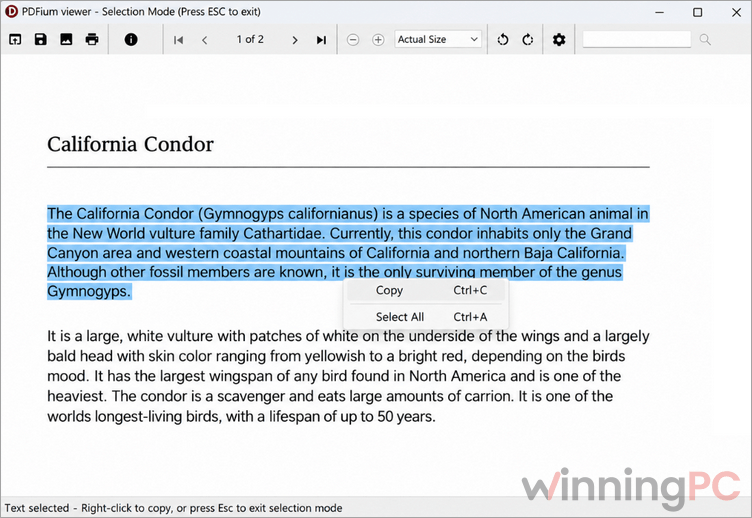
- Drop-in viewer controls. TPdfView and TPdfThumbnailView give your app search, text selection, form filling, link handling and a thumbnail panel without shipping an external PDF reader.
- On-demand loading for huge files. Open and edit PDFs from disk, memory, custom streams or remote sources with byte-range requests, so multi-gigabyte documents don’t need to fit in RAM.
- Signing and encryption in native Pascal. PAdES B-B and B-T signatures on every tier (B-LT, B-LTA and HSM signing in Enterprise), plus PDF 2.0 AES-256 encryption with no extra C crypto library.
- Data you can reuse. Structured text extraction, table detection exported to CSV or JSON, and semantic reflow that turns fixed pages into clean HTML.
- Standards checks and saving. Validate and save PDF/A and PDF/UA; Enterprise adds PDF/X, PDF/E, PDF/VT and PDF/R.
What we think
Which PDFium Plan Should You Buy?
| License | Developers | Price discount | What the tier adds | Best for |
|---|---|---|---|---|
| Single | 1 | $467.50 | Full core set: viewing, rendering, editing, forms, PAdES B-B/B-T, AES-256 encryption, base standards | Solo developers and small ISVs adding PDF features |
| Small Business | Up to 5, one company | $1,402.50 | Static XFA to AcroForm conversion, searchable OCR layer (Tesseract) | Small teams digitizing scanned paperwork |
| Enterprise | All developers, one company | $4,675 | PAdES B-LT/B-LTA, EU trust-list validation, HSM and remote signing, secure redaction, preflight and PDF/A remediation, PDF/X/E/VT/R, document comparison, priority support | Legal, finance, government and print-production software |
Frequently Asked Questions
Is PDFium Delphi Component a subscription?
No. It’s a one-time perpetual license for the version you buy. New licenses include a year of updates and email support.
Can I get a refund if it doesn’t work for me?
No. losLab treats sales as final because source code is delivered. Download the free demo package and test it against your own PDFs, especially the large or messy ones, before buying.
Do I owe royalties when I ship my application?
No. Deployment is royalty-free, with no per-document or per-end-user fees, and you can use it in unlimited applications within your licensed developer scope.
Can it sign PDFs with a USB token or hardware security module?
Only on the Enterprise tier, which adds PKCS#11 tokens, HSMs and remote signing services. Lower tiers sign with Windows CNG, macOS Keychain identities or OpenSSL private keys outside Windows.
How quickly do I get the download?
Immediately after payment for a first order. Renewal orders are checked manually, and updates usually arrive by email within two business days.
System Requirements & Details
| Field | Value |
|---|---|
| IDEs | Delphi XE5 to Delphi 13.1 Florence; C++Builder XE5 to C++Builder 13.1 Florence; Lazarus / Free Pascal (source edition only) |
| Operating systems / targets | Delphi & C++Builder: Windows Win32, Win64. Lazarus: Windows, Linux (Qt6), macOS (Cocoa) |
| Supported input formats | PDF (including encrypted PDFs) from disk, memory, byte arrays, custom seekable streams and remote sources; XFDF; FDF; images for image-to-PDF creation |
| Supported output formats | PDF (incl. PDF/A, PDF/UA; PDF/X, PDF/E, PDF/VT, PDF/R in Enterprise; linearized Fast Web View; AES-256 encrypted); page images (JPG export demo); HTML (semantic reflow); CSV and JSON (tables); TXT and JSON (content extraction); XFDF; FDF |
| Preflight report formats (Enterprise) | TXT, HTML, Markdown, JSON, CSV, SARIF 2.1.0, JUnit XML, NDJSON |
| Other requirements | Matching PDFium runtime libraries; optional V8/XFA runtime, Tesseract (OCR), LittleCMS (ICC color) and barcode providers; platform signing providers or configured keys for signing |