Power-user Premium Giveaway: 1 Year License

Power-user add-in Premium is a smart tool that provides you with a huge number of templates, icons, charts, maps, and diagrams, accompanied by a variety of styles, to help you unleash your creativity and save time and effort when making slides for PowerPoint presentations or Excel spreadsheets. Besides, this Office add-in comes with advanced tools to automate the update of presentations from Excel data, to find and fix inconsistencies, or to structure a presentation with a table of contents.

Official Giveaway

Power-user Premium Giveaway

your smart tool to supercharge Microsoft 365

  • ProductPower-user v1.7.83
  • Websitepowerusersoftwares.com
  • License1-year
  • PlatformWindows
  • InstallerPower-user.exe
  • UpdatesFree upgrades for one year
  • SupportFree support for one year
  • UsageNon-commercial only
No spam 2-min delivery 13.6K+ claimed
Kutools for Word

Kutools for Word

20% coupon code: regular price $49.0, discounted price $39.20

−20%
ExtendOffice Kutools for Outlook

ExtendOffice Kutools for Outlook

20% coupon code: regular price $49.0, discounted price $39.20

−20%
Kutools for Excel

Kutools for Excel

20% Off coupon code: regular price $49.0, discounted price $39.20

−20%
ExtendOffice Office Tab

ExtendOffice Office Tab

20% Off coupon code: regular price $39.0, discounted price $31.20

−20%
ExtendOffice Office Tab Pro

ExtendOffice Office Tab Pro

20% discount code: regular price $49.0, discounted price $39.20. <em>Note: Office Tab Enterprise is now Office Tab Pro</em>

−20%

WinningPC has partnered with Power-user to give away a 1-year license for Power-user Premium for free. Please enter your email address on the giveaway form above to get your free license code.

Power-user plugin installation instructions –> Click here

Install the Power-user add-in on your computer, then launch Microsoft Office. In this instruction, I open the PowerPoint application. Open the “Power-user” tab, choose the “Insert License Key” button then enter your email address and the above Power-user add-in Premium license key:

register Power-user Premium
Power-user Premium Giveaway: 1 Year License 1

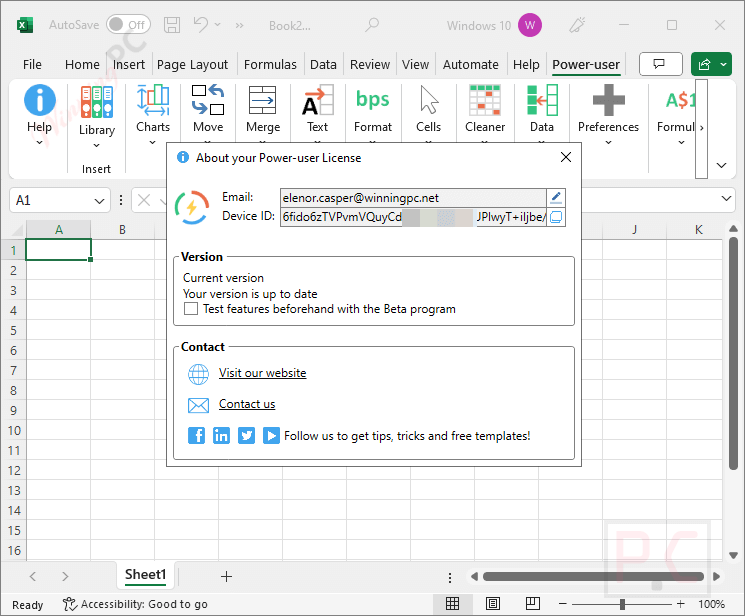
Now you can enjoy it for free:

about power user premium
Power-user Premium Giveaway: 1 Year License 2

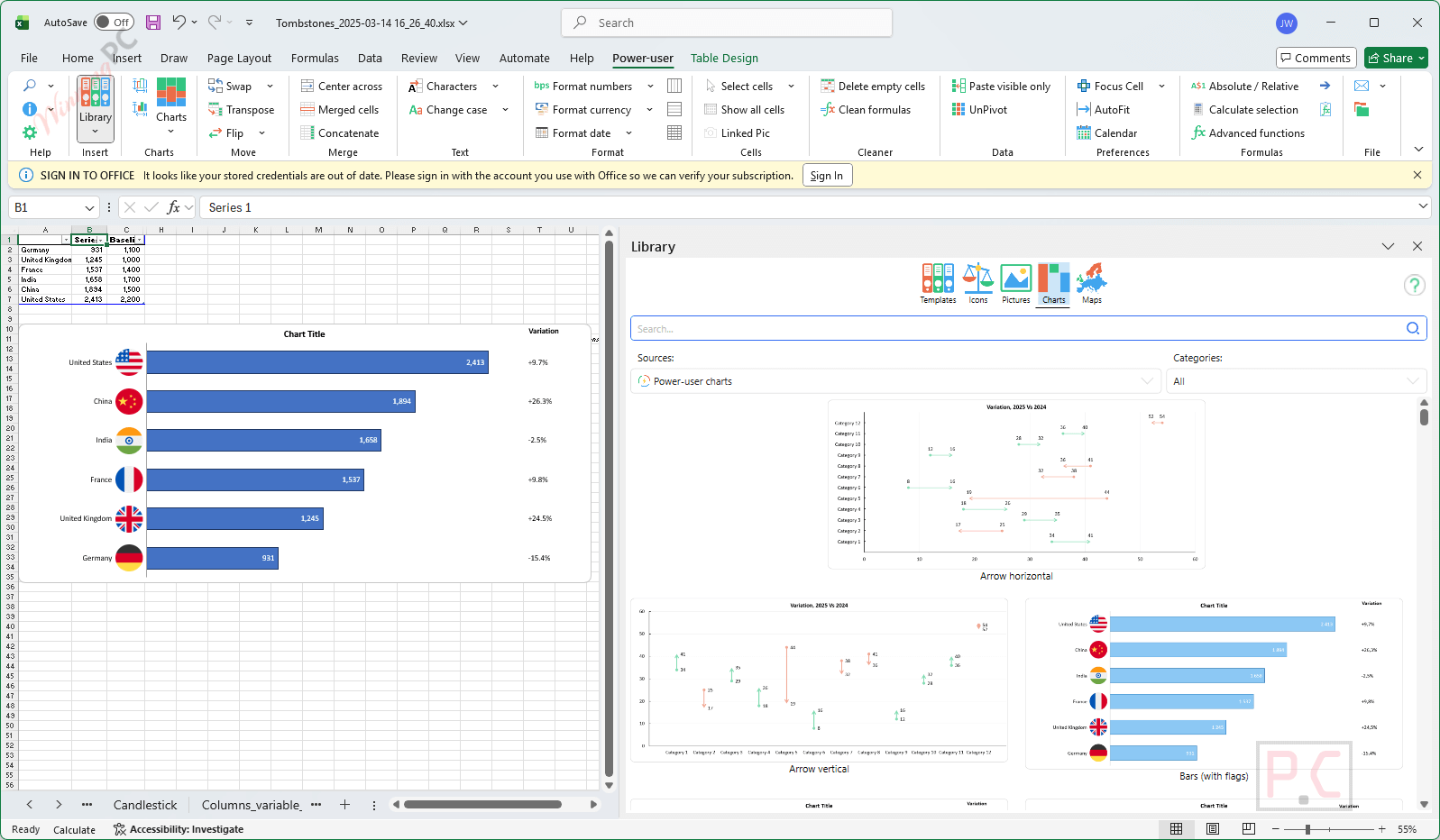
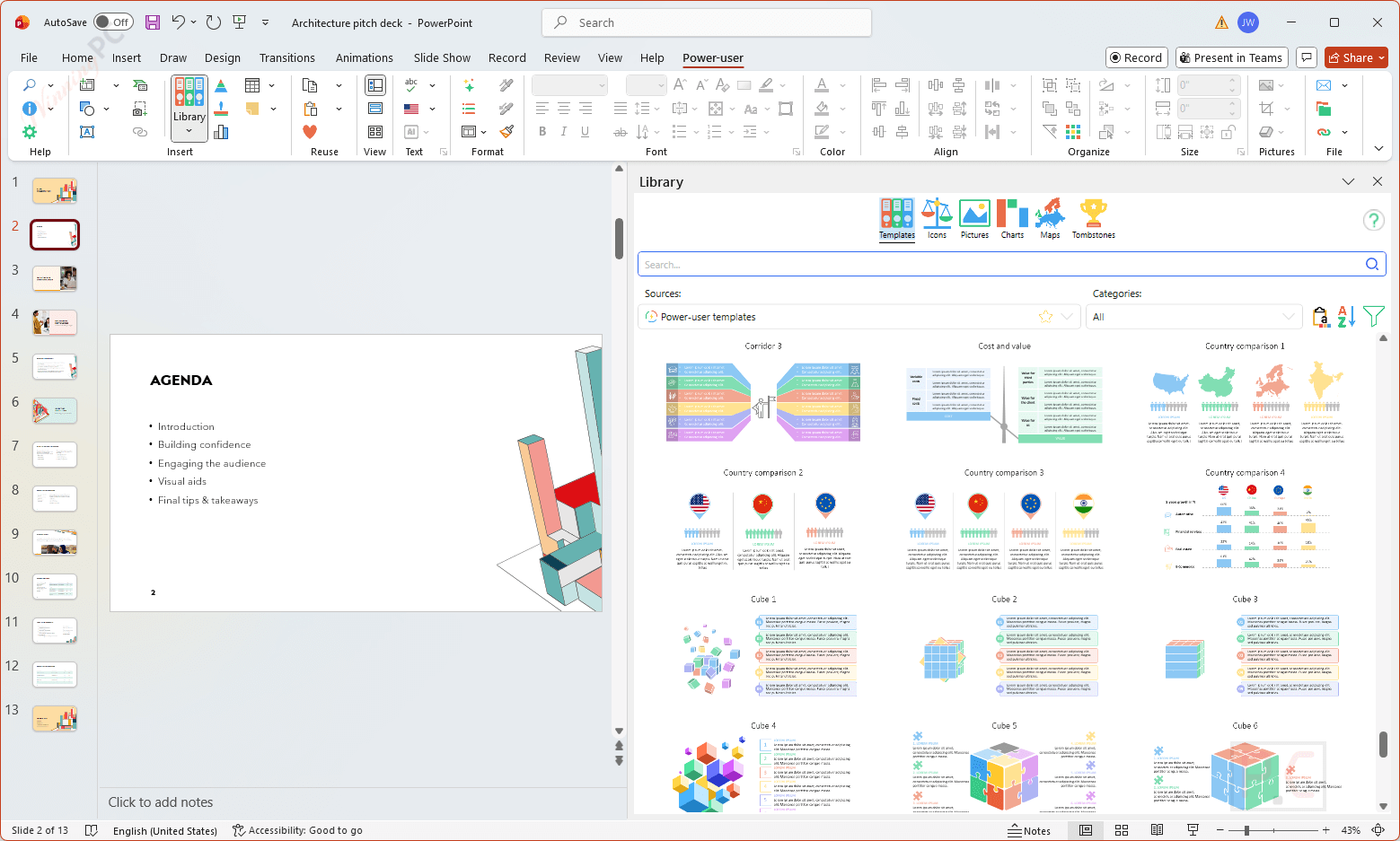
Power-user add-in screenshot:

Excel 

PowerPoint

Word

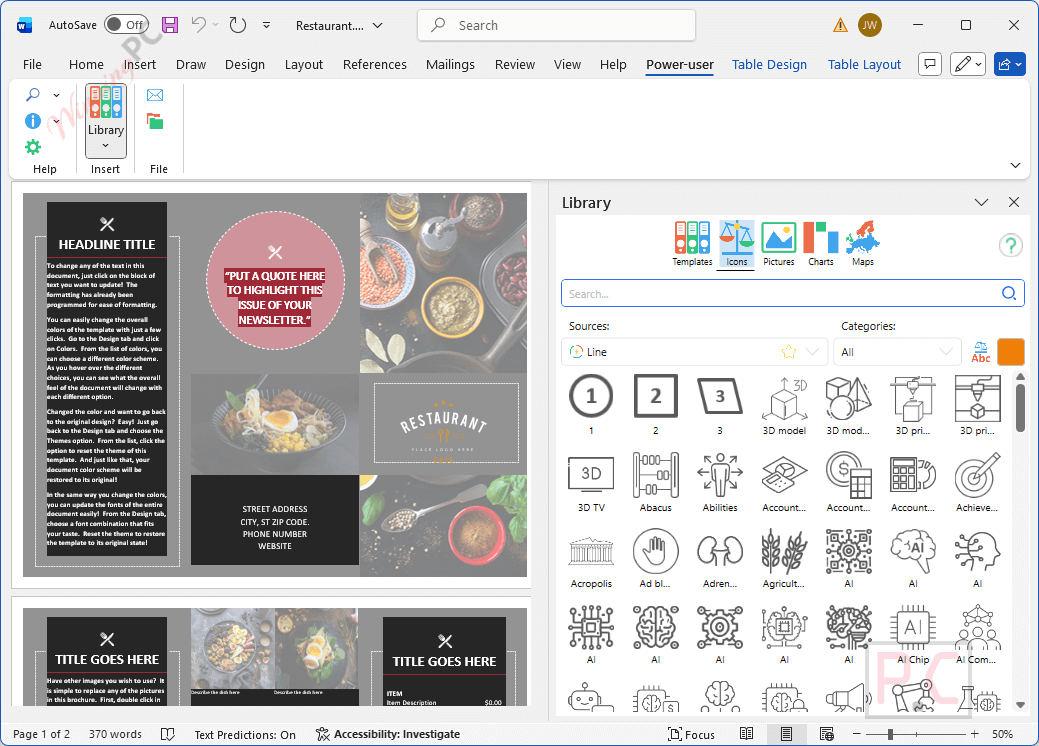
Library:

library power user premium powerpoint
Power-user Premium Giveaway: 1 Year License 3

Templates

templates power user premium powerpoint
Power-user Premium Giveaway: 1 Year License 4

Icons

icon power user premium powerpoint
Power-user Premium Giveaway: 1 Year License 5

Pictures

oline pictures power user premium powerpoint
Power-user Premium Giveaway: 1 Year License 6

Charts

charts power user premium powerpoint
Power-user Premium Giveaway: 1 Year License 7

Maps

maps power user premium powerpoint
Power-user Premium Giveaway: 1 Year License 8

Tombstones

tombstones power user premium powerpoint
Power-user Premium Giveaway: 1 Year License 9
layouts power user premium powerpoint
Power-user Premium Giveaway: 1 Year License 10

Move

move power user premium
Power-user Premium Giveaway: 1 Year License 11

Cleaner

cleaner power user premium
Power-user Premium Giveaway: 1 Year License 12

Format

format power user premium powerpoint
Power-user Premium Giveaway: 1 Year License 13

Align

align power user premium powerpoint
Power-user Premium Giveaway: 1 Year License 14

Organize

organize power user premium powerpoint
Power-user Premium Giveaway: 1 Year License 15
  • 1000 pre-designed slide templates for business, strategy, and marketing.
  • Access to 8000 + icons and flags to enhance visual storytelling.
  • Access more than 10 million pictures and logos to insert and use without any copyright issues.
  • Advanced charts like Waterfall, Gantt, Sankey, and more.
  • Excel-PowerPoint links to automate presentation updates.
  • An AI Assistant to correct, rephrase, or translate text in PowerPoint.
  • An alignment toolbar to work faster.
  • An Agenda Builder.
  • A Cleaner to find and fix formatting issues in the presentation.
  • 350 data maps to insert editable maps for countries, regions, and continents.
  • Dynamic diagrams.
  • The Tombstones feature automates the creation of credential slides showcasing deals, projects, or case studies.
  • Excel templates.
  • Copy-paste visible cells only.
  • Merged cells manager.
Language SupportEnglish, Français, Italian, Spanish, Swedish, German, Japanese, Chinese, and more…
Money Back Guarantee30-Day
Operating SystemWindows
ShippingInstant Delivery by Email
Subscription1-Months, 1-Year, Lifetime
Support ServicesTickets
8 Total Score
Very Good

Power-user add-in is an application designed to help you create stunning documents to impress clients and managers with your skills in PowerPoint, Excel & Word.

8Expert Score
Overall
8.6
Functionality
8.5
Ease-of-use
8.5
Customer Support
9
8.9User's score
Overall
9.7
Functionality
9.7
Ease-of-use
9.7
Customer Support
6.7
Add your review  |  Read reviews and comments
4/5 - (8 votes)

Affiliate Disclosure: Some links on WinningPC are affiliate links. If you purchase through them, we may earn a small commission at no extra cost to you. This helps support our site and keeps our content free.

Cathryn Lee
Cathryn Lee

Cathryn Lee is a Tech Writer at WinningPC with expertise in technical documentation and user-friendly content creation. She focuses on reviewing software for Windows, Mac, Android, and iOS, helping users make informed decisions with clear and helpful guides. With a background in technical writing and SEO, Cathryn ensures that her reviews are both accurate and easy to understand, providing value to readers of all experience levels. Her passion for technology drives her to test and recommend tools that truly enhance digital productivity, while also bringing exclusive deals to the WinningPC community.

17 Comments
Show all Most Helpful Highest Rating Lowest Rating Add your review
  1. 4.85
    Overall
    100
    Functionality
    100
    Ease-of-use
    100
    Customer Support
    90

    ITS WORKING GUYS. THANK YOU SO MUCH ❤️❤️❤️❤️❤️❤️❤️

    Helpful(1) Unhelpful(0)You have already voted this
  2. my computer is installation error found this software POWER USER..Please help

    • Hi,
      I’m sorry to hear you’re experiencing an installation error. Could you please provide more details about the error message you’re seeing?

  3. 3.75
    Overall
    100
    Functionality
    100
    Ease-of-use
    100
    Customer Support
    0

    It is really useable for any serious Microsoft Office user, a must have !

    + PROS: It works well , no lagging no crashing issue so far
    - CONS: No free tech support
    Helpful(0) Unhelpful(2)You have already voted this
  4. 5
    Overall
    100
    Functionality
    100
    Ease-of-use
    100
    Customer Support
    100

    Very impressive tool for PowerPoint

    + PROS: Tons of powerful features to work faster on Microsoft Office, especially PowerPoint
    - CONS: Please add more features to Word
    Helpful(1) Unhelpful(2)You have already voted this
  5. Hello! Can´t see the full Code, where can I find that to use it?
    Thank you!

1 2

Leave a reply

Your total score

WinningPC
Logo
Register New Account