

On this page
FRANZIS CutOut 10 Giveaway
FRANZIS CutOut
Cut out objects precisely for creative photo montages with Cutout 10 professional
- Product
- FRANZIS CutOut
- Product website
- projects-software.com
- License
- Lifetime
- Platform
- Windows 10/8.1/7
- Usage
- Non-commercial only
- Updates
- No future upgrades
- Support
- No support
- Updated
- 2026-09-07
Continue on reg.franzis.de
Share to reveal the official giveaway page, then register there to receive your license.
The limited-time giveaway!
The free license is no longer available.
Top Photo Background Remover Coupon Codes in Oct 2026


AI Photo Object Eraser
Lifetime License | No Subscription, No Renewal, No Hidden Fee

FliFlik KleanOut for Photo - Lifetime Plan
Free Updates During Subscription | 24/7 Technical Support
Wise ImageX (1 year subscription)
Free upgrade service and tech support
How to Get FRANZIS CutOut 10 License Key Free?
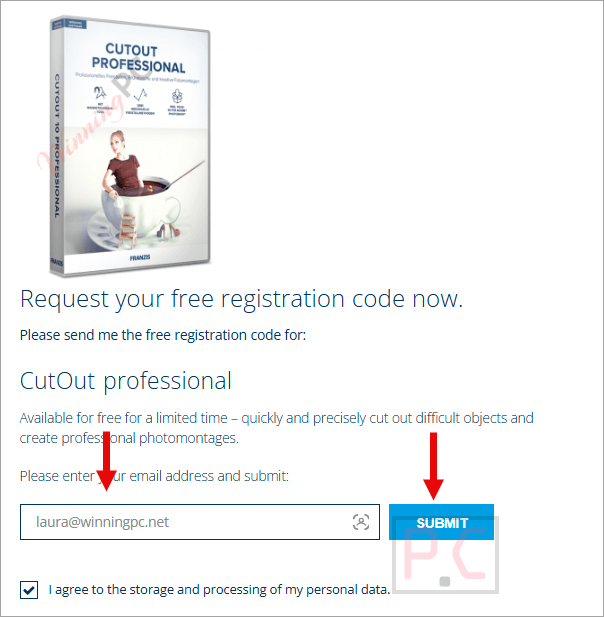
- Open the FRANZIS CutOut giveaway page and enter your email address to get your free license code.
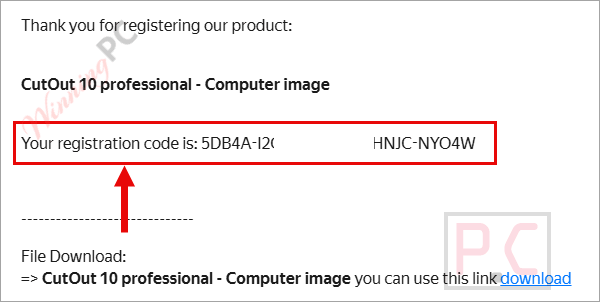
- Now check your inbox to receive a registration code.
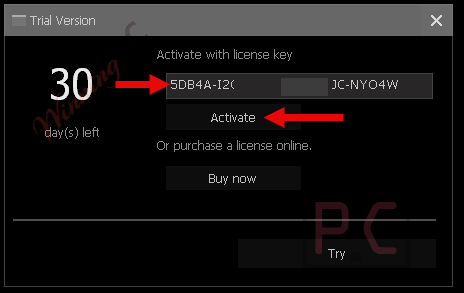
- Input your registration code during installation. Launch the software and enjoy this software for a lifetime free.
FRANZIS CutOut Review & Features
FRANZIS CutOut 10 Professional‘s main strength is giving you options. Most background removal tools hand you one algorithm and hope it works; CutOut gives you several specialized methods, and that depth matters when your subject is genuinely tricky: layered hair, fur, a wine glass, or anything where the background bleeds through the edges. The new neural network method (new in v10) is a genuinely useful addition – it can interpret edges as a realistic drawing rather than a hard cut, which suits creative compositing work. In practice, the redesigned matting toolbar is more organized than earlier versions, and the Photoshop plug-in works exactly as advertised for users already inside that ecosystem. One honest caveat: minimum and recommended specs are listed as identical (8 GB RAM, Intel i3), which signals this isn’t a lightweight tool – older or lower-spec machines may struggle.
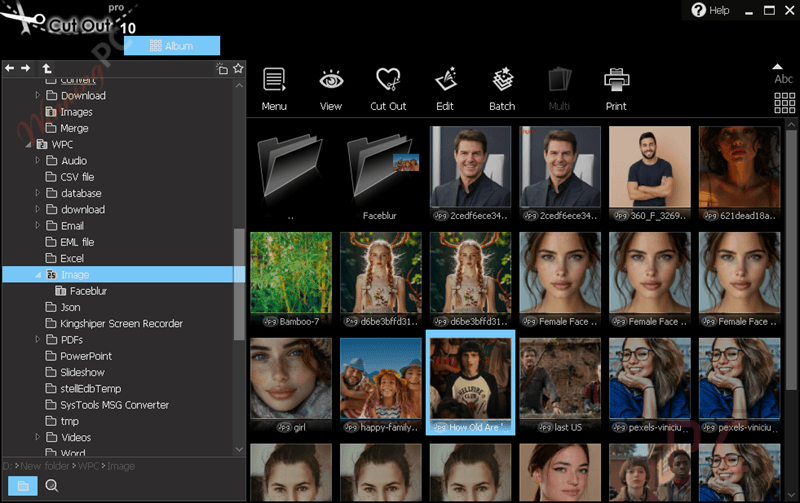
Key features
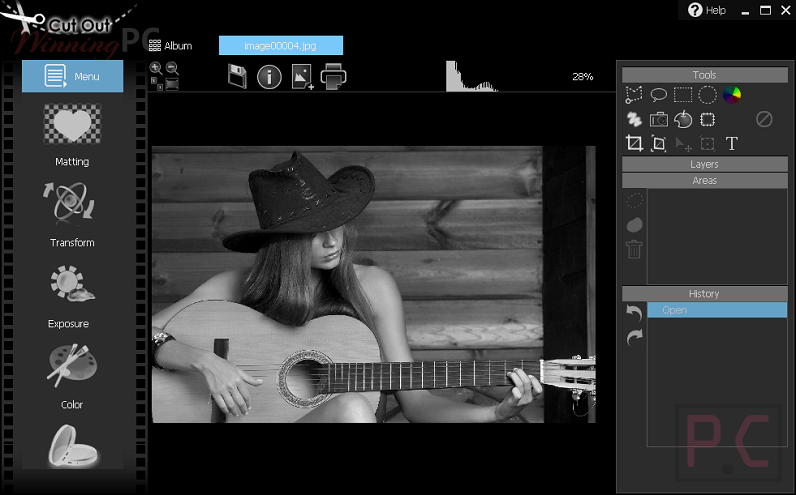
- Magnetic edge tool: traces object boundaries semi-automatically, reducing manual tracing time on defined edges.
- Neural network matting: new in v10; produces drawing-style edge rendering for creative photo collages.
- Multiple matting modes: inside/outside edge, curve adjustment for complex boundaries, and a shall-be-simple-edge tool for cleaner lines.
- Brightness assist in mask mode: temporarily brightens dark images so edges become visible during matting, without permanently altering the photo.
- Pro-exclusive post-processing: noise reduction, convex correction, and chromatic aberration removal to refine your cutout after matting.
- Integrated Adobe Photoshop plug-in: brings CutOut’s matting engine directly into Photoshop for users who prefer that workflow.
Key features
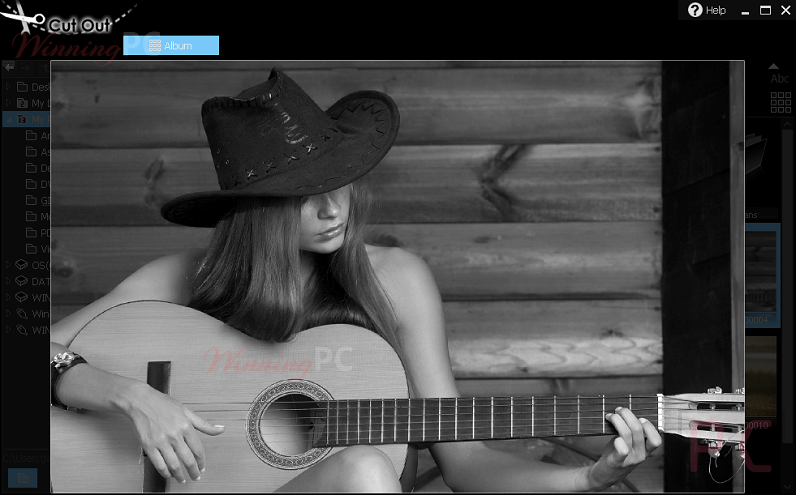

System Requirements & Details
| Operating system | Windows 10 / 8.1 / 7 |
| Processor | Intel i3 or comparable AMD processor |
| RAM | 8 GB (minimum and recommended are listed identically in the official specs) |
| Storage | Minimum 600 MB |
| Graphics | DirectX compatible, min. 1024×768 px resolution, 24-bit color depth |
| Other | Internet connection required for initial activation; CD/DVD-ROM drive listed for retail version |




It’s been almost an hour since I requested a license key and nothing in my inbox or spam folder.
Ihr Seriennummer lautet: QRBZQ-JSGLL-DZ23R-DIRJC-T4BR3
I will remove this license key after 3hrs.
Thanks… I can normally figure out how to use apps… but this one is on the weird side, I can open a jpg, but after that I don’t know what to do… I want to copy an object from one photo to another. My grand daughter wants me to be santa and pictures were going to be taken of the family with santa. What I want to try and do is to take a picture of me and paste it beside me as santa, 2 different me’s in one photo… I was experimenting with other photos and that’s where I got lost.
Oh well… such is life
Ihre persönliche Kundennummer (User-ID) lautet: 243029324
Will this app allow you to cut out an object from one picture and smoothly paste it into another picture?
Yes, this is the short description: “Create perfect photo montages with CutOut. In just a few clicks, objects will move from one photo to another. Everything will look completely realistic and as if your original motive was shot against the new background! Unleash your creativity and start creating new and fascinating photo imagery today.”
This is not CUT-OUT 7 but the older CUT-OUT 5
It’s CutOut 7 Standard edition. The installer is in German but the program language can be set during install to e.g. English.