
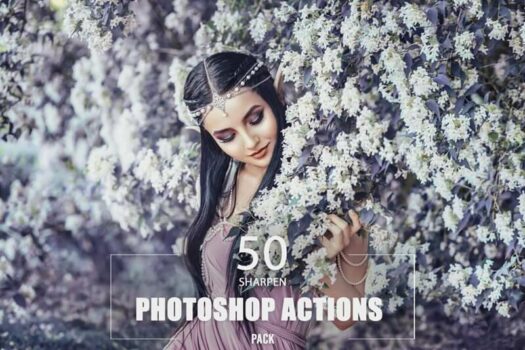
When it comes to sharpness, photography often requires fine-tuning to make images stand out. Sharpen Photoshop Actions by Eldamar Studio provides 50 powerful actions to help you enhance the clarity and detail of your images. This collection is suitable for a beginner, a seasoned photographer, a graphic designer, or a digital artist. With the batch processing feature and non-destructive editing of original images, it ensures a smooth and efficient workflow and achieves precise, high-definition results.

Sharpen Photoshop Actions License Key Free
- Product name: 50 Sharpen Photoshop Actions
- Website: https://eldamar-studio.com/
- License type: lifetime
- Platform: Windows, macOS
- Download: n/a
- Product link: https://eldamar-studio.com/product/50-sharpen-photoshop-actions/
- License code – last updated: Oct 23, 2024
Click here...
- License code: Sharpen_Actions_WPC
How to get the license key?
On the main product page, just click the “ADD TO CART” button and then the “CHECKOUT” button to start your product shopping.

Replace the $30 price with the following code to receive Professional Lens Flare Overlays for free when you click the “APPLY COUPON” button. Please enter your information in the billing details field and press the “PLACE ORDER” button.

Now, you can get 50 Sharpen Photoshop Actions for free!


Main Features
- Sharpen Photoshop Actions uses advanced algorithms to enhance the sharpness of your images with precision with just one click.
- This collection delivers a variety of sharpening techniques, including Smart Sharpen, Unsharp Mask, and High Pass Filter with 50 different sharpening actions.
- You are allowed to choose the best method for your specific project, whether it’s portrait, landscape, or commercial photography.
- Each action works non-destructively which means the original quality of your images will be preserved during the editing process.
- After applying the action, you can tweak the settings through fully editable layers to customize the final result according to your preferences.
- This collection is compatible with Photoshop CS4 and above, as well as both Windows and macOS systems.
Technical Details
| Language Support | English, Français, Italian, Spanish, Swedish, and more… |
| Money Back Guarantee | 30-Day |
| Operating System | Windows and macOS |
| Shipping | Register code will be sent to your email in minutes |
| Subscription | Lifetime |
| Support Services | Tickets, Email |





O cupon não funciona