

Shellfire VPN is a professional VPN software, you can connect to 41 countries and browse without limits. Your history isn’t tracked or stored, and your data is encrypted to keep hackers and spies at bay. For those who are more advanced, it offers AES-256 (on the Premium Plan), OpenVPN, and WireGuard in some areas. I checked, and no IP leaks were detected in the tests I performed.
With it, you can break past geo-blocks and censorship, hide your real identity with IP masking, and keep streaming, browsing, and file sharing secure. Additionally, Shellfire VPN is compatible with all devices. There are apps available for Windows, macOS, iOS, and Android. Plus, if you prefer manual setups, you can configure them on other systems as well.
Shellfire VPN Coupon Codes November 2026 (100% Working)

Shellfire VPN - 12 Months
54% Off promo code: regular price €131.40, discounted price €59.95
Shellfire VPN - 24 Months
70% promo code, regular price €262.80, discounted price €79.95
Giveaway: Shellfire VPN Premium License Code for Free
- Product name: Shellfire VPN PremiumPlus
- Website: https://www.shellfire.net
- License type: 1-year
- Platform: Windows, macOS, Android, iOS
- Giveaway link: Shellfire page
- Redeem code – last updated: Dec 17, 2025
Click here
License code: cb-5dn4-rrao
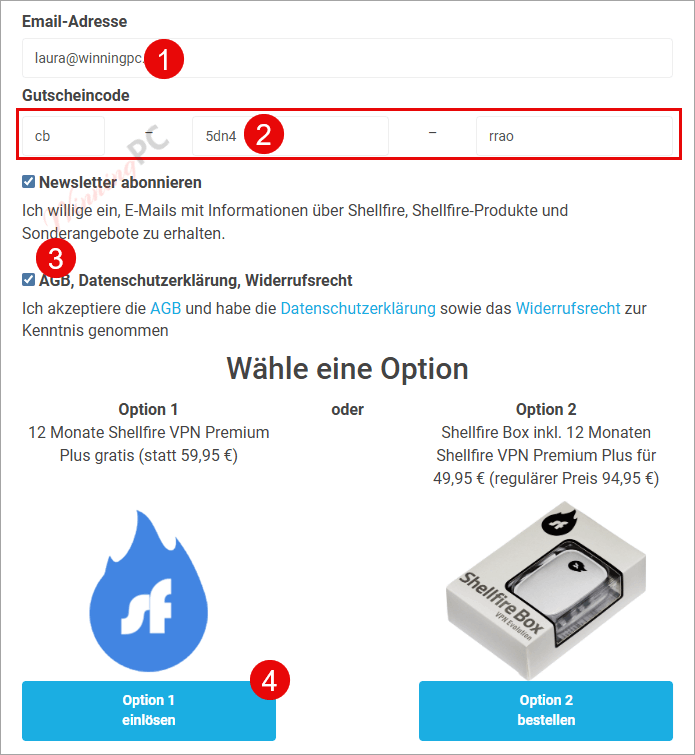
Access the giveaway page and enter your email address, giveaway code cb-5dn4-rrao as below. Choose Option 1 to process:
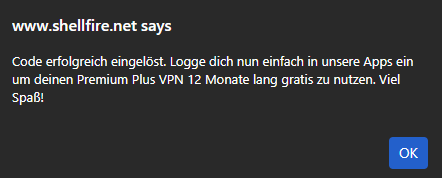
You will get this notice:
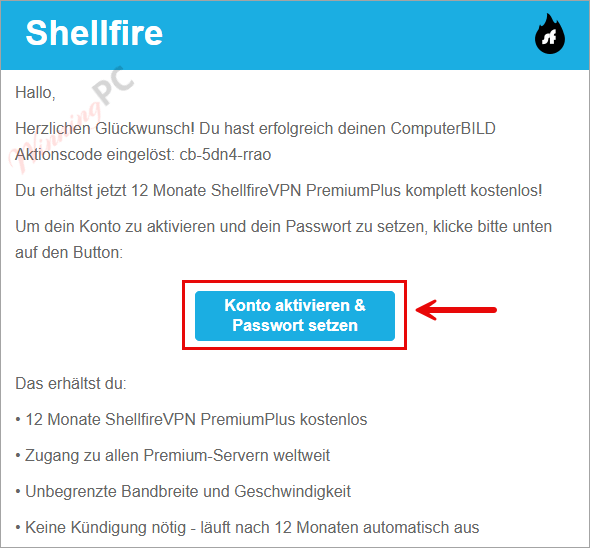
Open your mailbox to check the confirmation email, click on the activation link to create a new account (if you redeem the code with an existing account, you will not receive this email):
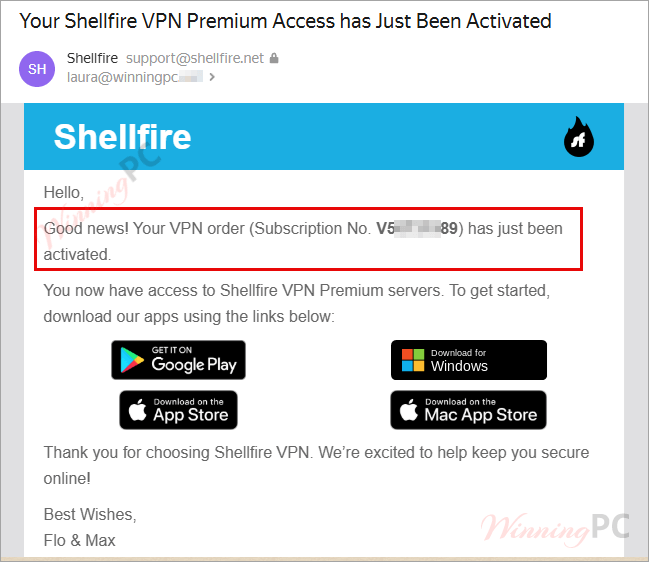
You will receive another email with your order number for Shellfire VPN Premium free:
Log in to your Shellfire dashboard and check your subscription!

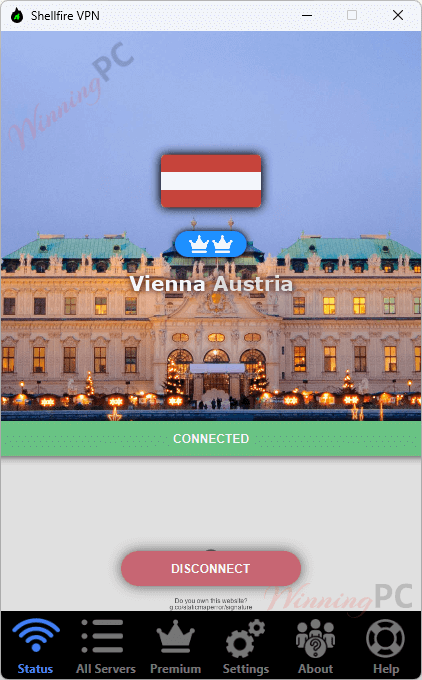
Shellfire VPN Premium screenshot
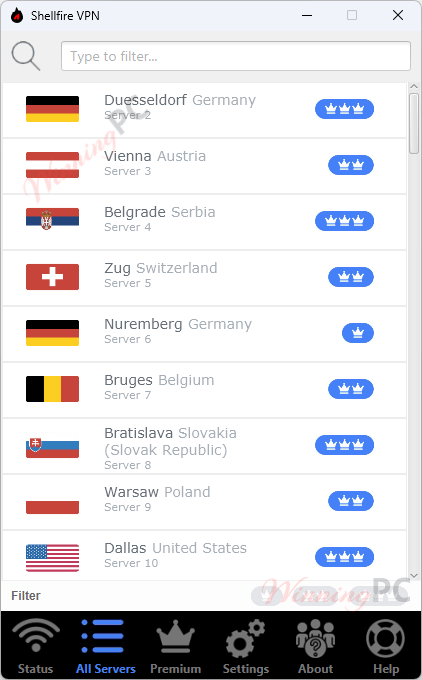
All servers
Key Features
- Wide Global Coverage: Shellfire VPN offers access to servers in 41 countries worldwide, enabling users to access content, news, and media from various locations and effortlessly bypass geographical restrictions.
- Strong Privacy and Security: It encrypts your internet connection, meaning your browsing history and connection details aren’t tracked or stored, protecting your data from hackers, cyber attackers, and government surveillance. It ensures that your browsing activity remains anonymous by masking your real IP address.
- Encrypted Connections Everywhere: It also supports manual configuration with popular VPN protocols like OpenVPN, IPsec, and WireGuard for tech-savvy users, your data travels through a secure tunnel that keeps hackers, ISPs, or even government agencies from snooping.
- Bypass Censorship and Restrictions: Change your IP address with a click, making it easy to access websites, streaming services, and apps that are blocked or restricted in your region.
- Safe Public Wi-Fi Use: Whether you’re in a coffee store, hotel, or airport, the VPN shields you from data theft and protects sensitive information like logins or banking details when connected to unsecured public Wi-Fi networks.
- Cross-Platform Access: Shellfire VPN works seamlessly on multiple devices and operating systems, with dedicated apps for Windows, Mac, iOS, and Android. If you’re a hands-on type, you can also set it up manually on other systems.
How to Use (Step-by-Step Guide)
Step 1: Download the App
Go to the Shellfire VPN website or your device’s app store (Windows, macOS, iOS, Android) and download the app. Install the app like any other program, then open it.
Step 2: Create or Log In to Your Account
New users can sign up directly inside the app. If you already have an account, just log in with your credentials.
Step 3: Choose a Plan (Optional)
You can start with the free version or upgrade to Premium for faster servers and more locations.
Step 4: Pick a Server Location
Select a country from the server list. With Premium, you’ll have access to 40+ countries. Click the “Connect” button. Once connected, your IP address is masked, and your internet traffic is encrypted.
Step 5: Browse Securely
Now you can enjoy secure browsing, unlock geo-restricted content, and stay safe on public Wi-Fi.
Frequently Asked Questions
Does Shellfire VPN keep logs of my activity?
No, it follows a no-logs policy. That means your browsing history and connection data are not stored.
Is this VPN software good for public Wi-Fi?
Definitely. It encrypts your connection, protecting you from hackers when using unsecured Wi-Fi at cafés, hotels, or airports.
Can the software unblock Netflix and BBC iPlayer?
In many cases, yes. Users report success with certain servers, though performance can vary depending on your region.
Can I use this tool for torrenting?
Some servers support P2P traffic, but performance may be inconsistent compared to top torrent-friendly VPNs.
What encryption does this VPN tool use?
Shellfire uses strong AES-256 encryption with secure protocols like OpenVPN, IPsec, and WireGuard.
Is there a discount available for this tool?
Yes! WinningPC provides a special coupon to help you save up to 68% off Shellfire VPN plans.
Why Choose WinningPC
- Why Trust? We are committed to providing 100% valid and verified coupon codes, so you can always shop with confidence.
- Found an Invalid Coupon or a Better Deal? If you encounter an invalid code or a better offer, please let us know. Our team updates all discount information regularly to ensure accuracy.
- Official Authorization: We only share authentic discounts from trusted software developers.
- No Fake Discounts: Unlike some sites, we never use misleading deals. The final price you see is the true discounted price.
- Secure Purchases: All transactions are processed on the official vendor’s website, ensuring authenticity and data protection.
- Extra Support: If you face order or vendor issues, contact us. We’ll liaise with the vendor to help resolve your problem quickly.
Technical Details
| Language Support | English, Français, Italian, Spanish, Swedish, and more… |
| Money Back Guarantee | 14-Day |
| Operating System | Windows, Mac, iOS, Android |
| Shipping | Register code will be sent to your email in minutes |
| Subscription | 1-Month, 1-Year, 2-Year |
| Support Services | Email, Tickets |





It took a little time, but I finally managed to do it following the instructions. Thank you very much.
marche pas