
 Cathryn Lee
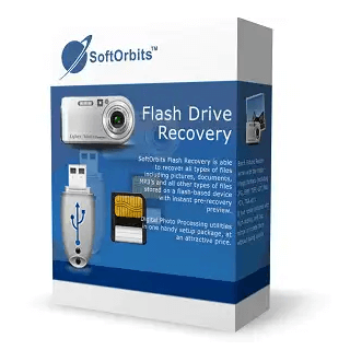
Did you accidentally delete files from a USB flash drive? Don’t worry. SoftOrbits Flash Drive Recovery will help you get your data back immediately. Working as a powerful data recovery tool, it can recover data from any type of storage media. With its help, you are able to recover data from music sticks, digital cameras, flash drives, USB drives, PC cards, etc.
This data recovery software will search for your deleted files when you run it, and it will save them in the destination folder. SoftOrbits Flash Drive Recovery supports scanning FAT32 or NTFS file systems, and it can locate partitions, MBR, and other file system objects.
Top Windows Data Recovery Software Coupon Codes

EaseUS Data Recovery Wizard Pro (Lifetime)
50% Off coupon code: regular price $149.95, discounted price $74.97

4DDiG Windows Data Recovery - Lifetime/1 PC
53% discount coupon code: regular price $119.95, discounted price $55.96

iMyFone D-Back - Lifetime Plan
60% off promo code: regular price $139.99, discounted price $55.99

Aiseesoft Data Recovery - Lifetime/3 PCs
50% discount code: regular price $180, discounted price $90

O&O DiskRecovery Pro For 1 PC
65% Off coupon code: regular price $99.0, discounted price $35.0

iMyFone AnyRecover - Lifetime License
65% off coupon code: regular price $159.99, discounted price $55.96
SoftOrbits Flash Drive Recovery Giveaway License Download
- Product name: SoftOrbits Flash Drive Recovery 3.x
- Website: https://www.softorbits.com
- License type: lifetime
- Platform: Windows
- SoftOrbits Flash Drive Recovery giveaway link: LINK-1, LINK-2
- Download: flashrecovery.exe
- License code – last updated: Apr 09, 2026
Click here...
- License code: FDR3-EQESA-QSEVU-RQAED
- License code: FDR3-FMKEH-CTTPM-ZCDKE
Option #1: Giveaway installer
To download and install the software on your PC, click the giveaway installation link above. Please click the “Get free registration key” option after entering your email address throughout the installation procedure.

Kindly reverse the installation process and copy the license code. To register the full version of SoftOrbits Flash Drive Recovery, paste the code in the designated space and select “Activate Now!”

Option #2: Giveaway link/ License code
On the SoftOrbits Flash Drive Recovery giveaway page, please enter your email address to request your personal full version key:

You’ll be taken to the page for the giveaway. To receive your free license code, please fill out your basic profile.

Download and install the software on your computer. Please paste your email address and the license key to activate the software.

Got it!

SoftOrbits Flash Drive Recovery Screenshot!

Main Features
- Fix your flash drive and recover your files.
- Quick and deep scan to recover your files.
- Supports drives from Samsung, Patriot, Kingston, SanDisk, Verbatim, Lexar, PNY, and more.
- Recover documents from Flash Drive, such as Music, Word, Excel, or Videos.
- Recover files on compact and Micro SD drives.
Technical Details
| Language Support | English, Français, Italian, Spanish, Swedish, and more… |
| Money Back Guarantee | 30-Day |
| Operating System | Windows Vista, Windows 7, Windows 8/8.1, Windows 10/11 |
| Shipping | Register code will be sent to your email in minutes |
| Subscription | Lifetime |
| Support Services | Email, Tickets |




program was not designed or built for modern versions of windows, does not even contain the correct embedded manifest data to request elevated rights using UAC prompt… It installs into the logged in users unprotected appdata\roaming sub-folder hierarchy with no option to put it anywhere else, SOS site claims this is version 3.7 but there is no trace of version information within the program or its meta-data, it does not detect a USB FLASH based memory device I tried with it and the readme.txt it installs talks of ancient versions of windows. I advise to stick with developers that know how to program for modern windows based environments by training and not by trial and error… mostly error in this case.
This so called new versions 3.8 installer was digitally signed in 2024! and has version 1.2 in its details tab in file properties… and is purely a downloader! AND it gets installed as an extra program that needs to be removed! has an untrapped error if a firewall blocks it’s unsolicited outbound internet request, which is NORMAL on systems with a conservative set of firewall rules! It should at least inform the end user it needs internet access so please reduce the firewalls protective measures to permit outbound connections as it’s very unlikely any firewall can approve the downloader as it does the request from a temporary spawned non-exe binary. When one does lower the firewall protection level it downloads a same named file but just over 7MB in size that then is spawned and installs the program with no further options, not asking about dropping a desktop shortcut or asking the desired install location or any information about the version of program it is badly installing… and ODDLY leaving one option on the end stating “View frecover.exe” WHAT THE… You can offer to View a readm.txt file but not an executable! It should be “Run frecover.exe” OR “Rum Flash drive recovery” BUT NOT View frecover.exe duh! how dumb! This time the downloaded file does have a version 3.8 in its file properties but it still does not request elevated rights which it would 100% need to directly access ANY storage media on a system to be able to read individual sectors to see if there are any lost files… it does not see my FLASH memory based SSD in a USB caddy nor my FLASH memory based SSD in SATA and NVME sockets on the systems so is a complete fail and of course the morons still force installation into an unsafe location on the users system drive with no option to install it anywhere else. The user interface is still completely UNCHANGED for the so called 3.7 previously offered, looks like all they did was alter the exe’s meta-data in the details tab on it’s properties to indicate 3.8 and recompile it and resign it but functionally it is identical, it STILL does not work!
good
When starting its installer, I get “Runtime error (at 26:440): WinHttp.WinHttpRequest: A connection with this server could not be established” in my very old, updated 64-bit W7 HPE SP1 machine. 🙁